Top 7 Brand Management Platforms & Software in 2026
Key Takeaways
- Marq is best for distributed teams in regulated or brand-sensitive industries that need localized, self-serve content creation – combining template governance, automation, and centralized brand control.
- Canva works well for solo marketers and small teams who prioritize ease of use and creative flexibility over brand control.
- Adobe Express suits companies already invested in the Adobe Creative Cloud ecosystem who need seamless asset integration.
- Templafy is ideal for Microsoft-centric enterprises focused on document compliance and governance.
Your sales team is creating off-brand pitch decks.
Your HR team is using outdated logos.
Your marketing team is drowning in one-off design requests.
If this sounds familiar, it may be time to invest in brand management software – especially when 33% of companies report that stronger brand consistency has helped them increase revenue by over 20%.
But with so many tools claiming to fix brand chaos, the real question is which one can genuinely simplify and optimize your workflows?
To help you decide, I’ve analyzed the top 7 brand management tools and how they stack up on features, pricing, and real user experience.
7 Best Brand Management Tools & Software: At a Glance
| Name | Best For… | Standout Feature | Starting Price | G2 Rating | Capterra Rating |
| Marq | Distributed teams in regulated industries | Branded template governance | $10/month (Entry Plan); Custom Enterprise pricing | 4.4 | 4.6 |
| Canva | Solo marketers and small teams | Template library | $15/month | 4.7 | 4.7 |
| Adobe Express | Adobe ecosystem users | Adobe Creative Cloud integration | $7.99/month | 4.5 | 4.6 |
| Templafy | Microsoft-centric enterprises | Compliance automation | Custom pricing | 4.3 | 4.2 |
| Frontify | Digital asset management | Brand portal | Custom pricing | 4.8 | 4.8 |
| Chili Publish | High-volume content production | Smart templates | $875/month | 4.2 | N/A |
| Bynder | Digital asset management | Open asset library | Custom pricing | 4.4 | 4.5 |
1. Marq: Best Brand Enablement Software for Distributed Teams

Marq is a popular brand enablement platform trusted by over 7 million professionals. It combines robust brand guardrails with AI-powered features that scale on-brand content creation and management.
Other brand management platforms focus on individual and siloed workflows (democratized content creation). Marq is made for the organizational brand champions – distributed teams who need a way to let lots of people create content without losing centralized control of the brand.
Key Features
Marq weaves together governance, automation, and creative automation (AI-assisted workflows), making it a leading brand content management software that ensures every piece of content stays on-brand, no matter who creates it.
1. Template Governance Layer with Role-Based Controls
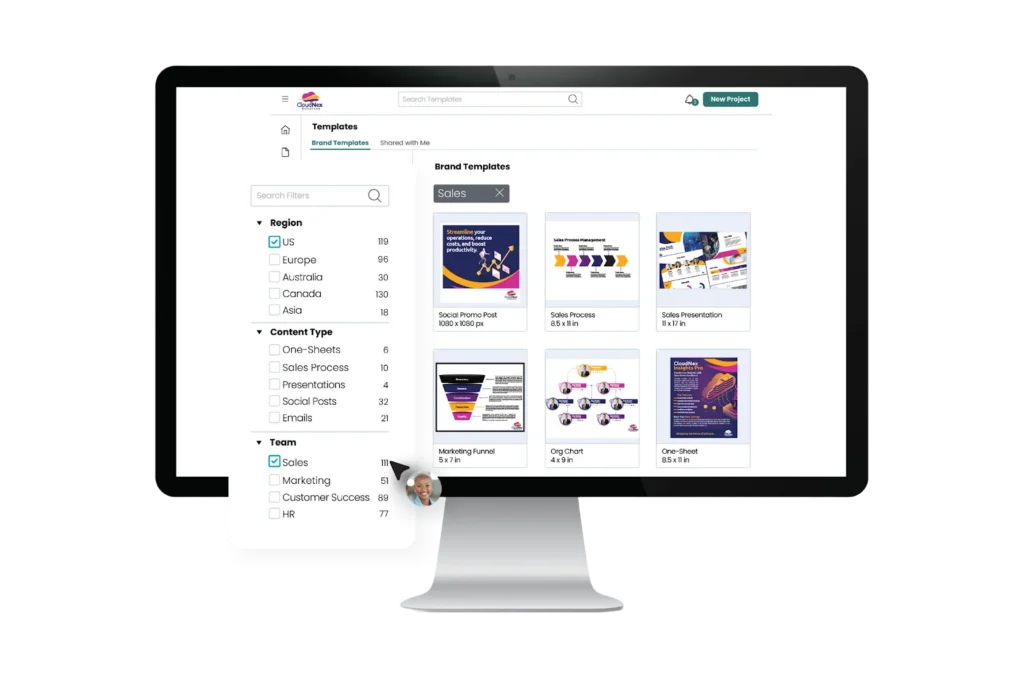
Marq protects brand integrity by locking critical design elements—such as logos, colors, layouts, image assets, and typography—while leaving clearly defined editable zones for end users. Non-designers can personalize content confidently without breaking brand standards. When these elements or data change, you update them once, and those changes reflect across templates instantly.
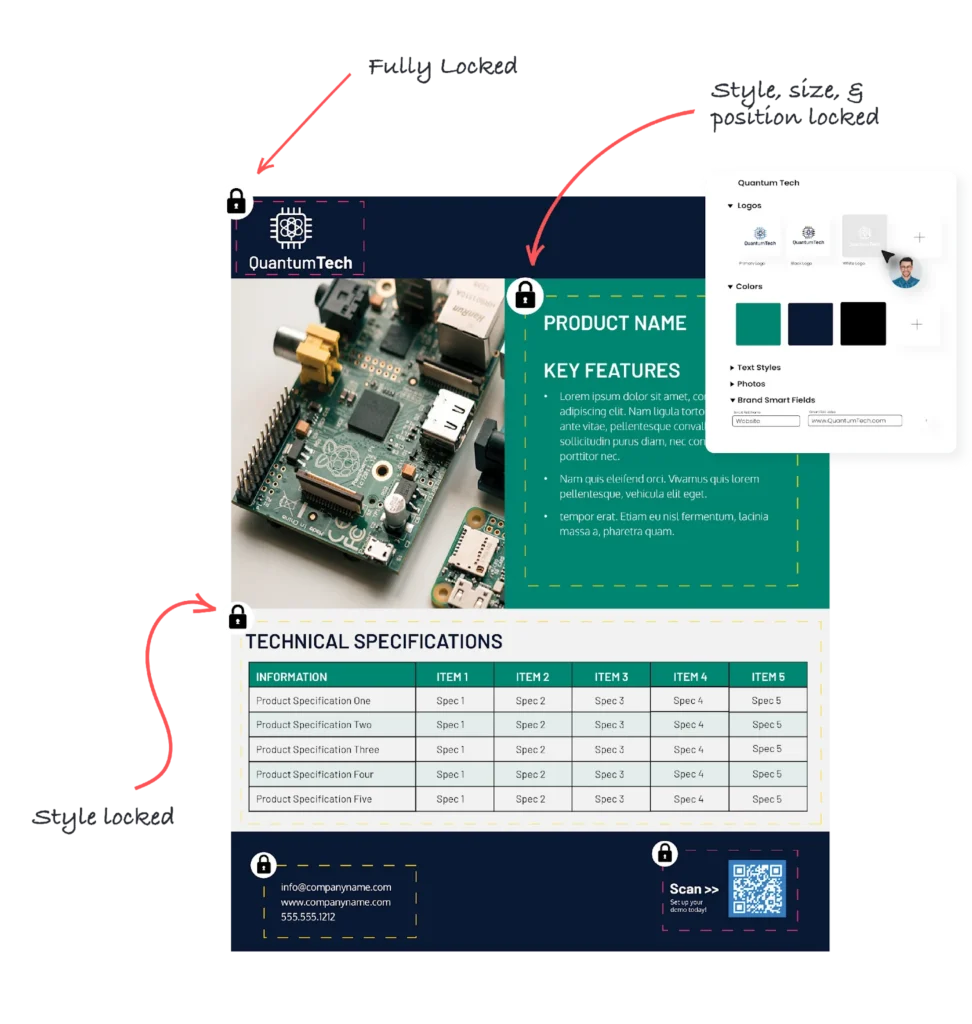
Role-based access and publishing workflows add another layer of protection. Different teams see different templates and folders based on their roles, and approval workflows ensure content reaches the right reviewers through a streamlined process.
2. Dynamic Brand Updates and Portals
Marq’s centralized brand kits act as a living source of truth that pushes updates across all templates automatically. This eliminates outdated collateral and “rogue versions” that often plague distributed teams.
Its multi-brand capabilities are particularly valuable for global or multi-lingual teams and regulated industries as they can maintain multiple brand identities within one platform – without the confusion or management overhead.

Self-service portals take this further by giving each business unit its own customized brand portal and workspace. Regional teams get access to approved templates and can customize them within set guardrails for local branding – all while central marketing stays in control of the brand.
3. Creative Automation and Data Merge
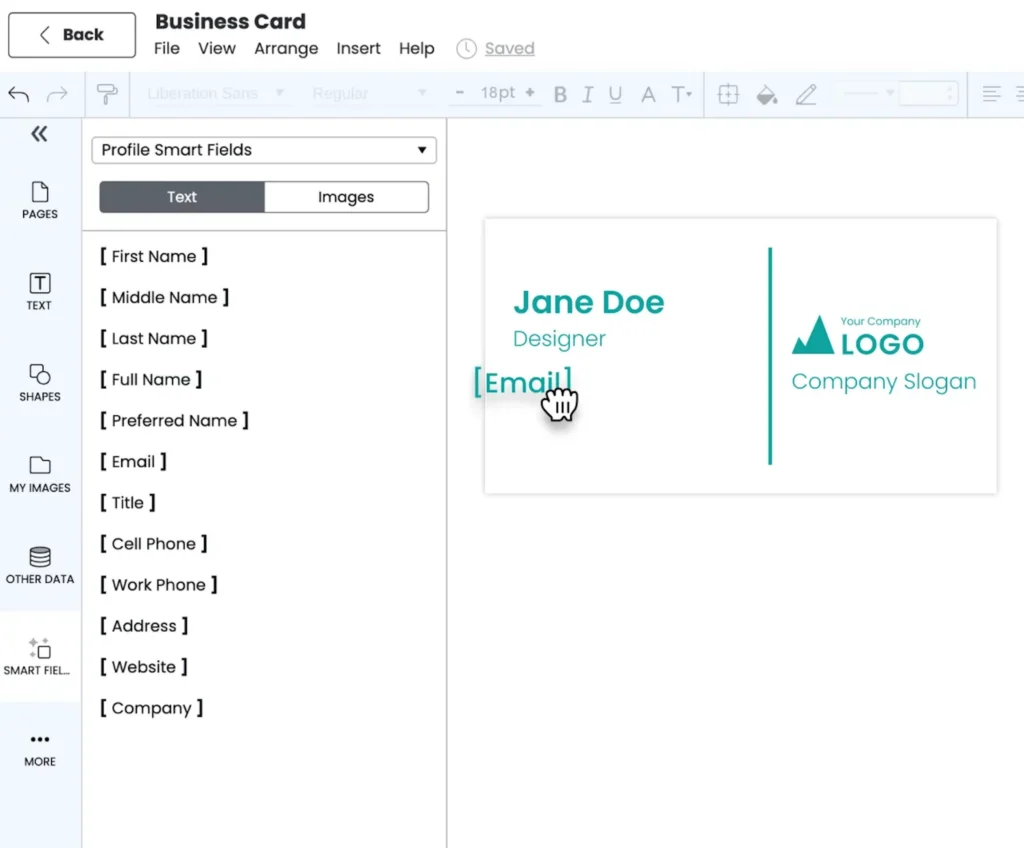
Marq helps teams keep content consistent while the data inside it constantly changes. Using smart templates with dynamic fields, this creative automation software lets marketers plug in spreadsheets, integrate CRM data, or other systems to automatically update names, customer quotes, pricing tables, legal language, and other localized content across hundreds of assets at once.
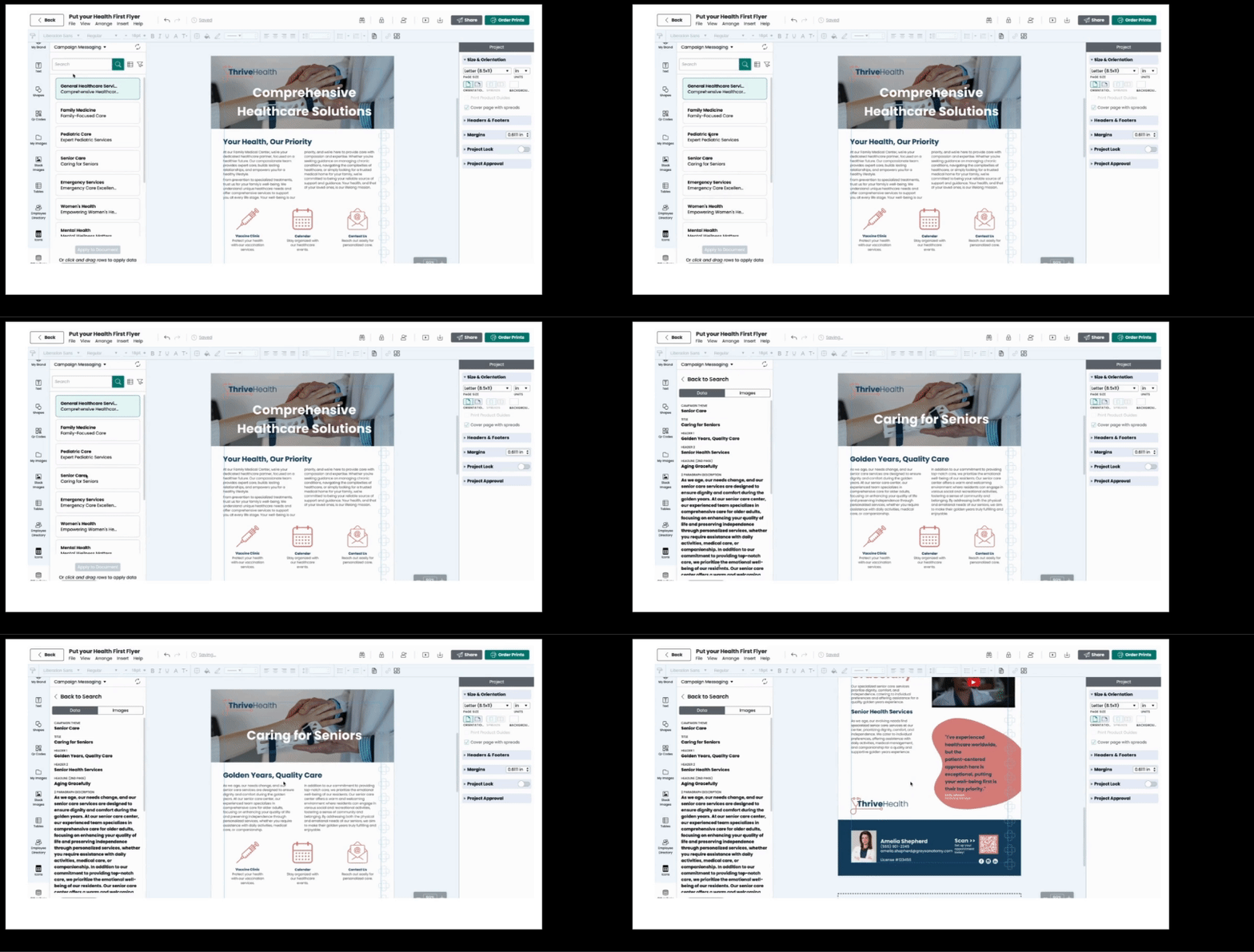
This is how teams solve problems like: “We need to update 400 flyers when pricing changes,” “sales needs personalized decks without design tickets,” or “this brochure changes by every state and plan, but only one brand team.” Content types stay standardized while regulated, regional, or language-specific data updates safely at scale. This way, marketing can say yes more often without becoming a bottleneck.
Note: Marq’s new AI Marqet works like Zapier for brand-safe creative automation. Teams apply ready-made automations that trigger on business events (such as new listings or sales opportunities) to automatically generate the right set of on-brand materials.
Pricing
| Plan Name | Plan Cost (Billed Annually) | Best For |
| Pro | $10/month | Solo creators creating branded content regularly |
| Team (2-20 users) | $10/month for each user (1 license free) | SMB teams needing to scale and automate branded content |
| Enterprise | Custom pricing | Organizations scaling high-volume content through automation |
Side Note: Marq gives you a 7-day free trial on its Pro and Team plans with no commitments. For large teams, Marq will work with you to optimize pricing and maximize your team’s usage. Learn more about pricing here →
Where Marq Shines
- More than just storage: Unlike DAMs that simply store assets, Marq empowers distributed teams to activate those assets across personalized, on-brand content at scale, establishing itself as a robust tech content brand management software.
- Robust integration ecosystem: Seamless connections to CRMs (Salesforce, HubSpot) and DAMs (Bynder, MediaValet) eliminate the vacuum where brand content typically lives.
- Purpose-built for distributed creation across complex organizations:
Marq is designed for multi-location and multi-entity organizations- such as enterprises, universities, health systems, and franchises – where lean marketing teams support many departments, campuses, or field teams without becoming a bottleneck. In those franchise environments, franchise management software often runs day-to-day operations – so having on-brand templates that local teams can safely customize helps keep marketing consistent across every location.
- Compliance-ready: Proven success in regulated industries like insurance, healthcare, and finance, where brand governance carries legal weight. As a healthcare brand consistency software, Marq embeds brand standards, approvals, and accessibility controls directly into templates and publishing workflows.
Where Marq Falls Short
- Value overkill for small businesses: Solo entrepreneurs or small teams without distributed members may not need Marq’s enterprise-grade features.
- Limited static storage capabilities: Teams that require enterprise-level asset ingestion, storage, and organization should look at a dedicated enterprise DAM platform. Marq offers a native integration with most of these DAMs.
- Not a heavy-duty design tool: while Marq does have an editor, it isn’t where designers create or iterate on original, pixel-level designs. Instead, it integrates with design tools like Figma to turn approved, high-use designs into governed templates for non-designers using DAM integration.
Customer Reviews
Morgan Turner from Orchard Real Estate says, “We’re able to quickly customize assets by market and audience, leading to more powerful marketing.”
Side Note: Read more about Morgan’s success with Marq here →
Morgan Turner shares, “Our designer is able to maintain our brand standards by locking elements. In particular, it’s really great that we can lock the entire template, the style, the size, or all of the above.”
Who Marq Is Best For
- Organizations with distributed content creators: Companies where sales teams, advisors, partners, franchisees, faculty, or regional teams need to create a lot of content themselves while maintaining brand, legal, or quality standards. Marq’s team management platform features make coordinating these contributors straightforward and centralized.
- Lean marketing or creative teams under pressure to scale: Marketing teams are responsible for enabling many contributors and want to say “yes” more often, without becoming a design service desk or quality assurance bottleneck.
- Organizations managing complexity across teams or structures: Teams operating across departments, regions, business units, or audiences that need consistent content systems while still allowing safe local customization.
- Teams where standards, accuracy, or accountability matter: Organizations that need built-in approvals, brand controls, or accessibility requirements to manage risk as content volume and contributors increase.
2. Canva
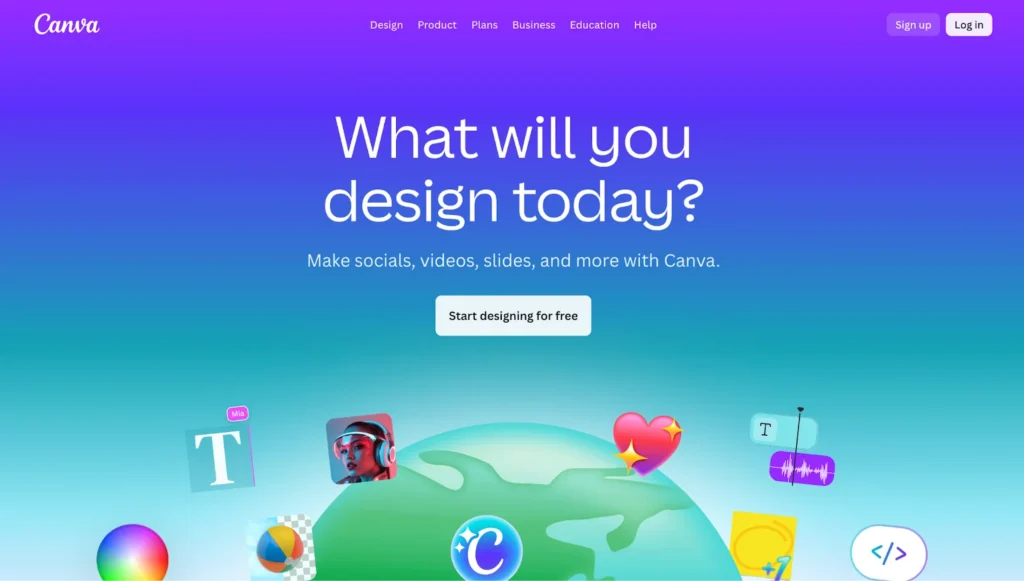
Canva is a popular design platform that has made professional-quality design accessible to millions of users. It offers features for individuals and teams to manage on-brand content, with an intuitive drag-and-drop interface.
Key Features
- Brand kits: With Canva, teams can upload logos, colors, and fonts to keep designs consistent. They can also lock critical elements to ensure they remain unchanged.
- Template library: Canva provides thousands of ready-made templates for social posts, presentations, and marketing materials. Teams can also build their own branded templates to speed up design creation.
- Admin controls and permissions: The Enterprise plan provides role-based access and feature controls, so admins can manage who can invite members, create groups, and use AI features according to internal policies.
Pricing
| Plan Name | Plan Cost |
| Free | $0 |
| Pro | $15/month |
| Business | $20/month/user |
| Enterprise | Custom pricing |
Where Canva Shines
- Creative freedom: Canva is ideal for individuals and creative teams that aren’t design experts. With a huge template library and an easy drag-and-drop builder, creating professional-looking designs is simple and accessible.
- Enterprise-grade security: Canva holds ISO 27001 certification and is SOC 2 Type II compliant.With multi-factor authentication in place, it protects team accounts and ensures strong enterprise-level data security.
Where Canva Falls Short
- Limited brand controls on lower tiers: Many important brand management features, advanced team controls, and security options require subscribing to the Enterprise plan, which is expensive for smaller teams.
- Expensive as you scale: As teams grow, costs rise quickly with more seats, advanced permissions, and enterprise controls. What starts as an affordable tool often turns into a significant recurring expense
Customer Reviews
Vishal J. shares, “Some of the more advanced features (brand kits, premium templates, export options) are locked in the pair tier — so you feel the limitations if you try to do more “serious” design.”
Dom P. says, “Canva makes graphic design accessible to everyone, regardless of skill level. The drag-and-drop interface, massive template library, and built-in brand kits make it easy to create polished content quickly.”
Who Canva Is Best For
Canva is best for solo marketers and small teams looking for easy-to-use brand and content designing software that prioritizes creative speed over strict brand governance.
3. Adobe Express
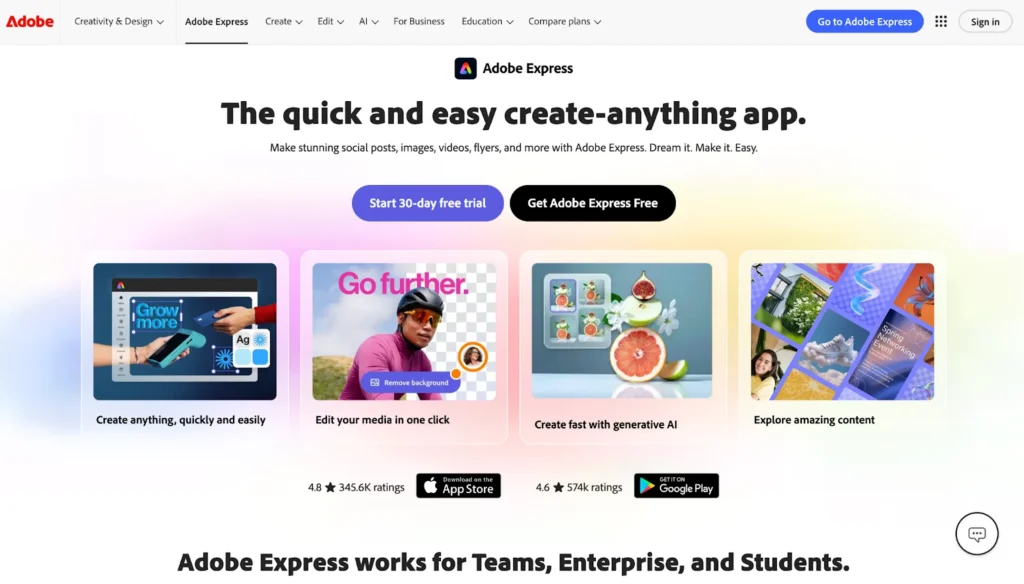
For companies managing brand assets within Adobe Creative Cloud, Adobe Express offers a streamlined way to create on-brand marketing content.
Key Features
- Team collaboration: Share branded templates and assets across teams with role-based permissions to control who can edit or use specific content.
- Creative Cloud Libraries integration: Connect to existing Creative Cloud libraries where approved brand assets are stored, so everyone uses the same logos, colors, and design elements.
Pricing
| Plan Name | Plan Cost |
| Adobe Express Free | $0 |
| Adobe Express Teams | $7.99/month/user |
| Adobe Express Premium | $9.99/month |
| Adobe Firefly Pro | $19.99/month |
| Adobe Creative Cloud Pro | $69.99/month |
| Adobe Express Enterprise | Custom pricing |
| Adobe Express Higher Education | Custom pricing |
Where Adobe Express Shines
- Familiar Adobe interface: Teams already using Adobe products can easily adopt Express without a learning curve.
- Mobile app functionality: Full-featured mobile app lets teams create and edit branded content on iOS and Android devices.
Where Adobe Express Falls Short
- Limited integrations: The platform works well within Adobe’s world but struggles to connect with platforms outside that ecosystem.
- Weak multi-brand management: Managing multiple brands or sub-brands within one account is complex.
Side Note: Marq on the other hand lets you manage multiple brand identities within one platform without confusion or overhead. Each brand gets its own workspace with dedicated templates and assets, while the central team maintains overall control.
Customer Reviews
Alicia F. says, “One of the most functional features for me is being able to integrate the brand kit, content calendar, and all Adobe design assets into a single application, which I find extremely convenient and efficient.”
Michael M. shares, “When managing projects for several brands or classrooms, folders tend to become cluttered rather fast.”
Who Adobe Express Is Best For
Express is best for Adobe-native teams who want lightweight design capabilities without leaving their existing ecosystem.
4. Templafy
For companies where Microsoft Word and PowerPoint are central and document governance is critical, Templafy is a powerful brand management platform.
Key Features
- Role-based permissions: Control which templates, assets, and content different users can access based on their role.
- Compliance automation: Automatically apply legal disclaimers, regulatory text, and compliance language to documents based on document type or region.
Pricing
| Plan Name | Plan Cost |
| Copilot Brand Compliance | Custom pricing |
| Content Distribution | Custom pricing |
| Brand & Content Governance | Custom pricing |
| Agent-Driven Document Creation | Custom pricing |
| Advanced Document Automation | Custom pricing |
Where Templafy Shines
- Enterprise-ready: Built specifically for large organizations with complex document workflows and strict compliance requirements.
- Audit trail: Templafy provides visibility into document creation and template usage for governance and reporting purposes, functioning as a lightweight layer of brand analytics software for enterprises that need compliance reporting and accountability.
Where Templafy Falls Short
- Microsoft-only: If your content strategy extends beyond Office documents, Templafy won’t cover those needs.
- Complex onboarding: Implementation requires significant effort, and users need training to navigate the system effectively.
Side Note: Marq’s intuitive interface makes getting started simple. The short signup survey captures your brand details and team setup upfront, followed by a smart checklist that guides your next steps.
Customer Reviews
Andrzej C. shares, “Integration with Microsoft 365 and Google Workspace means I can work inside the apps I already use, without bouncing between different tools.”
Shantanu C. says, “I think the app would benefit from having more AI-powered features integrated into its search function.”
Who Templafy Is Best For
Templafy is best for enterprise Microsoft users who prioritize document compliance and governance above all else.
5. Frontify

Frontify serves as a centralized brand portal where teams can store logos, templates, and brand guidelines.
The platform offers digital and print templates that turn brand-approved designs from Figma, InDesign, and Sketch into editable formats. However, Frontify’s template creation is primarily designed for localization and light customization. It doesn’t support high-volume personalization and automation at the level Marq does.
Frontify also doesn’t disclose its pricing, but it bases them on a company’s monthly active users. To get a quote, you need to speak with their sales team.
6. Chili Publish

Chili Publish specializes in creative automation and brand enablement for companies managing high-volume content production. It’s particularly useful for brands running multi-channel campaigns that require localized, personalized assets at scale, while maintaining strict brand consistency.
However, many users report a steep learning curve, as Chili Publish isn’t as intuitive as other brand management tools on this list like Marq or Canva.
Chili Publish’s pricing is also on the steeper end with plans starting from $875 per month. Add $610 to the starting plan if you include the GraFx experience.
7. Bynder
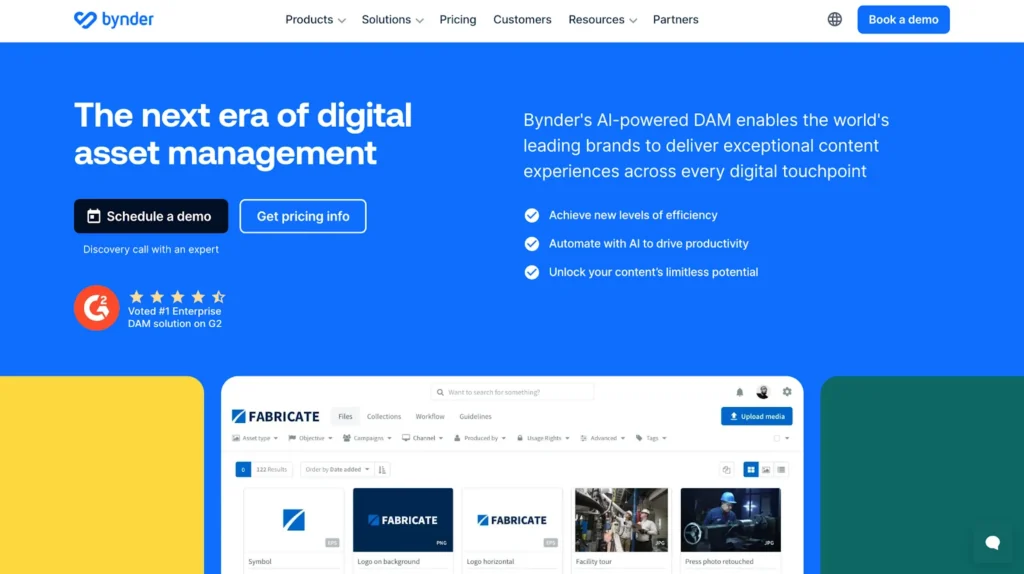
Bynder is a robust digital asset management platform that stores, organizes, and distributes brand assets. It excels at creating centralized asset libraries with sophisticated metadata tagging and permission structures.
However, Bynder doesn’t create content; it manages existing assets and file structures. This makes it complementary to rather than competitive with brand enablement platforms like Marq.
Speaking of pricing, Bynder doesn’t disclose its plans publicly. Contact their sales team for a quote.
How to Choose the Best Brand Management Platform
What works for your team may not work for another company – even if you’re both in the same industry.
To find the digital brand management software suited for you, consider the following factors:
Governance Requirements
For regulated industries and distributed teams, governance isn’t optional.
Role-based access, approval workflows, and locked brand templates reduce compliance risk while cutting down review cycles and internal back-and-forth. Instead of slowing teams down, the right governance model helps them move faster without compromising control.
Marq delivers on this governance without the gridlock. It lets you lock specific elements on templates to protect key brand assets and uses role-based access so teams only see what’s relevant to them.
Scalability Needs
If your company has multiple locations, regional offices, or teams creating content, you need a platform designed for brand enablement, not just brand management.
Marq empowers distributed creators with self-service portals and customized workspaces while maintaining central brand control. This prevents creative bottlenecks and scales on-brand content creation.
Automation
Manual content creation doesn’t scale. When you need hundreds of personalized, on-brand assets, doing it manually results in errors and inefficiencies.
Marq’s workflow automation eliminates this through smart templates and custom data fields. Connect your data sources to templates, and the platform auto-populates everything from product specifications to pricing tables.
Recommended Use Cases for the Brand Management Tools Covered
Here’s a quick reference for matching brand management tools to the specific use cases you’re interested in:
| Use Case | Recommended Tool(s) |
| Enable distributed teams to create localized content while maintaining brand control | Marq |
| Auto-generate personalized materials to speed up the design process | Marq |
| Create marketing graphics quickly without design expertise | Canva |
| Maintain design consistency within the Adobe ecosystem | Adobe Express |
| Enforce brand compliance on Microsoft Office documents | Templafy |
| Store brand assets and design standards in a centralized repository | Frontify, Bynder |
Manage Your Company’s Branding Easier With Marq
The right brand management platform doesn’t just store your brand, it brings it to life. Shortlist your top three options from this list and test them in a sandbox environment or through a free trial to see which one fits your workflow.
For regulated industries such as insurance, distributed teams, or companies that rely on automation to produce a high volume of branded content, Marq offers a balanced mix of insurance brand management and creative freedom. Book a demo today to see Marq in action! Book a demo today to see Marq in action!