Creative assets: Types, templates and management solutions

Creative assets give teams the building blocks they need to market their brand consistently. They include everything from logos, product photography, and videos to fonts, color palettes, and reusable templates. As teams produce more content across channels and markets, keeping these assets organized, current, and easy to use becomes harder.
This article covers the main types of creative assets, the challenges teams face as their asset libraries grow, a six-part framework to manage them more effectively, and leading creative asset management platforms.
Types of creative assets
Most teams manage more asset types than they realize. Grouping them into clear categories makes a content library easier to organize, tag, and search.
Most creative assets fall into four main categories.
1. Visual assets
Visual assets are files that communicate a brand through images and graphics rather than text. They include logos, product photography, illustrations, icons, infographics, and other visual elements used in marketing content.
Teams often reuse these assets across campaigns, channels, and regions, so keeping the right versions easy to find matters. Without clear organization and version control, outdated or unapproved assets can quickly end up in customer-facing content.
2. Text and typography assets
Text and typography assets are the written and typographic elements that shape how a brand communicates. They include fonts, headlines, taglines, copy blocks, disclaimers, and messaging guidelines.
In regulated industries, some assets carry legal weight. An insurance mailer, for example, may need a specific license number and state disclaimer in each version. If either is missing, the content can create a brand compliance issue regardless of how on-brand the rest of the design is.
3. Media assets
Media assets are dynamic files such as video, audio, motion graphics, and animation. Video in particular has become a core part of marketing, with 93% of video marketers saying it has helped increase brand awareness.
As teams produce more media, managing these files becomes harder. Videos are large, often exist in multiple versions and formats, and can be difficult to search. Without a well-organized library, teams may waste time recreating footage or cuts they already have.
4. Functional assets
Functional assets are the reusable files teams use to turn creative elements into finished marketing materials. They include templates, brand kits, and other reusable designs that give teams a consistent starting point for creating content. When these assets are governed, non-design teams can create on-brand content without starting from scratch or relying on a designer for every request.
Why creative assets management becomes a problem when scaling operations
A shared drive may work for a small team, but it becomes harder to manage as content production expands across teams, regions, and channels. Adobe research found that 96% of marketers saw content demand at least double in two years, while 71% expect demand to grow more than fivefold by 2027. As demand grows, teams need a better way to manage the assets behind that output.
| Asset challenge | Business impact | Operational consequence |
| Asset duplication across teams and regions | Wasted spend and creative capacity | Teams recreate assets that already exist |
| Slow campaign execution | Slower time-to-market and missed opportunities | Campaigns wait for design and approval |
| Brand inconsistency at scale | Weaker brand equity and revenue risk | Teams publish inconsistent content across markets |
| Limited visibility and control | Higher compliance and reputational risk | Leaders cannot easily track what teams and partners publish |
Asset duplication across teams and regions
When nobody can find the approved file fast, they make a new one. Forrester found that one in three employees redo work because they cannot access the right files.
Every rebuilt flyer is a slightly different flyer, so a library of 200 assets becomes 2,000 near-duplicates that no one trusts. The cost is not only the wasted hours. It is the collapse of your library as a reliable source, which pushes even more people to start from scratch.
Slow campaign execution impacting time-to-market
Every request that routes through a small design team joins a queue. Adobe’s research found that 58% of marketers spend more than 40% of their time managing reviews and approvals rather than creating. When a product launch or a timely campaign sits behind that backlog, you miss the window. Marketing stops being a growth driver and becomes a service desk, processing tickets while the market moves on.
Brand inconsistency at scale
Consistency is where the money is. Marq’s State of Brand Consistency Report found that presenting a brand consistently across channels can lift revenue by 10% to 33%. Almost every organization has guidelines and almost none of them hold: 85% have brand guidelines, but only about 30% use them regularly. A PDF guideline does not stop a busy rep from grabbing the wrong logo. Governed templates do, because the rules live inside the file instead of in a document nobody opens.
How Marq helps: Marq centralizes your brand kit so a logo, color, or font change updates every template at once. Approved elements lock in place, editable zones stay open, and people create freely without touching what they should not. See how a brand portal turns guidelines into guardrails.
Lack of visibility and control over distributed production
As creation spreads to regional teams, sales, and partners, leaders lose sight of what is published. That is a governance gap, and in insurance, financial services, or healthcare it is a legal one. Without a review layer and an audit trail, an off-brand or non-compliant asset can reach thousands of prospects before anyone notices.
You cannot fix what you cannot see, so control has to live in how content gets made, not get bolted on after a mistake.. The right AI tools for brand management can flag issues before content goes out.

Turn creative assets into usable content with Marq
Connect approved assets and reusable templates so distributed teams can create on-brand content without starting from scratch.
How to manage creative assets without losing brand control
Putting files in one place isn’t enough. Teams also need rules and workflows for finding, using, updating, approving, and distributing them. The six steps below take you from raw files to governed, self-serve production. Each one closes a specific gap from the section above.
Step 1: Create assets aligned to brand standards
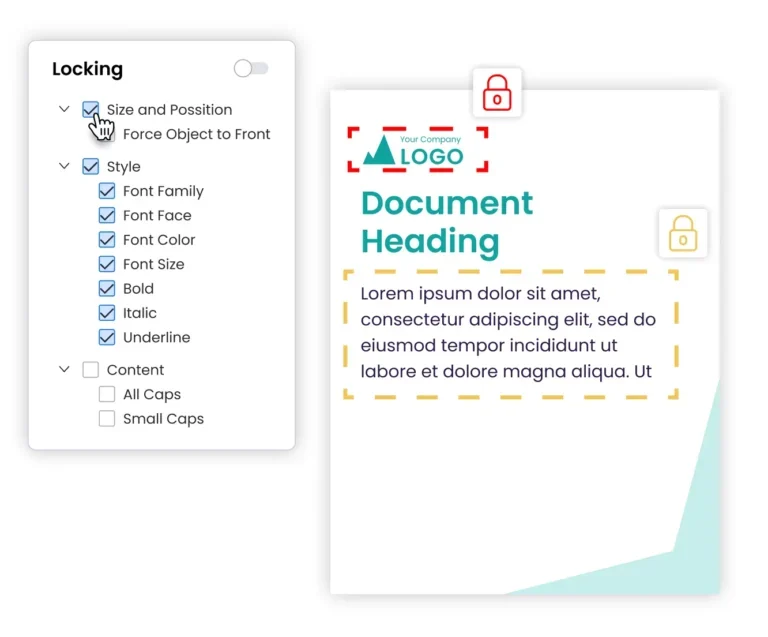
Fix consistency at the source. Build brand rules into templates so people create compliant, on-brand content without having to remember every rule.In practice, that means designers set type, color, spacing, and logo usage once inside a master file, then lock those choices.
When the rules live in the template, a generalist in a regional office produces on-brand work without memorizing a style guide. This is the difference between hoping people follow guidelines and making the guidelines automatic.
Step 2: Centralize assets into a single source of truth
Assets become difficult to manage when they’re spread across drives, inboxes, local folders, and different tools. When files sit on personal drives, in email threads, and across a dozen folders, people cannot find what they need, so they rebuild it. Pull every approved asset into one library that the whole organization can reach. Tag and filter by team, region, campaign, or asset type, because a library nobody can search is just a nicer-looking pile.
One common mistake is treating a storage drive as an asset management system. Storage holds files. It does not enforce brand rules, track versions, or let a non-designer safely edit a template. Those need a purpose-built platform.
Step 3: Enable teams to self-serve content creation
Bottlenecks form when every edit needs a designer. Break that dependency by giving people locked templates they can customize inside safe boundaries. A sales rep swaps in their headshot and contact details. A regional marketer updates an event date and address. The logo, layout, and legal language stay fixed.
Adobe found that 36% of marketers struggle just to find time for content creation. Self-serve templates can help shift creative resources away from high-volume, ‘one-off’, and tedious design requests . Instead, designers can focus on work that needs their skill, which improves creative team management across the board.
Step 4: Automate personalization with data
Manual personalization does not scale to hundreds of variations. Connect templates to a data source such as a spreadsheet, a CRM, or a database, and let the file populate itself. A real estate brokerage can turn a listing feed into hundreds of finished flyers, each with the right price, address, and agent details, in minutes instead of days.
In financial services, a template can pull the correct state, product, and disclaimer from a Salesforce dropdown so an agent never adds them by hand. Automation removes the manual steps where errors and off-brand edits usually creep in.
Step 5: Govern approvals and distribution
Creating content faster can lead to brand, compliance, and quality problems if there aren’t safeguards around what people can change and publish. Add a review layer so the right people approve content before it’s shared, and keep an audit trail of what went out and when. This matters most in regulated industries, where a missing disclaimer is a legal exposure, not a formatting slip.
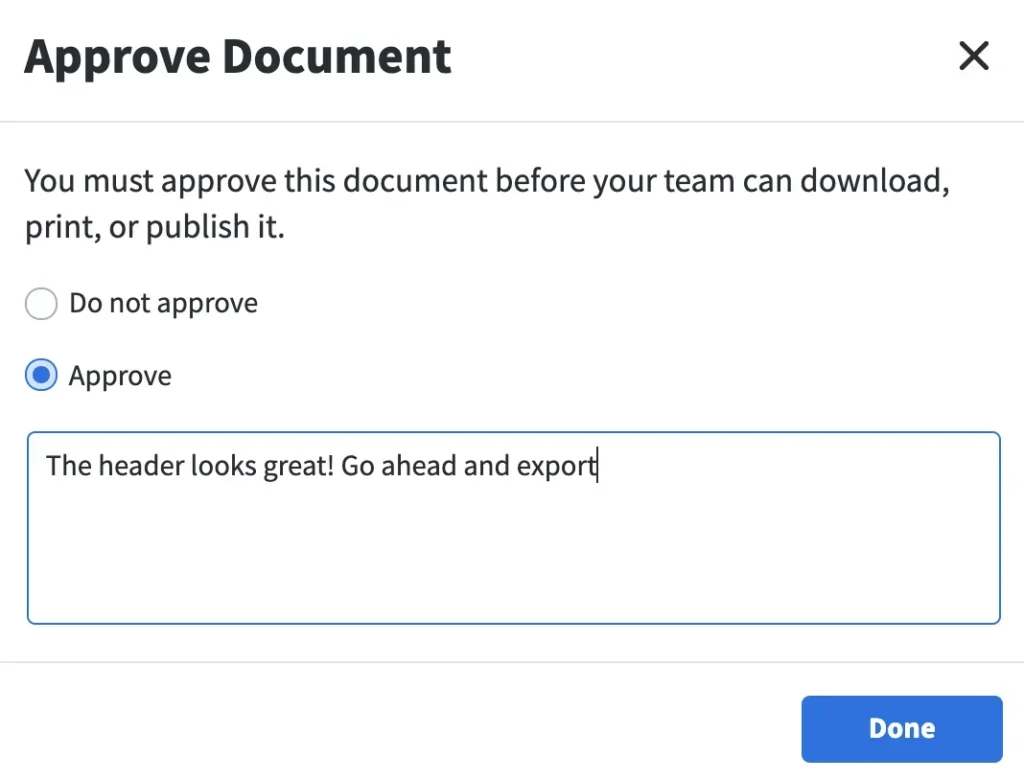
Good governance is not a bureaucratic gate. It is a fast, defined path from draft to approved to published, so teams move quickly and leaders keep visibility. Done right, it lets your brand and compliance teams stop policing content and start enabling it.
Step 6: Ensure consistency across channels and regions
Your brand shows up on print, social, email, and signage, in a dozen languages and across dozens of locations. Consistency has to hold across all of it. Centralized brand controls make that possible: change a color or logo once and every template updates everywhere, so nothing outdated slips through.
For organizations spanning markets, this is the backbone of global brand management, and it is what keeps a customer’s experience identical whether they meet your brand in Phoenix or Berlin.
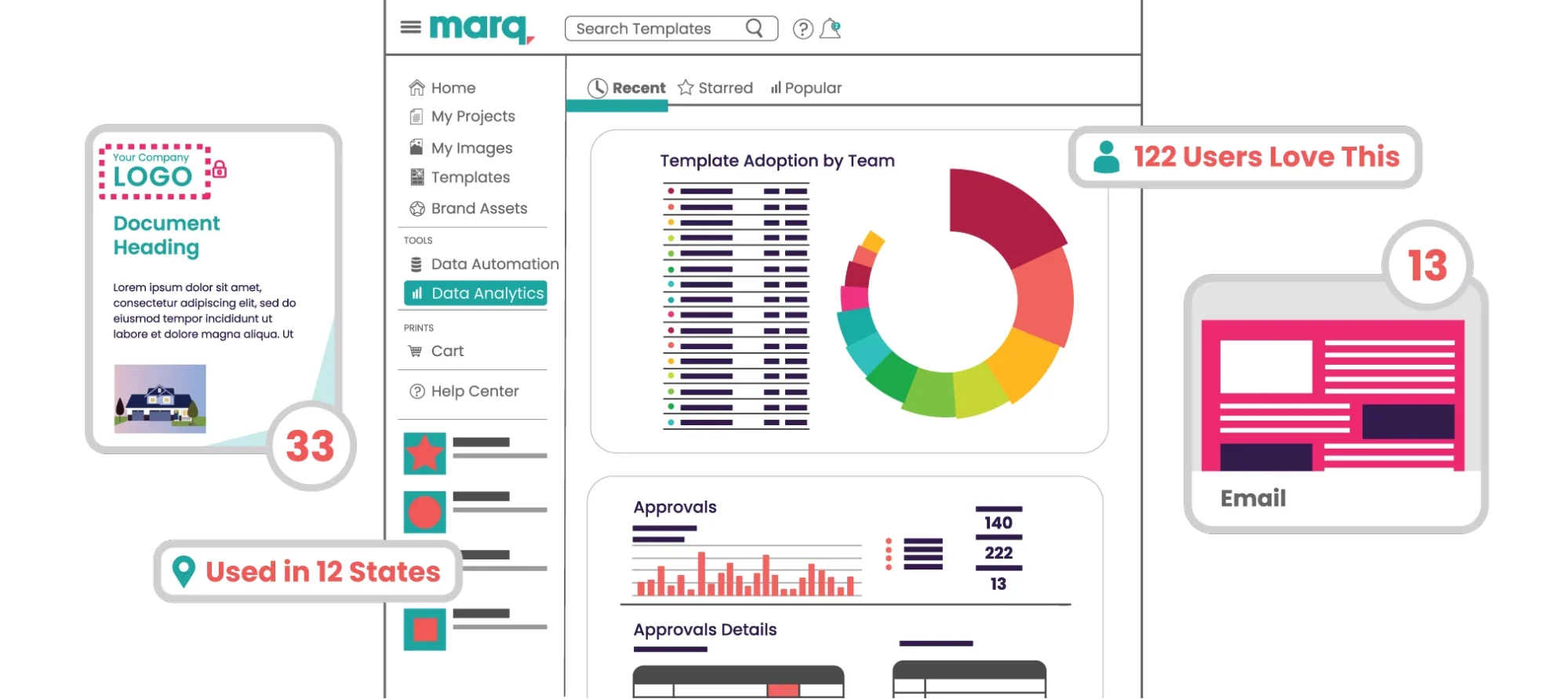
Track adoption along with output. Usage analytics show which templates teams actually use and which get ignored, so you can retire dead weight and build more of what works. Pair this with creative KPIs to prove the program’s value to leadership.
Most common creative templates for a central marketing hub
- Flyers: Create reusable flyer templates for recurring events, promotions, listings, and local campaigns. In Marq’s analysis of a sample of large organizations using the platform, flyers were the most-used template type, accounting for 42.8% of documents created from templates. Lock brand elements while leaving dates, locations, images, and campaign details editable.
- Social posts: Create branded images for multiple purposes that your team can easily customize. Include several looks and develop content for all of your channels. Instagram, X, TikTok, etc.
- Slide decks: Create presentation templates that your team can use for internal and external use. Consider including several options and styles that are all brand-approved.
- Business cards: Every new hire and every sales reorder is a small design request. A template lets people order their own cards (and check their own phone number before it prints).”
- Paid ad template: Create templates for sponsored campaigns with the approved imagery and fill in copy points as needed. You can also provide batches of headlines and sub-copy so they can switch out messaging themselves and easily run tests on the best conversion copy.
- One sheet: An info sheet with product descriptions, new product features and upgrades, and even personalized product messaging by vertical can help amplify sales opportunities and save your marketing and design teams time.
- Event collateral: when the events team requests flyers or brochures for events, it can be helpful to provide templates for repeat pieces of collateral that they can easily customize themselves.
How to build your template library
A template library is the engine of self-serve content, and it works best when designers seed it from existing design work in the tools they already use. Teams that design in Adobe InDesign can upload finished layouts and convert them into locked, editable templates, which turns completed projects into reusable assets instead of one-off files.
Build in tiers. Start with general templates anyone across the organization can use, then add department-specific collections that only certain groups can access. A university alumni team needs donor and event collateral, while athletics needs game-day materials, and each group should see its own set without wading through everyone else’s.
Explore ready-made creative process templates to get a head start.
What Marq data suggests about creative assets and template utilization
To understand which content formats teams create most often from templates, Marq reviewed template activity from a sample of enterprise organizations using the platform. The sample included 75,099 active templates and 768,671 documents created from them.
Within this sample, five asset types accounted for 72.7% of documents created. Flyers accounted for 42.8%, followed by social media graphics at 15.4%.
| Creative asset type | Templates available to non-designers | Documents created | Share of documents |
| Flyer | 31,263 | 328,854 | 42.8% |
| Social media graphic | 12,043 | 118,451 | 15.4% |
| Postcard | 4,313 | 43,129 | 5.6% |
| Presentation | 2,143 | 38,691 | 5.0% |
| Signage | 3,660 | 29,475 | 3.8% |
What this may mean for marketing leaders: The concentration suggests that teams may not need to cover every format when launching a template library. Flyers and social media graphics could be practical places to start, but each organization should also consider its own content requests and usage data.
Best platforms for scaling creative asset management
The right platform depends on what you actually need: storage, activation – turning approved files into new work – or governed creation. The three below solve related but different problems, so match the choice to your primary goal.
| Platform | Best for | Key strength |
| Marq | Brand control and scalable content creation | Template governance plus automation |
| Brandfolder | Storing and organizing assets | Digital asset management and search |
| Bynder | Enterprise asset storage at scale | Broad DAM with workflow tools |
Marq
Best for: Distributed teams that need on-brand content created fast, without routing every request through design.
Marq is a brand enablement, design, and creative automation platform built for the moment creation outgrows a small team. Where a design tool gives everyone freedom and a storage system gives everyone access, Marq adds the layer both miss: governed creation. People make what they need, and the brand stays intact.
Here is what sets it apart:
- Template governance: templates with granular locking options and editable zones, so non-designers customize safely while brand elements stay fixed.
- Dynamic brand controls: Update a logo, color, or font once and the change propagates across every template and user, which retires outdated collateral automatically.
- Creative automation and data merge: Connect templates to a spreadsheet, CRM, or database to generate hundreds of personalized assets in minutes.
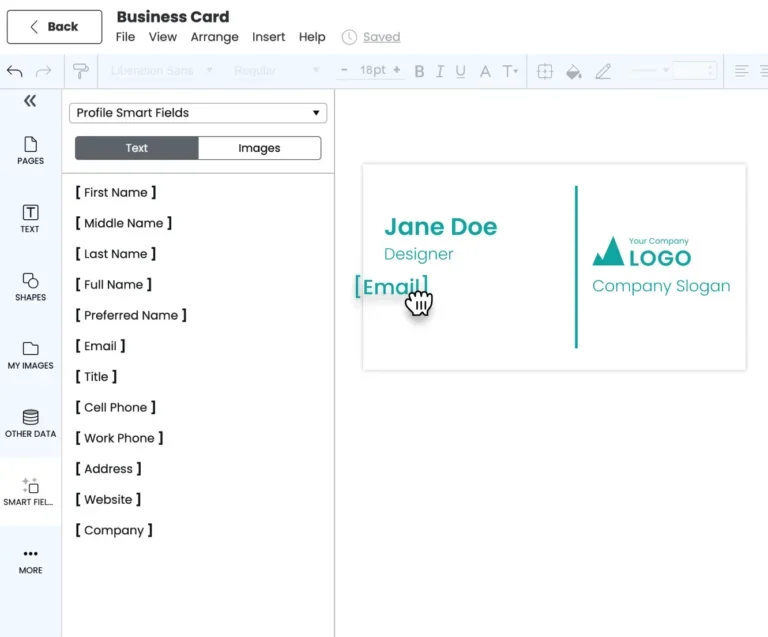
- Role-based access and self-serve portals: Give each team, region, or partner its own workspace with only the templates it should see.
- Approval workflows and audit history: Route content through review before publication, and keep a record of what went out
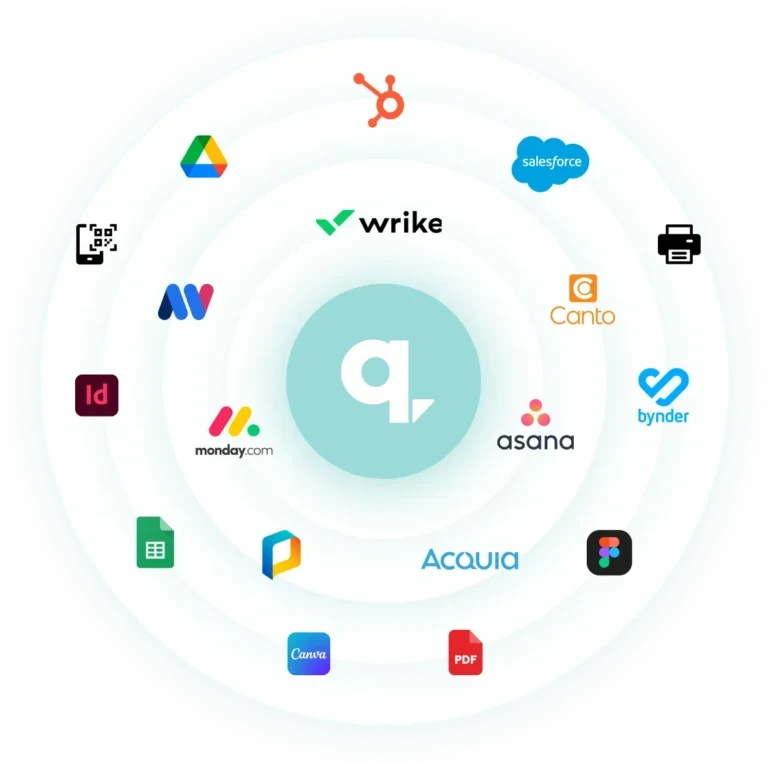
- Integrations: Connect to your DAM, CRM, and project tools so assets flow between systems. See the full list of Marq integrations.
Book a demo to see Marq in action.
Brandfolder
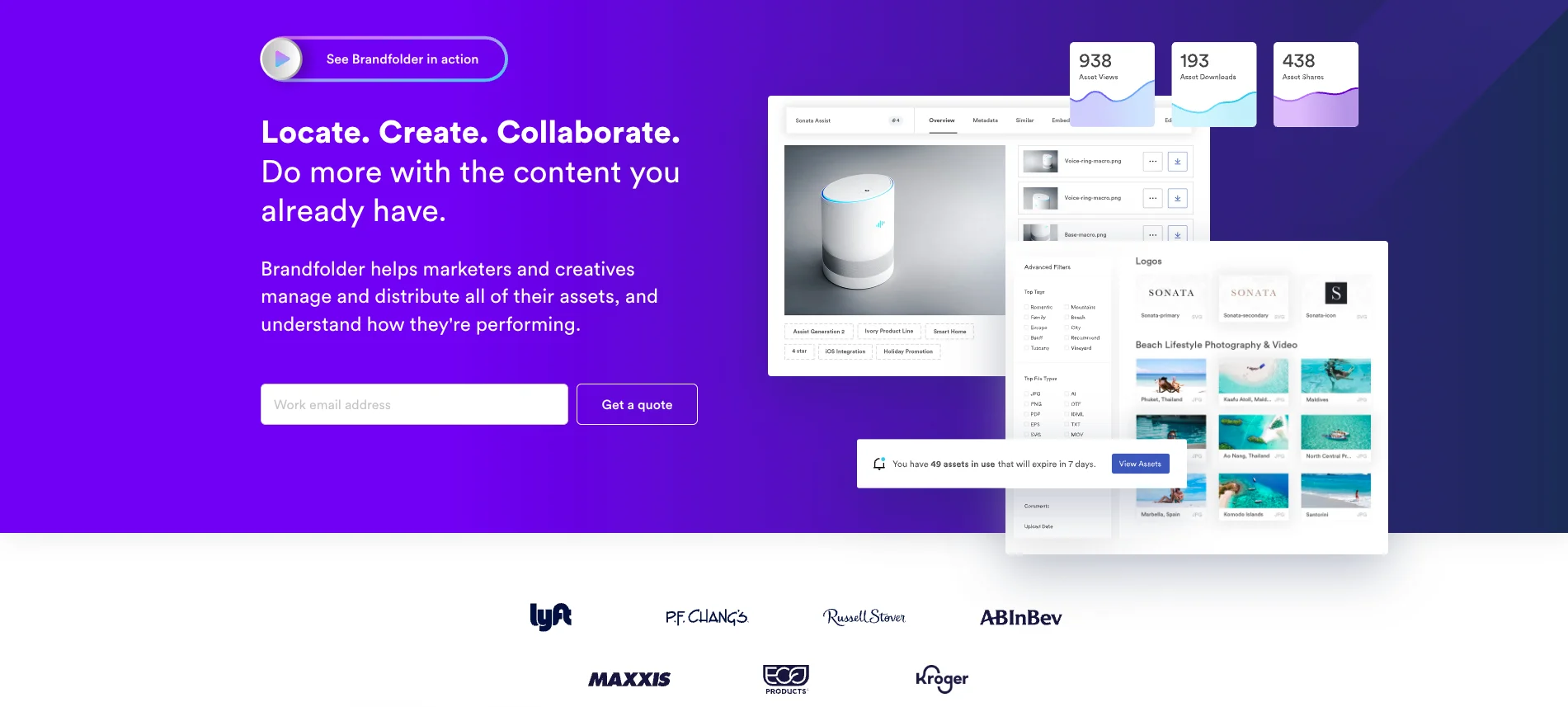
Best for: Teams whose main need is storing, organizing, and finding a large asset library.
Strengths: Brandfolder is a capable digital asset management platform with strong search, tagging, and organization. It gives teams a central home for finished files and makes retrieval fast, which solves the “where is that file” problem well.
Limitations: As a DAM, its core job is storage and retrieval, not creation. It holds and serves approved assets, but it does not turn a non-designer loose inside a locked template to produce new, personalized collateral at scale. Teams that need activation, not just storage, tend to pair a DAM with a creation platform.
Compare options in this guide to marketing asset management software.
Bynder
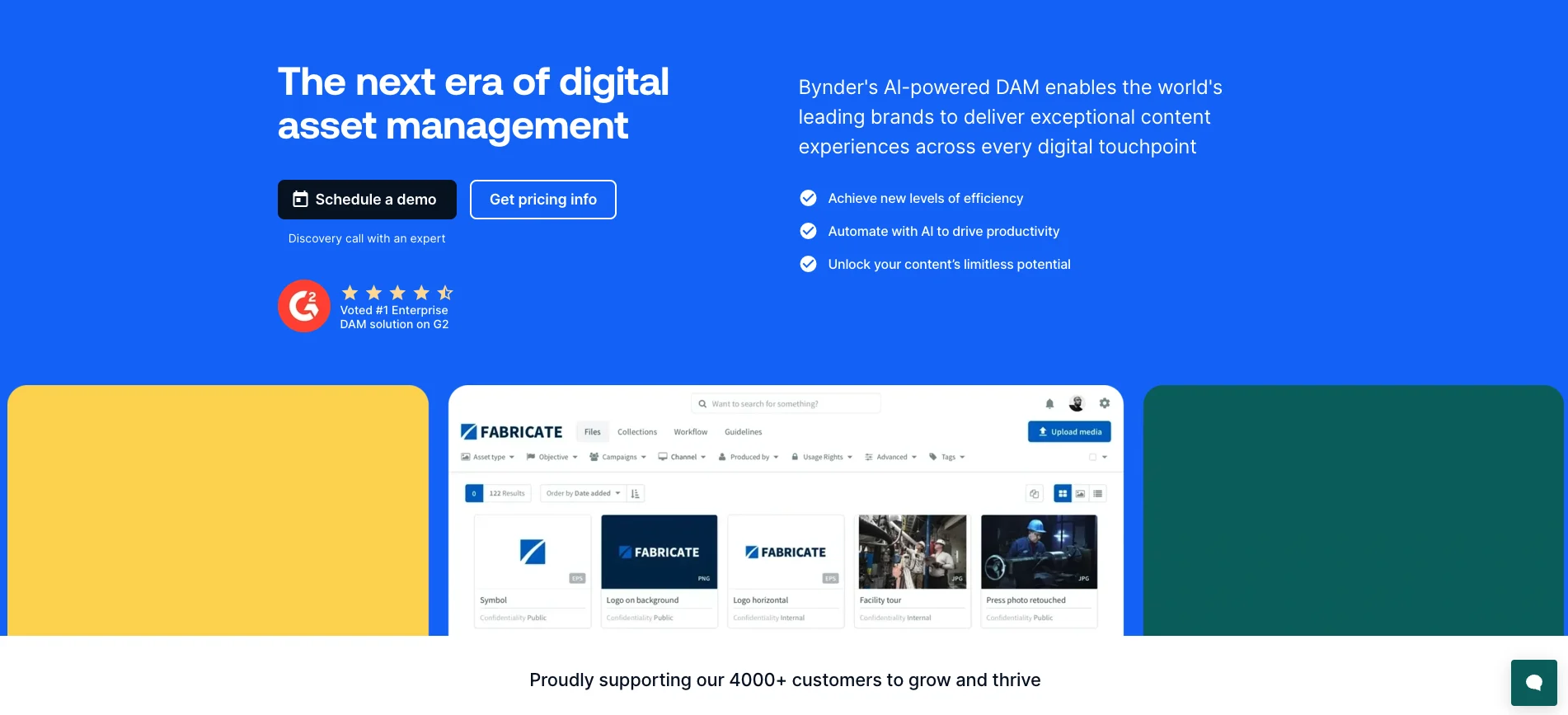
Best for: Large enterprises that need broad digital asset management across many teams.
Strengths: Bynder is strongest at organizing and distributing large asset libraries. Its metadata taxonomy helps teams find approved files, while permissions control who can access, download, and share them.
Limitations: Like other DAMs, Bynder centers on managing assets rather than creating them. Its templating is lighter than what a purpose-built creation platform offers., so teams focused on distributed, self-serve content production often connect it to a tool built for that job.
Case study: What successful teams do differently
The pattern across Marq customers is consistent: they stop treating asset management as storage and start treating it as governed creation. Here is what that looks like in three industries.
Fidelity National Financial
With 23,000 employees across 80-plus competing subsidiaries, Fidelity had no central system and sales reps were personalizing their own collateral. They moved to Marq to create one repository for reps to access on-brand content from.
Results: 29 subsidiaries onboarded. Using profile smart fields, Marq admins were able to auto-fill photo and contact details for 800+ reps in every relevant asset.
Purdue University
Purdue’s marketing team was acting as an internal agency, buried in requests from 13 schools while the brand needed bigger initiatives.
They built locked templates their campus partners could self-serve. Results: a library of 350-plus templates, roughly 40,000 documents exported by partners, and the central team freed to run 129 active brand-building projects at once.
@properties | Christie’s International Real Estate
Getting a single template built through an outside vendor took four to six weeks, which could not scale to 3,500 agents. With Marq, the team uploads an InDesign file, locks the brand elements, and publishes a usable template in minutes, then agents personalize listings themselves.
Key takeaways for marketing leaders
In every case, the win came from pairing central control with distributed creation. Leaders kept the brand locked and the audit trail intact, while everyone else got faster. That is the trade most teams assume they cannot make, and it is exactly the one governed templates unlock. Read more on brand consistency in practice.
Bring brand governance, control, and speed together with Marq
Creative assets stop being a liability the moment you manage them as a system instead of a folder. Create to brand standards, centralize into one source of truth, let teams self-serve inside locked templates, automate the repetitive work, and govern what ships. Do that, and you get speed and control at the same time, which is the combination most tools force you to choose between.
Marq is built for exactly that combination. It gives marketing leaders the governance to protect the brand and the automation to move fast across every team, region, and channel.
See how team management and usage analytics fit into a brand enablement strategy that scales.
Book a demo to see what governed, self-serve content creation looks like.
FAQs
What are creative assets?
Creative assets are the reusable visual and written files a brand uses to market itself. That includes logos, photos, videos, fonts, color palettes, templates, and brand guidelines. Marketing teams create, store, and reuse these assets across campaigns and channels to stay recognizable and consistent.
Creative asset management vs digital asset management vs template management: what is the difference?
They solve different problems. Digital asset management (DAM) stores and organizes finished files so people can find them. Template management controls reusable, editable files so people can create new content on-brand. Creative asset management is the broader practice that covers both storing assets and activating them into new work.
Is a shared drive enough to manage creative assets?
No, not once you scale. A shared drive stores files but cannot enforce brand rules, track versions, control permissions, or let a non-designer safely edit a template. As volume and teams grow, drives lead to duplicate, outdated, and off-brand files. A purpose-built platform adds the governance a drive lacks.