Brand Templating: Setup, Benefits & Examples [2026 Guide]

Every hour your creative team spends on one-off content request is an hour they’re not moving a high-impact campaign forward. Brand templating fixes that by putting governed, on-brand content creation in the hands of the teams who need it.
This guide covers what it is, how it drives revenue, and how to build it right.
What Is Brand Templating?
Brand templating turns your most common, repeatable brand assets into governed templates that allow teams to create on-brand content without relying on a designer for every request.
Brand templates are not PowerPoint files or static PDFs. They are rule-based assets where brand owners control exactly what can and can’t be changed.
Brand Templating vs Brand Guidelines
Brand guidelines document the rules teams are expected to implement, e.g., typography and tone of voice. But they are often overlooked and become outdated fast.
Brand templates put these guidelines into action. The rules are built into the template itself, e.g., hex codes, fonts to follow. Teams can only edit what they’re allowed to edit by central marketing leaders who control access to templates.
Brand Templating vs Design Systems
Design systems define UI components and code patterns for digital products. They live in the hands of engineers and product designers who ensure product experiences are consistent.
Brand templates serve a different audience entirely: the sales reps, regional marketers, campus departments, HR teams, franchisees, and distribution partners. These groups need brand templating to produce brand-compliant content (sales decks, social posts, event flyers, etc.) without pulling designers into every request.
Brand Templating Business Benefits
Brand templating does more than reduce design requests. It directly affects revenue, risk, and team productivity. Here’s how:
1. Brand Templating and Revenue Enablement
Brand templates drive revenue by enabling teams to launch campaigns faster, which gets them to market while they’re relevant and keeps your team ahead of competitors. At the same time, built-in CRM integrations and smart fields allow for personalized messaging by region or vertical without compromising brand standards.
All this reduces costly mistakes and frees designers to focus on strategic work that fuels growth.
2. Scaling Content Creation Without Scaling Risk
Content demands compound fast when more locations, product lines, or departments are added. Most marketing teams respond by adding review steps or saying no to requests. Both slow the business down.
Brand templates let teams scale content creation across regions and business units without adding headcount or increasing the risk of off-brand, non-compliant content reaching customers.
3. Reducing Brand, Legal, and Compliance Risk
In regulated industries like insurance and healthcare, off-brand content creates legal exposure which can result in regulatory fines, failed audits, or licensing violations.
Brand templates lock the elements that shouldn’t change (e.g., disclaimers and regulatory language) and make them impossible to accidentally edit or delete by non-designers.
4. Lowering Operational and Creative Bottlenecks
Creative teams spend hours every week on repetitive requests. Those requests crowd out work that moves strategic projects forward.
When teams self-design with templates, designers are no longer buried in routine requests. They can focus on high-impact campaigns, deliver faster on priority work, and avoid the burnout that comes from constantly doing the same tasks.
What Must Exist Before Brand Templating Works
Template libraries often become outdated quickly after launch. This is not because the templates were poorly designed, but because no one defined who owns them, what’s allowed to change, and who updates them.
Before building the templates, these four things need to be in place.
1. Brand Governance and Decision Rights
Brand governance ensures that one person or team has documented authority over what’s fixed, what’s flexible, and what requires approval – before the first template is even created. Without this, template-related questions are either escalated continuously or answered inconsistently. Without formal ownership, brand standards slip.
2. Roles and Responsibilities Across Teams
Two roles must be clearly defined before templates are built:
- Template admins control what’s locked, shared, and updated. They set the rules and maintain the brand assets.
- End users create content within the boundaries set by admins.
If these roles blur, the system fails: admins get drawn into every request and end users edit what they shouldn’t. Fixing either problem means clearly separating the roles again from the start.
3. Rules, Guardrails, and Brand Control
Brand consistency can’t rely on people remembering the guidelines. Without built-in controls, every user interprets them differently, and brand standards slip under tight deadlines.
Templates with clear rules and guardrails set boundaries for what can and cannot be changed. This helps teams create brand-safe content at scale without depending on the central design team.
4. Permissions and Access at Scale
When every user sees every template, the library becomes harder to navigate and easier to misuse. Permissions act as a brand governance tool, controlling access by role, region, brand, or seniority. This reduces errors, improves template adoption, and protects sensitive information from being used incorrectly.
How to Build Your Brand Template Library
How do you determine what should be templatized?
You likely have a few brand templates kicking around your shared drive, but have you equipped your team with the right ones, and could you expand your library?
The steps below will help you identify the right templates your team will actually use.
Step 1: Audit the Content You’re Already Creating
Start by listing all content your teams produce regularly, such as pitch decks, emails, or flyers. Note how often each is created and how many people produce their own versions. The most frequently created, widely distributed assets are the top candidates for templating.
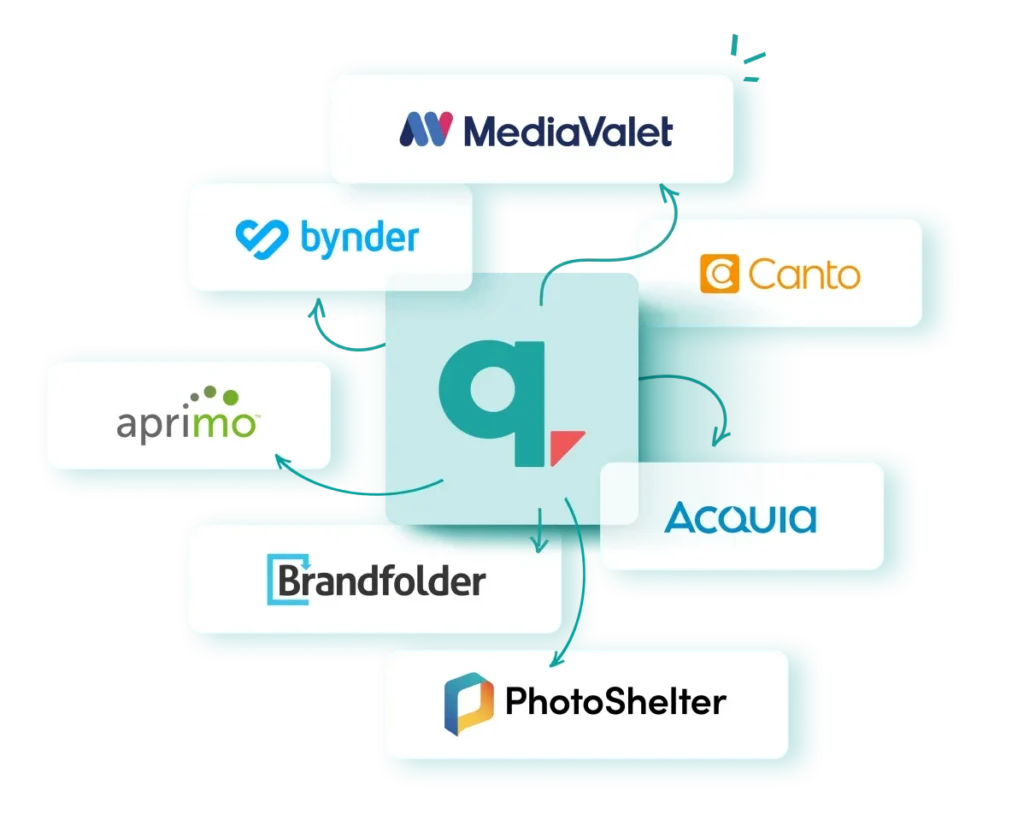
If your company already has existing templates, they don’t need to be rebuilt from scratch. Marq integrates directly with DAM software, so brand teams can import current assets without starting over.
Step 2: Define Fixed and Customizable Zones
For each template, decide what must never change and what users can edit. This is the decision that determines whether the template gets used.
Too locked and users abandon the project (or worse, they go outside your brand templating solution entirely to meet their customization needs, which defeats the purpose of having one). Too flexible and the brand dilutes.
Effective brand templating requires a degree of trust in your users: giving them meaningful room to customize is what keeps them in the system.
The goal is element-level control (fixing the logo, compliance text, and approved fonts for example), while opening the fields users normally edit. Keep in mind, many of these fields (names, addresses, copy) can be populated automatically via smart fields rather than filled in manually each time.
Marq locks templates at the element level, so brand owners control which fields are open without restricting the entire asset.

Create flexible brand templates with Marq
Give your team room to customize content while keeping logos, fonts, compliance copy, and other critical elements protected.
Step 3: Add Personalization Fields Into the Template
Add personalization fields in the areas where users need to customize content, such as names, regions, product details, or dates. This lets teams update only what’s necessary without touching brand-protected elements, while keeping every asset relevant to the audience.
With Marq’s smart fields, personalization is simple: connect your CRM, spreadsheet, or dataset to automatically populate names, email IDs, and other variables.

Step 4: Ensure Templates Are Easy to Navigate
Structure your template library well, so teams can find what they need quickly. Group templates by use case, region, or business unit, and label them clearly, so users immediately understand what they’re selecting.
Marq lets admins organize templates using categories and filters to keep the library navigable as it grows. Group management controls which templates each team, function, or region can access, so users only see what is relevant to their role, not the entire library.
Step 5: Build in Update and Governance Protocols
Whenever the brand updates or compliance rules change, templates must be updated immediately. This requires a clear process: who initiates the update, who reviews it, and how teams are notified. Without it, the library quickly becomes outdated, and teams stop trusting it.
Marq’s Bulk Update feature in Creative Studio makes managing templates a lot easier. Instead of editing each one manually, admins can update names, descriptions, and sharing settings across multiple templates at once. They can quickly flag old templates, add compliance notes, change who has access, and even send email notifications so everyone stays in the loop.
Best Practices for Brand Templating in 2026
As you scale your template library, different failure points surface that compound over time. The below best practices address each one directly before they become a serious problem.
Enforce Version Control Before It Becomes a Problem
The first thing that breaks at scale is version control. Templates get duplicated, saved locally, and modified, and the original file drifts from what’s actually in use.
Centralize every template in a single system. When the master file updates, every user is automatically on the current version. There is no old file to misuse because there is no local copy.
Integrate Asset Management Directly Into the Template Workflow
Asset libraries that live outside the template system create friction and users often use local files for content creation. To avoid this, connect your DAM and brand assets directly to your template management platform, so approved assets are accessible inside the editor without switching tools.
Marq is a brand enablement platform that integrates directly with existing DAM systems, so approved assets are accessible inside the template editor without switching tools.
Track Usage to Manage the Library Actively
Template libraries grow and go stale at the same time. Without visibility into what content is being created and which templates are being used, off-brand materials can reach customers unnoticed.
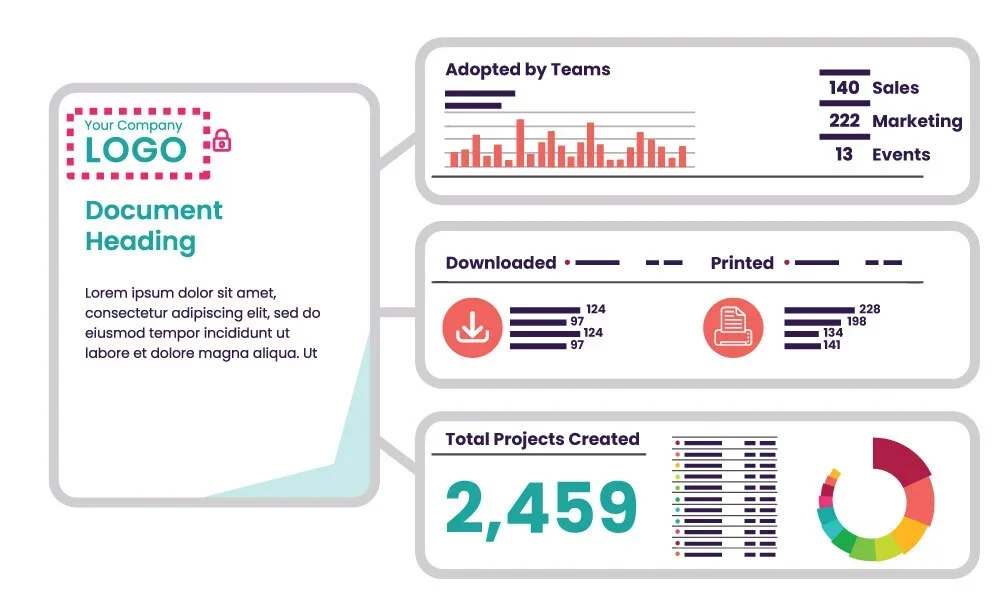
Marq’s real-time analytics show which templates teams use most, who is creating content, and which teams are still working from outdated versions, so brand managers can act on usage data rather than assumptions.
Build for Real-Time Collaboration and Approval
At scale, content creation involves multiple stakeholders. For instance, a regional coordinator creates a branding piece, a compliance officer reviews it, and a marketing manager approves it.
Without a built-in approval workflow, that process happens over email or Slack and slows everything down. To reduce revision cycles, invest in brand enablement software like Marq that have real-time collaboration and structured marketing approval workflows built into the platform.
Components of Effective Brand Templates
Typical components of a brand template include:
1. Branding Elements
Brand elements are the fixed visual components that define your brand, like logo, color palette, typography, and imagery. These are locked in every template and cannot be altered by end users.
For marketing and brand leaders, consistent branding across every customer touchpoint builds recognition and trust, which directly influences purchase decisions and long-term revenue.
2. Defined Areas for Personalization
Rather than speaking generically about your product solution, you can incorporate the exact use case for the industry. You can include language specifically for decision-makers.
Rather than managing every custom request through central marketing to change, it can be executed immediately by the sales rep, partner, or other content requester. These copy adjustments do not impact the overall design and your content is now updated strategically for your audience.
3. Supplemental Required Copy / Design Elements
Some templates require more than one area of variable copy. This includes legal disclaimers, product-specific taglines, or contact information that shifts by region or business unit.
Rather than leaving users to find and insert the right version manually, these can be built into the template as swappable copy blocks that populate automatically based on audience, segment, or SKU.
In financial services, for example, the legal language for mortgage lending differs from retirement services. The template handles that variation without any manual intervention.
Your Brand Templating Platform: Marq
At a certain scale, managing templates in shared drives and PowerPoint files stops working. Updates don’t reach everyone. Old versions stay in circulation. Brand owners spend more time chasing down outdated assets than building new ones. Marq is built for organizations that have hit that point.
Meet Marq: The Brand-Templating Platform
Marq is the brand-templating platform that enables teams to deliver relevant content to your audience, faster, by empowering everyone in your organization to build on-brand content.
More than 6 million professionals and 800 leading companies use it to centralize brand assets, produce compliant content at scale, and empower both designers and non-designers to create confidently within brand standards.
How Does Marq Work?
With Marq, you can import your brand identity and assets, which allows you to build templates that non-designers can customize in-platform. You can also convert existing assets, like your InDesign files, to brand templates and connect custom data to automate content creation.
The built-in editor allows administrative-level users to implement varying degrees of locking depending on the template component. Logos, for example, can be fully locked so they can’t be stretched or moved to another location in the template.
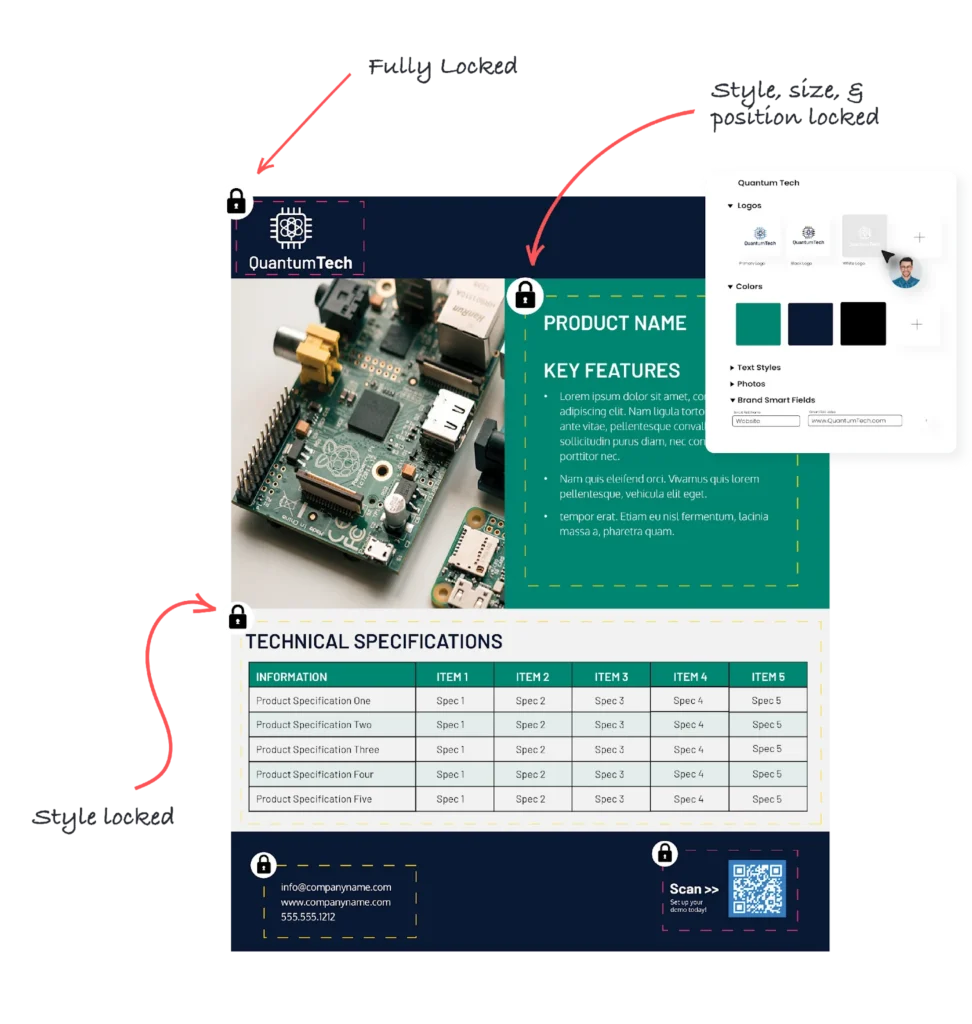
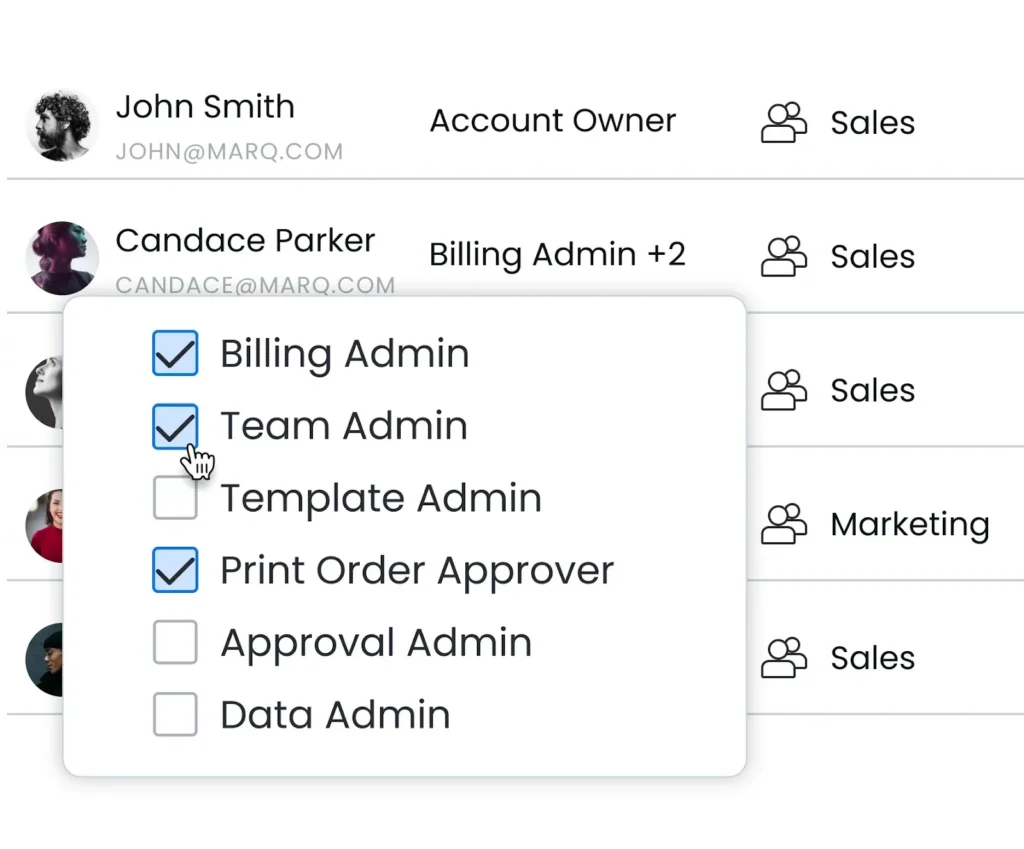
Brand templates in Marq can be built with smart fields, so content updates automatically as data changes – whether that’s client information or regional details. Role-based permissions determine who sees what and who can do what. Marq lets admins assign access at the brand, team, or individual level.
For teams that produce multiple related pieces of content at once, Marq’s AI Marqet lets template admins package related templates into a single automated workflow. Instead of creating content one piece at a time, events trigger a “Playbook” that generates a full set of on-brand, personalized content for end users automatically.
Do I Need to Store My Brand Templates Somewhere and Bring Them Into Marq Each Time?
Marq stores all your brand templates, whether imported or newly built. You can share specific templates with certain teams so they can easily find the templates that apply to their job role and function.
Users just log in, quickly find what they need, apply relevant customization within brand guidelines, and distribute content across channels.
Strengthen Your Brand With Marq: The Leading Brand Enablement Platform
Brand templating works when the right system sits behind it. Marq centralizes your templates, enforces brand standards at the element level, and gives every team the ability to create on-brand content without involving the creative team.
Book a demo today to see how Marq can meet your templating needs.