6 Best Marketing Collateral Management Software for Enterprises

A regional manager needs the latest pitch deck before a discovery call. She searches the shared drive, finds four versions with no clear indicator of which is current, picks one, and sends the wrong version. The client receives outdated pricing. Marketing finds out a week later.
This is exactly the problem marketing collateral management software solves. These platforms give enterprise teams a single, governed place to store, access, and distribute approved materials, so the right version reaches the right person every time.
This article breaks down six leading platforms, covering their features, strengths, limitations, and what real users say about them.
Best 6 marketing collateral management software in 2026
| Software | Best For | Key Features | G2 Rating |
| Brandgility | Enterprises producing high volumes of print collateral | Asset library, self-service portal, approval workflows | 4.0 |
| Bynder | Large-scale marketing collateral storage | Centralized library, AI-powered search, role-based access, duplicate finder | 4.5 |
| Brandfolder | Marketing collateral analytics | Centralized library, Brand Intelligence, asset analytics | 4.4 |
| Marq | Enterprise brand control at scale | Template library, DAM integrations, approval workflows, AI Marqet, Smart Fields | 4.5 |
| Canva Enterprise | Cross-department collateral access and creation | SSO, SCIM provisioning, approval workflows, real-time collaboration | 4.7 |
| Canto | Centralized collateral storage with AI-powered search | AI search, Approval Hub | 4.4 |
1. Brandgility: Best for enterprises producing high volumes of print collateral
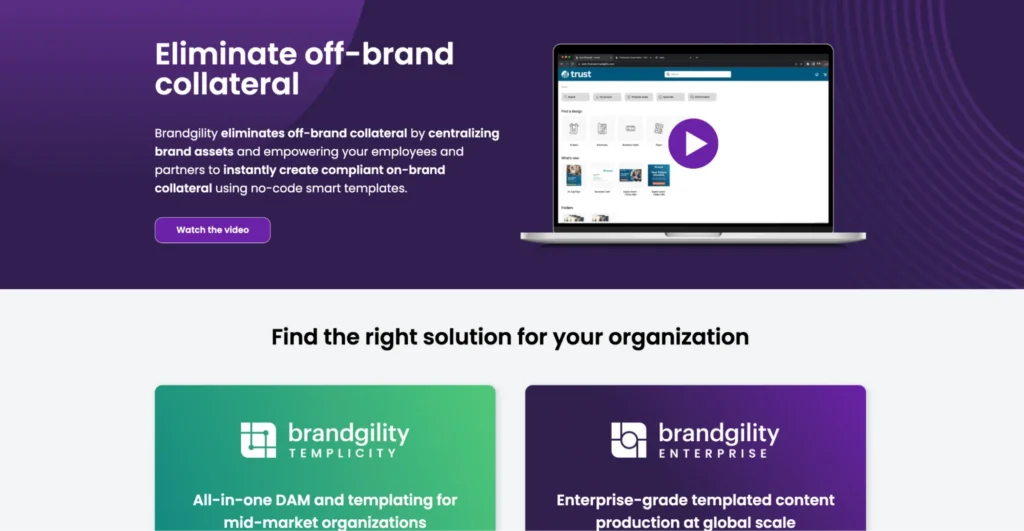
Brandgility gives companies a single place to store approved marketing materials. It started in print production and later expanded into digital.
Brandgility combines a centralized asset library with a self-service portal where employees find, customize, and order print and digital collateral directly, without routing repetitive requests to the design team.
Key features
- Asset library: Central storage for all approved collateral, like business cards, flyers, brochures, etc.
- Self-service collateral portal: Teams search for assets using metadata, customize them in any language for simple localization, and send high-resolution PDFs directly to a printer.
- Review and Approval: Admins set single or multi-stage approval workflows by asset type and output. Approvers review each request, and once they approve it, editors send it to print or download within the platform.
Pricing
| Plan Name | Plan Price |
| Templacity | Custom |
| Brandgility Enterprise | Custom |
Where Brandgility shines
- Self-service collateral access: Distributed teams find and customize approved brochures, flyers, and sales materials without submitting a request to the creative team. This self-service marketing workflow gives teams more control over everyday content needs while keeping every asset on-brand.
- Centralized brand guidelines: Brandgility stores all essential brand rules in one centralized cloud repository, giving each team member access to brand standards before they produce or customize any collateral.
Where Brandgility falls short
- Hidden integrations: Brandgility lists integration categories, but names no specific platform partners. Teams with extensive marketing tech stacks would have to contact sales to confirm compatibility, which adds friction to an already time-consuming evaluation process.
- Limited public reviews: Despite being in business since 1998, Brandgility has fewer publicly available customer reviews than other platforms on this list. Companies that rely heavily on customer feedback and market validation during vendor selection should look at alternatives.
- Steeper learning curve: Brandgility is not the most intuitive platform on this list. Teams typically need training and onboarding support to use it effectively.
Customer reviews
One user shares, “When switching to Brandgility, the template migration team was fantastic and helped us with every step.”
Angel G. adds, “Some additional learning materials and more end user training (would help).”
Who Brandgility is best for
- Enterprise marketing teams that produce high volumes of print collateral and need a centralized portal where distributed teams can access and edit materials.
2. Bynder: Best for large-scale marketing collateral storage
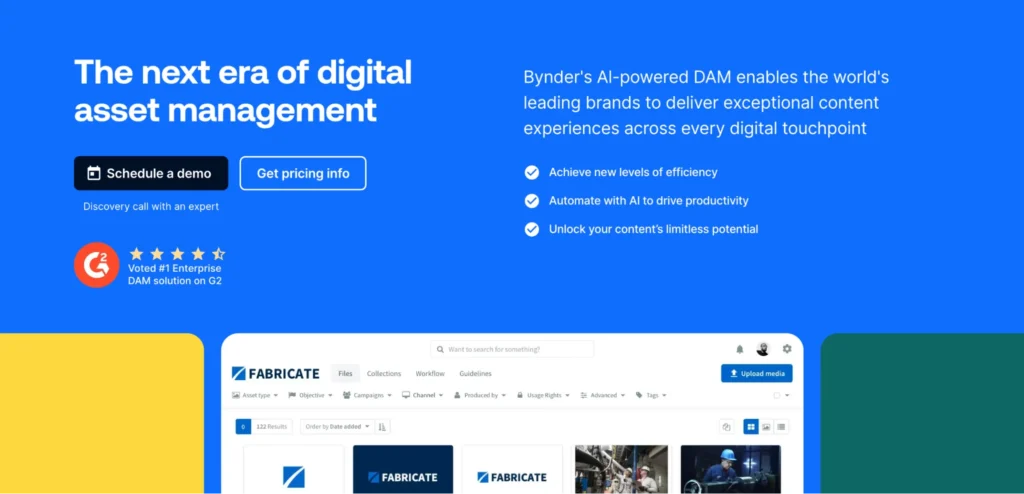
Bynder is a Digital Asset Management (DAM) platform built for enterprises that need a governed single source of truth for all marketing collateral. When teams update an asset in Bynder, the platform automatically syncs the change across every connected channel.
Companies like Spotify, Duracell, and AkzoNobel use Bynder, which also won the Customer Favorite award in the Forrester Wave DAM category.
Key features
- Centralized collateral library: Teams store every marketing asset in one place with configurable taxonomy, metadata, and version control.
- AI-powered search: Bynder lets teams find collateral using natural language, image similarity, text within images, and face recognition.
- Role-based access controls: Admins define who can view, download, edit, or share specific collateral across teams.
- AI-powered duplicate finder: Bynder scans the entire asset library across all file types to flag duplicate collateral to keep the library clean.
Pricing
Pricing is custom, you can contact Bynder’s team for a quote.
Where Bynder shines
- Integration depth: With 155+ integrations, Bynder connects to most tools in an enterprise marketing stack, so collateral flows between systems without manual file transfers or format conversions.
- Multi-modal search: Teams search for collateral using natural language, visual similarity, face recognition, or text within images, and quickly find the right asset even when they haven’t perfectly tagged or organized the library.
Where Bynder falls short
- Upload limitations: Bynder’s bulk upload process does not always work as expected. Teams migrating large asset libraries often report that uploading, tagging, and adding metadata to files requires a lot of manual effort.
- Implementation complexity: Enterprise-scale collateral libraries require significant taxonomy planning upfront. Teams without a dedicated resource for this will find the initial setup demanding.
Customer reviews
Molly Z. shares, “I appreciate Bynder for the ability to tag images and collateral, which makes finding them quick and easy. It’s great for archiving old material that we don’t want to use regularly but need access to for specific needs.”
Odaris I. says, “Most of the challenges we’ve encountered have been less about the product itself and more about the complexity of migrating a large volume of legacy assets and aligning internal workflows. There is a learning curve, particularly during onboarding and configuration, and some processes could benefit from clearer guidance or more streamlined documentation.”
Who Bynder is best for
- Collateral-heavy enterprises that need advanced search capabilities and integrations to connect their broader tech stack.
3. Brandfolder: Best for marketing collateral analytics
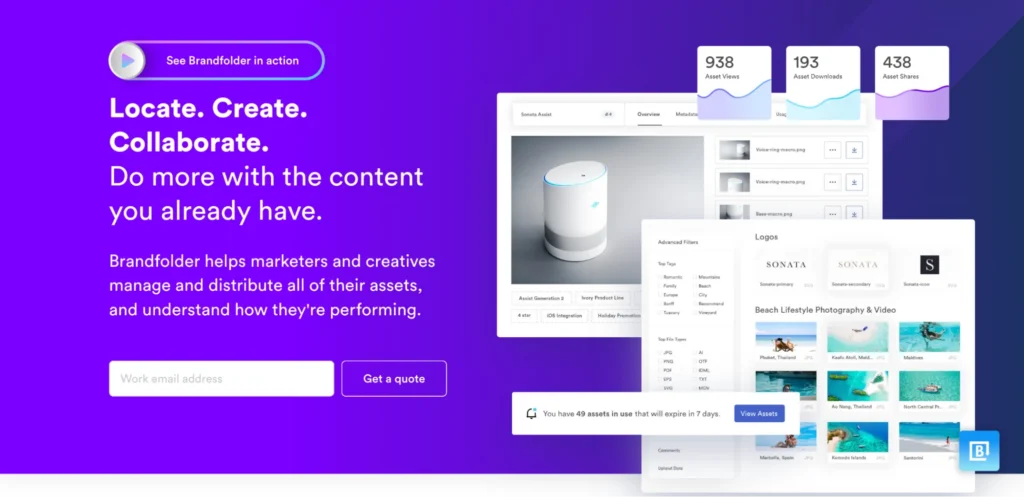
Brandfolder helps marketing and creative teams store all approved collateral in a centralized, searchable library. What sets it apart from other software is marketing asset analytics that helps marketing leaders see which collateral teams use and which stays unused.
Key features
- Centralized collateral library: Teams store all approved marketing materials in one searchable, organized hub with sections and collections that mirror how your company operates.
- Portals: Curated, permission-controlled content experiences for specific audiences, so each sees only the collateral relevant to them.
- Brand Intelligence: Automated tagging, duplicate detection, people tagging, and suggested descriptions make managing marketing collateral efficient.
- Asset analytics: Brandfolder shows marketing teams which collateral teams access most, who uses it, and where to find it.
Pricing
| Plan Name | Plan Price |
| Premium | Custom |
| Enterprise | Custom |
Where Brandfolder shines
- Collateral performance visibility: Marketing directors see exactly which collateral drives downloads and engagement, so they can reduce investment in content that no one uses.
- Smartsheet integration: Companies already using Smartsheet for campaign and project management get integrated collateral asset management.
Where Brandfolder falls short
- Primary strength is storage and distribution: Brandfolder manages and distributes collateral assets well, but does not offer strong governance features.
- Search issues: Teams often make multiple attempts to find the right collateral, even when they label, tag, and organize assets correctly.
Compare Brandfolder alternatives to find the right fit for your team.
Customer reviews
Jackie M. shares, “I love how Brandfolder makes it so easy to use, share externally, and organize thousands of digital assets. The product is head and shoulders better than what we used before. It’s way easier to use, more powerful, and better supports the volume of content we have, offering better and more straightforward rights management.”
Jason S. says, “The search functionality is imperfect, frequently requiring multiple attempts to yield results, which is not expected of a tool at its price point.”
Who Brandfolder is best for
- Marketing teams that need centralized collateral storage, automation, and performance analytics in one platform
4. Marq: Best for enterprise brand control at scale
Marq is a brand enablement platform built for enterprise organizations where marketing teams need to centralize, govern, and personalize large volumes of collateral across departments, locations, or partner networks.
Marq lets non-design teams access and customize brand-safe marketing collateral without involving the design team.
Key features
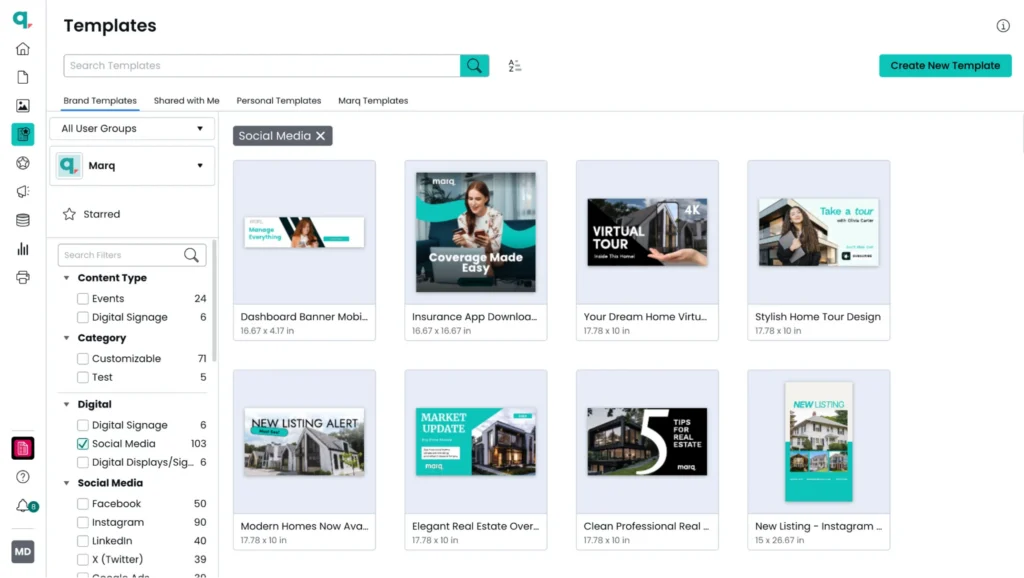
- Centralized collateral template library
Marq gives teams a governed place to store and manage approved templates for brochures, one-pagers, proposals, presentations, and other marketing collateral. Admins lock brand-critical elements in every template so all collateral stays on-brand, no matter who customizes it.
- DAM integrations
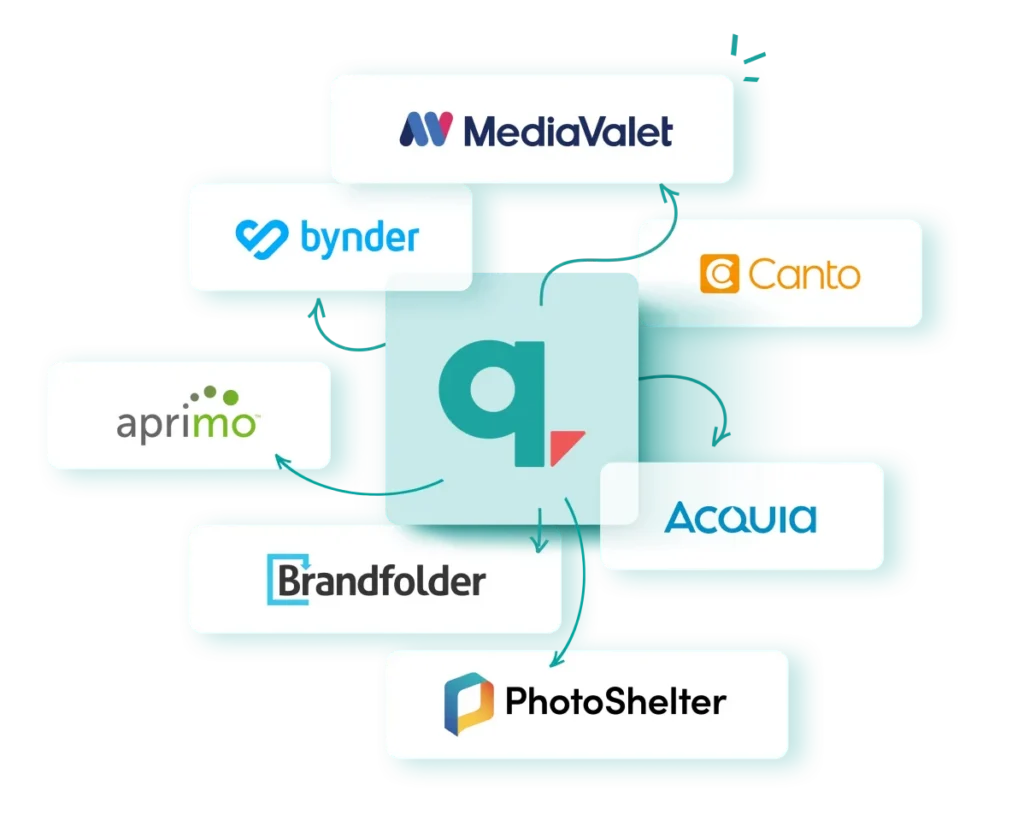
Marq connects with leading DAM platforms, including Brandfolder, Bynder, and MediaValet. Teams drag and drop approved assets directly into collateral templates without leaving the platform.
DAM permissions carry over into Marq automatically, so the access controls admins set in the asset library apply to templates as well.
- Approval workflows
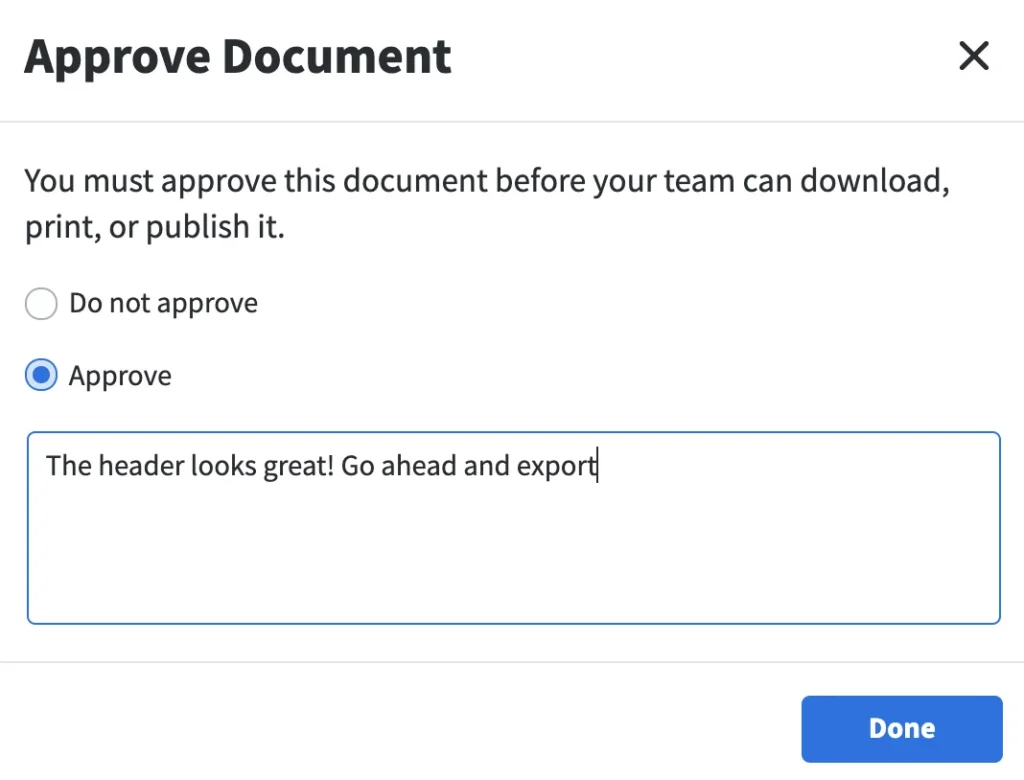
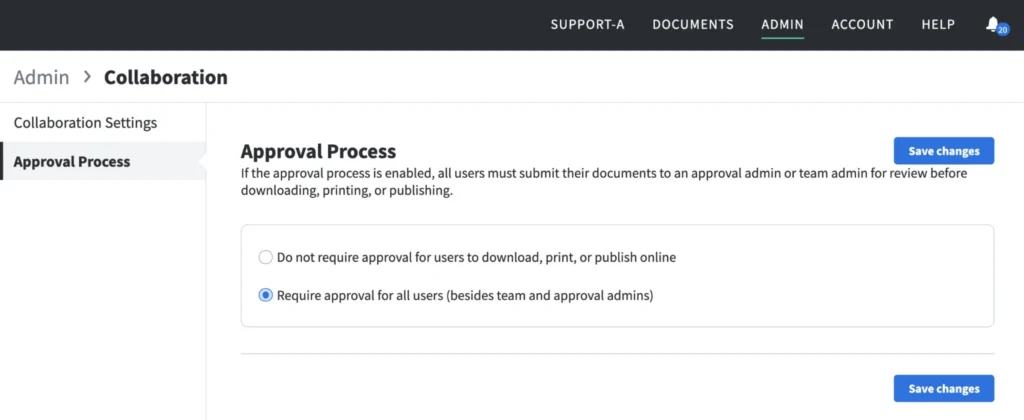
Before teams download, print, or publish any collateral, they submit approval requests directly in Marq to a designated admin. Admins review, approve, or decline with a message, and users receive a notification either way, ensuring every piece of collateral has a clear sign-off trail before it leaves the platform.
- AI Marqet
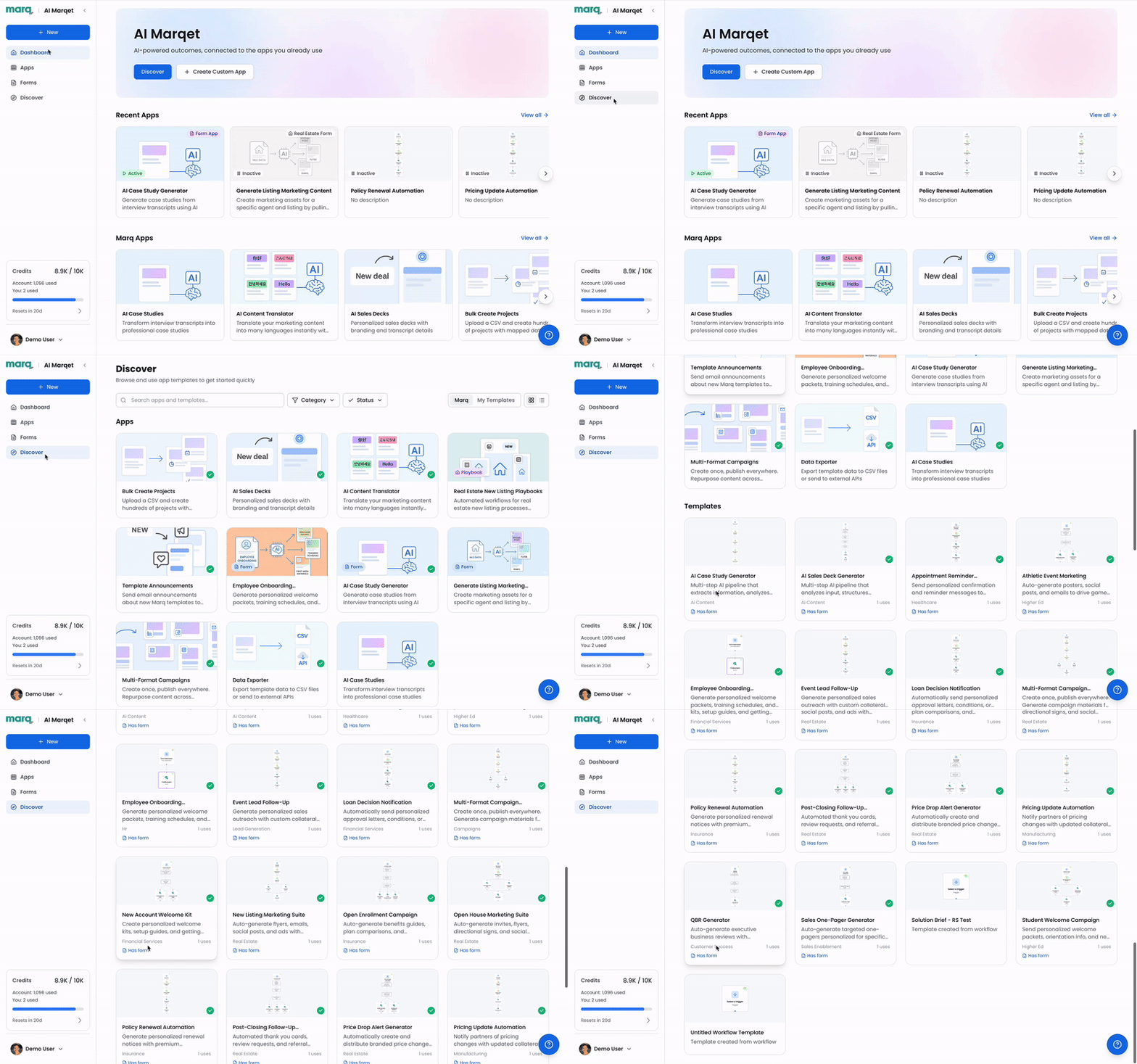
AI Marqet takes a single approved collateral template and generates multiple on-brand variations across formats, sizes, and channels without requiring the creative team to rebuild each version.
It also runs AI-powered compliance checks in the background during creation, so teams keep moving without waiting in approval queues for sign-off.
Pricing
You can reach out to Marq’s team for a personalized quote.
Where Marq shines
- Built-in governance: Marq enables admins to set granular controls over brand colors, logo placement, legal disclaimers, and typography at the template level. This ensures content stays on-brand while still allowing distributed teams to customize it. Approval workflows add a second layer of governance, requiring admin sign-off before anyone downloads, prints, or publishes content.
- All-in-one collateral platform: Marq brings the full collateral lifecycle into one platform, from storage to production to distribution. As a result, marketing teams no longer rely on separate tools for each stage of the process.
Where Marq falls short
- Not a primary collateral storage platform: Marq governs and distributes collateral exceptionally well, but teams that need deep metadata taxonomy and large-scale asset storage should pair Marq with a DAM platform.
Customer reviews
Morgan from Orchard shares, “Since the onboarding of Marq, our team has been able to work more efficiently, effectively, and quicker. Our brand and design team is small but supports many different parts of our business, so it was important that we find a technology that allows us to get more hands on when creating collateral. Marq truly has been a lifesaver!”
Delaney from Western Colorado University says, “Marq templates empower people who aren’t designers to learn how to take control of daily design. Many wish they had a design eye, but most of the time… they don’t. This way we can empower our campus clients to stay on brand by locking down aspects of the templates, but they can still be creative and feel like they’re able to tackle these projects without bringing in someone from our team.”
Who Marq is best for
- Enterprise marketing teams that need to centralize, govern, personalize, and distribute high volumes of on-brand collateral across distributed teams.
5. Canva Enterprise: Best for cross-department collateral access and creation
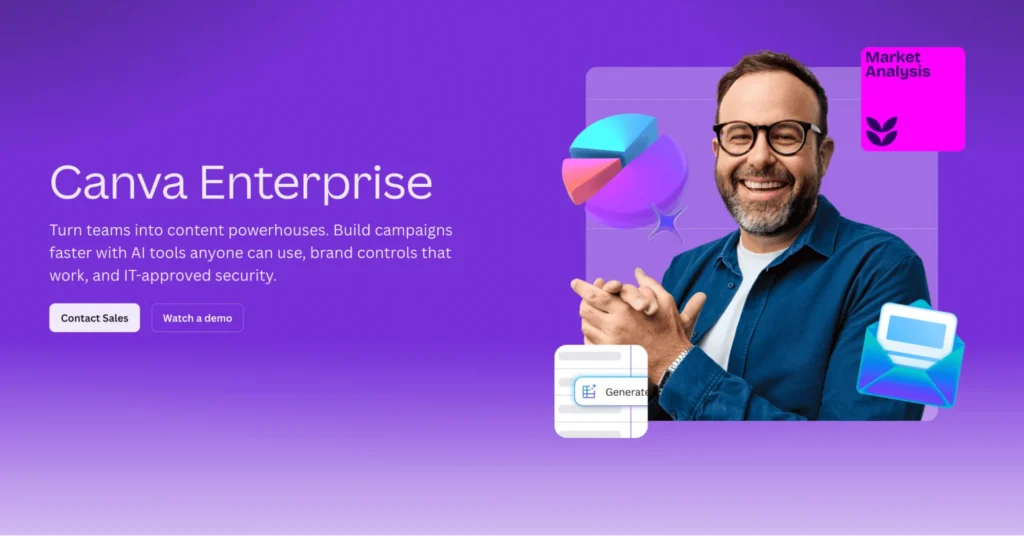
Canva Enterprise suits large organizations that want a user-friendly platform for collateral production without extensive storage or brand governance requirements.
Its intuitive drag-and-drop interface means teams across marketing, HR, sales, and product get up and running fast with minimal training overhead.
Key features
- Enterprise-grade IT administration: SSO, SCIM provisioning, and centralized admin controls help IT teams manage users and access at scale.
- Approval workflows: Canva routes content through defined review and approval steps before teams share or publish it.
- Real-time collaboration: Canva Enterprise allows multiple users to design, edit, and comment on assets simultaneously.
Pricing
Canva Enterprise has custom pricing. You can reach out to their team for a quote.
Where Canva Enterprise shines
- Ease of use: Canva Enterprise is simple to use and offers extensive documentation and video tutorials. Even non-designers quickly learn how to manage and create collateral without relying on the design team.
- Broad template library for creation: Canva Enterprise offers a large library of templates with multiple variations across different collateral types. Teams create presentations, brochures, social posts, videos, and digital banners in one place without switching tools.
Where Canva Enterprise falls short
- Limited collateral governance depth: Canva’s template locking is partial compared to other brand management platforms in this list. Companies with stricter governance requirements around distributed collateral production will find it falls short.
- Weak brand controls: Canva Enterprise is easy to use and helps both designers and non-designers get up to speed quickly. However, its brand control features are not robust, which can make it easier for non-designers to drift off-brand over time.
Customer reviews
Seiminlen B. shares, “Canva Enterprise makes it easy to manage and organize content. As someone like me with little Graphic Designer skill, I find Canva unlocks a certain creativity trait within me.”
Ricardo R. says, “Even with a Brand Kit (Pro feature), users can still manually override styles. No hard restrictions to prevent off-brand fonts, colors, or logos.”
Who Canva Enterprise is best for
- Large organizations where multiple departments produce marketing collateral and non-designers need easy access to create content.
6. Canto: Best for centralized collateral storage with AI-powered search
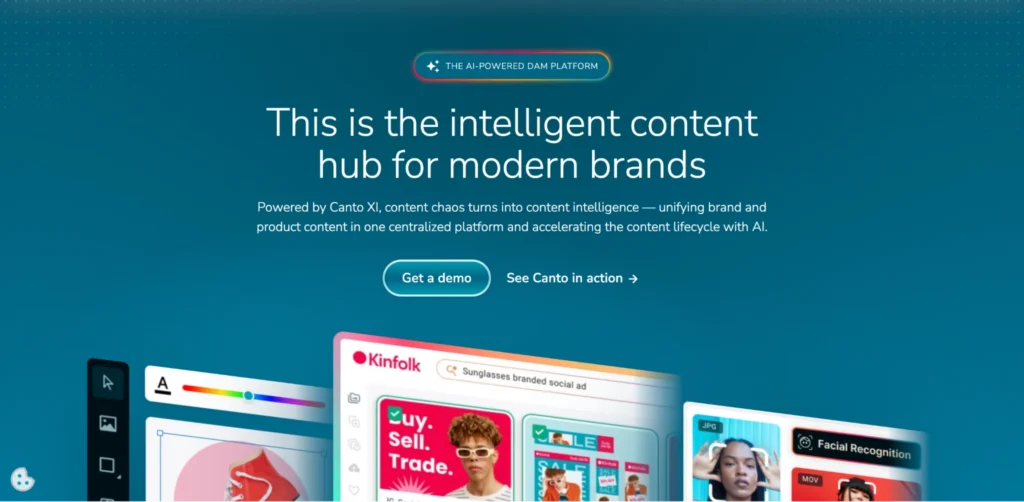
Canto is an asset management platform that gives marketing teams a centralized, searchable hub for all collateral, including brochures, campaign images, and presentations. Teams use AI-powered search that goes beyond file names and metadata, allowing them to find assets by describing content, color, or subject matter. Canto also provides an Approval Hub that centralizes asset reviews before distribution.
Canto offers four pricing plans, all available on a custom pricing basis.
How to choose the right marketing collateral management platform
The three questions below will help you identify where your collateral bottleneck sits and choose the platform that best solves it.
Does it give teams one place to find current, approved collateral?
Every platform on this list stores collateral. The difference is in how well teams can find what they need and trust that what they find is current. Look for metadata-driven search, version control that retires outdated files automatically, and access controls that prevent the wrong version from circulating.
Marq’s Smart Brand Assets take this further. When teams update a logo or color palette in the content library, every template updates automatically, so distributed teams always use current, approved collateral without tracking down outdated files.
Does it control who accesses and distributes collateral?
Storing collateral in one place only solves part of the problem. The real challenge is making sure the right teams access the right materials and that teams approve everything before it goes out.
Look at whether the platform lets admins control access by role, location, or department, and whether the platform includes native approval workflows rather than teams building them in later.
In Marq, admins set approval workflows at the account level or on individual templates. Every time a user tries to download, print, or publish collateral, the platform routes it to a designated approval admin, who reviews it and either approves or declines it before anything moves forward.
Can it produce and personalize collateral at scale?
The final question is whether the platform lets teams do more with stored collateral than just download it. For companies producing personalized collateral at volume, look for data automation that populates templates automatically rather than forcing manual edits per output.
Marq’s Custom Smart Fields connect to CSV, Google Sheets, XML, or MLS data sources to auto-populate collateral with the correct information for product data or location-based information.
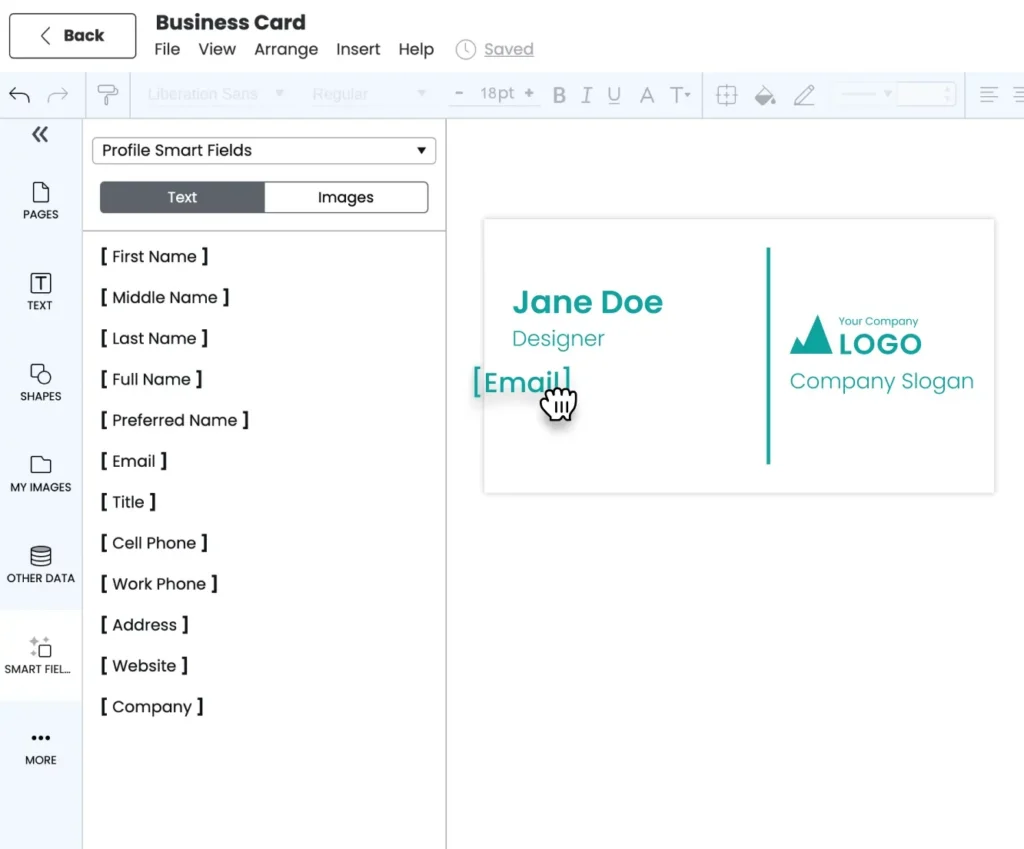
Standard Smart Fields personalize collateral further by pulling in individual user profile data like name, title, headshot, and contact information. Add AI Marqet on top of that, and teams generate multiple on-brand collateral variations from one approved template.
Final word on Marq
Most marketing collateral problems start the same way: too many versions in too many places, no clear way to know what is current, and no governed system ensuring what goes out meets brand and compliance standards.
Marq fixes that by giving enterprise teams one governed place to store, access, and distribute approved collateral. Locked templates enforce brand standards at the point of production, Smart Fields personalize outputs at scale without manual editing, and AI Marqet generates multiple on-brand variations from a single approved template.
Book a demo today to see Marq in action!
FAQs
What is marketing collateral management software?
Marketing collateral management software gives organizations one governed place to store, search, access, and distribute brand-approved marketing materials. Enterprise platforms add access controls, approval workflows, version control, and distribution capabilities so the right collateral reaches the right person.
How does marketing collateral management software differ from a shared Drive?
A shared Drive stores files. Marketing collateral management software governs them. It controls who accesses which materials, keeps only current versions available, routes content through approval before distribution, and tracks how teams use collateral after it goes out.
Which industries benefit most from marketing collateral management platforms?
Industries with distributed teams, compliance requirements, or multi-location brand management needs benefit most, including real estate, financial services, insurance, higher education, and healthcare.
These organizations manage large volumes of collateral across teams, locations, and regulatory environments and rely on strict version control, access governance, and approval workflows.