Template management for scaling teams: Best practices & solutions

Someone recommended creating design templates to solve brand inconsistency, so your team started turning existing Word docs, PowerPoint decks, Canva designs, and other files into reusable templates. That can help, but it often creates another problem: templates end up spread across different tools and locations, with different levels of control.
As one Marketing Lead at a corporate wellness organization put it, “We’re using Word docs and PowerPoint, and we’re making templates out of them. It’s not sustainable for the long haul.”
The challenge often starts with the handoff between the designer’s source file and the version employees use. Designers may maintain master files in InDesign, Illustrator, Photoshop, or Figma, while employees work from editable versions in PowerPoint, Word, Google Slides, Canva, or editable PDFs.
These files can then spread across shared drives, Dropbox, Digital Asset Management (DAM) platforms, Content Management Systems (CMS), and personal folders. As teams adapt them for different needs, they can lose the controls that keep brand elements consistent.
This is where template management comes in. This article explains how to bring scattered templates into a more organized system, build a process that works across teams, and maintain brand consistency as your organization grows.
What do we mean by templates?
In this article, “templates” refers to reusable branded materials such as sales decks, flyers, proposals, social graphics, and documents. They can be created in tools such as PowerPoint, Word, Canva, Adobe, or Google Slides and may live in a shared drive, DAM system, CMS, or design platform.
The focus is on templates that employees use to create or adapt branded content. Template management covers the systems and processes that determine where those templates live, which versions employees use, what they can edit, and how templates are maintained over time.
Why most organizations struggle with template management as they scale
When a marketing team is small, template management stays informal. A few people know where files live and which versions are current, so everything runs smoothly.
As content creation spreads across departments, regions, and teams, that system starts to fall apart. Files scatter, edits stack up, and the design team turns into a help desk.
Here is where teams lose control as they scale, and what it costs the business.
| Scaling challenge | Impact | Solution |
| Multiple versions of the same template | Reps send outdated pricing, logos, and legal disclaimers | One source of truth for approved templates |
| Teams creating their own templates | Off-brand content is posted without review | Brand templates with locked elements and editable zones |
| No visibility into template usage | Brand leaders can’t see which templates work and which to sunset | Usage analytics |
| No approval step | Anyone can publish content, so off-brand materials get posted unchecked | Approval workflows with clear sign-off |
1. Version sprawl weakens brand consistency
Teams often duplicate templates because it’s quicker than searching for the latest version. Those copies end up scattered across desktops, email threads, and personal drives. Before long, multiple versions of the same document exist, and no one knows which one contains the approved branding, messaging, or legal disclaimers.
In regulated industries like financial services, outdated templates create compliance risks. A financial advisor could unknowingly send an old rate sheet or disclosure that is no longer approved.
Centralizing the underlying assets in a DAM system can help teams find approved files, but it does not automatically solve template management. One proposal specialist at a national commercial construction company described their process this way:
“We mostly use InDesign for all of our proposal assets. So all of our templates are built out in there… keeping things up to date and current. All of that is a very manual process for us right now.”
The company had InDesign templates connected to an Aprimo DAM, but the final layout and update process remained manual. The example shows why asset centralization and template management serve different purposes.
The solution is a centralized template library where everyone can work from the latest approved templates, with updates reflected in future projects.
2. Non-designers create off-brand content under deadline pressure
In distributed teams, most content is no longer created by the design team alone. Account managers, regional staff, HR, and product teams all create their own materials. When they need a flyer or one-pager and designers are busy, they can’t always wait for them to be free.
Under deadline pressure, non-designers often start with an existing document and adapt it to fit the message they need to deliver. As they make changes to tailor the content, brand elements such as fonts, colors, spacing, and logos can gradually move away from approved brand guidelines. By the time the brand team reviews the content, it may already have been shared with prospects or customers.
The challenge can also go the other way. Templates that are difficult to edit or use can lead employees to abandon them altogether, as one Marketing Professional at a building-materials manufacturer explained:
“We make a template and try to figure out a way — oh, it’s in PowerPoint, so you guys can just type it in — or it’s a fillable PDF, and then nobody uses it because it’s really complicated.”
A brand template with locked elements and editable zones gives teams a pre-approved foundation that is easier to use. Employees can tailor the content they need while keeping critical brand elements consistent.
3. No visibility into which templates teams use
Without adoption data, brand admins can’t see which templates teams use, which ones go untouched, and which teams continue creating off-brand content. Because of that, they keep maintaining templates no one uses, and can’t tell whether the investment is paying off.
This lack of visibility wastes budget on unused templates, allows off-brand content to reach customers, and makes it difficult to show results when leadership asks for evidence.
Usage reports close this gap. They show which templates get used the most, which ones have low adoption, and which teams need extra support or oversight.
4. Content goes out without approval
Without approval workflows, anyone can use a template to create content. In small teams, managers may still see what gets distributed and used, so issues rarely slip through. As more people and regions create content, teams often skip the review step and publish content without approval. This increases inconsistent branding and compliance risk.
The solution is an automatic approval step that sends high-risk content to the relevant stakeholder before non-designers can download or share it.
What successful enterprise teams do differently
Every company discussed below ran into the same challenge: content demand grew faster than design teams could handle. That demand was also spread across multiple regions and departments. To solve this, each of them set up template systems using Marq.
1. @properties
@properties | Christie’s International Real Estate supports more than 3,500 agents across 44 offices. With its previous vendor, building a single template took four to six weeks, so agents often waited weeks to get content out.
To reduce rogue content creation, the team changed its workflow by adopting Marq. Designers uploaded InDesign templates into Marq, locked core brand elements, and left open the fields agents truly needed.
With this setup, new templates go live in minutes. Agents create their own postcards and brochures without touching critical brand elements, which keeps brand consistency intact across every office.
2. Fidelity National Financial
Fidelity National Financial has 23,000 employees and more than 80 subsidiaries. At that scale, marketing files were scattered across hard drives, and teams often worked from different versions of the same template. Sales reps also needed their own photo and contact details on every asset, which meant manually personalizing materials for 2,000 reps.
To fix both issues, the company centralized all approved templates into a single library. Teams now pull from one source of truth, which stops outdated versions from circulating. Any changes to a template automatically apply wherever it is used.
Marq also automated personalization. Templates pull each rep’s name, photo, and contact details directly from company data, so sales reps open a ready-to-use asset that doesn’t need much manual edits.
3. Purdue University
Purdue University’s Marketing and Communications team had been the in-house agency for 13 schools and colleges. When leadership moved them to university-level brand work, they needed their partners to create on-brand content without them.
So, they built a library of lockable templates covering the assets partners requested most, growing it to more than 340 templates over time.
Partners now make their own materials from approved templates and have exported approximately 40,000 collateral pieces on their own. With that routine work off their plate, the central team took on far larger brand projects they never had time for before.
A five-step framework for template management across teams, regions, and channels
These five steps take you from scattered files to a template system you can manage as your team grows.
| Step | Action | Outcome |
| Audit existing templates | Find every template in use, then decide which to keep, update, or remove | A clean set of templates that can be carried forward |
| Centralize the template library | Move approved templates into one tagged, searchable library | A single source of truth teams can find fast |
| Enable self-service content creation | Lock the brand elements and connect company data so non-designers create on their own without breaking brand rules | Faster turnaround and fewer design requests |
| Set up approvals | Create clear review and approval processes | Off-brand and non-compliant work caught before it ships |
| Measure and adjust | Track template usage, adoption, and turnaround | Data to make decisions on what to build, update, and retire |
Step 1: Audit your existing content, templates and workflows
Before you change processes, find out what you’re working with. List every piece of branded content or template people use, including the unofficial copies saved on desktops, shared drives, and email threads. For each one, note the format, owner, the last update, and how often teams open it.
Then sort each template into one of three piles:
- Keep – teams use it and it has the latest brand elements.
- Update – the design works but the logo, colors, or other elements are out of date.
- Remove – duplicates and templates no one opens.
Map the request workflow at the same time: who asks for content, who builds it, and where it stalls. This shows you where the bottlenecks are before you fix them.
Step 2: Centralize all templates into one source of truth
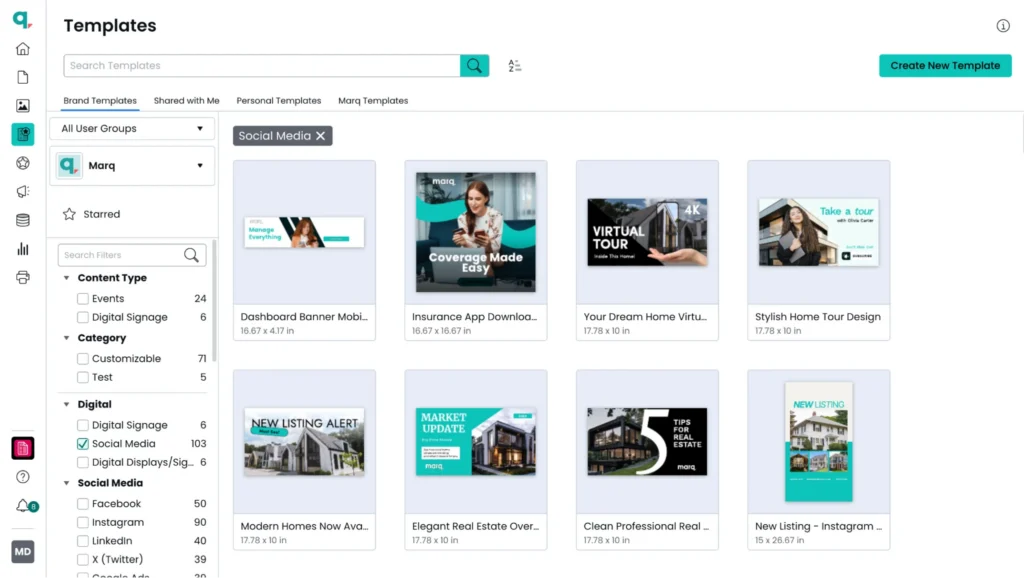
Move approved brand templates into a centralized, searchable library that team members can access. Archive or remove duplicate and outdated versions, while allowing controlled drafts or personal templates where they make sense. The goal is to make the approved version easy to find and use.
In the library:
- Organize templates with clear tags such as team, use case, channel, and region so users can find what they need through search instead of digging through folders.
- Feature or pin high-use templates so the most important ones are easy to find.
- Separate approved brand templates from personal, shared, system, or draft templates so users know which ones are governed for official use.
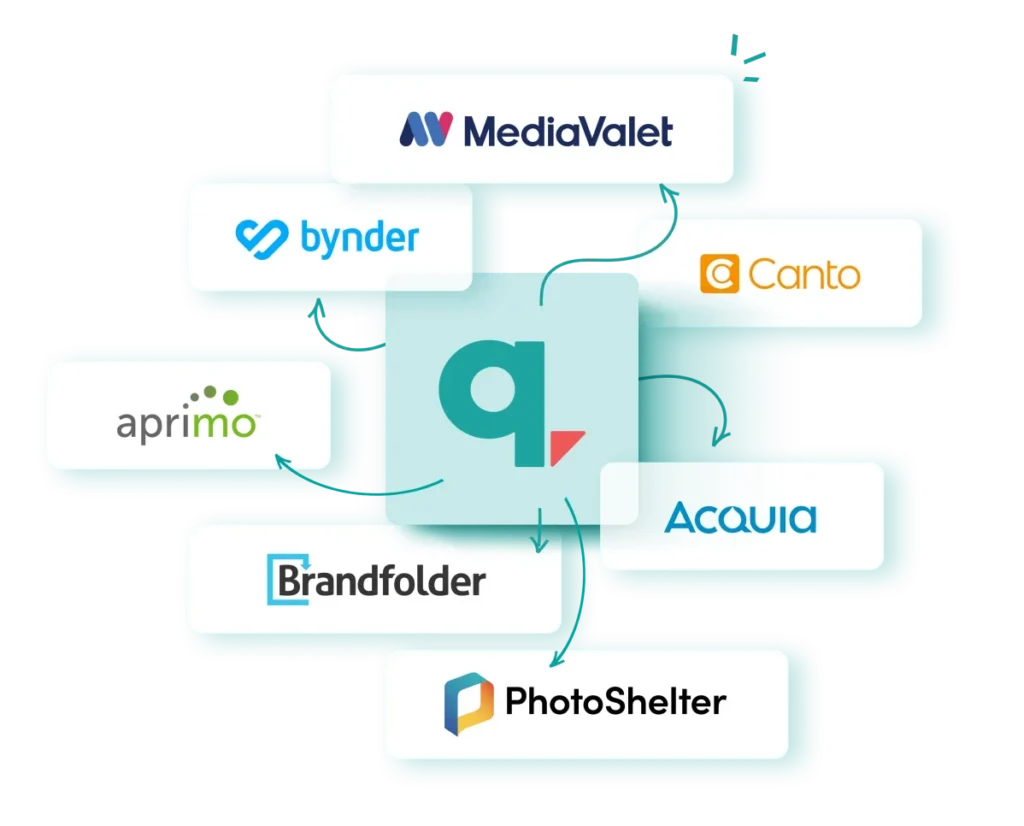
Brand templating platforms like Marq support this by keeping approved templates in a centralized, searchable library. Its integrations with existing DAM tools also ensure approved assets flow directly into templates instead of living in separate systems.
Step 3: Enable self-service content creation
Give non-designers the freedom to create content without compromising on your brand. To keep self-service content on brand, lock critical elements and connect data sources to personalize templates at scale.
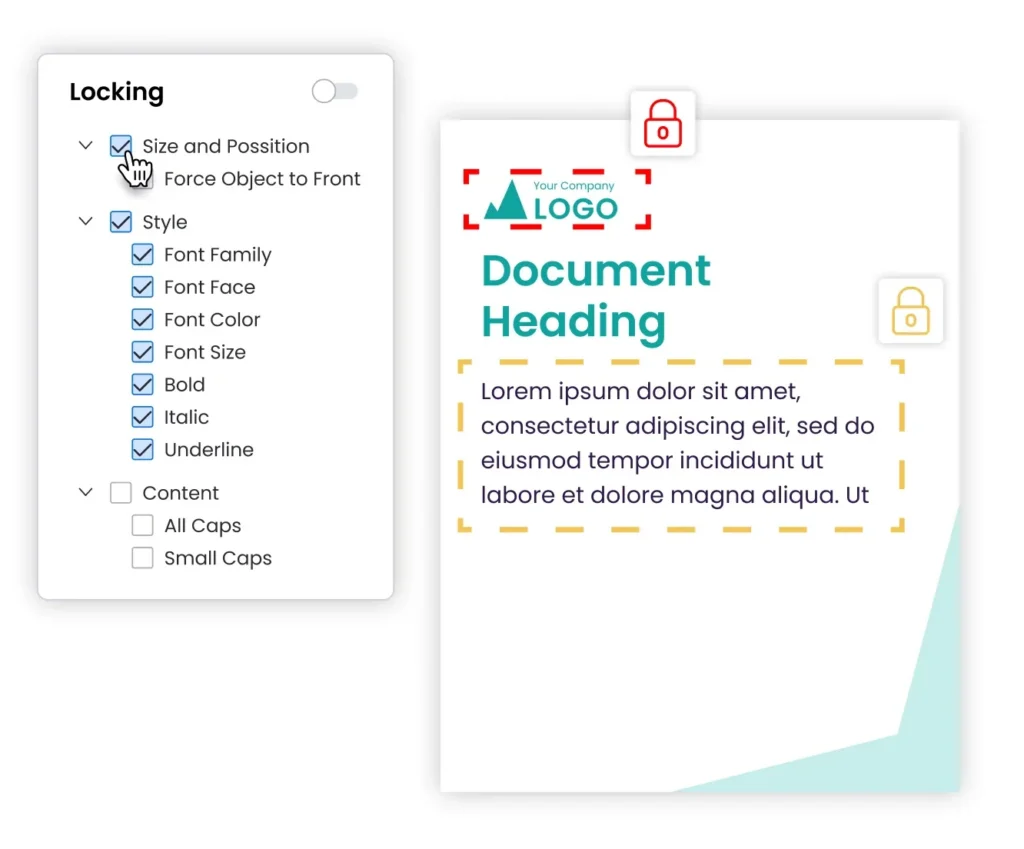
- Lock important elements in templates: Lock anything that should never change, such as logos, colors, legal disclaimers, and layouts, while leaving editable fields like headlines, images, and contact details open.
Marq lets designers create templates in its drag-and-drop editor or import them from InDesign, then apply granular locking controls at the project, page, and content level to keep every asset brand-safe.
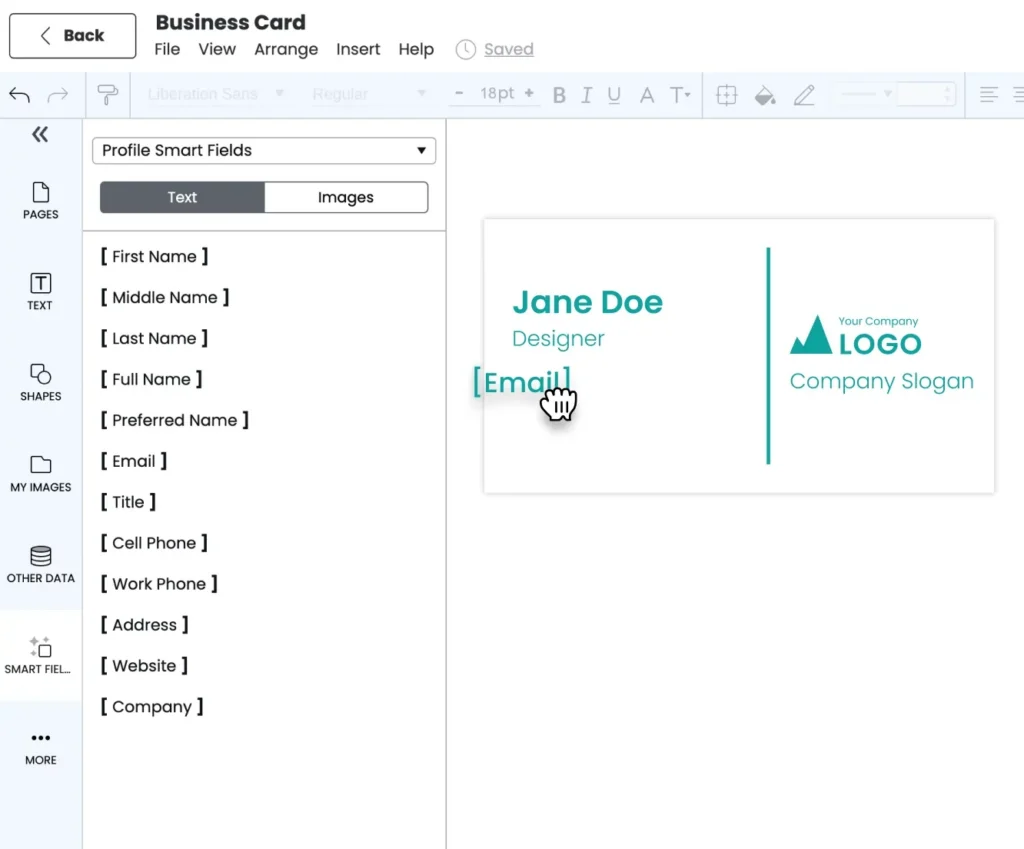
- Connect data for personalization: Instead of manually customizing each asset, connect a data source to automatically populate templates with unique information. For example, a sales team can automatically generate personalized proposals by pulling customer information from its Customer Relationship Management (CRM) system.
Marq’s creative automation supports multiple data sources, including Comma-Separated Values (CSV) files, Google Sheets, and Multiple Listing Service (MLS) feeds. Connect these sources to templates, then use Smart Fields to automatically populate names, addresses, prices, and other dynamic details across hundreds of assets.
Step 4: Set up approval workflows for regulated content
Not every piece of content needs the same level of oversight. Define which content requires review before it can be exported or published, including legal or financial materials, brand-sensitive assets, high-visibility campaigns, and locally adapted content.
- Set approval levels by risk: Let low-risk content, such as social posts created from lockable templates, move forward without review. Route higher-risk or more visible content through the appropriate review process before publishing.
- Define who reviews what: Establish clear ownership for different types of content. A regional insurance flyer may require compliance review, while a campaign asset may need a brand manager’s approval. Clear roles help reviewers focus on the content they are responsible for.
- Make approval part of the workflow: Give teams a clear process for submitting content that requires review, rather than relying on email threads or informal sign-offs.
Marq enables this with two features:
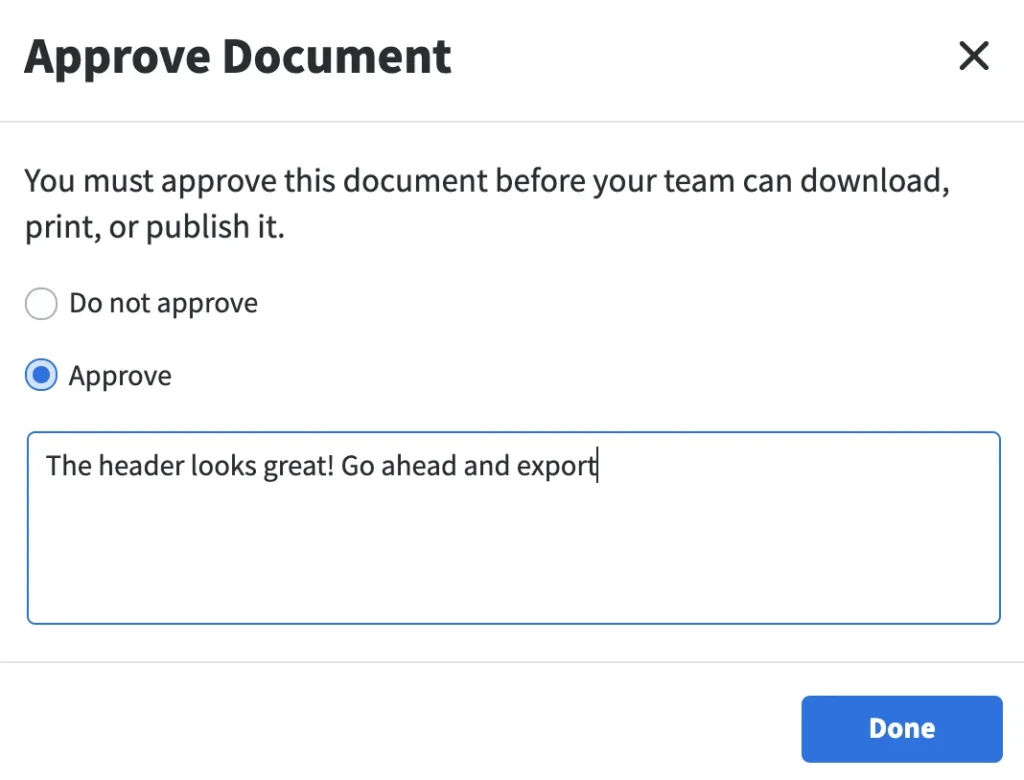
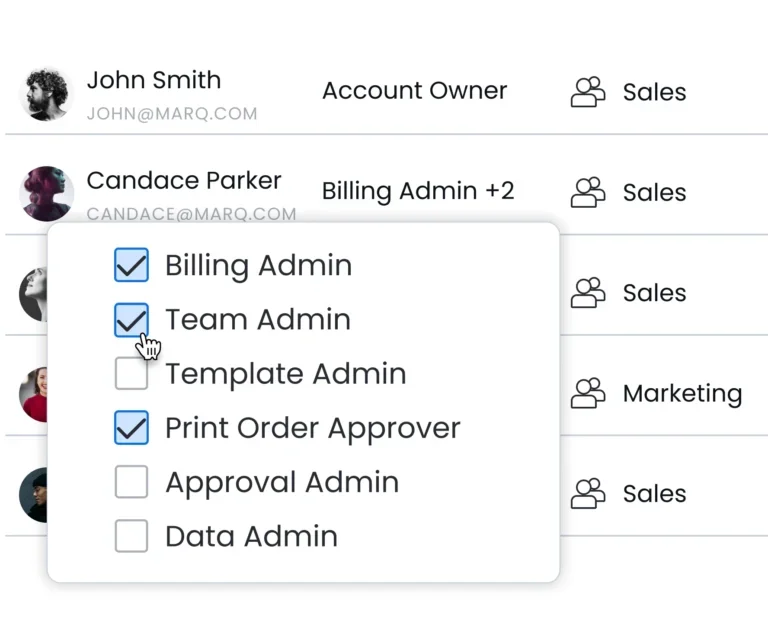
- With approval workflows, teams can require approval before users download, print, or publish projects, either across the team or for specific projects and templates. When approval is required, users submit a request and select an approval admin. The admin can then review the project, approve or deny it, and send a message back to the user.
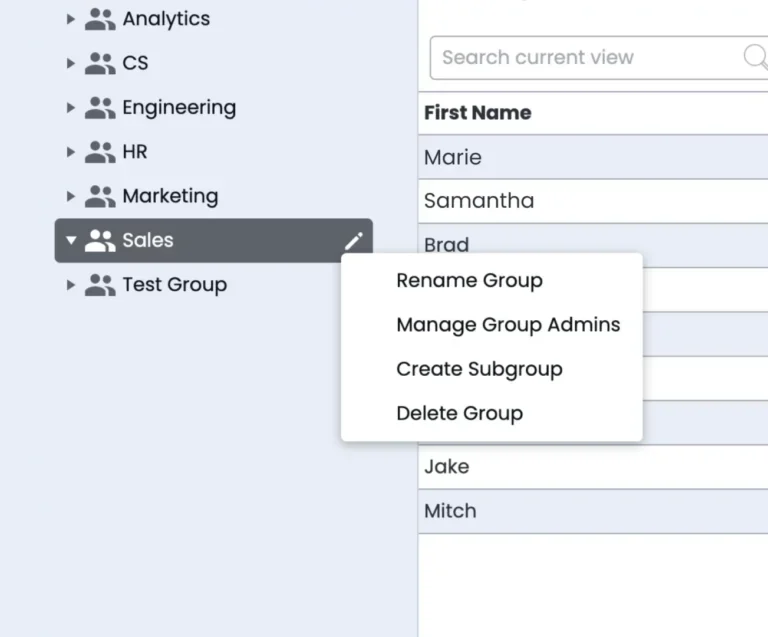
Team management helps define what different users can do, including who can edit, approve, and manage the account. Group management can also organize users and templates around teams, regions, or other business units, helping people access the content relevant to their role.
Step 5: Monitor template performance and adjust accordingly
Treat the template library as an ongoing project. After launch, see which templates teams use, which ones they ignore, and what they need but cannot find.
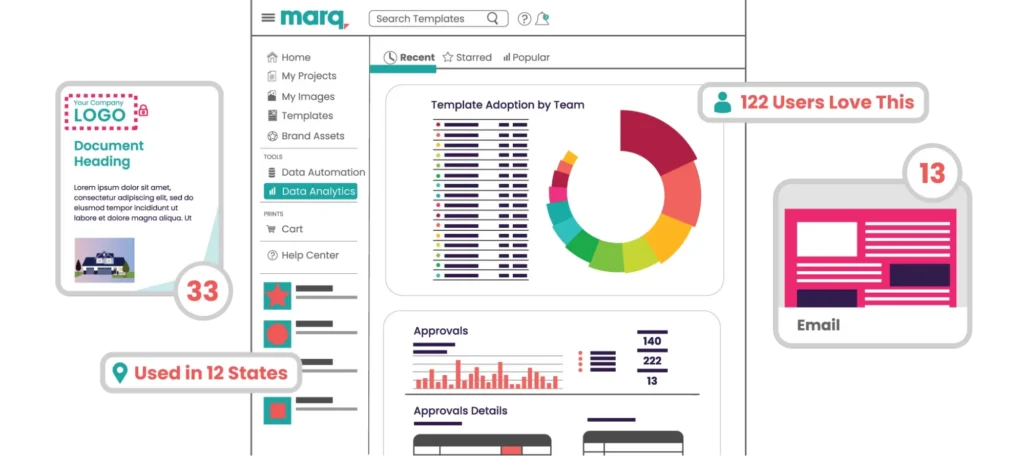
Marq’s analytics show template usage and adoption across teams, helping you decide which templates to remove, update, or create based on how teams use them. Review these numbers each quarter to keep the library useful as teams and priorities change.
The next section covers the key metrics to track.
Metrics marketing leaders should track to improve template management
The metrics below show how well your template management process works and where you need to make improvements:
- Template adoption rate: The percentage of active users who create content using approved templates. A low adoption rate shows that teams may be avoiding the template library, so identify where the friction is and fix the root cause.
- Time to publish: The time it takes to move an asset from request to launch.
- Design request volume: The number of tickets sent to your creative team. A steady drop signals that template management is working.
- Off-brand incidents: The number of times teams publish assets that do not follow brand guidelines. A decline in these incidents shows that template controls and approval workflows are doing their job.
- Most-used and unused templates: Track which templates teams use most and which ones they ignore. Use this data to update underused templates, remove outdated ones, and create new templates based on what teams need.
- Approval cycle time: The time content spends waiting for review. A long cycle can point to unnecessary approval steps, which you can fix by creating different approval paths based on content risk.
Common template governance mistakes that create brand risk
Brand risks often come from gaps in template governance. The mistakes below make it easier for off-brand and non-compliant content to slip through.
| Mistake | Why it’s a problem | Solution |
| You lock everything | People can’t edit what they need, so they skip the template and rebuild it themselves (often off-brand) | Let team members edit the fields that impact their work while keeping critical brand elements protected |
| You leave everything editable | Anyone can change the logo, colors, or layout, so brand consistency breaks | Lock the elements tied to brand recall and the ones that carry compliance exposure |
| No one owns the template | With no owner, templates do not get updated when brand elements change, and teams keep using outdated versions | Assign each template an owner and a set date to review it, so there are no duplicate or outdated templates in circulation |
| You don’t train anyone on the new system | People fall back to old files and personal software because the new process feels unfamiliar | Start with a pilot team, fix the issues they run into, and use their feedback to onboard and train the rest of the company |
Marq: The best platform for managing templates as you scale
Marq is a brand templating platform built for creative teams that have to manage templates across a large, distributed organization.
It is best for brand control and scalable content creation, which is why teams in real estate, financial services, higher education, and insurance rely on it to keep hundreds of creators on brand as they grow.
Here is what Marq brings to template management:
1. Template locking with editable zones: Lock brand-critical elements like logos, colors, and legal disclaimers, while keeping specific fields open for edits. This lets non-designers customize content without changing the parts that keep every asset on brand.
2. Team management: Set permissions with custom roles and mirror your organization with groups and subgroups, so each team, region, or sub-brand only sees and edits the templates that belong to them.
3. Creative automation with smart fields: Connect a CSV, Google Sheet, or MLS feed and auto-populate names, addresses, and disclaimers across multiple assets.
4. Usage analytics: Monitor template adoption data, projects created from personal templates, least engaged user group, and other metrics.
5. DAM integrations: Link templates to your existing DAM library so approved images flow straight into the editor.
Use Marq to enable enterprise-grade template governance at scale
The longer teams leave template management unmanaged, the harder it becomes to fix it. Every new file, duplicate version, and workaround adds more complexity. Teams that maintain brand consistency put the right structure in place early with template governance.
Marq brings template libraries, locking controls, approvals, and usage insights into one platform. Book a demo to see Marq in action.
FAQs
What is template management?
Template management is the process of creating, organizing, locking, distributing, and tracking reusable design templates so teams produce on-brand content consistently.
What is the difference between template management and digital asset management?
A digital asset management system (DAM) manages asset files and their metadata, including logos, photography, video, design files, etc. Template management governs the reusable structures, permissions, and workflows teams use to create new content from those assets.
The two systems can also work together. A template management platform can connect to a DAM so teams can pull approved assets into templates and upload finished content back to the DAM for storage and reuse.
Who owns template management in a company?
Ownership varies by organization and may sit with brand, creative operations, design, marketing operations, or a dedicated platform administrator.
A strong template management program typically has one accountable owner for the platform and template library, while brand owners define brand controls. Business-unit teams then contribute to templates, use them to create content, or review and approve what gets published.