5 Best Creative Automation Tools in 2026: Features, Pricing & Reviews


Once content creation extends beyond the core marketing team, brand control starts to crack. Every fix creates rework. Every approval adds friction. And every off-brand asset becomes a risk your team owns.
Creative automation tools aim to fix this, but they don’t all work the same way. Some optimize speed and visuals. Others enforce governance at scale. This guide compares the best creative automation tools to help you decide which ones actually protect your brand as creation scales, and which ones simply make chaos faster.
Best Creative Automation Tools: Quick comparison
Here’s a short breakdown of each tool, so you can compare them at a glance.
| Tool: | Best for: | Standout feature: |
| Marq | Distributed teams that need self-serve creation with central brand control | Brended template governance with role-based controls |
| CHILI publish | Enterprise creative automation teams producing high-volume localized/personalized versions | Smart templates + API/connector framework for automation workflows |
| Storyteq | Enterprise marketing teams rolling out campaigns across markets and channels | Content portal + adaptation studio for on-brand rollout |
| Canva | Fast, everyday content creation across large teams | Easy templates + collaboration workflows |
| Adobe Express | Teams that already live in the Adobe ecosystem | Brand kits + admin console + collaboration |
Marq: Best for Large Distributed Teams That Need Self-Serve Creation With Brand Control
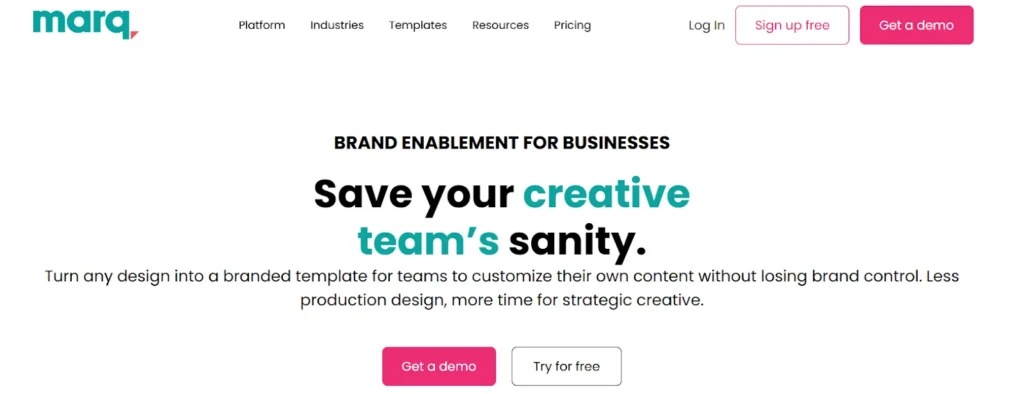
Marq is a brand enablement platform and one of the leading AI tools for brand management that supports the full lifecycle of content creation, not just template design.
Instead of stitching together design tools, DAMs, and workflows, Marq brings content design, management, automation, distribution, and analytics into one controlled environment as a brand management platform. This allows your brand and marketing teams to scale creation while maintaining consistency and control over your creative, often without leaving native systems like a CRM.
Key Features
Marq’s creative automation helps enterprise teams from industries like real estate, finance, and healthcare scale on-brand content production. Instead of recreating assets from scratch, Marq automates repeatable steps like data-driven personalization, multi-format resizing, and spreadsheet-style calculations inside governed templates, allowing your team to save time on tedious tasks (i.e. dreaded copy-pasting).
1. Standard Smartfields
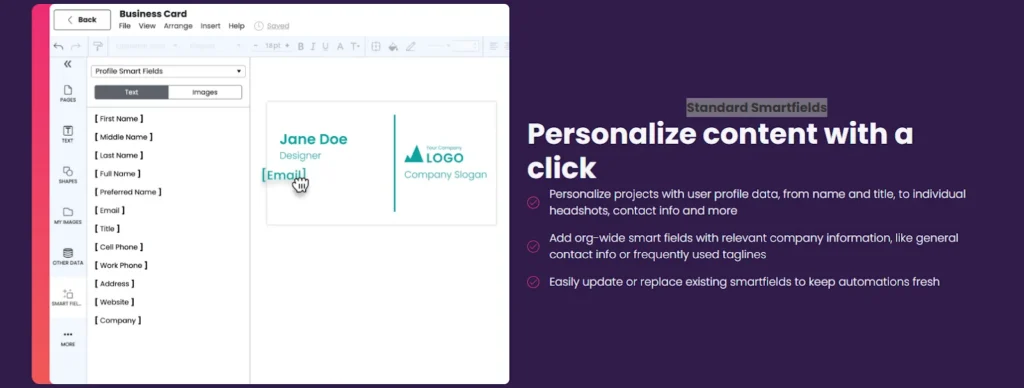
Standard Smartfields let users personalize projects with profile data like name, title, headshots, and contact info. Teams can also set org-wide Smartfields for consistent company details, such as shared contact info or approved taglines, and update or replace fields as needed to keep automations current.
2. Custom Smartfields

Marq is a creative management software built for governed, scalable content creation. It lets teams connect custom datasets via CSV, Google Sheets, XML, or MLS, then link that data to fields inside brand templates so projects auto-populate with the right information.
This supports use cases like spec sheets, proposals, and other templated materials that change by location, product, or listing.
3. Formulas
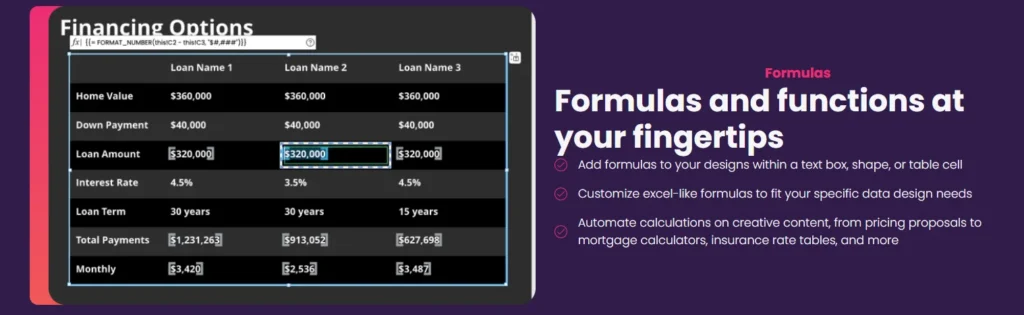
Marq supports Excel-like formulas directly in text boxes, shapes, or table cells to automate calculations inside creative content. This helps teams keep pricing, rates, or other calculated values accurate across assets like proposals, mortgage calculators, and rate tables, without manual edits.
Looking for the best proposal generation software that works across sales and marketing? Marq automates proposal creation inside governed templates.
4. AI Marqet

Most creative automation tools focus on speeding up production: auto-updating fields, resizing layouts, or generating variations in bulk. AI Marqet goes a step further by automating the creative workflows themselves.
AI Marqet connects Marq’s governed templates to business triggers and form inputs, functioning as a sales automation tool for on-brand content generation. That means on-brand content is generated automatically without someone managing every step. Instead of opening templates, duplicating files, and exporting assets, teams apply pre-built Apps that route approvals, sync data, create complete, brand-approved content, and notify end-users in minutes.
For example, when sales needs a one-pager, the Sales One-Pager app pulls in product details, approved messaging, and layout rules to generate a ready to use asset, on brand by default.
By removing manual handoffs between request, creation, and delivery, AI Marqet helps teams scale content production without adding headcount or increasing brand risk.
To be the first to try AI Marqet, join our waitlist.
To start automating your design tasks now, schedule a demo!
Where Marq Shines
- Enterprise brand control at scale: Governed templates, editable zones, and role-based permissions keep content on-brand across teams and locations.
- Self-serve without risk: Sales, field, and regional teams can generate personalized assets using Smartfields and data integrations without breaking layouts or required language.
- Less manual production work: Formulas reduce rebuilds and calculation errors when you need many versions of the same asset.
- Compliance support: Approvals and audit history help teams prove who changed what, when, and what was approved.
Where Marq Falls Short
- Less ideal for original design exploration: If your team spends most of their time designing bespoke campaigns and custom layouts from scratch, you may prefer a tool with no template rules or locked elements.
- Best value shows up when creation is distributed: If your organization has a limited need for self-serve creation across teams/locations, Marq’s governance and enablement features may be more than you need.
- Overkill for very small teams: Solo creators or small startups with minimal brand risk and low volume needs are unlikely to benefit from Marq’s governance layer.
Who Marq Is Best For
- Enterprise and mid-market organizations: Supporting hundreds of creators across departments, regions, or business units where brand consistency, compliance, and scale are non-negotiable.
- Teams scaling content across the business: Empowering sales, field marketing, faculty, franchisees, and partners to create assets on their own.
- Lean creative teams: Reducing repetitive requests while increasing output across regions, teams, and channels.
Case Studies
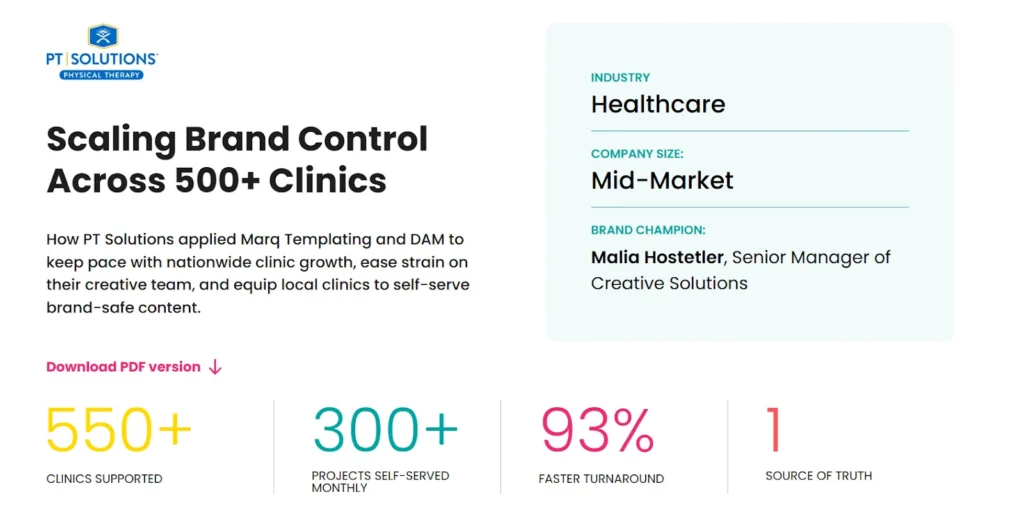
Multiple case studies show how Marq has changed the way teams work on creative.
Here’s an example from clinician-founded physical therapy company, PT Solutions:
“Now, when our sales team needs something, they don’t have to wait. They can open a template, drop in the details, and get it out the door the same day.” – Malia Hostetler, Senior Manager of Creative Solutions, PT Solutions
Marq also helped D1 lock down their brand while growing their franchise with 25+ locations around the country.
Mike Abramson, President of D1, said: “I love that you can lock a form or an image – whether you lock content, location, font size, etc. – so that franchisees still have the freedom to play without straying outside the brand guidelines.”
If you want to be the next Marq success story, schedule a demo and see how governed self-serve creation actually works at scale.
CHILI publish: Best for Enterprise Creative Automation for High-Volume Variations
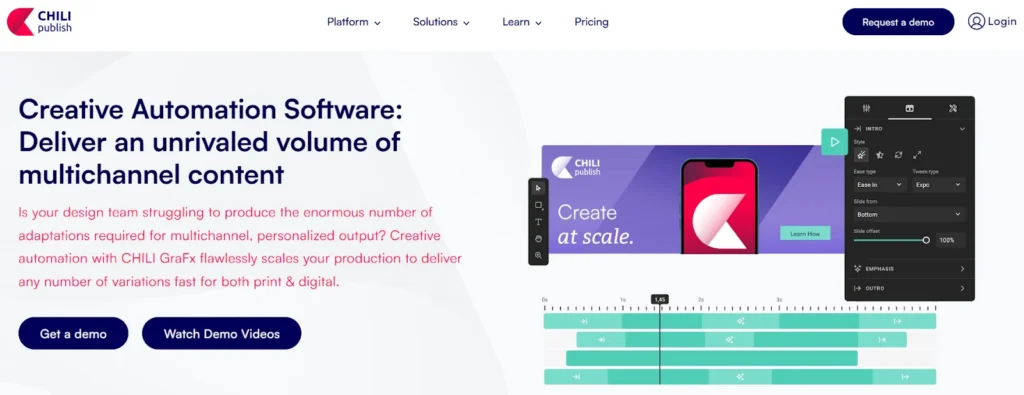
CHILI publish (CHILI GraFx) helps enterprise creative teams that need to produce a high volume of on-brand variations for print and digital, making it one of the more established web to print software options for enterprise production workflows. Teams can set up smart templates once and use them to produce localised and personalised versions across formats and markets.
Key Features
CHILI publish is built for production teams that need to produce a lot of on-brand versions fast. Its key features focus on smart templates and brand automation that plug into the rest of an enterprise content stack.
- Smart template automation: Build templates once and generate localized or personalized versions for print and digital at volume.
- API and Connector Hub: Built to plug into enterprise ecosystems and make it easier to pull in data assets from other platforms and push finished outputs.
- Output settings and formats: Configuration for output formats (including print-ready options like PDFs) supports production workflows.
Where CHILI publish Shines
- Enterprise-scale variation production: Strong fit for teams producing many localized or personalized versions.
- Integration-led workflows: API+connector options for automation-heavy stacks.
- Print and digital adaptation focus: Scales multichannel variations from smart templates for both print and digital, including press-ready PDFs and other formats.
Where CHILI publish Falls Short
- Not built for self-serve enablement: CHILI’s template locking/permissions and end-user experience skew more “basic UI layer/dev UI” than a governed, portal experience.
- Automation is more code-driven: Smart fields and data automation lean “code-based,” so teams often need technical support to get repeatable workflows running smoothly.
- Less connected to revenue workflows: No embedded CRM integration and more indirect DAM handling, which can make it harder for teams to use sales/field marketing personalization inside the tools they already live in.
Pro Tip: If you need a front-end experience where non-designers can safely create and personalize assets, Marq is built for that day-to-day enablement layer.
Customer Reviews
With mixed reviews, users are overall satisfied with the tool’s versatility and ease of use.
- Jens Leven – “CHILI GraFx brings everything you need for a modern publishing workflow & infrastructure.”
- Kathleen Bauwens, Business Application Manager, says: Chili GraFx is a platform in evolution, which often leaves users eagerly anticipating specific functionalities. The transition from their old environment adds to this anticipation.
Storyteq: Best for Enterprise Campaign Rollouts and On-Brand Adaptation Across Markets
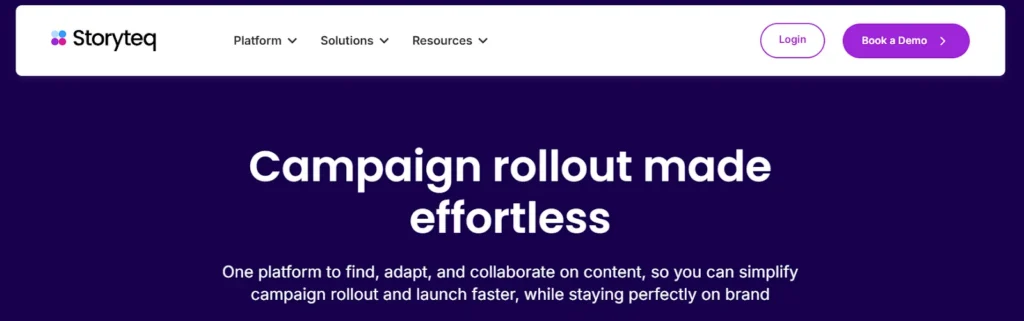
Storyteq is an enterprise content marketing platform designed to make campaign rollout easier across channels, formats, and markets. It serves as a central place to find, adapt, and collaborate on content – useful for global marketing teams coordinating many stakeholders and localized adaptations.
Key Features
Storyteq features are focused on portal-based access, structured adaptation, and collaboration during rollout.
- Content Portal: A single portal where teams that are working on different projects can find the right campaign assets, share them, and track usage.
For organizations evaluating content library software, this centralized approach helps reduce asset sprawl and improves content discoverability. - Adaptation Studio: Allows teams to use their campaign content to spin out a high volume of on-brand versions fast with automated templates.
- Collaboration Hub: Keeps rollout work moving by making it easier to collaborate on content across stakeholders and teams.
Where Storyteq Shines
- Enterprise rollout coordination: Useful when many markets and teams adapt the same campaign.
- Centralised content access: A shared portal helps teams stop grabbing the wrong logo, the wrong file, or last quarter’s campaign deck.
- Structured collaboration: It gives global and regional teams a clearer process for adapting campaigns across markets and channels, including a marketing approval workflow that helps ensure content is reviewed and approved before rollout.
Where Storyteq Falls Short
- Less focus on governed self-serve creation: If your priority is enabling your teams to create content directly inside tight brand guardrails, you may need stronger template governance and permissions as the primary system.
- Harder to price quickly: You typically need a sales conversation to understand exact costs, which can slow down early shortlisting.
Did You Know?: If your bigger challenge is scaling ongoing, always-on content (sales collateral, local promos, regulated templates) with data-driven personalization, Marq’s Smartfields and governed templates are designed for repeatable production.
Customer Reviews
Luis Vega – “Excellent platform to deliver our creative assets at scale to our network.”
Thomas V. – “One aspect that could be improved upon is the platform’s handling of highly specific brand identity requirements (pixel-perfect). Not all features are immediately available in such cases.”
Canva: Best for Fast, Everyday Content Creation Across Teams
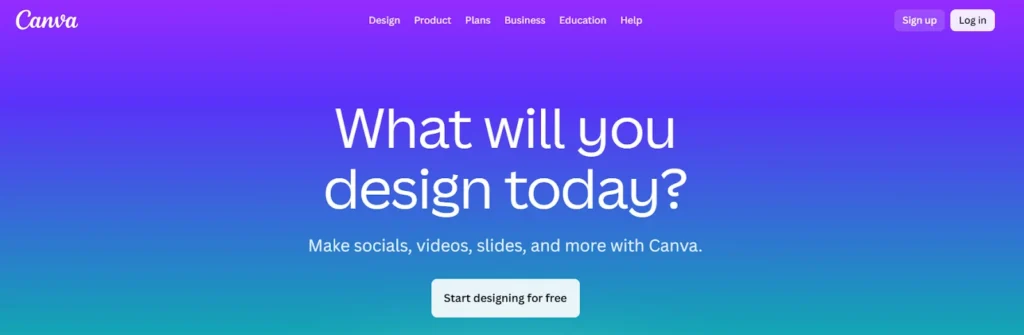
Canva is a widely adopted design tool built for speed and accessibility. Teams use it as a content creation tool to quickly create presentations, social posts, one-pagers, and simple marketing assets without relying on designers. Its drag-and-drop interface and massive template library make it easy for almost anyone to get something out the door fast.
However, Canva prioritizes flexibility and speed over strict governance. While brand kits and team controls exist, they’re easier to bypass at scale, which can lead to inconsistency as more teams and regions create content independently.
Key Features
Canva focuses on lowering the barrier to content creation rather than enforcing structured workflows.
- Template-driven design: Thousands of prebuilt templates help teams create common assets quickly without starting from scratch.
- Brand kits: Teams can upload logos, colors, and fonts to guide creators, though enforcement is limited.
- Collaboration and commenting: Multiple users can edit, comment, and share designs in real time.
- Integrations and exports: Easy publishing to social platforms and standard file exports support quick turnaround needs.
Where Canva Shines
- Speed and ease of adoption: Almost no learning curve for non-designers.
- High-volume, low-risk content: Social posts, internal decks, and lightweight marketing assets.
- Collaboration-first workflows: Quick feedback and iteration across teams.
Where Canva Falls Short
- Template locking and permissions are more limited: Canva Enterprise offers some locking and brand controls, but it’s not as granular or consistently enforced as platforms built around governed templates and role-based editing.
- Integrations skew “API/custom” vs embedded workflows: Enterprise connections typically rely on APIs or custom work, rather than deeper, built-in CRM/DAM activation tied directly to templates.
- Governance and audit depth are lighter: Canva has admin controls and audit logs in Enterprise, but the governance model (approvals, auditability, and compliance workflows) is more limited than tools designed for regulated, brand-sensitive environments.
Pro Tip: If you need more team governance, Marq lets you lock layouts, control editable zones, and apply role-based permissions so creators can move fast without breaking brand or legal.
Customer Reviews
Canva has a wider user base, with most reviews on G2 being positive:
- Gloria Ochoa says: “Efficient and User-Friendly, But Needs AI Improvements”.
- Vamshi B. finds it’s a “Good tool for non-designers who need clean visuals”.
- Phyo Zin H. says it has “User-Friendly Design, But Needs Faster Performance.”
Adobe Express: Best for Teams Already Invested in the Adobe Ecosystem
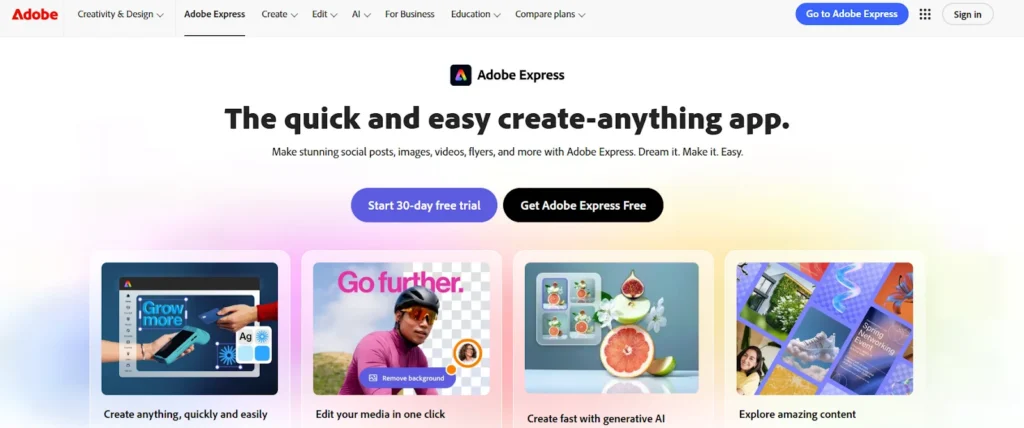
Adobe Express is Adobe’s lightweight design tool aimed at enabling non-designers to create quick, on-brand assets using familiar Adobe concepts. It works best for teams that already rely on Adobe Creative Cloud and want a simpler way to extend brand access beyond designers.
While it offers more structure than casual design tools, it still prioritizes ease and speed over deep governance.
Key Features
- Brand kits and libraries: Centralized logos, colors, fonts, and assets pulled from Adobe Libraries to guide creators.
- Template-based creation: Prebuilt layouts for social, presentations, and lightweight marketing assets.
- Adobe integration: Works alongside Photoshop, Illustrator, and InDesign for teams already embedded in Adobe workflows.
- Basic collaboration: Commenting, sharing, and co-editing for faster reviews.
Where Adobe Express Shines
- Adobe-first organizations: Easy extension of brand access without introducing a new ecosystem.
- Lightweight content needs: Fast creation of simple assets without full Creative Cloud complexity.
- Familiar workflows: Lower friction for teams already trained on Adobe tools.
Want to see how other platforms compare? Explore the best Adobe Express alternatives for enterprise teams.
Where Adobe Express Falls Short
- Limited governance depth: Lacks robust permissions, approvals, and locked templates at scale.
- Not built for distributed enablement: Less effective for large, multi-location teams creating content independently.
- Relies on external process: Brand control depends heavily on manual oversight.
Did You Know? Adobe Express works well inside the Adobe ecosystem, but it doesn’t solve distributed brand enablement on its own. Marq adds the missing operational layer: governed templates, portals by team/region, and structured approvals so enterprise teams can scale self-serve creation safely.
Customer Reviews
With an overall score of 4,5/5, user reviews on G2 have a mostly positive sentiment:
- Antonio G. calls it: “Fast, Fun, and Effortless Design with Adobe Express.”
- Valdair Leonardo S. says it’s “Speedy Edits with Room for Improvement.”
How to Choose the Best Creative Automation Platform
Not all creative automation platforms solve the same problem. The right choice depends on how many people create content, how much control you need, and how costly brand or compliance mistakes are for your organization.
Brand Governance and Control
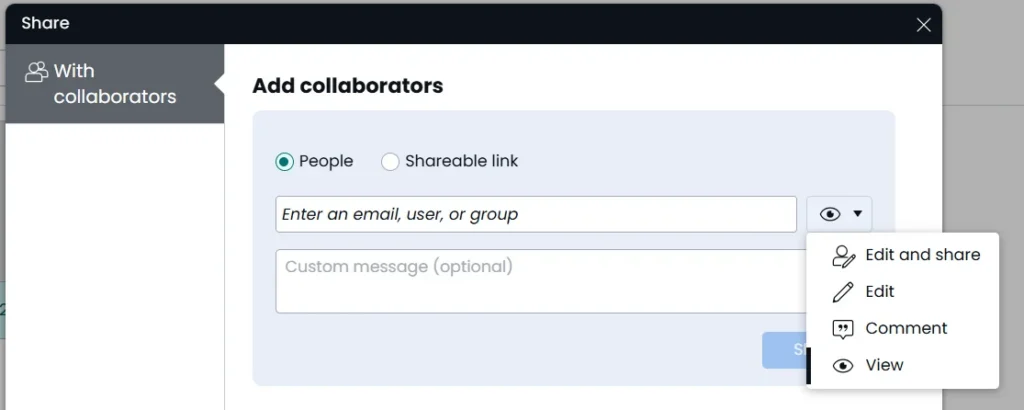
If brand consistency matters, look beyond templates. You need locked layouts, editable zones, permissions, and approvals that prevent mistakes before they ship. Tools that rely on user discipline tend to break at scale.
Distributed Self-Serve Creation
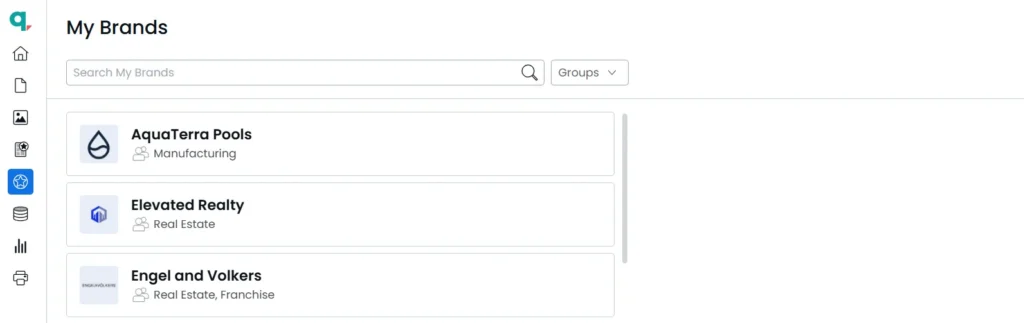
The best platforms let non-designers create content independently without overwhelming creative teams. This means clear roles, guided editing, and centralized access to approved assets.
Automation and Personalization at Scale
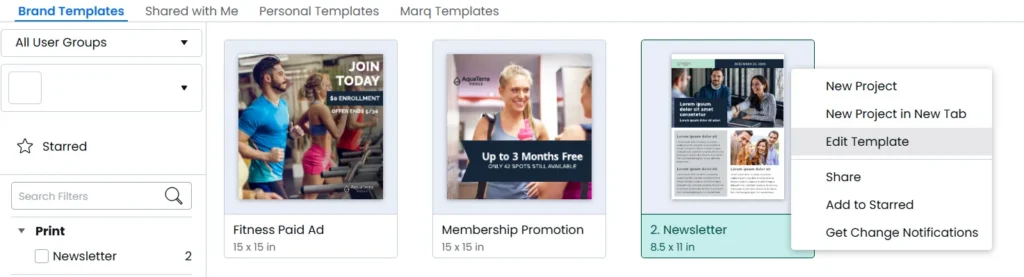
Manual edits don’t scale. Look for platforms that support dynamic fields, data-driven personalization, and bulk updates across templates. This is critical for localization and high-volume content.
Integration With Existing Systems
Creative automation shouldn’t live in a silo. Strong platforms connect to DAMs, CRMs, and existing workflows so teams work where they already are, including content library software (DAM systems and asset repositories) that keep brand assets centralized and reusable.
✅ See how Marq supports governed self-serve creation across teams, locations, and systems.
Recommended Use Cases for the Creative Tools Covered
Different tools excel in different scenarios. This table summarizes when each platform makes the most sense.
| Tool | Best use case |
| Marq | Distributed teams needing self-serve creation with brand and compliance control |
| CHILI publish | Enterprise creative automation for high-volume versioning and integration-led production workflows |
| Storyteq | Enterprise campaign rollout and on-brand adaptation across markets, channels, and teams |
| Canva | Fast, low-risk content for everyday marketing and internal use |
| Adobe Express | Lightweight creation for teams already using Adobe tools |
Creative Teams Choose Marq to Scale Without Chaos
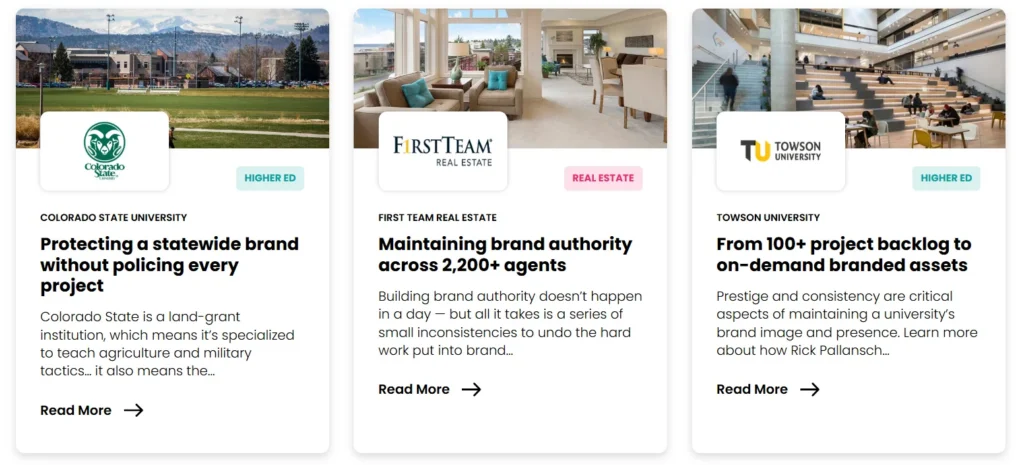
Creative teams choose Marq when speed alone isn’t enough. As content creation spreads across teams, regions, and roles, brand risk and bottlenecks increase.
Marq gives organizations a way to decentralize creation while keeping control centralized through governance, automation, and integrations.
Teams like the National Association of Home Builders, which manage scale, compliance, and complexity, are choosing Marq.
Ready to see why?
Schedule a demo and see the difference Marq makes!