7 Best Brand Asset Management Software (2026 Ranked)


Brand inconsistency is more of a revenue problem than simply a design one.
When different teams describe your product in different ways and use inconsistent brand elements, it weakens buyer trust at every touchpoint.
Brand asset management software solves this by giving teams one governed place to access and use approved content, so every interaction reflects a consistent, credible brand.
This guide covers seven of the best brand asset management tools, how they differ, and which industries each platform serves best.
How we tested and ranked these brand asset management platforms
We evaluated each brand asset management platform from the perspective of a marketing leader responsible for maintaining brand consistency across a distributed organization. The criteria we followed:
- Centralized asset storage: Does the platform provide a single source of truth for all brand assets?
- Asset governance and control: Can you manage who accesses, downloads, and distributes each asset? Does the platform provide version control and audit trails?
- Discoverability: Can teams find the right asset quickly, even in large libraries?
- Template and creation layer: Does the platform help teams create on-brand content from those assets, or does brand governance stop at download?
- Integration with existing tools: Does the brand asset management solution integrate with your existing customer relationship management (CRM), design, and project management tools?
Best 7 brand asset management software compared
| Brand Asset Management Software | Best For… | Asset Control Level | Brand Governance Features |
| Bynder | Enterprise brand asset governance across distributed teams | High | Brand guidelines module, approval workflows, versioning, audit trails, AI search |
| Brandfolder | Governed external asset sharing with partners and distributed teams | High | Role-based access, brand portals, versioning, audit logging |
| MediaValet | Large teams needing unrestricted user access | High | Experience Portals, granular permissions, asset expiration, audit logs |
| Canto | Mid-market teams wanting a clean, searchable asset library | Mid | Brand style guides, version control, role-based access, AI search |
| Marq | Distributed teams that need a single platform to centralize brand assets and turn them into on-brand content | High | Template locking, brand portal, role-based access, approval workflows, DAM and CRM integrations |
| Brandy | Small teams and agencies managing multiple brand identities | Mid | Permission settings, white-label portals, multi-brand spaces |
| Canva | Teams with minimal asset management needs | Low | Brand Kits, basic template locking, admin roles |
Most platforms in this list focus on storing and governing brand assets. Marq extends this by connecting your asset library directly to locked templates, so teams can turn approved elements into compliant, on-brand content. Learn more →
1. Bynder: Best for enterprise brand asset governance
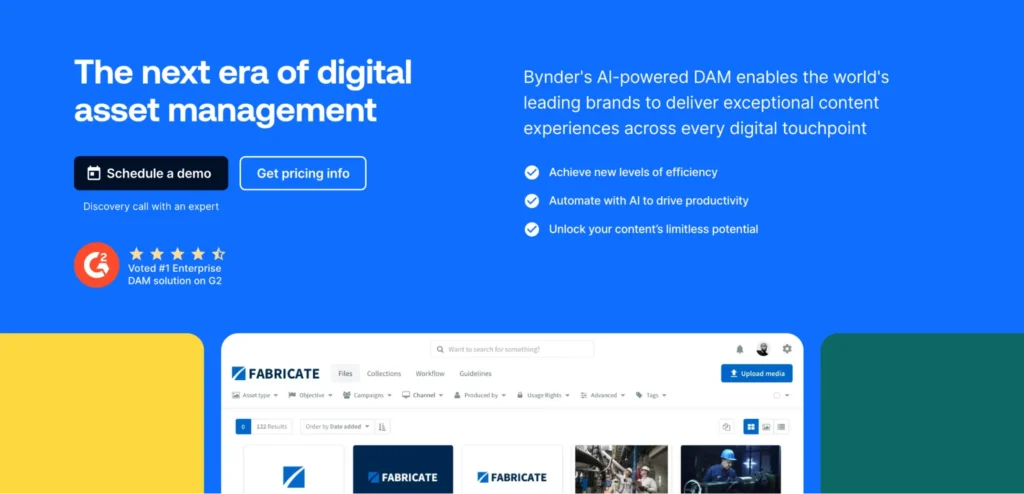
Bynder is one of the most established enterprise Digital Asset Management (DAM) platforms available, and is often used as a content library software for large organizations. It provides the governance infrastructure to manage thousands of brand assets across multiple teams, regions, and agencies.
Key features
- Centralized brand asset library: All brand assets (logos, images, videos, documents, design files, etc.) live in one searchable repository. Once assets expire, Bynder pushes updated versions into use and blocks access to older ones, preventing teams from distributing outdated content.
- Brand guidelines module: Interactive brand guidelines sit inside the platform alongside the assets they apply to. When guidelines change, updates reflect immediately across each team’s view.
- Approval workflows and audit trails: Assets move through review and approval before entering the library, with complete audit logging for compliance reporting.
- AI-powered search and tagging: Automated metadata tagging and advanced search help teams locate the right brand asset quickly, even when libraries grow to thousands of files.
Pricing
Bynder doesn’t publish its pricing publicly. Reach out to their sales team for a quote.
Where Bynder shines
- Brand asset governance at scale: For marketing leaders managing assets across multiple regions, sub-brands, and agencies, Bynder’s approval workflows give full control over what reaches the final user.
- Guidelines connected to assets: Brand rules do not live in a separate PDF. They live inside the platform alongside the assets they govern, making it harder for teams to miss them.
Where Bynder falls short
- Slow onboarding: Bynder takes time to implement properly across a large organization. Teams need to set up structures, permissions, and workflows before it runs smoothly, which can delay time-to-value.
Customer reviews
Crysta P. shares, “I like Bynder’s AI search feature, which makes it easier for me to find the right images and people in them when I search.”
Charity B. shares, “It can take a while to learn terminology of Bynder such as automated derivatives and the taxonomy, and how the system works in general.”
Who Bynder is best for
- Enterprise teams that are managing large, complex brand asset libraries across multiple regions, sub-brands, or external agencies.
2. Brandfolder: Best for governed external asset sharing
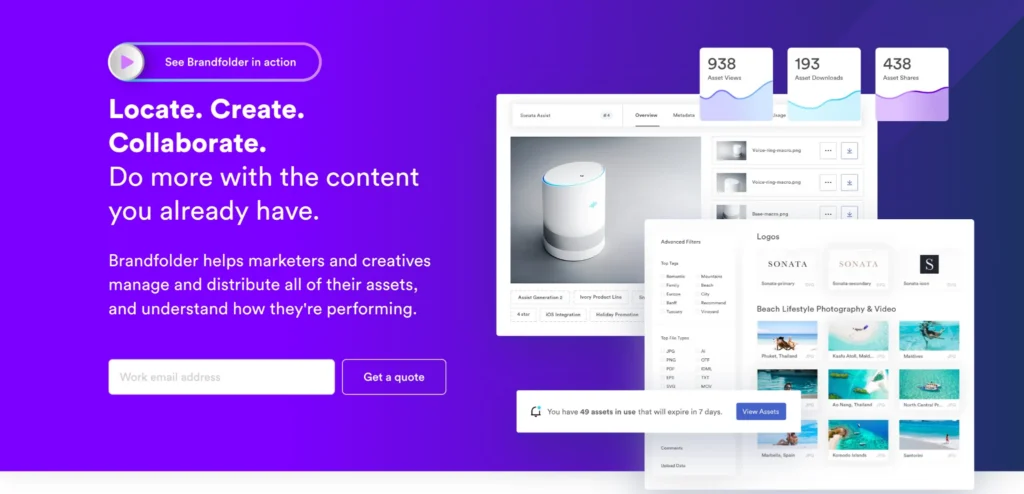
Brandfolder is another digital asset management platform that marketing leaders choose when the core challenge is getting the right brand assets to the right people – without losing control over what teams share and when.
Its brand management focus is on access governance: clear role structures, controlled external portals, and version management that ensures distributed teams and partners always work from current, approved materials.
Key features
- Role-based access control: Five user roles (Owner, Admin, Custom Role, Collaborator, and Guest) let teams set detailed permissions for what each person can access, edit, and share.
- Brand portals for external partners: External agencies and partners access only the assets approved for them through portals that do not expose the full library.
- Audit logging: Full record of who accessed and downloaded each asset for compliance tracking.
- Smartsheet integration: For teams already using Smartsheet for campaign management, the native integration connects asset access to project workflows.
Pricing
Brandfolder provides two plans, Premium and Enterprise, but both are custom-priced.
Where Brandfolder shines
- External brand governance: Agencies, distributors, and media partners access only what they are authorized to use. Portal permissions stop outdated logos, retired brand elements, and unauthorized materials from reaching external audiences.
- Fast adoption: Brandfolder consistently earns high marks for ease of use. Marketing teams and external partners get up to speed quickly with minimal training.
Where Brandfolder falls short
- Governance ends at download: Like most DAMs, Brandfolder does not prevent a field representative or partner from using an approved asset incorrectly in content they build elsewhere. It governs access, not creation.
- High cost relative to scope: Brandfolder is a significant investment for a platform that covers asset access but not content creation or template governance.
Customer reviews
Monica H. says, “Brandfolder has proven to be a user-friendly and intuitive platform. Its clean layout and straightforward navigation make it easy to locate and manage assets efficiently. I appreciate how simple it is to organize content and how quickly I can find what I need without unnecessary complexity.”
Deborah T. shares, “I asked how much the service would go up the 2nd year and they said not much. It went up 37% in year two!!! We BARELY use what we bought and there is no room for discussion. I asked how much it would go up next year and no response.”
Who Brandfolder is best for
- Companies with large external networks that regularly share brand assets with agencies, channel partners, media outlets, and distributors.
- Smartsheet users that want to connect asset governance directly into their existing campaign workflows.
3. MediaValet: Best for large teams needing unrestricted user access
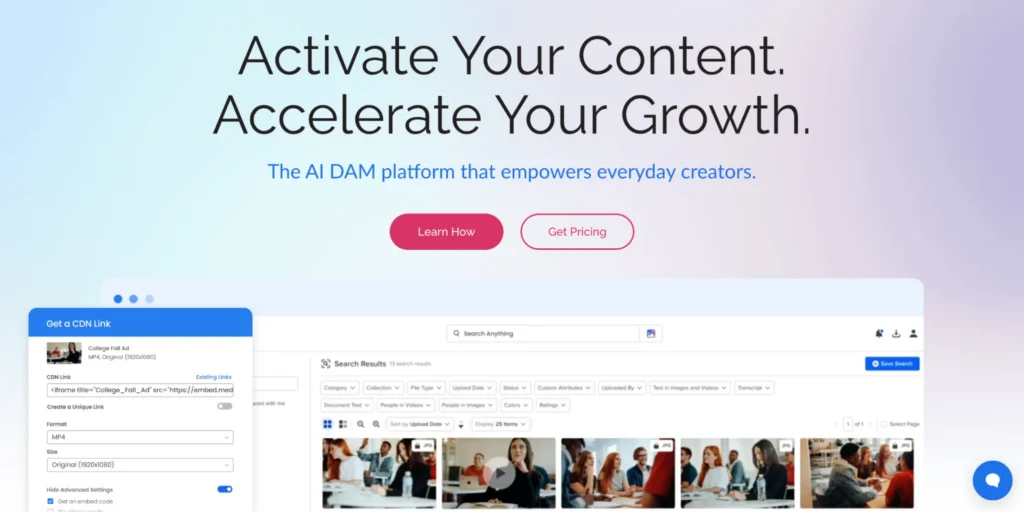
MediaValet is an enterprise DAM platform built exclusively on Microsoft Azure. Its strongest selling points are its Experience Portals for brand distribution, unlimited user access at no extra cost, and a consistent track record for ease of adoption relative to other enterprise DAMs.
Key features
- Experience Portals: Custom, on-brand hubs for internal or external audiences, with curated asset collections, help-desk resources, and showcase features.
- AI-powered search and tagging: Automated metadata tagging, smart search, and facial recognition make navigating large libraries easier.
- Brand governance: Granular permission controls, role-based access, asset expiration, and audit logs give marketing leaders full visibility into how teams access and use brand assets, strengthening digital brand governance at scale.
Pricing
Contact MediaValet’s team for a personalized quote.
Where MediaValet shines
- Adoption at scale: Users consistently rate MediaValet’s interface as easier to use. Non-technical users find and share assets without needing training sessions or admin support.
- Unlimited users: Unlike other enterprise DAMs that charge per seat, MediaValet includes unlimited users, admins, and training with every plan.
Where MediaValet falls short
- Search depends on structured inputs: MediaValet performs well when teams use consistent file naming and metadata. Without it, searches can return no results, and there are no fallback suggestions when queries miss.
Customer reviews
Ryan F. says, “I like that MediaValet is a nice web-based solution accessible by anyone with proper sharing links and has an intuitive storage layout. The portals are great for sharing assets with key customers or media during product launches. I probably like the portals and the nested folder structure the most.”
Monique E. shares, “I find the search feature in MediaValet to be ineffective if I don’t know the exact file name. When searching for a specific file or folder without the precise name, it often results in ‘no results found,’ which is frustrating.”
Who MediaValet is best for
- Large companies that need to provide brand asset access to a high number of users across the organization.
4. Canto: Best for mid-market teams wanting a clean asset library
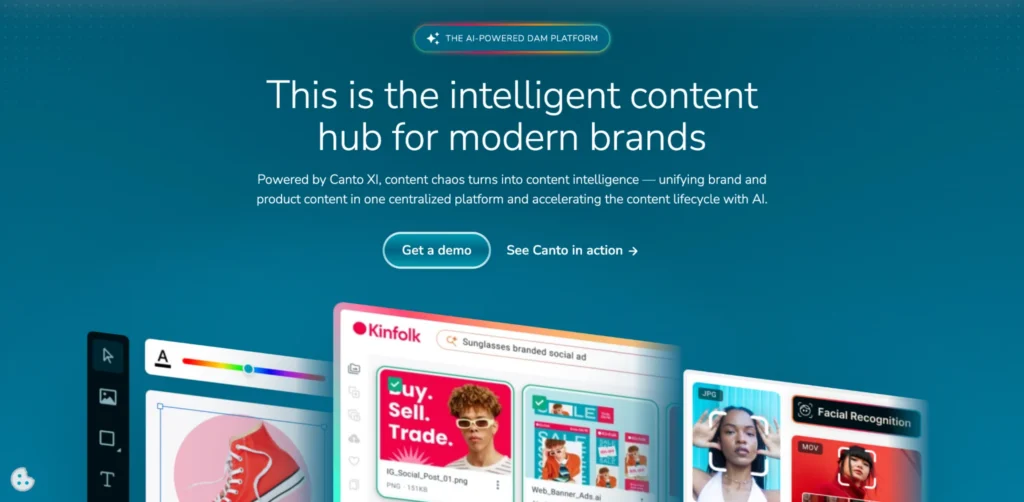
Canto has over 30 years of experience in the digital asset management industry and supports brands like Sony, Domino’s, and Columbia University.
For mid-market teams, it offers strong search across large libraries, clear brand style guides, and simple access controls – without the heavy implementation work of enterprise DAM tools.
Key features
- AI-powered search and tagging: Smart tagging, facial recognition, and natural language search help teams find the right brand asset quickly.
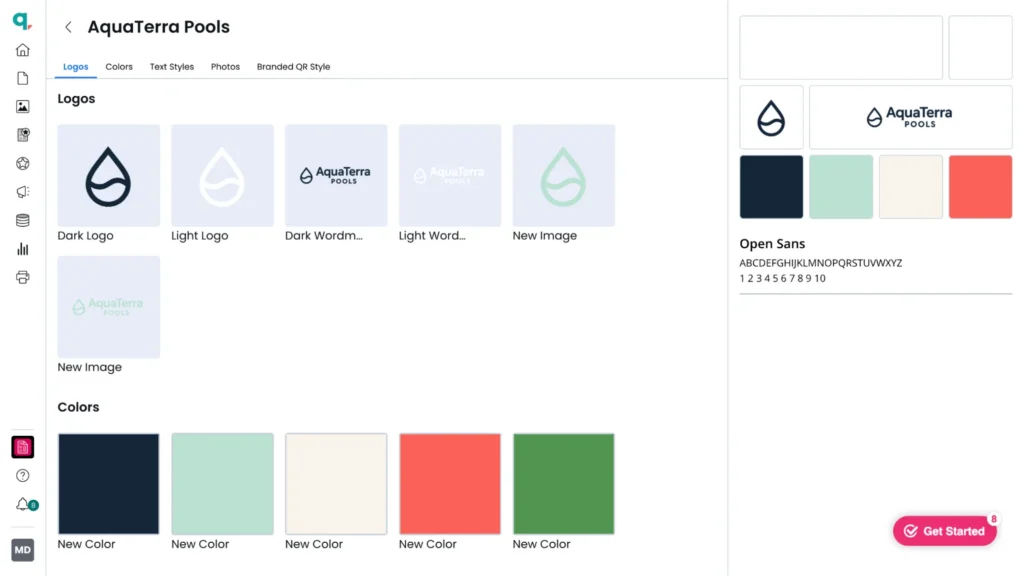
- Brand style guides: Style guides built inside Canto sit alongside the assets they govern (logos, color palettes, fonts, usage rules, etc.). This gives every team member access to current brand standards in the same place as the assets.
- Centralized asset library: All digital content lives in one searchable, version-controlled repository with access controls and expiry management.
- Integrations: Canto connects with Adobe Creative Cloud, Microsoft Office, WordPress, Google Drive, Dropbox, Marq, and others.
Pricing
| Plan Name | Plan Cost |
| DAM | Custom |
| DAM PLUS | Custom |
| DAM for Products | Custom |
| DAM PRO | Custom |
Where Canto shines
- Search and discoverability: Canto’s AI-powered search is among the strongest in the DAM category. Teams spend less time hunting for the right asset and more time using it.
- Brand style guides built in: For marketing leaders who want brand guidelines connected to the asset library, Canto’s built-in style guide feature covers this without needing a separate tool.
Where Canto falls short
- Organizational setup required upfront: Teams need to carefully set up the metadata structure and folder hierarchy before rollout. Without that investment, large libraries become difficult to navigate as they grow.
- Creation gap: Canto stores and organizes brand assets well. But, it does not support governed template creation for distributed teams.
Customer reviews
Kara D. shares, “Overall, I love Canto and its functionality. The design, capabilities, and features are a great fit for our needs, as well as for our team members and clients. I especially love the AI capability that lets me search for a photo based on characteristics and descriptions, and I really appreciate the quick turnaround time on searches.”
Vinay P. shares, “the initial setup and customization of metadata or taxonomy can feel slightly time-consuming, especially for new users without prior DAM experience.”
Who Canto is best for
- Mid-market teams that have outgrown shared drives and need a proper brand asset library without enterprise-level complexity.
5. Marq: Best for distributed teams that need more than asset storage
Marq is a brand enablement platform that goes beyond traditional DAM software and sits within the emerging category of creative management software. Instead of only storing and distributing brand assets, it turns them into locked templates that non-designers can safely personalize without breaking brand rules.
Marq is ideal for distributed teams that need to create a high volume of on-brand content without relying on a central marketing team for every request.
Key features
Centralized brand asset management
Marq’s brand portal centralizes all brand assets in one governed workspace. Teams store logos, images, templates, and brand guidelines in a single cloud-based location. Users access what they need through a quick search bar and start designing the same day they get access.
Template locking
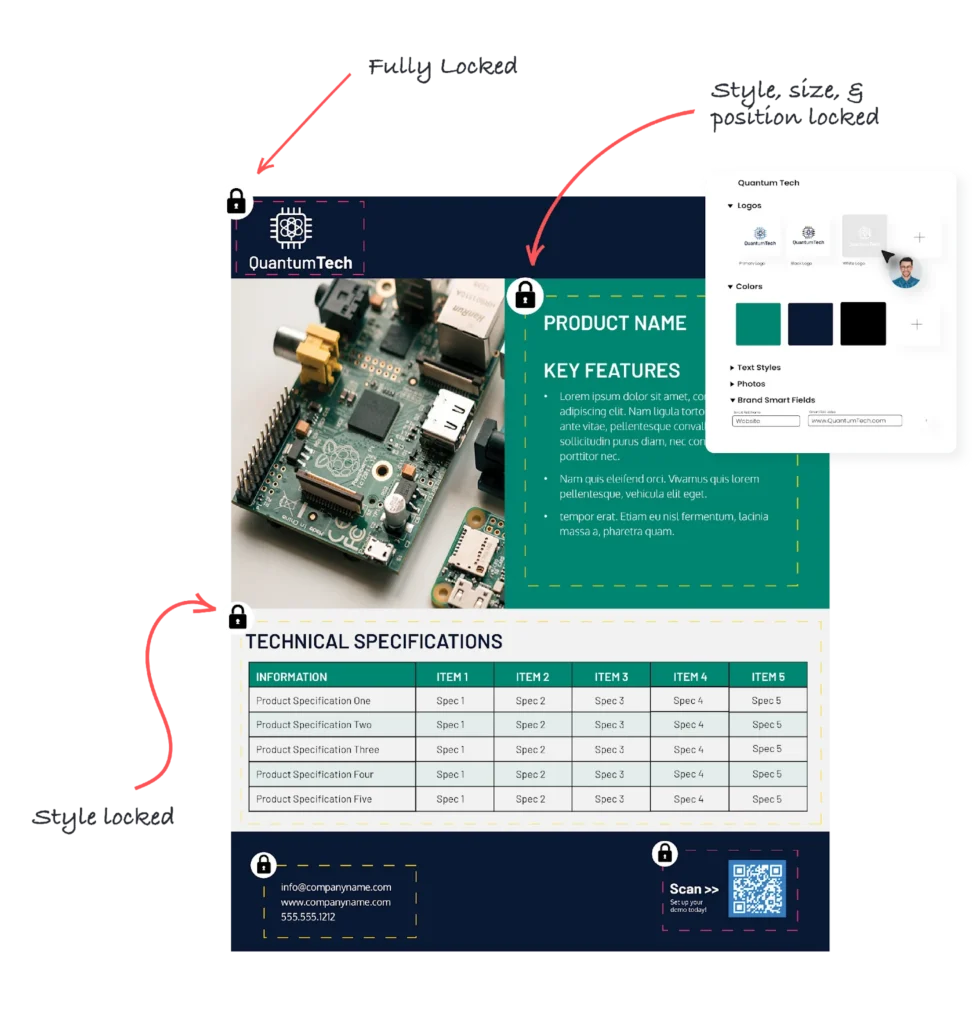
Most brand asset management tools only go as far as providing access to approved assets. Marq takes those assets and feeds them directly into templates, where admins lock specific elements before publishing.
Admins lock brand-critical elements like logos, colors, fonts, and legal disclaimers, while leaving fields like customer names and post copy editable. This lets non-designers create on-brand content quickly without depending on the central team for approvals.
Role-based access and group management
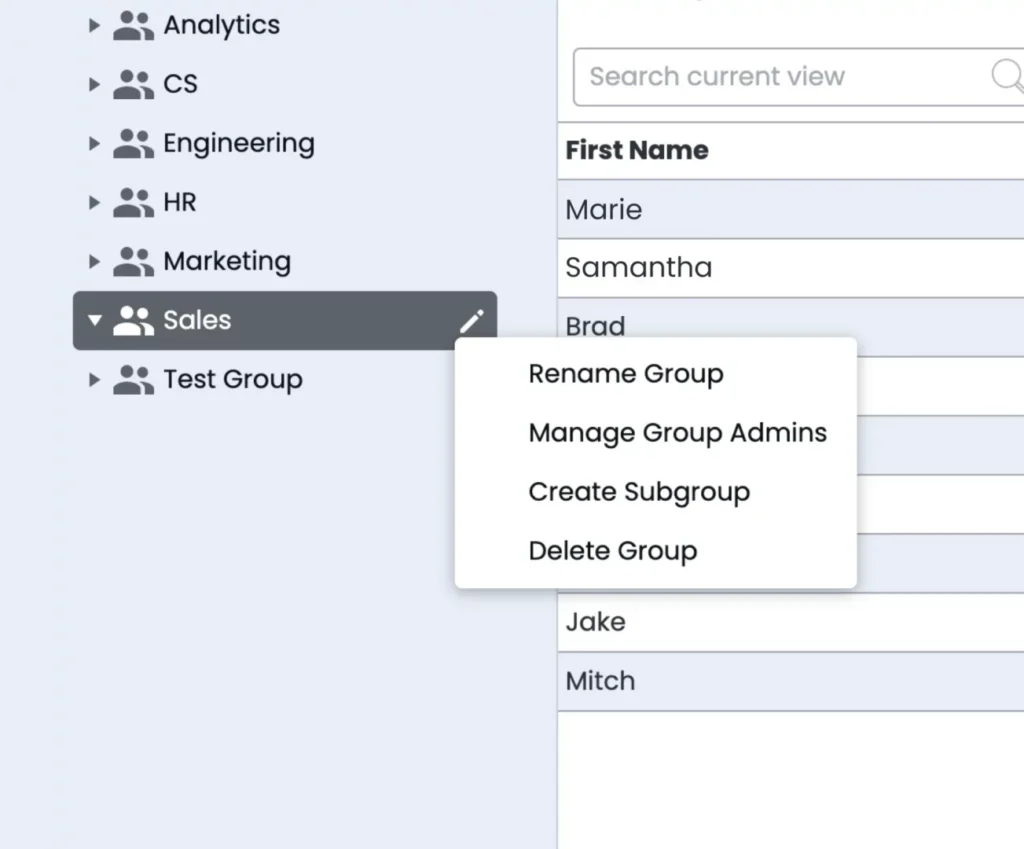
Marq mirrors your organizational structure through groups and subgroups. Admins share specific template folders and asset libraries at the group level.
For instance, a hospital’s cardiology department sees its own approved materials, while the oncology department sees theirs. Nobody sees templates that do not apply to them, which reduces both off-brand content and support requests.
DAM integration
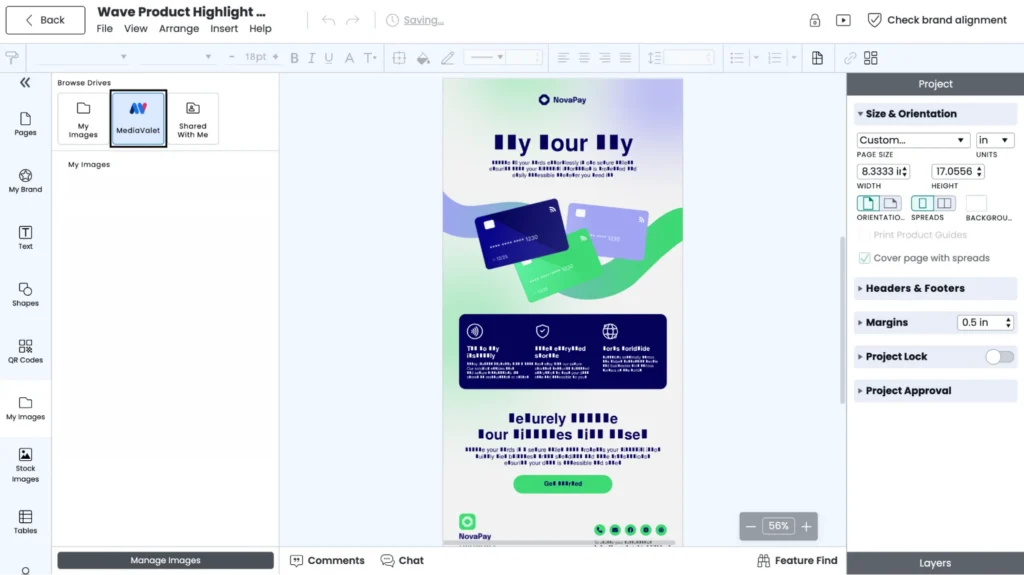
Marq offers integrations with Bynder, Brandfolder, Canto, and other asset management solutions. Once connected, users can pull assets from their DAM library directly into Marq templates through a built-in asset picker.
Pricing
For a customized quote, contact Marq’s sales team.
Where Marq shines
- Brand management at the point of creation: Marq enforces brand standards inside the creation process, not through guidelines people are expected to remember.
- Activating your existing DAM: If your team already runs Bynder, Brandfolder, Canto, or MediaValet, Marq puts those assets to work inside governed templates.
- Content personalization: Smart fields allow non-designers to customize content without changing locked brand elements. They connect directly to CRM systems and existing databases, automatically pulling in key information instead of requiring manual entry.
Where Marq falls short
- Overkill for pure DAM needs: Teams that only need to store and organize brand assets will find Marq does more than they need. Its strength lies in turning those assets into usable templates to support on-brand, compliant content creation.
Customer reviews
Rick Pallansch says, “Marq gives us the ability to democratize the design process by delivering branded assets to other departments and people on campus, so they don’t have to go through my group [for assets].”
Doug Garcia shares, “When we found Marq, we were sucked in by the ability to create branded templates, upload our colors and logos, allow campus partners to customize their designs… and still have complete control over our brand.”
Who Marq is best for
- Distributed teams that need to create high volumes of on-brand, compliant content without relying on constant oversight from central marketing.
- Marketing teams using Bynder, Brandfolder, Canto, or MediaValet that want to turn stored assets into ready-to-use, on-brand content.
Note: Teams that are also replacing Microsoft Publisher may want to explore our guide to Microsoft Publisher Alternatives to evaluate modern template-based options.
6. Brandy: Best for small teams and agencies managing multiple brand identities
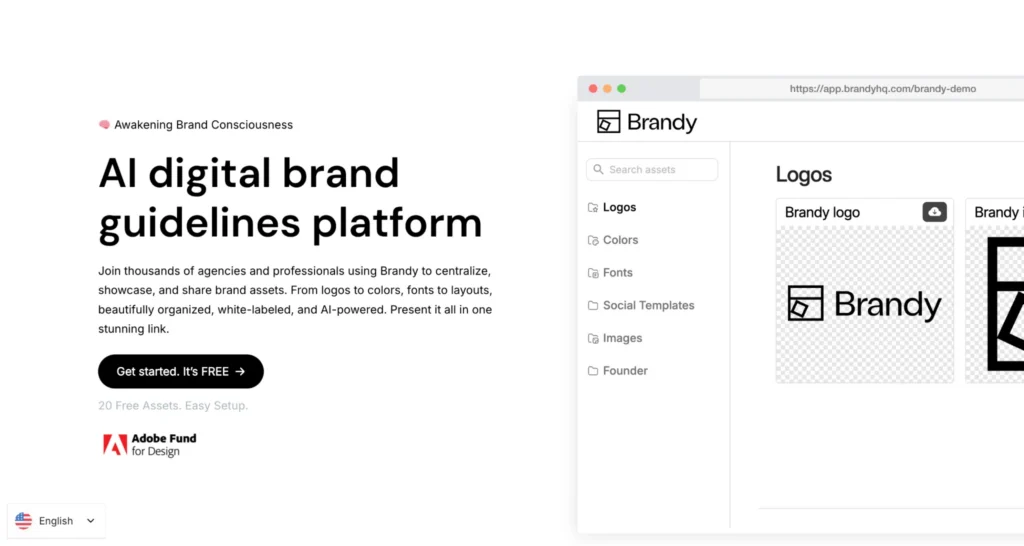
Brandy is a lightweight brand asset management platform designed for small marketing teams and creative agencies. Its key differentiator is multi-brand management, allowing users to organize multiple client or brand identities from a single account. Each brand has its own assets, style guides, and permissions.
It offers cloud-based brand guidelines, simple access controls, and white-label portals at a lower cost than enterprise DAM tools. However, it lacks advanced governance features like approval workflows and template locking.
7. Canva: Best for teams with minimal asset management needs
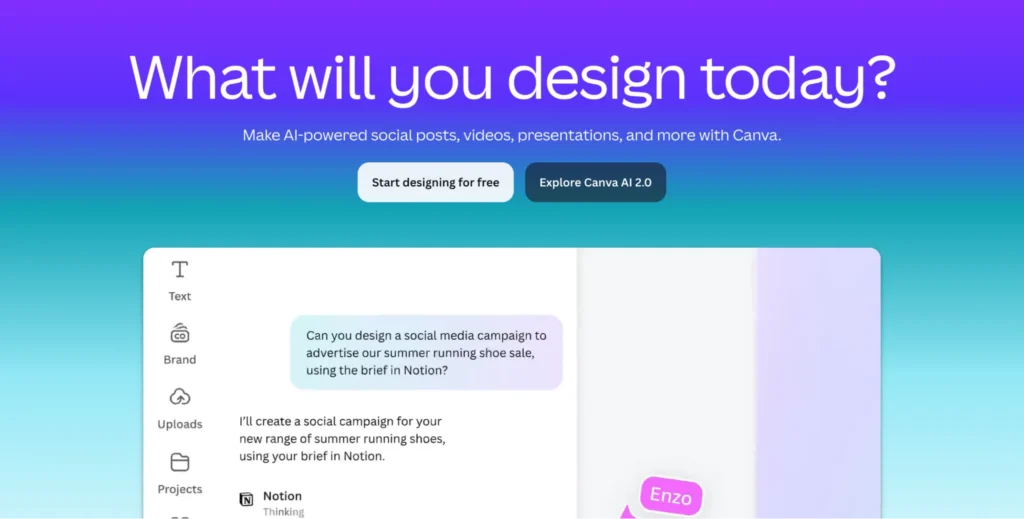
Canva is primarily a design platform, but its Brand Kit, template library, and Enterprise admin controls provide a basic layer of brand asset management. For teams already working in Canva, it offers a centralized place for logos, colors, and fonts, along with simple template locking and optional approval workflows in the Enterprise tier.
However, its brand management capabilities are limited. It lacks structured asset governance and deep version control. Canva supports lightweight brand consistency but does not support enterprise-grade brand asset management at scale.
How to choose the right brand asset management system
Every platform in this list claims to solve asset management, but they sit within different layers of content library software, from storage and governance to creation and distribution. The difference is in what layer they solve it at: storage, access, creation, or all three.
Here is how to figure out which layer your team needs.
Does your team need to store assets, create content, or both?
Most platforms in this list handle asset storage well. Fewer handle what comes next; ensuring non-designers create on-brand content using those assets.
Teams whose challenge is organizing and distributing a brand asset library can pick a DAM like Bynder, MediaValet, or Canto. Teams whose challenge is governing what non-designers do after download need a creation layer on top.
Marq sits on top of your existing DAM and closes that gap. Approved assets from your library feed directly into locked templates, so non-designers create compliant, on-brand content from the start – without a designer reviewing every output.
PS: This is where web-to-print software and template governance platforms become valuable.
How important is discoverability in a large library?
When a DAM makes assets hard to find quickly, teams stop using it and fall back on shared drives and email. As libraries grow, search quality becomes one of the most critical features.
Look for strong metadata tagging, AI-powered search, and structured categorization so teams can quickly find the right assets without digging through folders.
Can different teams access only the brand assets that apply to them?
Giving everyone access to everything is one of the fastest ways to create brand inconsistency. A real estate agent should only see listing templates, not corporate brand documents. A regional insurance team should only see state-specific materials tied to what they’re licensed to use.
Role-based access at the group and subgroup level, not just individual permissions, is what makes this scalable. Marq’s group management mirrors your organizational structure, so admins can set access centrally and adjust it as teams evolve.
Final word on Marq
Most brand asset management software focus on storing and organizing assets, but struggle with what happens when teams need to use them at scale.
Marq centralizes brand assets in one governed workspace and goes a step further by turning those assets into locked templates. Approved logos, fonts, and guidelines stay consistent, while distributed teams can still personalize content without breaking brand rules. It brings storage and creation together in one system, so brand control doesn’t get lost in execution.
If you want to manage assets and ensure teams use them correctly across a growing organization, explore Marq. Book a demo to see how it fits into your workflow.