7 best desktop publishing software for enterprise teams (2026)

Enterprise teams produce thousands of branded assets every year. Flyers, proposals, reports, social posts, sales sheets, you name it.
Traditional desktop publishing software gave designers precise layout control over print and digital content. But add non-designers to the mix (sales reps, regional marketers, franchise partners), and it falls apart.
Design requests pile up, teams scramble to meet deadlines, and people start building their own versions from scratch. Whatever brand consistency you had left disappears with it.
Modern desktop publishing applications solve this problem head-on. They combine design capabilities with built-in brand controls, locked templates, and team workflows, so more people can create content without the brand team having to review every single file.
In this guide, we break down seven of the best desktop publishing software options for enterprise teams: where each shines, where they fall short, and who they’re best for. We also cover how to choose the right desktop publishing platform based on your team’s size, structure, and content needs.
Desktop publishing vs. modern content platforms
The term “desktop publishing software” covers two distinct categories of tools.
- Traditional DTP software is built for designers who need full control over typography, grids, and print-ready layouts.
- Modern content platforms, on the other hand, are built for teams that need to produce branded content fast, at scale, without routing every request through a designer.
Here’s how they compare:
| Traditional DTP Software | Modern Content Platforms | |
| Built for | Professional designers and layout specialists | Marketing teams, sales reps, and non-designers |
| Primary use case | Print production, editorial layouts, pixel-perfect design | Branded content creation across departments and regions |
| Template control | Designer manages all files manually | Locked templates with role-based editing permissions |
| Brand governance | Relies on style guides and manual review | Built-in brand controls, approval workflows, and audit trails |
| Collaboration | File-based (export, share, collect feedback separately) | Cloud-based with real-time editing and team workflows |
| Personalization | Manual, one file at a time | Automated via smart fields, CRM data, or spreadsheets |
| Learning curve | Steep (designed for trained designers) | Low (designed for anyone on the team) |
Neither category is necessarily better than the other. It depends on your use case.
If, for example, your team needs advanced layout precision for print-heavy work, traditional DTP software is a strong pick. But if the challenge is getting hundreds of people across multiple offices to create on-brand content without a designer in the room, a modern content platform is the better fit.
How we selected these desktop publishing software
A simple desktop publishing software search returns dozens of options. So we built a criteria framework to judge each tool on what actually matters for enterprise teams. Here’s what we looked at:
- Enterprise readiness: Many tools can handle basic design work. But how well does it support large teams across multiple departments, regions, or brands? That’s a different question.
- Template and brand controls: This one’s especially important for enterprise teams. Does the tool offer locked templates, role-based permissions, or approval workflows to protect brand consistency at scale?
- Ease of use for non-designers: Not all content creators are designers. How simple does the tool make it for someone outside the design team to create and publish branded content without training or hand-holding?
- Collaboration and workflows: Teams often underestimate the role of design collaboration. Back-and-forth feedback can delay even the best designs by weeks. Does it support real-time editing, feedback loops, and team-based content production?
- Integration flexibility: Your publishing tool should play nice with the rest of your stack. No issues exporting, importing, or syncing. Does it connect with the tools enterprise teams already use (customer relationship management (CRM) tools, digital asset management (DAM) systems, cloud storage, print vendors)?
- Customer reviews and real-world use: We looked at what actual customers are saying about each tool, the variety of problems it solves, and how it performs outside of a demo environment.
Every tool on this list made the cut because it solves a specific content creation problem for enterprise teams. The difference lies in where each one focuses, and we break that down tool by tool below.

Scale content creation without losing brand control
Bring templates, automation, approvals, and integrations together so distributed teams can create more without adding more work for your brand team.
7 best desktop publishing software for enterprise teams: At a glance
| Tool | Key Features | Pricing | Best For |
| Adobe InDesign | Advanced typography, baseline grids, master pages, multi-format publishing, Creative Cloud integration | From $22.99/mo | Professional print and editorial design |
| Affinity | Smart Master Pages, unified vector/photo/layout editor, broad file compatibility, print-ready output | Free | Professional layouts at no cost |
| QuarkXpress | Variable fonts, LaTeX/MathML support, IDML import/export, ImageGrid for master pages | $251/year | Long-form publishing and technical layouts |
| Marq | Locked templates, smart fields, approval workflows, self-service portals, CRM/DAM integrations, analytics | Custom pricing | Scalable, on-brand content creation |
| Canva | Brand kits, real-time collaboration, AI design tools, massive template library | Custom pricing | Quick, collaborative content creation |
| Visme | Live data visualization, interactive HTML5 content, brand kit, customizable charts and graphs | Custom pricing | Data-heavy presentations and visual content |
| Frontify | Interactive brand guidelines, DAM, design system documentation, editable templates | Custom pricing | Brand guideline management and asset storage |
Traditional desktop publishing software
1. Adobe InDesign
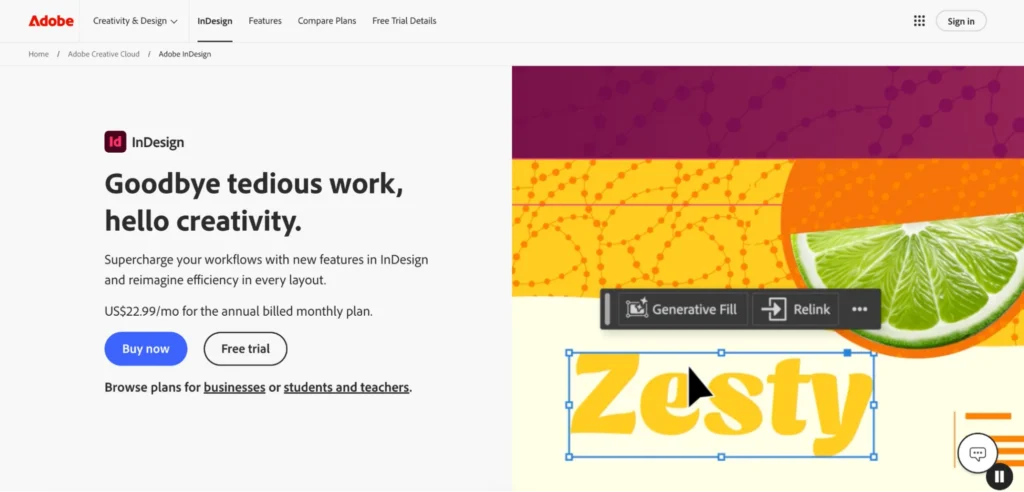
Adobe InDesign is the industry standard for desktop publishing. Publishing houses, agencies, and enterprise creative teams have relied on it for decades, and it remains the benchmark against which all other DTP tools are measured.
Key features
- Advanced typography and layout control: InDesign offers paragraph and character styles, optical kerning, nested styles, GREP styling, and baseline grids.
- Multi-format publishing: A single InDesign file can output to print-ready PDF, interactive PDF, EPUB, and HTML. The Publish Online feature also allows teams to share interactive documents via a link without exporting to a separate tool.
- Creative Cloud integration: Like the rest of Adobe’s suite, InDesign integrates with other Creative Cloud apps like Photoshop, Illustrator, and Adobe Stock. This means when a designer updates an image in Photoshop, the change syncs automatically in the InDesign layout.
Where InDesign shines
- Precision for complex, print-heavy layouts: If your team produces magazines, catalogs, annual reports, or multi-page documents with strict typographic requirements, InDesign is purpose-built for that work.
- Deep integration across Adobe’s ecosystem: Teams already using Photoshop, Illustrator, and Acrobat get a seamless workflow where assets stay linked and updates sync automatically across files.
Where InDesign falls short
- Steep learning curve for non-designers: InDesign is built for trained professionals. If you’re a sales rep, HR coordinator, or regional marketer, the interface is complex and confusing without formal training.
- Performance struggles with large files: Performance can lag significantly when working on very large files with heavy imagery, even on high-end hardware.
Customer reviews
“InDesign is my go-to for client print projects, whether it’s a 20 to 40 page catalogue, a brochure, or a flyer. I use it weekly and it saves a ton of time because I can set up templates, master pages, and styles that keep everything consistent,” says Ivars L.
“I find Adobe InDesign really hard to use. Despite its powerful functionality and control, it comes at the cost of being unable to just jump into it intuitively. Even after six months of use, I still feel like I’m struggling with it,” shares Josh K.
Who InDesign is best for
- Professional design and creative teams that need pixel-perfect control over print layouts, editorial spreads, and multi-page documents.
- Enterprise organizations already invested in Creative Cloud that want a unified workflow across Photoshop, Illustrator, and InDesign.
Teams with broader content creation needs may benefit from exploring Adobe InDesign alternatives instead.
2. Affinity
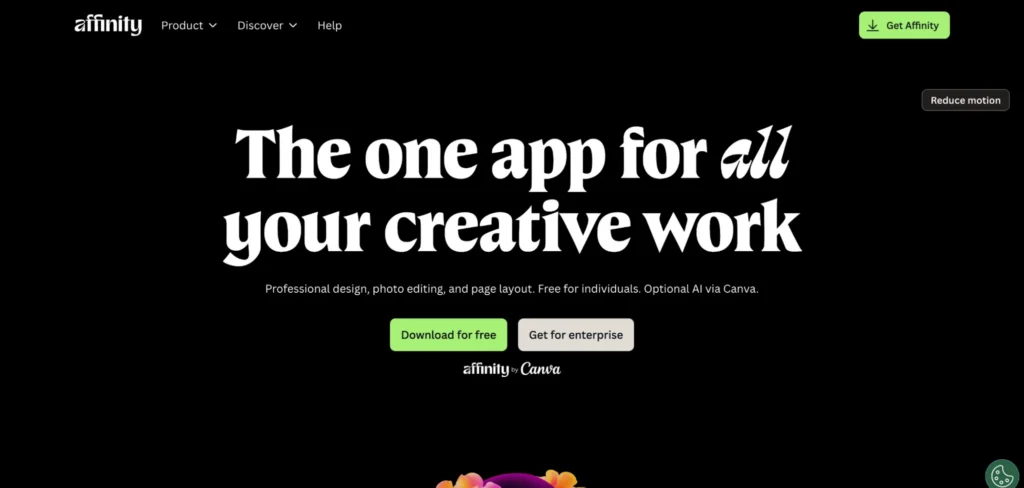
Affinity is a professional design application originally developed by Serif. In 2024, Canva acquired Serif and merged its three standalone apps (Designer, Photo, and Publisher) into a single unified application.
It’s also become a popular choice among teams looking for Microsoft Publisher alternatives that offer more professional layout and print capabilities.
Key features
- Professional layout and typography tools: Affinity’s Layout Studio includes Smart Master Pages, AutoFlow, document-wide style systems, column guides, and baseline grids. It also offers full typographic control with kerning, leading, line spacing, ligatures, OpenType features, and variable font support.
- Unified design workflow: Vector design, photo editing, and page layout all live in one app. You can edit images and graphics directly within your layout document without exporting or switching applications.
- Broad file compatibility: Affinity imports PSDs, AIs, IDMLs, DWGs, and other file types, preserving structure, layers, and creative intent.
Where Affinity shines
- Professional-grade DTP at zero cost: The complete app, including every tool in the Pixel, Vector, and Layout studios, plus all customization and export features, is free with no restrictions or payment needed.
- Print-ready output: CMYK and spot color support, preflight checks, bleed settings, and PDF/X export make it production-ready for commercial print work straight out of the box.
Where Affinity falls short
- File imports can require cleanup: When importing complex layout files, details like text wrap rules, GREP styles, and certain multi-level paragraph styles don’t always translate correctly, so you may need to do some manual cleanup after import
- Limited collaboration in the free version: The core Affinity app is a desktop application with no real-time co-editing or built-in approval routing. Cloud sync and collaboration features are only available through Canva’s paid plans.
Customer reviews
“It has a steep learning curve. Especially for someone coming from MS Publisher,” says Wayne B.
“I find Affinity Publisher a decent alternative to the more expensive options, such as Adobe products. There’s still a bit of a learning curve, but with the options for integration, solid performance, and ability to transform documents from .pdf, using Affinity Publisher is a good option,” says Lee Ann M.
Who Affinity is best for
- Design teams and freelancers who need professional print layout capabilities without recurring software costs.
- Small to mid-size organizations looking for a full-featured DTP tool that covers vector, photo, and layout work in a single application.
3. QuarkXPress
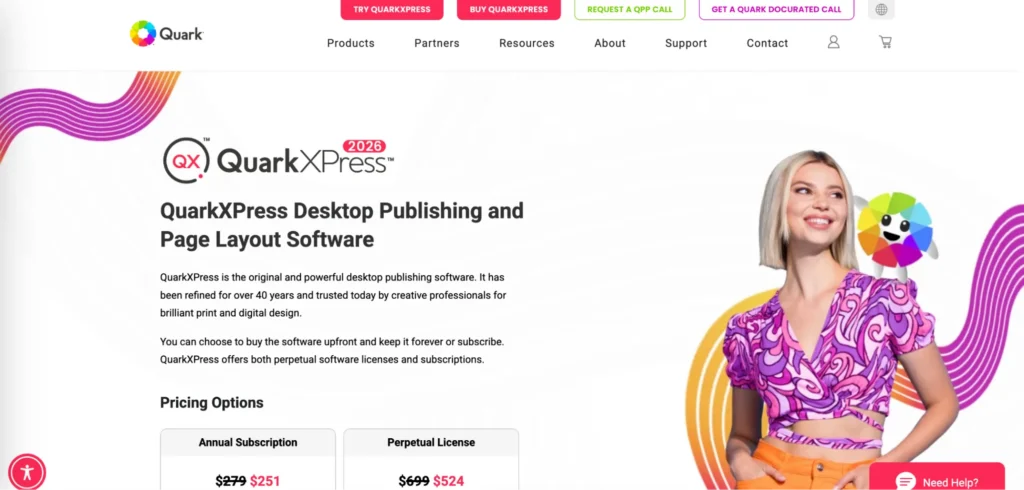
QuarkXPress is the original desktop publishing software. It has been refined for over 40 years and is still actively developed, with QuarkXPress 2026 being the latest release. It offers both perpetual licenses and subscriptions.
Key features
- Typographic control with variable fonts: QuarkXPress lets you adjust font characteristics like weight, width, slant, and more with intuitive sliders from a single font file. On top of that, it includes conditional styles, synchronized content across layouts, and a built-in font management tool, so there’s no need for third-party font managers.
- Built-in math equation support: Native support for LaTeX and MathML means you can insert and edit advanced mathematical equations directly in your layout without relying on external tools or plugins.
- Print and digital output from one file: QuarkXPress outputs to print-ready PDF, interactive PDF, EPUB, and HTML5 publications.
- IDML import/export: QuarkXPress supports IDML import and export, keeping collaboration smooth across different DTP tools without locking teams into a single platform.
Where QuarkXPress shines
- Purpose-built for long-form, structured documents: If your team produces books, catalogs, technical manuals, or academic publications with complex formatting requirements, QuarkXPress handles that work with the kind of precision and stability these projects demand.
- Enhanced accuracy for image-heavy layouts: The Enhanced ImageGrid on Master Page Layouts feature reduces manual checks for large-scale documents like catalogs, lookbooks, or event albums with heavy photo layouts. It cuts effort and improves design accuracy across pages.
Where QuarkXPress falls short
- Steep learning curve: QuarkXPress is a professional-level tool requiring dedication and patience to learn. The feature set is deep, but it takes real time to get comfortable with the interface.
- Smaller ecosystem and community: Compared to other DTP tools, QuarkXPress has a smaller user base, which means fewer third-party tutorials, plugins, and community resources when you need help.
Customer reviews
“QuarkXPress (QXP), versions from 2016 onward that I have been using, have already been on the leading-edge of digital publishing innovation, including Flex layouts and progressive web app capability. My long-time favorite has been the HTML5 custom interactivity feature,” says Stephen W.
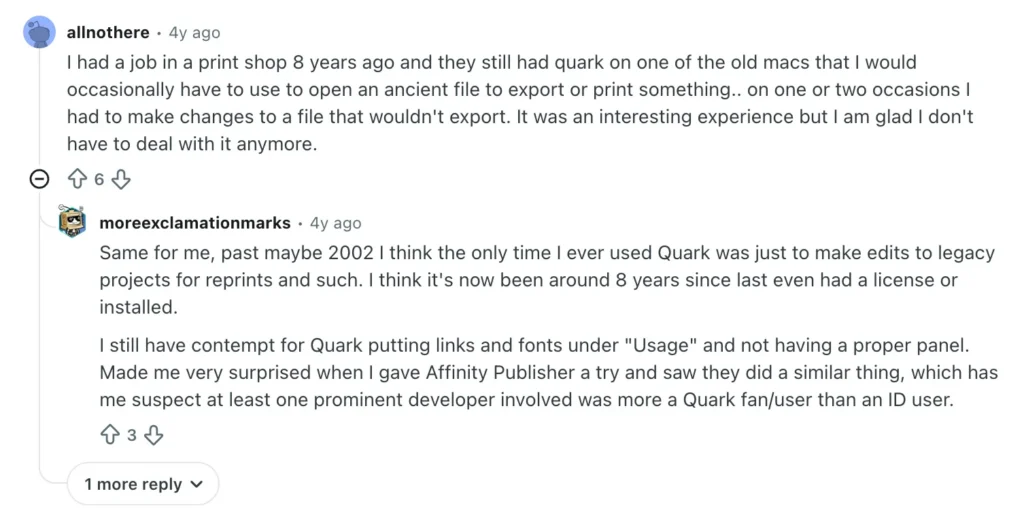
QuarkXPress has a loyal following among long-time users, but the sentiment on forums like Reddit tells a different story for newer adopters:
Who QuarkXPress is best for
- Legacy publishing teams and organizations already built around QuarkXPress workflows that need to maintain long-running publications, catalogs, or technical documents without switching platforms.
Modern content platforms for enterprise teams
4. Marq
Marq is a brand enablement platform trusted by 19,000+ organizations. It gives enterprise teams a way to scale content creation across departments, regions, and partner networks while keeping the brand team in full control of what gets published.
Key features
1. Locked templates with role-based access
Marq lets brand teams lock design elements like logos, fonts, colors, and layouts at the object level. From there, admins control editing by role, so each user only sees and edits what’s relevant to them.
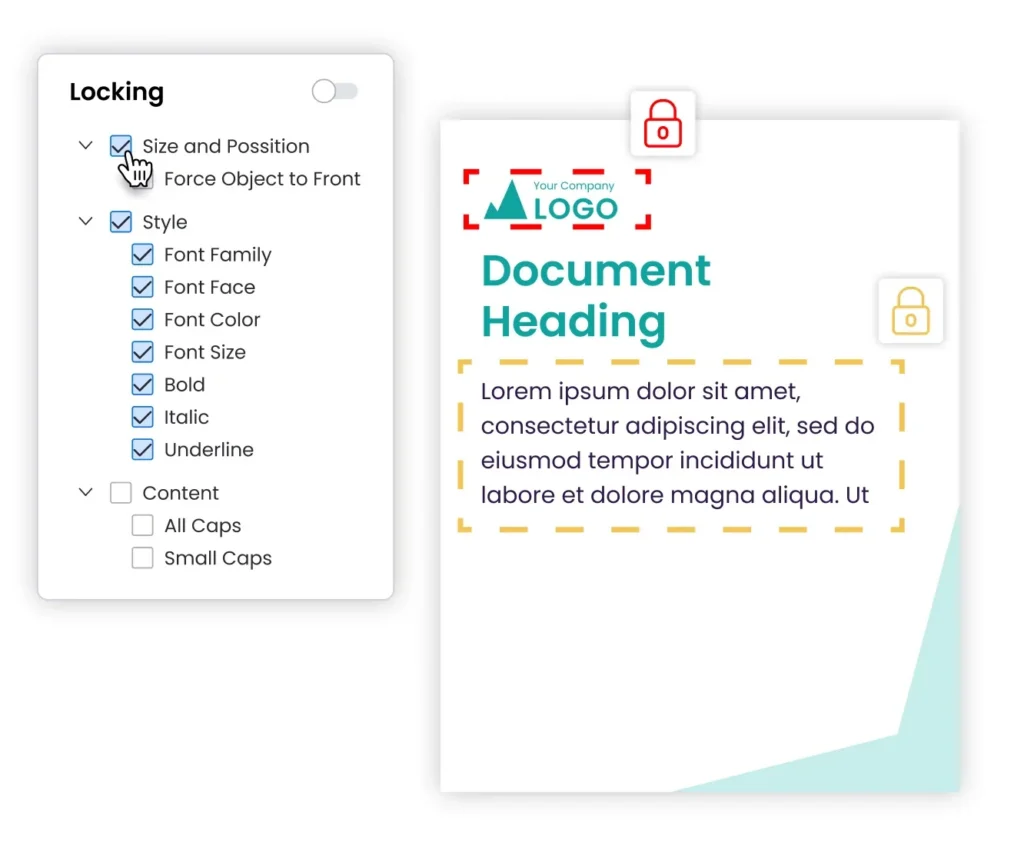
For example, a store manager can update the address, opening hours, and local offer on a flyer, while the logo, layout, and brand colors stay untouched. Only the brand team can modify the master template or publish structural updates. This prevents off-brand content from going live and eliminates the approval loops that slow teams down.
2. Automated personalization with smart fields
Marq’s smart fields let you connect templates to live data sources like spreadsheets, CRM tools, MLS feeds, and external databases. Once connected, content auto-populates across templates without manual entry.
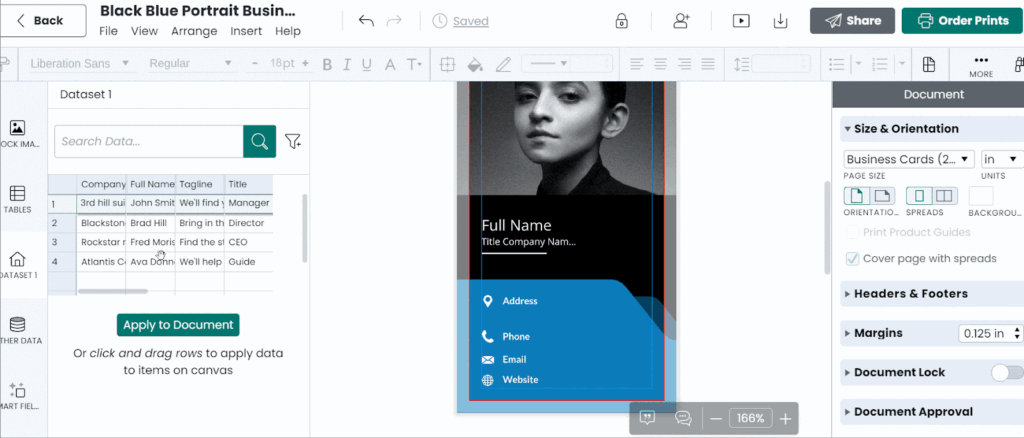
A real estate brokerage, for example, can connect its MLS feed to Marq and auto-fill listing flyers with property photos, addresses, pricing, and agent details. All you need to do is choose the property, apply it to your template, and the flyer is ready to publish.
The same logic works for employee directories, product spec sheets, insurance rate tables, and pricing proposals.
3. Multi-step approval workflows and governance
For enterprise teams in regulated industries, getting content through legal and compliance review before publication is a constant bottleneck. Marq offers custom marketing approval workflows with version control so marketing can route content through the right reviewers before anything gets downloaded or distributed.
The platform tracks every change, and role-based permissions ensure only authorized users can access, edit, or publish specific templates.
4. Self-service portals for distributed teams
Brand admins and marketing leads can create custom template folders, filters, and favorites, and personalize content profiles by assigning unique permissions to specific teams and individuals.
Each location, franchise, or department gets its own workspace where it can access approved templates, customize within guardrails, and order print materials locally.
Where Marq shines
- Deep integration with enterprise tech stacks: Marq integrates with CRM platforms like Salesforce and HubSpot, DAM systems including Bynder, Aprimo, MediaValet, and Canto, project management tools like Monday.com and Asana, and print vendors and distribution channels. Branded content creation sits inside existing workflows rather than alongside them.
- Non-designers can create content independently: Marq’s intuitive drag-and-drop editor and locked templates make it simple for people outside the design team to find a template, personalize it, and publish it without training or back-and-forth with the brand team.
- Built-in content analytics: Marq lets you track template usage by user, team, and region, identify which templates are performing and which ones are going stale, and monitor outstanding approvals. This gives brand leaders the visibility to build more of what’s working.
Automate branded content creation with Marq
Connect your data sources to reusable templates and automatically generate personalized content at scale while keeping every version on-brand.
Where Marq falls short
- More than what small teams need: Marq is purpose-built for distributed organizations where maintaining brand consistency and control at scale is the challenge. For solo creators or small teams with a single brand, the governance and structure may be more than you need.
Customer reviews
“Marq has allowed us to stay in control of our brand — maintaining compliance across all our agents and marketing pieces, whether they’re printed or distributed digitally,” says Julie Cumby, Marketing Director, Berkshire Hathaway HomeServices.
“Some agents didn’t feel it was necessary to include the Reinhart logo on their content. But now that we can lock down our brand assets on the templates, agents and brokers can’t accidentally mess things up somehow,” shares Mary Cox, Reinhart Realtors.
Who Marq is best for
- Mid-market to enterprise organizations with distributed content creation needs across multiple departments, regions, or brands.
- Marketing and brand teams that need to empower non-designers to create on-brand content without bottlenecking the creative team.
- Multi-location businesses (real estate brokerages, hospital networks, university systems, franchise organizations) that need localized content at scale.
- Regulated industries like financial services, healthcare, insurance, and higher education, where brand compliance and audit trails are non-negotiable.
5. Canva Enterprise
Next on our list of the best desktop publishing software is Canva Enterprise. It comes with a drag-and-drop editor, brand kits, AI-powered design tools, and real-time team collaboration.
Key features
- Brand kits and team templates: Canva Enterprise lets you store and share logos, fonts, and color palettes across the organization. Teams can access shared templates and automatically create content that pulls from the brand kit.
- Real-time collaboration: Canva allows multiple team members to edit the same design simultaneously, leave comments, and share feedback without leaving the platform.
- AI-powered design tools: Canva includes AI features for generating images, resizing designs across formats, and creating text effects. You also get Magic Studio tools for background removal, text-to-image generation, and AI-assisted layout suggestions.
Where Canva Enterprise shines
- Speed and ease of use: The drag-and-drop interface makes Canva one of the fastest design tools to get started with. Non-designers can create presentations, social posts, and marketing assets in minutes without any training.
- Massive template library: Canva offers one of the largest template libraries. You also get access to independent creator templates, so designs stay modern and on-trend.
Where Canva Enterprise falls short
- Brand governance at scale: Canva’s speed, ease of use, and AI generation tools make it simple for anyone to create content, but that same openness can make it just as simple for users to go off-brand. Canva was originally built for individuals and small businesses, and while the Enterprise tier adds controls, those features don’t always scale the way larger organizations expect, particularly in regulated industries where compliance review and governed publishing workflows are non-negotiable.
- Limited data-driven personalization: Canva offers native integrations with Salesforce and HubSpot to auto-fill CRM data into designs. But beyond that, personalization still relies on manual entry or basic rules-based logic.
Customer reviews
“Canva doesn’t support exporting to professional formats like PSD, AI, or INDD, which means designs created in Canva cannot be easily transferred to Adobe software for further editing by professional designers,” says Luca P.
“Brand Consistency Is Easy to Break. Issue: Even with a Brand Kit (Pro feature), users can still manually override styles. No hard restrictions to prevent off-brand fonts, colors, or logos. Impact: Inconsistent branding across teams, especially when non-designers create public-facing assets,” shares Ricardo R.
Who Canva Enterprise is best for
- Organizations with centralized creative teams that produce high volumes of social, presentation, and campaign content collaboratively.
6. Visme
Another DTP software option is Visme. It’s a visual content creation platform built for presentations, infographics, reports, and data visualizations.
Key features
- Data visualization tools: Visme offers customizable charts, graphs, and data widgets that connect to live data sources like Google Sheets.
- Interactive content: Visme lets you add clickable elements, hover effects, animations, and hotspots to presentations and infographics. You can export interactive content as HTML5 for web publishing.
Where Visme shines
- Ideal for data-driven content: If your team regularly produces reports or presentations with changing data, Visme’s live data integrations save time compared to manually updating charts and graphs in other tools.
Where Visme falls short
- Limited brand governance: Visme offers a brand kit and templates, but it does not enforce brand governance across templates or teams the way dedicated brand enablement platforms do. You won’t get granular template locking, role-based editing permissions, or controlled publishing workflows. Users can still deviate from brand standards without restriction.
Customer reviews
“The editor can drag a bit when your file gets more complex, and there are moments where you want a specific formatting option and just… can’t find it,” says Samantha T.
Who Visme is best for
- Marketing and communications teams that produce data-heavy presentations, reports, infographics, and visual content on a regular basis.
7. Frontify
Frontify is a brand management platform that brings together brand guidelines, digital asset management (DAM), and design system documentation in one place.
Key features
- Centralized brand guidelines and asset library: Frontify lets you build interactive brand books that go beyond static PDFs. You can store and share logos, photography, marketing materials, and design system documentation, along with usage rules.
- Integrations with design and collaboration tools: Frontify integrates with Adobe Creative Cloud, Figma, Slack, and Microsoft Teams, so teams can access and use brand assets directly within the tools they already work in.
Where Frontify shines
- Single source of truth for brand assets and rules: Frontify centralizes everything about your brand in one place, so teams, agencies, and external partners know what’s approved and how to use it.
Where Frontify falls short
- Limited content creation and production capabilities: Frontify organizes and stores brand assets, but it doesn’t produce content from them. Templates support light edits, but there’s no bulk content generation, no data-driven personalization from CRMs or spreadsheets, and limited flexibility in template customization.
Customer reviews
“The API is not as strong as with other DAMs and it has quite a few technical downsides which limit us,” shares Amy N.
“The help center is not evolving quickly enough compared to the platform’s developments. It is sometimes complex to understand how to use the developments,” says Suzy H.
Who Frontify is best for
- Organizations that primarily need a central brand hub to manage guidelines, design systems, and approved assets for internal teams and external partners.
How to choose the right desktop publishing platform
If you’re evaluating desktop publishing platforms for your enterprise team, here are three key features to look for.
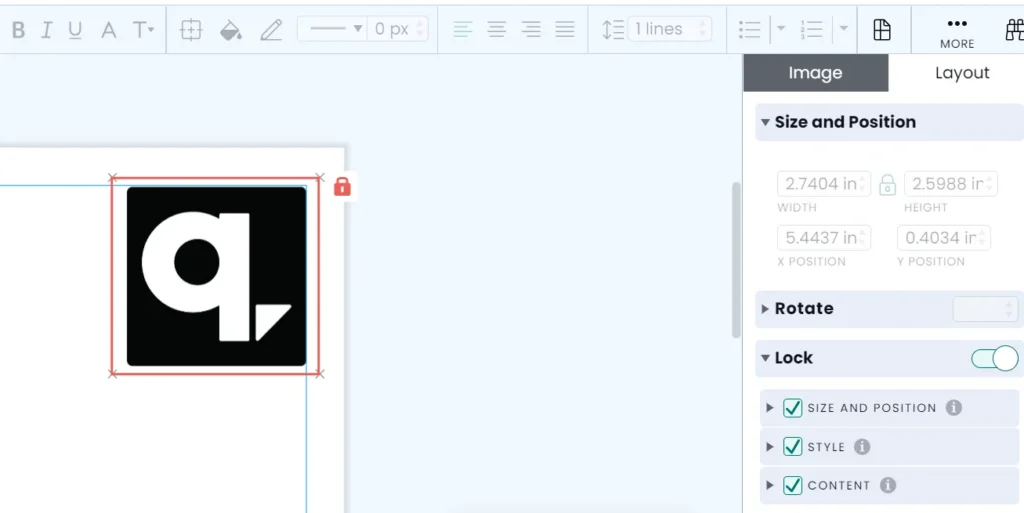
1. Template locking and brand control
The more regions and teams involved in content creation, the harder it becomes to keep everything on brand. So look for a platform that offers strong template locking, where you can protect the elements that should never change and give users editing access only to the fields they need.
Marq gives you granular control over your templates. You can lock elements at the object level, decide exactly which parts are editable, and assign access by role, so everyone stays on brand at all times.
2. Built-in translation and localization
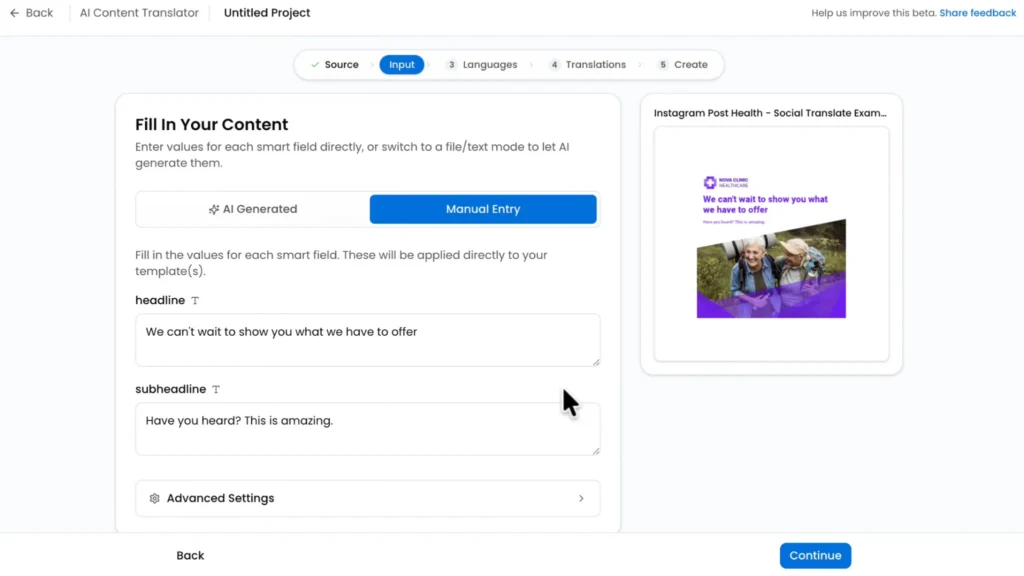
If your organization operates across regions or serves audiences that speak different languages, your content needs to work in all of them. Doing this manually can take hours and open door to errors. So look for a platform with built-in translation and localization tools that let you adapt content for different markets without having to rebuild each file from scratch.
Marq supports multi-language content through AI-powered bulk translation built directly into the editor. Its automated translation workflows let you translate text within your templates and push content to translation vendors for professional review, all without leaving the platform.
3. Creative automation
When your team produces the same types of content over and over (sales sheets, listing flyers, event materials, regional one-pagers) manually, it eventually creates bottlenecks.
Every new version means another design request, another round of copy-paste, another chance for something to go wrong. So look for a platform that lets you connect your data sources to your templates and automate the repetitive parts.
Marq’s creative automation does exactly that. Smart fields connect to spreadsheets, CRMs, MLS feeds, and external databases to auto-populate templates at scale.
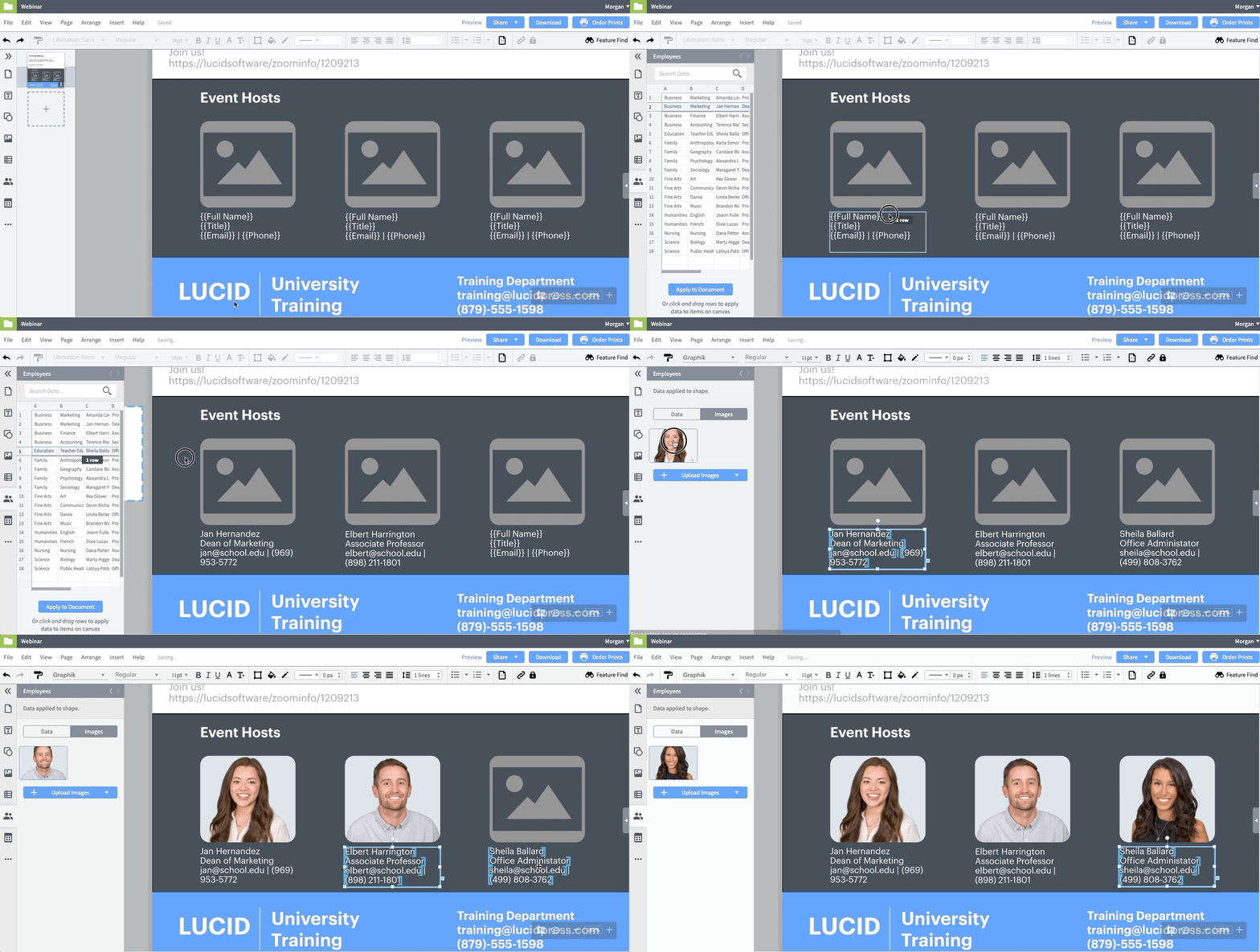
Its AI-powered workflows (AI Marqet) can even trigger automatic project creation from business events, so when a new listing comes in, or a deal moves to the proposal stage, the right materials generate and deliver without anyone clicking a button.
See how Marq helps you create on-brand content at scale
Choosing the right desktop publishing platform comes down to what your team needs to produce, how many people are creating content, and how much control you need over the output.
If your teams are spread across regions, departments, or partner networks, and brand consistency matters as much as speed, a platform like Marq gives you the template governance, creative automation, and integrations to make that work.
Book a demo to see how Marq can help your organization scale content creation without putting your brand at risk.