7 Best Microsoft Publisher Alternatives For Enterprise Teams

Microsoft Publisher is being discontinued in October 2026. For small design teams producing flyers, brochures, and newsletters, or sales collateral, the replacement question is relatively straightforward. For teams managing that same content across dozens of locations or hundreds of people, the stakes are higher; most Publisher replacements aren’t built for that scale.
When considering the best Microsoft Publisher alternatives for large Enterprise teams, replacement platforms must be able to handle distributed creation at scale – without creative staff cleaning up content that went out off-brand.
This guide covers six Publisher alternatives evaluated for enterprise use: governance controls, team workflows, automation, and scalable content creation.
Microsoft Publisher vs modern tools: Key differences
Microsoft Publisher launched in 1991 as part of the original Microsoft Office suite. Built for single-user desktop publishing, it handled page layout and basic print formatting well for its time but it was never designed for teams. There’s no cloud collaboration, no template locking, no brand governance layer, and no integrations with the tools enterprise teams actually use.
Modern alternatives have moved well beyond that baseline. Here’s how Publisher stacks up against today’s top options across the dimensions that matter most to enterprise teams:
| Capability | Microsoft Publisher | Adobe InDesign | Canva | Marq |
| Cloud-based | ❌ | ❌ (desktop-first) | ✅ | ✅ |
| Template locking / brand governance | ❌ | ❌ | Limited | ✅ |
| Multi-user / distributed team access | ❌ | ❌ | ✅ (limited controls) | ✅ |
| CRM / DAM integrations | ❌ | Limited | Limited | ✅ |
| Data merge / creative automation | ❌ | Limited | ❌ | ✅ |
| Professional print output | ✅ | ✅ | Limited | ✅ |
| Role-based permissions | ❌ | ❌ | Limited | ✅ |
| Pricing model | Included in Microsoft 365 | Subscription | Free / Subscription | Contact sales |
How we selected the top Microsoft Publisher alternatives
Every tool on this list was evaluated against the real reasons enterprise teams look for a Publisher replacement:
- Brand governance: Can admins lock templates so field teams can’t go off-brand?
- Distributed team support: Does it work for organizations where content gets created by salespeople, agents, franchisees, or regional offices, not just the design team?
- Workflow fit: Does it connect to the tools (Customer Relationship Management, Digital Asset Management, project management) teams already use, or does it create another silo?
- Output quality: Can it produce print-ready and digital files without a professional designer touching every job?
- Scale: Does it hold up at 50, 500, or 5,000 users, or does it become a bottleneck?
The ranking reflects intent.
- Tools that handle sophisticated brand production at scale appear higher.
- Tools built for individual creators or small teams are included where they genuinely serve a specific publisher-replacement use case.

See how Marq supports enterprise content creation
Give distributed teams the tools to create branded content while keeping templates, permissions, and workflows under control.
Best 6 Microsoft Publisher alternatives for enterprise teams: At a glance
| Tool | Key features | Pricing | G2 Rating | Best For |
| Adobe InDesign | Professional layout, typography, print presets, InDesign-to-Marq workflow | Subscription via Adobe Creative Cloud | 4.6 | Professional designers, print publishing |
| Canva | Drag-and-drop editor, templates, Brand Kit | Free; Team plans available | 4.7 | Small teams, quick digital content |
| Affinity by Canva | Full layout suite (formerly Publisher), print-ready PDF, unified design tool | Free (AI features require Canva Pro) | 4.5 | Advanced designers, one-time layout work |
| Marq | Template locking, smart fields, CRM/DAM integrations, creative automation | Contact sales | 4.5 | Distributed enterprise teams, brand governance |
| Adobe Express | Templates, brand kit, basic print | Free; Premium subscription available | 4.5 | Quick branded social and digital content |
| Microsoft Designer | AI image generation, Microsoft 365 integration | Free (Microsoft account) | – | AI-assisted quick design |
If your team creates content across multiple locations or departments, Marq is built for exactly that. See how it works.
1. Adobe InDesign: Best for professional print design
Adobe InDesign remains the industry standard for professional page layout. Designers rely on it for annual reports, magazines, product catalogs, and any collateral that needs to pass a commercial printer’s preflight check.
If your organization employs professional designers producing high-complexity, print-first publications, InDesign is still the right tool for that work.
Did you know?
Designers do their best work in InDesign, but InDesign files don’t scale. They sit on one person’s machine, and every update requires a designer. Handing off to Marq means the design gets reach without getting rebuilt by non-designers every time. A designer builds the template once in InDesign, locks it down in Marq, and from there anyone can update, share, print, or publish it without touching the original file again.
That bridge between professional design and distributed self-service is where the two tools work best together.
Key features
- Professional layout and typography control: InDesign gives designers precise control over grids, master pages, paragraph styles, and color profiles. There’s no ceiling on complexity.
- Print-ready output: InDesign exports files that meet commercial printing standards: CMYK color management, bleed and crop marks, embedded fonts, PDF/X compliance.
- Packaging and preflight tools: InDesign’s preflight and package features catch issues before files go to print and bundle everything a printer needs into one folder. This cuts back-and-forth with vendors significantly.
Pricing
Adobe InDesign is available as a stand-alone subscription through Adobe Creative Cloud. Enterprise licensing is available through Adobe’s enterprise agreements.
| Plan | Price |
| Individuals – Adobe InDesign stand-alone | $22.99/month |
| Students and teachers (included in Adobe Creative Cloud) | $19.99/month |
| Teams – Adobe InDesign stand-alone | $37.99/month/license |
Where Adobe InDesign shines
- Print production quality: No other tool on this list matches InDesign for commercial print-ready output. If it needs to go to an offset printer, start here.
- Typographic precision: Designers who care about kerning, tracking, optical margin alignment, and OpenType feature support will find InDesign’s typography tools unmatched.
- Long-document workflows: Multi-chapter documents with auto-updated tables of contents, cross-references, and chapter numbering are InDesign’s core strength.
Where Adobe InDesign falls short
- Not built for distributed teams: InDesign is a single-user desktop application. There’s no native way to give field teams or non-designers access to templates without risking the source files.
- Steep learning curve: Non-designers won’t get useful output out of InDesign quickly. For organizations where content creation is distributed, it creates a design bottleneck rather than solving one.
- No governance layer: Files leave InDesign as static exports. There’s no mechanism to lock brand elements, enforce approvals, or prevent someone from opening the wrong version.
Customer reviews
Chantelle C. sings praise, saying, “Adobe InDesign gives me the most control when I need marketing materials to look polished, professional, and brand-consistent.”
Meghan D. warns, “I find the interface confusing and complicated for new users. It has an old school interface that’s not really keeping up with modern programs like Canva and Figma in terms of ease of use.”
Who Adobe InDesign is best for
- Creative directors and professional designers at organizations with dedicated design staff producing complex print publications
- Marketing operations teams that have InDesign expertise in-house and use it as the source-of-truth for master templates before pushing downstream versions to teams
- Organizations with high-volume, high-complexity print needs where output quality is non-negotiable
2. Canva: Best for quick, beginner-friendly design
Canva turned template-based design into something any non-designer could do. For teams that need social graphics, simple presentations, or basic print materials produced quickly without a designer, Canva delivers. It’s browser-based, the template library is extensive, and the learning curve is close to zero.
Key features
- Drag-and-drop editor: Canva’s editor is deliberately simple. Anyone can place text, swap images, and resize elements without training. For organizations where the main goal is speed and accessibility over brand precision, that simplicity has real value.
- Brand Kit: Canva’s Brand Kit lets admins set brand colors, fonts, and logos at the account level. Templates can reference these settings. But there’s no hard lock; users can deviate, and there’s no audit trail showing who changed what.
- Template library and collaboration: Canva has thousands of templates across categories and supports real-time collaboration. Teams can comment on designs and share links. For small teams doing lightweight collaborative design, it covers the basics.
Pricing
Canva offers a free tier and paid plans. Enterprise pricing is available. Contact Canva for current rates.
Where Canva shines
- Speed and accessibility: Non-designers are producing usable output within minutes. There’s no onboarding barrier.
- Template volume: The breadth of the template library means teams can find a starting point for almost any content type.
- Digital-first content: Social graphics, presentations, and digital ads are Canva’s core use case, and it handles them well.
Where Canva falls short
- Brand governance gaps: Brand Kit is more of a guidance tool but it doesn’t have any enforcement features. At scale, off-brand content still gets created and distributed.
- No data automation: Though Canva connects to Salesforce and HubSpot, its overall integrations are still limited with none offered to DAMs or spreadsheets to auto-populate template fields. Each asset has to be edited manually.
- Approval workflows are limited: For regulated industries or organizations that need sign-off before anything goes to market, Canva’s approval tools aren’t sufficient.
Customer reviews
Harshit T. shares, “It completely eliminates the “blank canvas anxiety” that kills productivity. Rather than spending hours building grids, typography scales, and asset libraries from scratch in a heavy-duty suite, I can simply search for a template, apply my pre-saved brand kit, and export a polished, professional-grade asset in minutes.”
Emmanuel C. J. notes, “One thing I dislike about Canva is that some advanced customization and editing features are limited compared to professional design software. Also, many premium templates and elements require a paid subscription, which can become restrictive for some users.”
Who Canva is best for
- Small marketing teams producing primarily digital content at speed with a light governance footprint
- Organizations with a centralized creative team that produces all final assets and uses Canva for internal brainstorming or lightweight social content only
3. Affinity by Canva: Best for advanced designers who want professional layout tools for free
Affinity by Canva is the unified successor to Affinity Publisher 2, released in October 2025 after Canva’s acquisition of Serif. What was previously three separate paid applications (Affinity Designer, Affinity Photo, and Affinity Publisher) is now a single free app.
The layout and publishing capabilities are intact: master pages, advanced typography, paragraph styles, CMYK color management, and print-ready PDF export. The one-time purchase model is gone, but the core tool is now free with no feature restrictions.
Key features
- Professional layout and page design: Affinity by Canva retains the full layout depth of Publisher 2: master pages, grid-based layouts, precise typographic controls, character and paragraph styles, and multi-page document support.
- Unified design suite for free: The single app consolidates vector design, photo editing, and page layout without a subscription or purchase fee. For organizations with in-house design talent, this removes a meaningful software cost while keeping the professional toolset intact.
- Print-ready PDF export: Affinity by Canva exports print-ready PDFs with proper bleed, crop marks, color profiles, and embedded fonts, the technical requirements that commercial printers need. It brings professional desktop publishing software features into a single free application.
Pricing
| Plan | Price |
| Core app (full layout + design tools) | Free |
| AI features (Canva AI Studio) | Canva Pro – $14.99/month or $119.99/year |
Where Affinity by Canva shines
- Cost: The full professional layout toolset is now free, with no trial period or hidden feature gates.
- Design depth: Typography, master pages, and print output rival InDesign for most use cases at zero licensing cost.
- Unified workflow: Vector, photo, and layout tools in one application removes the context-switching between Illustrator, Photoshop, and InDesign that slows production workflows.
Where Affinity by Canva falls short
- Desktop-only, no team governance: Like its predecessor, it’s a single-user desktop tool. There’s no template locking, no distributed team access, and no approval workflow. What gets designed in Affinity leaves as a static file.
- Canva dependency for AI features: The AI tools that are becoming a standard expectation in creative workflows are paywalled behind a Canva Pro subscription, which may be a drawback for organizations that want to avoid the Canva ecosystem.
- Smaller ecosystem than Adobe: Third-party plugins, integration support, and community resources are more limited than InDesign’s. Teams coming from an Adobe shop will feel the gap.
Customer reviews
Daniel B. shares, “Still pretty new to Affinity Designer, but it’s been easier to pick up than I expected. I like not having to switch tools for vector and raster work—it speeds up my workflow a lot. A few things feel different coming from other software, but overall it’s been solid and reliable so far.”
Abhigayan D. laments, “The biggest gap is the collaboration tool like Figma. There is no web-based or real-time collaboration feature, which is a huge bummer. Also, the component feature feels more basic compared to Figma.”
Who Affinity by Canva is best for
- Budget-conscious design teams that need professional layout capability without software licensing costs
- Freelance designers or small in-house teams that produce complex print collateral and want InDesign-comparable output without Adobe’s subscription model
- Organizations already evaluating or using the Affinity ecosystem that are comfortable with Canva’s stewardship of the product going forward
4. Marq: Best for scalable, on-brand content creation
Marq is a brand templating platform built specifically to eliminate the design bottlenecks faced by enterprise teams with distribution problems. Designers build locked templates once. Field teams can open a portal, fill in their details, and download print-ready or digital-ready output without touching the brand.
That’s a fundamentally different value proposition from every other tool on this list. InDesign makes design easier for designers.
Canva makes design accessible to non-designers. Marq makes brand-compliant content creation possible at scale: for the teams who have never opened a design tool in their life and shouldn’t have to.
Key features
- Template governance with role-based controls: Designers lock down brand elements and decide exactly which parts of a template each person can edit. Admins set what each user type can see, edit, and publish. Marketing teams stop reviewing every file before it goes out, speeding up the brand governance process.
- Smart fields and creative automation: Creative automation in Marq connects templates directly to live data. Smart fields auto-populate from CRM records, spreadsheets, MLS feeds, or a DAM. You can upload a CSV with 500 agent records and generate 500 personalized collateral sets. That’s not a workflow any other tool on this list supports.
- CRM and DAM integrations: Marq integrates directly with CRM systems so sales teams can generate on-brand collateral without leaving their deal workflow. DAM integrations mean the assets locked into Marq templates are always current. When the brand team updates the master logo in the DAM, it propagates across every template.
- Self-service portals: A franchise network can give each franchisee a portal stocked with their approved templates, set to their market, with their branding already loaded in. For organizations running content distribution across dozens or hundreds of locations, this is what gets the brand team out of the approval queue.
For a deeper look at what Marq’s platform can do for creative operations, check out our creative automation and content management for the right starting point.
Pricing
Marq offers enterprise pricing based on team size and configuration. Pricing is not published so you can contact the enterprise sales team for a quote tailored to your needs.
Where Marq shines
- Distributed team content creation: The governance, portal, and automation architecture is purpose-built for organizations where content gets created by people who aren’t designers.
- Brand compliance at scale: Template locking, role-based access, approval workflows, and audit trails give brand leaders the control they need without manually reviewing every asset.
- CRM and DAM connectivity: Marq connects brand templates to the data systems that drive revenue. Sales collateral gets generated automatically. Assets stay current without manual updates.
- Analytics and template performance: Marq tracks which templates get used, by whom, and how often so brand teams can see what’s working and retire what isn’t.
Scale branded content creation with Marq
Give distributed teams self-service access to locked templates, automated data, and connected brand assets.
Where Marq falls short
- Not a pixel-perfect design tool: Marq is not built for high-complexity original design work. Designers creating intricate layouts from scratch will hit the ceiling faster than in InDesign or Affinity Publisher. Marq’s InDesign import workflow addresses this where designers build in InDesign and import to Marq, but the two-tool workflow requires buy-in.
- Overkill for small teams: Organizations with a centralized creative team and no distributed content creation won’t see full value from Marq’s governance and automation architecture. The platform is optimized for scale.
Customer reviews
Julie Cumby of Berkshire Hathaway HomeServices praises Marq, sharing, “Marq has allowed us to stay in control of our brand – maintaining compliance across all our agents and marketing pieces, whether they’re printed or distributed digitally.”
Malia Hostetler, Senior Manager of Creative Solutions at PT Solutions, shares, “Turnaround times were growing, and the cracks in our creative process were starting to show. We needed a solution to help us scale while keeping our brand intact.”
Who Marq is best for
- Marketing Directors and Creative Directors at distributed organizations who need to give field teams the ability to create on-brand content without involving the design team in every request
- Real estate brokerages and franchise networks where agents or franchisees need location-specific, personalized collateral at volume
- Regulated industries that require compliance controls, approval workflows, and audit trails baked into the content creation process
- Enterprise sales and revenue teams that need CRM-connected collateral generation so sales reps spend time selling, not reformatting PowerPoints
5. Adobe Express: Best for quick branded digital content
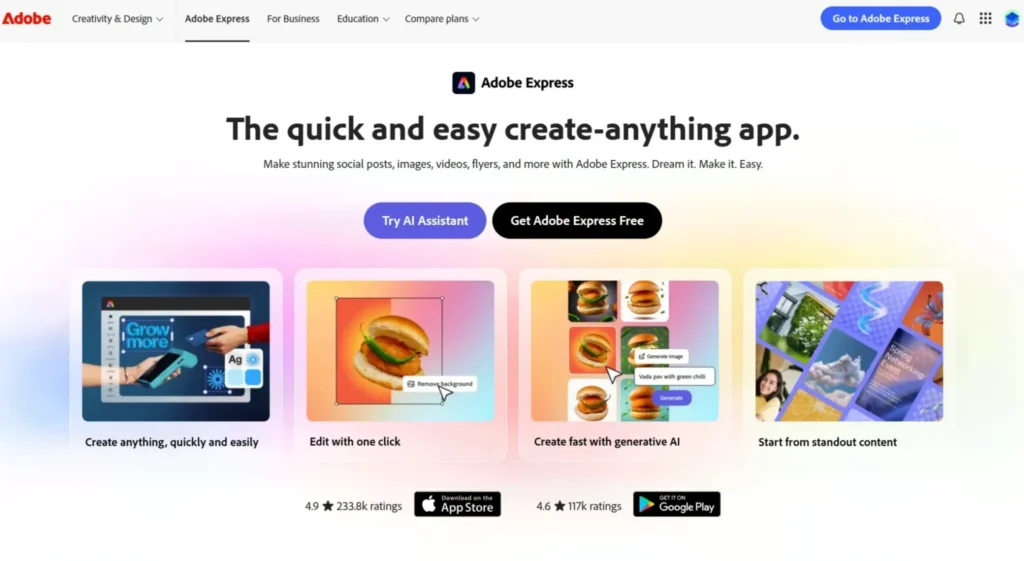
Adobe Express sits between Canva and InDesign in the Adobe ecosystem. It’s template-based, browser-accessible, and fast, designed for marketing teams that need social graphics, short-form digital content, and basic branded materials produced quickly, without a full InDesign workflow.
For enterprise teams already on Adobe Creative Cloud, Express is often already available as part of the license. It integrates with Creative Cloud Libraries, so brand assets stay consistent across the Adobe ecosystem.
Key features
- Adobe Libraries integration: Creative Cloud directly integrates with Express, allowing for a cross-sync and flow of assets and reducing the gap between teams. For organizations standardized on Creative Cloud, this keeps Express output aligned with what the design team is producing elsewhere.
- Template creation: Express offers lightweight layouts for basic marketing assets, allowing beginners to use the platform so non-designers can produce something usable without training.
- Firefly AI: Adobe’s proprietary Firefly AI is available for functions like text-to-image generation, generative fill, and content-aware editing. For enterprise teams, this cuts the time a marketing coordinator spends sourcing or editing stock images for routine social and digital assets, without needing a designer on every request.
Pricing
Adobe InDesign is available as a single-app subscription through Adobe Creative Cloud. Enterprise licensing is available through Adobe’s enterprise agreements.
Where Adobe Express shines
- Adobe ecosystem integration: The shared ecosystem keeps creative assets aligned with the broader design team’s tools.
- Template quality is high: Adobe-designed starting points look professional without designer involvement.
- Video and animation support: The platform offers additional support compared to Publisher’s static output.
Where Adobe Express falls short
- Brand controls are guidance, not enforcement: This can result in deviations across field teams.
- No data merge, CRM integration, or automation: Hindering the opportunities for personalized content at scale.
- Not designed for multi-page print document: Page layout depth is limited compared to InDesign or Affinity.
Customer reviews
Praney M. shares, “I appreciate how fast and accessible Adobe Express is for day-to-day creative work. The simple UI allows even non-design team members to use it comfortably, which is really helpful for quick campaigns or content requests. I like the templates and quick editing tools that reduce the time needed for creating repetitive marketing or social assets.”
Muzammil M. notes, “While Adobe Express is very useful for quick and simple designs, it feels a bit limited when it comes to advanced creative control. As a designer, I sometimes need more flexibility in layout, layering, and detailed customization, which is not as strong compared to tools like Photoshop or Illustrator.”
Who Adobe Express is best for
- Marketing teams that need quick digital content within an Adobe ecosystem,
- Teams already licensed on Creative Cloud seeking a lightweight creation alternative
6. Microsoft Designer: Best for AI-assisted quick design
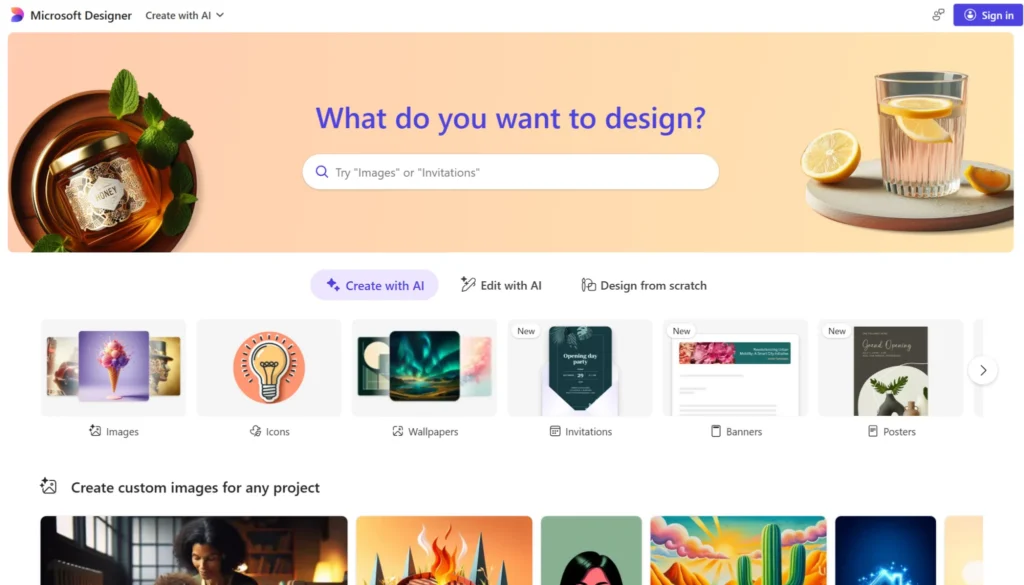
Microsoft Designer is part of the Microsoft 365 ecosystem and leans heavily on AI-assisted design generation. For teams already embedded in Microsoft 365, it’s accessible without additional licensing. It’s also accessible as a standalone app with a Microsoft account.
Designer’s AI-generation model is better suited to individual one-off tasks than systematic branded content production. It doesn’t have template governance, distributed team portals, or CRM connectivity.
Best for: Individual employees in Microsoft 365 environments needing quick, AI-generated design for internal communications or simple marketing materials.
How to choose the right Publisher alternative
Whether you’re an existing Publisher user or someone who’s looking for an alternative comparable to its features, here are the factors to consider.
Start with who’s creating the content
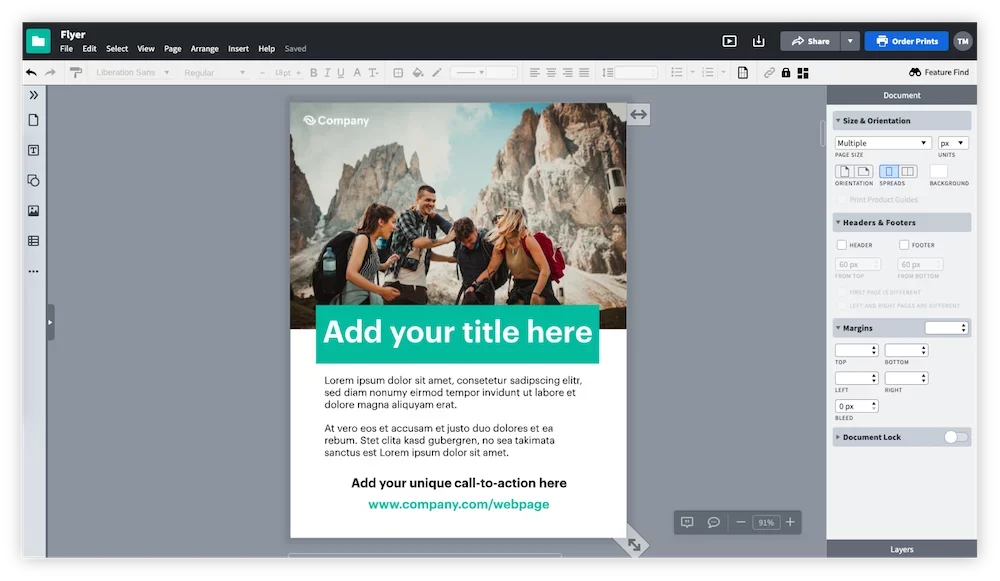
Microsoft Publisher was a single-user tool. The most important question for any replacement is whether content creation in your organization is centralized or distributed, handled by sales reps, agents, franchisees, or regional offices.
- Centralized teams with professional designers get the most from InDesign or Affinity Publisher.
- Distributed teams creating branded content at scale need template governance and self-service infrastructure. That’s Marq’s territory.
Marq’s brand enablement strategy content covers why this distinction is the right frame for the decision.
Look at your integration requirements
Microsoft Publisher’s integrations were limited but modern enterprise tools should have connections available.
If your organization runs Salesforce, HubSpot, or a major DAM, your Publisher replacement should be able to pull data into templates automatically. Manual data entry across hundreds of personalized assets is a workflow problem, not a design problem.
Marq’s CRM integrations and DAM integrations connect content creation to the systems that hold your data.
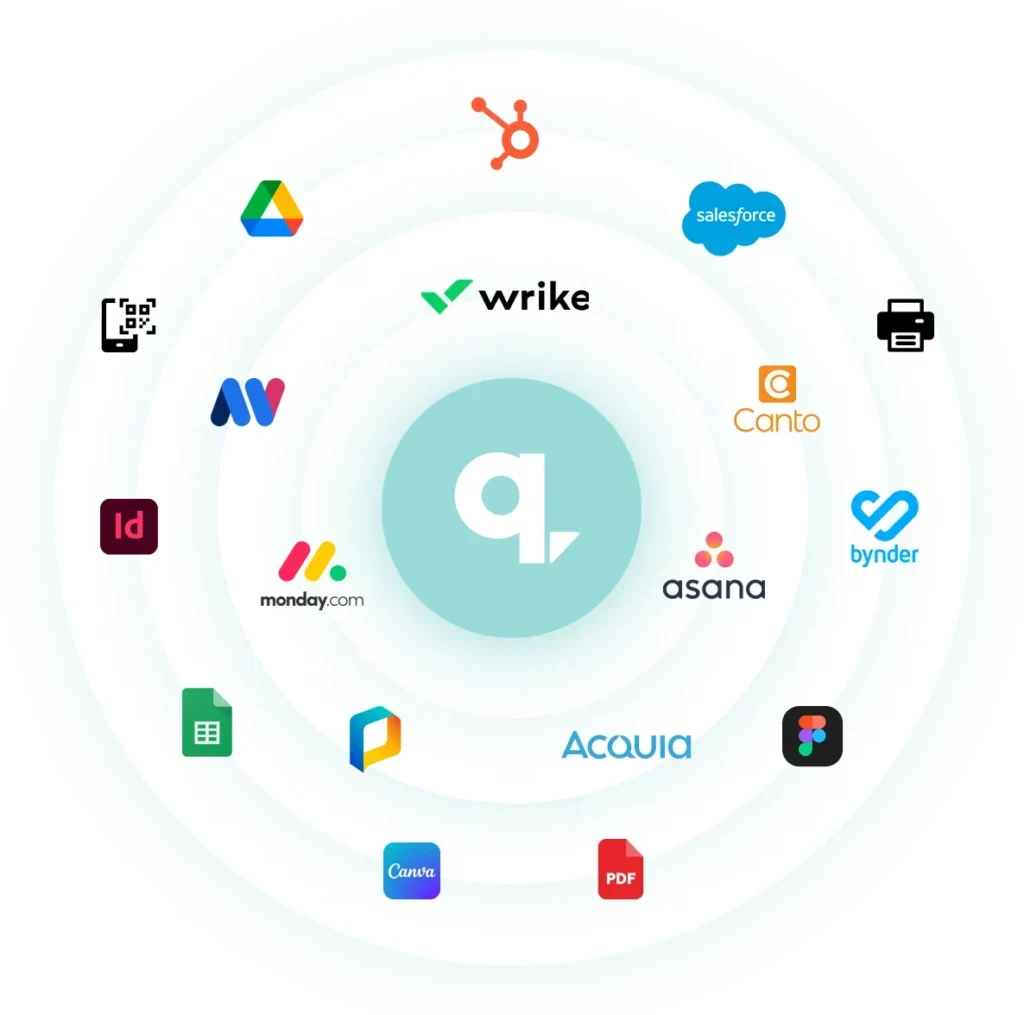
For teams doing volume personalization such as real estate listings, financial advisor collateral, and insurance agent marketing materials, that connectivity is the difference between a tool that scales and one that creates a new manual bottleneck.
Read More
Check out our blog on digital brand management for a broader look at how Marq covers the full operational picture.
Evaluate brand governance requirements
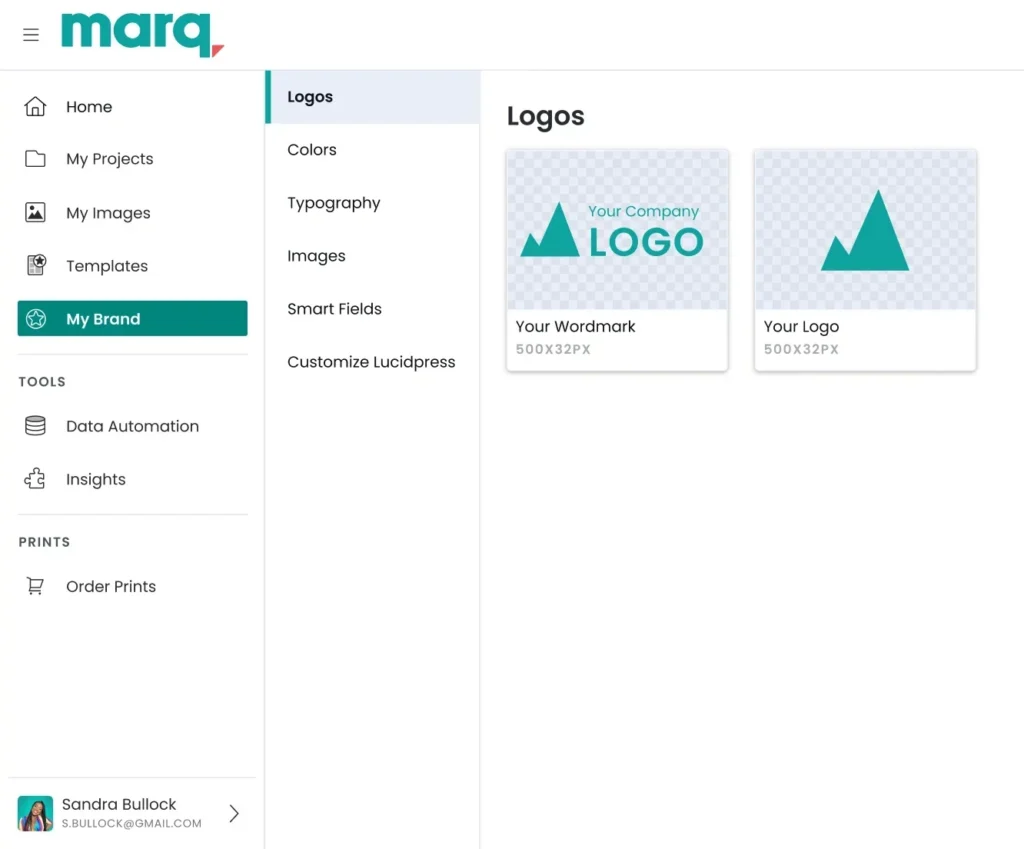
Some teams need brand guidelines whereas others require brand enforcement. There’s a meaningful difference between the two.
- Brand guidelines (like Brand Kit in Canva and Adobe’s Creative Cloud Libraries) tell users what the brand looks like.
- Brand enforcement (like Marq’s template locking, role-based access, and approval workflows) prevents users from deviating, regardless of deadline pressure or good intentions.
For regulated industries like insurance and healthcare, brand enforcement becomes a matter of compliance. In the cases of franchise and multi-location businesses, it becomes the difference between a brand that stays consistent at scale and one that fragments location by location.
Consider output types

Microsoft Publisher handled print and basic digital.
- If your team produces primarily digital content,most tools on this list cover the need.
- If print is still a significant output type, look at InDesign, Affinity Publisher, or Marq’s print distribution capabilities, which push directly to print vendors from the same platform.
Marq’s creative automation tools help teams handle both digital and print output from a single template workflow.
Final Word on Marq
Microsoft Publisher served one person at a desk. The teams replacing it today serve dozens of locations, hundreds of users, and content workflows that run through CRMs, DAMs, and approval queues.
If your design team is fielding individual requests from field teams, if off-brand content keeps appearing in the market, or if your current template setup doesn’t scale past a dozen users without breaking down, Marq is worth a direct look.
Schedule a demo to see the platform in action with your use case.