2026 Automate Translation Workflows: Scale Globally With Ease

Enterprise marketing teams expanding into new regions face a costly disconnect between ambition and execution.
Poor localization costs companies up to 20% of potential revenue each year, and over a third of global business leaders have already delayed or pulled back from entering new markets because their translation process couldn’t keep pace.
The core problem is the workflow behind translated content: teams pass spreadsheets back and forth, Slack threads and email chains pile up with version-tracked files, and designers manually rebuild layouts for every language. This process breaks the moment you try to tap into two or more regions.
This guide walks through how to automate translation workflows so your campaigns reach new markets faster, with fewer errors and without doubling your project management overhead.
3 key business benefits of translation workflow automations
Organizations have been running translation workflows manually for so long that the process feels like second nature. Export text from a finished design, email it to a translator or agency, wait for the copy to come back, reformat the layout in the new language, and publish. It works until it doesn’t, and sooner or later, the inefficiency creeps in. Here’s what changes when you automate.
1. Faster Time-to-Market across regions
Manually translated campaigns work, but when you factor in the days spent exporting text, going back and forth with a translator or agency, waiting for the copy to come back, and then QAing the final output, the timeline starts working against you.
You write content in one language, send it out for translation, and get it back one language at a time. Every region you want to expand into means repeating that cycle from scratch. For a team localizing into five or six markets, you’re looking at weeks of sequential handoffs before anything goes live.
With automated translation workflows, all of these steps run in parallel. The workflow extracts text, pushes it to the translation platform, and returns it to the original layout without anyone exporting files or rebuilding templates. Campaigns that used to take weeks to localize can go live in days.
2. Brand consistency across every language
Marketing copy carries tone, terminology, and context that freelance translators or agencies aren’t always equipped to replicate, especially across multiple markets with different cultural nuances. Sure, a manual translator might nail the grammar but miss your brand entirely.
With automated translation workflows, you can train AI engines on your existing translation memories, style guides, and brand terminology to maintain brand consistency.
Once that baseline is set, every piece of content that runs through the workflow carries the same voice, whether you’re localizing into German, Spanish, or Japanese. The AI learns your brand language once and applies it consistently across every region.
3. Reduced operational cost and headcount pressure
Manual translation is slow and expensive. Every asset you send to a translator or agency comes with a per-word or per-project fee. One language, one market, that’s manageable. But the moment you expand into three, five, or ten regions, you’re either hiring multiple translators or paying an agency that can handle the volume. Either way, the cost multiplies with every market you enter.
Add to this the project management overhead of coordinating between internal teams and external translators, tracking deliverables, managing revisions, and so on. It all adds up.
With automated workflows, this cost structure changes entirely. Routine content like social posts, flyers, and email campaigns doesn’t need a human translator chasing deadlines. The workflow automatically translates and localizes them, freeing up budget and people for work that requires human judgment.
Most common challenges marketing teams face with manual translation workflows
Even well-resourced marketing teams run into the same friction points when translation workflows are manual. Here are the four that come up repeatedly:
| Challenge | What It Costs You |
| QA and version control breakdowns | Off-brand or incorrect assets go live, last-minute rework delays launches |
| Inconsistent terminology across markets | Brand voice fragments, audience trust erodes market by market |
| Rising costs per new market | Localization budget balloons before revenue from that market materializes |
| Zero visibility into project status | Constant follow-ups, missed deadlines, bottlenecks nobody sees until it’s too late |
1. QA and version control breakdowns
When you’re manually dealing with translations across shared drives, email attachments, and Slack threads, it becomes increasingly difficult to maintain version control. Someone edits an outdated file. Someone else sends feedback on a version that’s already been updated.
Now imagine that chaos multiplied across several regions and markets. QA becomes an afterthought, and you catch errors when it’s too late.
2. Inconsistent terminology and brand voice across markets
Different translators interpret your brand differently. One translator might use formal language for a market that expects casual. Another might translate a product name literally when it should stay in English.
Idioms, tone, and even the way you talk about your ICP’s pain points all shift depending on who’s doing the work. Without a premade glossary or brand guidelines fed into the translation process, every market ends up with a slightly different version of your brand.
3. Rising costs that scale with every new market
Finding a translator is one thing. Finding one who understands your industry, your audience, and your brand voice is another. This combo is rare and expensive on its own.
Now multiply that by every region you’re expanding into. Each new market means sourcing, vetting, onboarding, and managing another translator or agency relationship. The cost adds up.
4. Zero visibility into project status
When translation runs through email and spreadsheets, there’s essentially no easy way for a marketing lead to know whether the French version of a campaign is in progress, stuck in review, or ready to publish without pinging several people on Slack.
The result is constant follow-ups, missed deadlines, and a project management layer that exists only because the workflow can’t track itself.
Implementation guide for automating translation workflows
To automate your translation workflow, you don’t need to rip everything out and start from scratch. Here’s a step-by-step process you can follow:
Step 1: Audit your current translation workflow
If you don’t fully understand your current translation process, automating it becomes even more difficult.
Start by mapping out what you’re currently doing. Who’s involved and what are their responsibilities? What tools are in your tech stack? Is there a recurring bottleneck in your workflow, whether it’s late approvals, slow turnarounds, or something else? And what causes the most back-and-forth: people, QA, or file handoffs?
Once you run a proper audit, you’ll uncover what you need to automate and what you can realistically automate.
Step 2: Build your automation system
Now that you know where your workflow breaks down, it’s time to build systems that replace all of that.
First, set up a project management layer. Tools like Asana, Notion, ClickUp, or Airtable give you a cards-based workflow where every translation request moves through clear stages: requested, in progress, in review, approved, and published. Everyone on the team can see where things stand without chasing updates over Slack.
With the project management layer tracking the work, the next piece is automating the actual translation pipeline: the steps between “content is ready in one language” and “content is live in another.” The pipeline typically has three phases, and each one can be automated:
- Pre-translation: Right now, someone on your team is probably copy-pasting text out of a finished design into a spreadsheet or document before sending it off to a translator. Automation handles this by extracting text directly from the asset and organizing it into segments ready for translation, no manual copy-pasting required.
- Routing: Once the text is extracted, it needs to go to the right place. You set up rules based on content type and complexity. A social media caption can go straight through AI translation, while a case study or legal disclaimer can be routed to a human translator with subject-matter expertise. This alone cuts unnecessary human oversight on routine content.
- Post-translation: This is the step that usually eats the most design hours. Instead of a designer manually rebuilding the asset in a new language, the translated text automatically flows back into the original layout. Formatting, spacing, and brand elements stay intact.
Marq’s AI Content Translator is a good example of this in practice. You set up project smart fields in your template, populate them with your source language, select your target languages, and the AI generates separate localized versions of the project in minutes. Pre-translation, routing, and post-translation all happen inside the platform, and the original design stays fully intact.
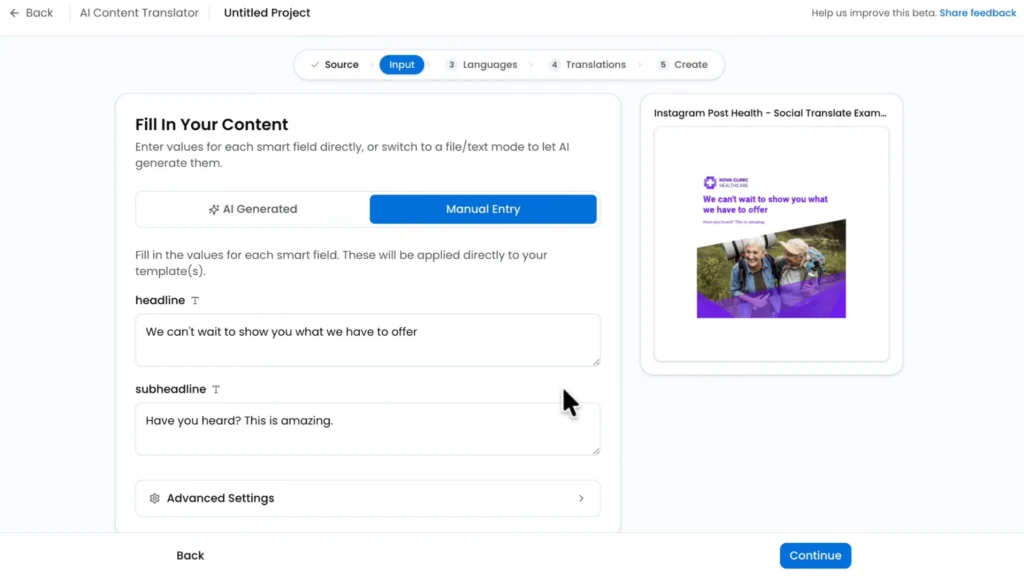
You can also layer in AI agents to handle recurring tasks like flagging terminology inconsistencies, auto-assigning translation requests based on language pair, or triggering review notifications when a batch is complete.
The goal is a system that runs like an engine. Content goes in one end, translated and formatted assets come out the other. The team only steps in where human judgment is actually needed.
Step 3: Build a centralized glossary and style guide
With an automation system in place, your content will now move more quickly between teams and tools, but you still need to ensure consistency.
One way to do this is to build a centralized glossary. Here, you can lock down your core terminology: product names, feature names, and industry-specific terms that should stay the same or be adapted in a specific way across every language.
A style guide goes further by covering tone of voice, formality levels by market, and any phrases or idioms that should never be translated literally.
These two documents become the foundation that both human translators and AI translation engines reference. Over time, they reduce QA cycles because the output gets more accurate with every round.
Step 4: Set up QA checkpoints and feedback loops
Even with an automated translation workflow, you still need QA. Automation speeds things up, but it doesn’t catch everything on its own.
For example, instead of reviewing every translated asset at the end, build QA directly into the workflow. Define who reviews what, set clear review stages, and make sure nothing goes live without approval.
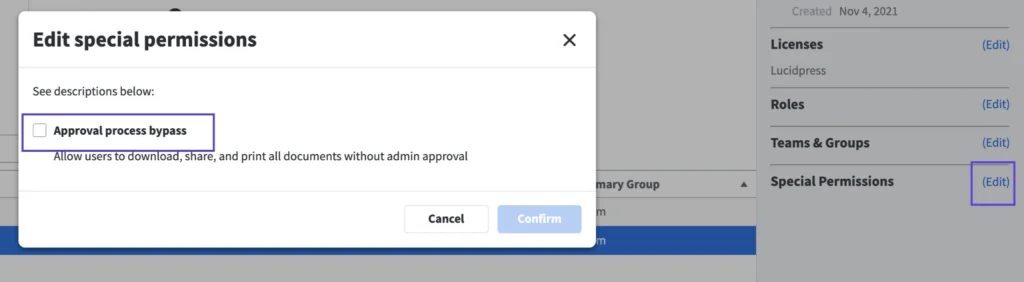
Marq has a built-in marketing approval workflow that does exactly this. Team admins can require users to request approval before downloading, printing, or publishing any project. Approval admins receive submissions, review the content, and approve or reject directly.
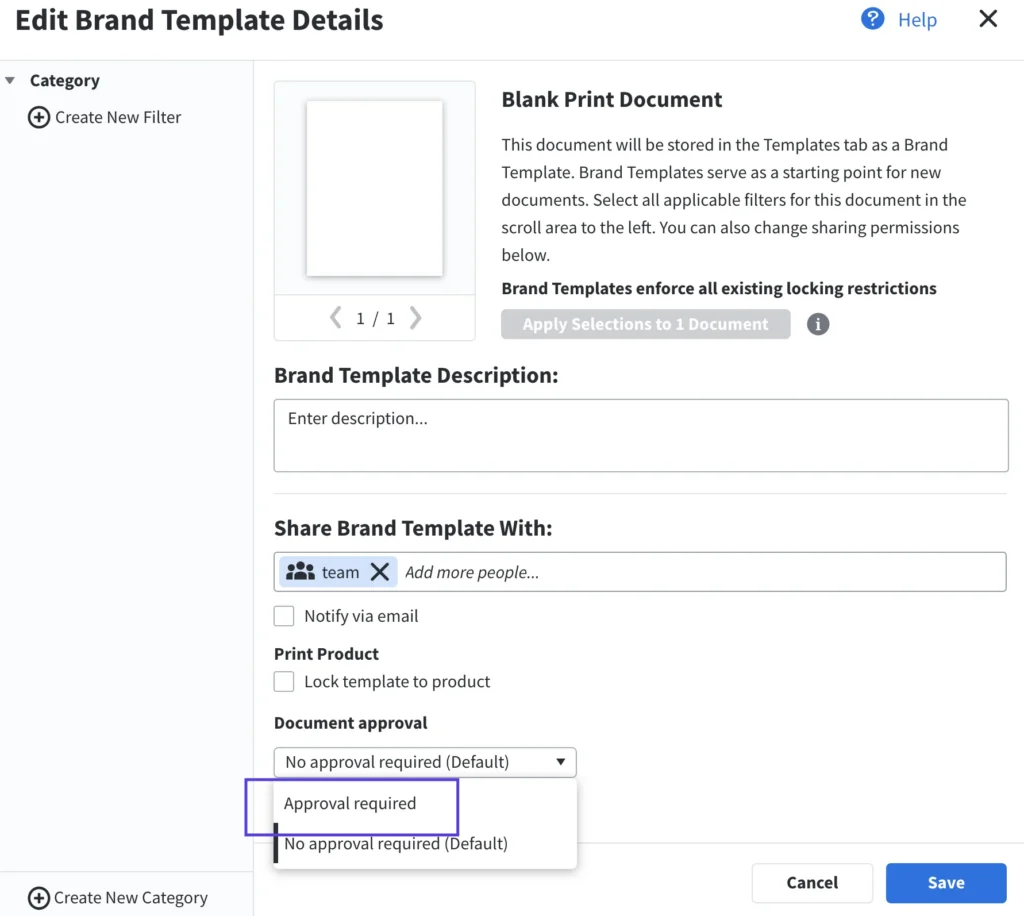
You can also set approval rules at the project level, so high-stakes localized assets require sign-off while routine templates can bypass the queue.
The key here is the feedback loop. When a reviewer catches a recurring error, that correction should feed back into your glossary, style guide, or AI training data. Every translation cycle gets more accurate than the last, which means fewer corrections and faster approvals over time.
Metrics and KPIs to track success
Here are six KPIs to track once your automated translation workflow is up and running:
- Turnaround time per campaign: How long it takes for content to go from finished in one language to published across all target markets. If this number hasn’t dropped since the automation, something in the workflow still needs work.
- Cost per campaign vs. manual workflow: Compare your current localization spend per campaign against what it cost manually. Factor in translator fees, PM hours, designer time, and rework. The goal is to see where the savings are coming from and whether they hold as you scale.
- First-pass accuracy rate: What percentage of translations get approved without edits on the first round? A low rate means your glossary or style guide has gaps that reviewers are manually compensating for.
- Reuse rate of previously translated content: Translation platforms store approved translations so they can be matched against future projects automatically. This KPI tracks how much of your content is being reused rather than translated from scratch. High reuse means lower costs and a more consistent brand voice across markets.
- Percentage of campaigns localized on time: How many campaigns hit their target launch date across all markets? A low on-time rate points to a capacity or bottleneck issue worth digging into.
- Post-editing time: How long human reviewers spend correcting AI or machine-translated output. If this number drops over time, your feedback loops are working. If it stays the same, the automation is creating more work rather than reducing it.
4 software solutions for streamlining translation workflows
Here are four tools you can use to automate and scale your translation workflows:
1. Crowdin
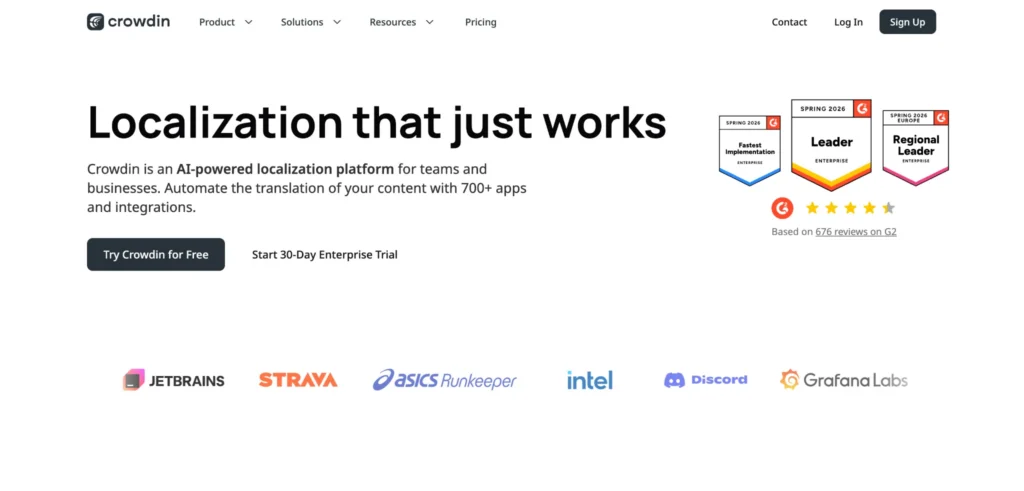
Crowdin is a cloud-based translation management platform that supports over 150 languages and comes with built-in tools for translation memory, glossaries, and automated QA.
It integrates with 700+ tools, including GitHub, GitLab, Figma, and Jira, making it a strong fit for teams that want translation management integrated directly into their existing tech stack.
Crowdin’s AI pipeline uses multiple LLMs and routes translations to the best-fit engine based on language pair and content type. It also comes with in-context editing, which allows translators to see exactly how their translations will appear in the final product. Enterprise teams can take it further with custom workflows, granular role-based access control, and ISO 27001 compliance.
Crowdin integrates with Marq, so teams can push text from Marq templates into Crowdin for professional translation and pull the results back into the original design without switching platforms or disrupting the content creation workflow.
2. Lokalise
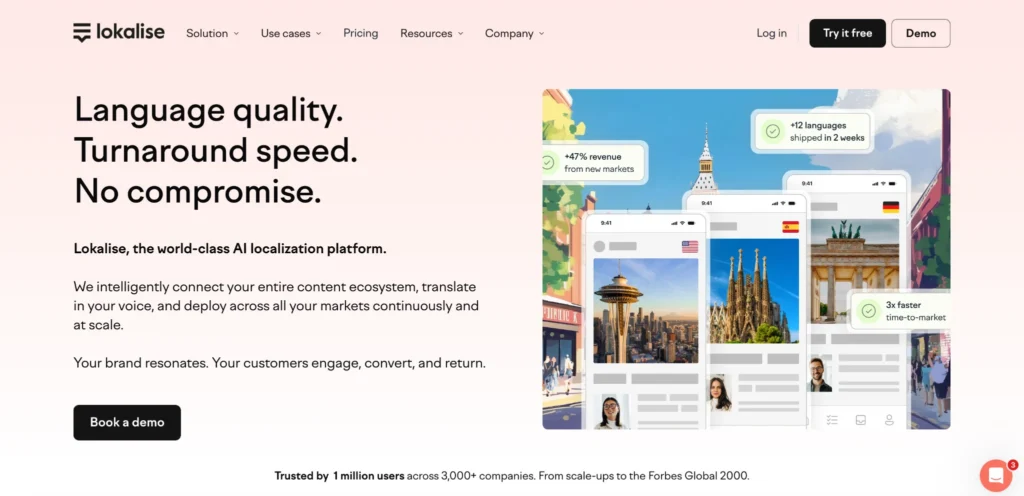
Lokalise is an AI-powered localization platform that supports ~30 file types and integrates with 60+ tools, including Figma, GitHub, Jira, Webflow, and WordPress.
Its AI orchestration engine dynamically selects the best-fit translation model for each language pair and content type, so teams don’t have to configure engines manually.
Lokalise also comes with automated workflows, translation QA, real-time collaboration, context management, and built-in reporting and analytics. Teams that need human translation can access professional translation services directly from within Lokalise.
Lokalise integrates with Marq, so teams can extract text fields from Marq templates, push them to Lokalise for professional translation, and pull the translated content back in without switching platforms or breaking the original layout.
3. Blend
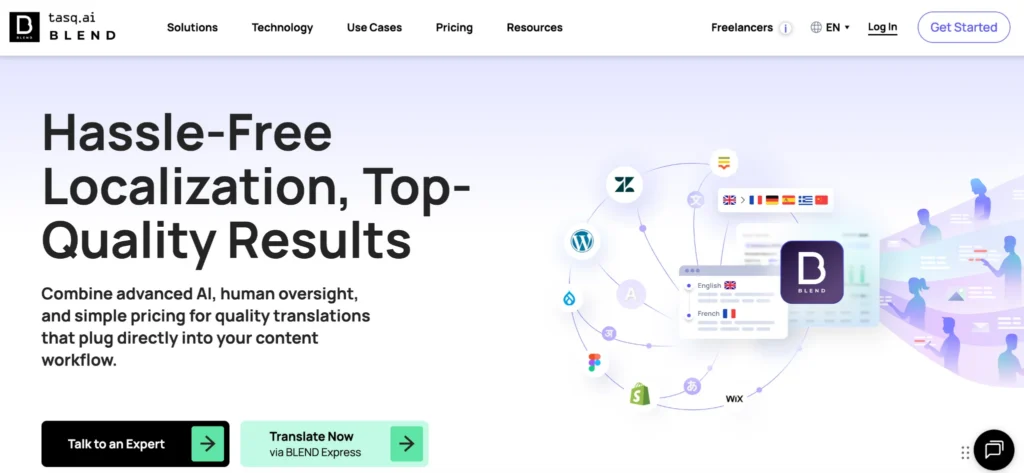
Blend is a localization services provider that combines AI translation with a global network of 25,000+ human translators across 120+ languages. Where Crowdin and Lokalise are translation management platforms, Blend is more of a full-service localization partner: you choose human, machine, or hybrid translation depending on the project.
Its Flexi AI Localization tool uses an AI Quality Estimator that scores translations in real time and only routes content to human post-editors when the quality threshold isn’t met. Beyond translation, Blend also offers content localization, multilingual SEO, video localization, voice-over recording, dubbing and subtitling, and creative services.
Blend integrates with Marq, so teams can extract text from Marq templates, submit for professional human translation, and pull the results back in to generate localized versions.
4. Marq
Marq is a brand templating and design automation platform that lets enterprise teams create, customize, and distribute on-brand content at scale. You can lock templates, automate content creation through smart fields, manage and distribute assets across print and digital, and connect to your existing CRM and DAM tools.
Marq also offers a translation and localization feature built directly into the platform, so teams don’t need to export content to a separate tool for translation.
With Marq’s AI Content Translator, teams can translate marketing content into 50+ languages directly inside the platform. Here’s how it works:
- Choose a design or template you want translated
- Add smart fields to the project
- Populate them with your source language
- Select your target languages
- Review the output and create
Check out this video to see the full workflow in action:
Translate Any Marq Project in Minutes with AI Marqet Translate
The entire process takes minutes. And the best part is that, unlike basic machine translation that swaps words one-for-one, Marq’s AI uses phrasing a native speaker would actually use. For marketing content, this matters because your messaging won’t get lost in translation or sound unnatural to your target audience.
As for the design, everything stays fully intact throughout. Brand colors, typography, imagery, and layout don’t get touched during translation.
For teams that need professional translation management beyond AI, Marq integrates natively with Crowdin, Lokalise, and Blend. You can push text fields from any template to your preferred translation platform and pull the results back in without leaving Marq.
Real-World Examples of Automated Translation Workflows in Action
1. Polhus: Localizing 1.6 million words across 7 languages with AI
Polhus, a Swedish building and outdoor living company, needed to localize its website into multiple European languages to support expansion into new markets.
Using AI-powered translation with human review through Crowdin, they translated 1.6 million words across 7 languages. 75% of the translations were publish-ready without additional editing, saving an estimated $80,000 compared to a fully manual process.
For marketing teams looking at a similar scale, this is what a well-implemented automated translation workflow looks like in practice: AI handles the volume, human reviewers handle the exceptions, and the cost structure stays manageable even as you add more languages.
2. Yext: Launching 100+ sell sheets in multiple languages
Yext, a tech company with 18 locations across 10 countries, needed to launch 100+ sell sheets in multiple languages for a new messaging initiative. With a creative team of only seven serving 1,200+ employees, manually producing that volume wasn’t an option.
Using Marq, the team built a sell-sheet template that international team members could access and translate for their own market. The original design remained locked, and local teams handled the translation without bottlenecks in creative.
This is one of the many advantages of having your content creation platform natively support translation and localization. All your work stays in one place.
See how Marq helps growing distribution teams
If your team is spending more time coordinating translations than creating content, the workflow is the problem.
Marq brings translation and localization directly into your content creation platform, so you can set up creative automation to translate one language to many without the manual overhead.
Whether you use Marq’s built-in AI Content Translator or connect professional translation management tools like Crowdin, Lokalise, and Blend, everything stays in one place.
Want to see how it works for your team? Schedule a demo and walk through the workflow with Marq’s team.
FAQs
A translation workflow is the end-to-end process of translating content from one language to another. It includes preparation, translation, QA, editing, and publishing.
Translation converts text from one language to another. Localization goes further by adapting the tone, cultural references, and context so the message resonates with the target audience.
Yes. Automated workflows paired with glossaries, style guides, and QA checkpoints can maintain or improve quality while significantly reducing turnaround time. If you’re using AI-powered translation, a hybrid approach with human-in-the-loop (HITL) review ensures that nuance, cultural context, and brand voice are preserved where it matters most.