7 best brand compliance software for enterprises in 2026

A healthcare marketer publishes a patient-facing brochure with an unapproved clinical claim.
An insurance agent distributes a product flyer missing a required state disclaimer.
A financial advisor sends a client proposal with outdated legal disclosures.
None of these people set out to create a compliance problem. They had a deadline and found the fastest path to meeting it. This is what a brand compliance failure looks like in practice. Not intentional violations, but mere workarounds.
The right brand compliance software closes this gap by building compliance into the creation process itself, so the path of least resistance is also the compliant one.
This guide covers seven platforms that address this problem in different ways, the industries each is best suited for, and where each begins to break.
How we tested and ranked these brand compliance platforms
We evaluated each platform based on a simple question:
Can it keep distributed teams on-brand and compliant without depending on central marketing and compliance teams to review every piece of content?
We also looked for the following features, among others:
- Template governance depth: Can individual elements, like legal disclaimers, be locked while the rest of the template stays editable?
- Approval workflows: Is there a built-in mechanism that triggers a compliance review before content can be downloaded or distributed?
- Role-based access control: Can you restrict which templates or assets specific user groups can access?
- Audit trails: Is there a record of who created, approved, and distributed each piece of content?
Quick comparison: best brand compliance software
| Brand Compliance Platform | Best For… | Standout Feature | Governance Level | G2 Rating |
| Marq | Distributed teams in regulated industries | Element-level template locking | High | 4.5 |
| Canva Enterprise | Large companies needing basic brand guardrails | Design approvals | Low | 4.7 |
| Bynder | Governed brand asset storage | Asset repository | Low | 4.5 |
| Brandfolder | Regulated asset access across distributed teams | Role-based access control | Low | 4.4 |
| Frontify | Global companies enforcing brand guidelines | Brand portals | Mid | 4.5 |
| IntelligenceBank | AI-driven compliance monitoring | AI-powered risk detection | High | 4.4 |
| Templafy | Compliance inside Microsoft Office documents | Smart fields for Office documents | Mid | 4.3 |
Marq is the only platform in this list that combines element-level template locking, CRM-connected data automation for brands, and built-in approval workflows in one place. It is purpose-built for distributed teams in regulated industries where compliance is non-negotiable.
1. Marq: Best for distributed enterprise teams in regulated industries
Marq is a brand compliance software built for regulated industries where non-designers across distributed teams create content that carries legal and regulatory weight, enabling stronger digital brand governance at scale.
The platform is built around a compliance-first workflow: brand stewards lock brand templates at the element level, connect data sources to enable non-designers to personalize content, and set approval requirements before anything is downloaded or distributed.
Key features
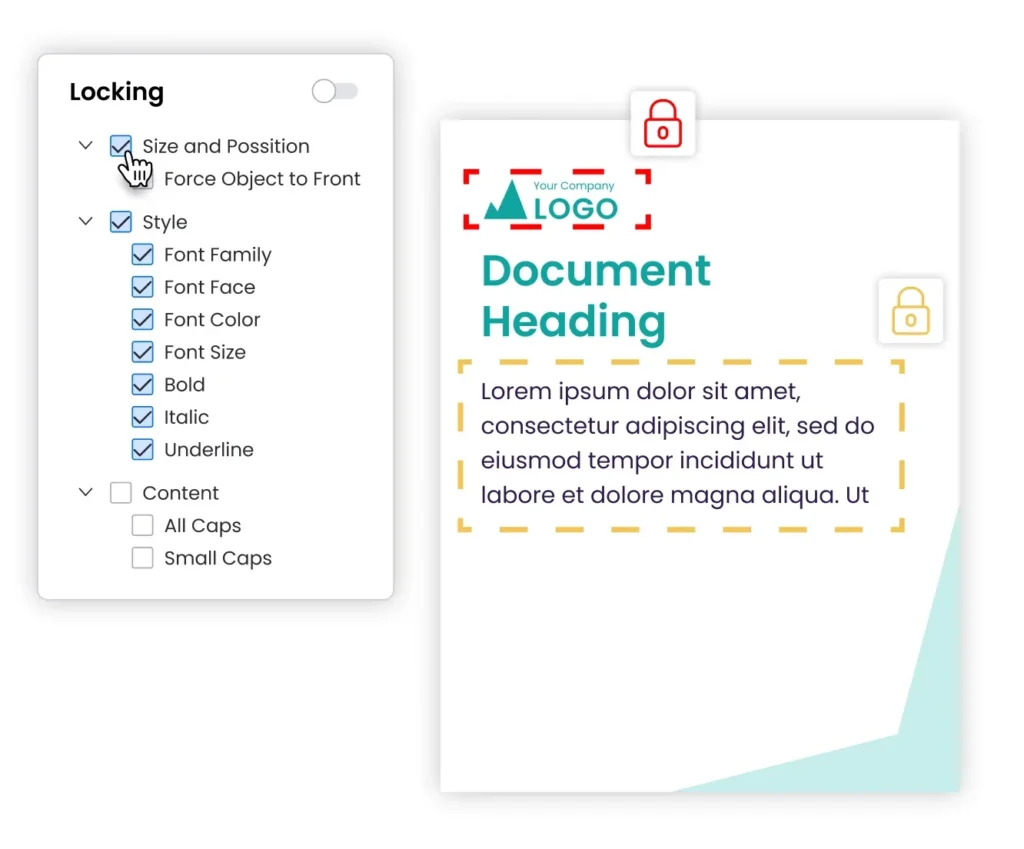
- Template locking
Brand admins can lock specific elements within a template to ensure all legally approved content remains unchanged. This reduces chances of errors and frees design teams from manual reviews, so they can focus on higher-value tasks.
Templates can be locked fully or partially depending on the level of control needed. For example, in an insurance brokerage, admins can lock compliance fields such as disclaimers, NPNs, and license numbers, while agents retain the ability to edit client details and coverage information. This keeps every document compliant without slowing down production.

- Creative automation
Marq lets teams use smart fields to pull live data from spreadsheets, Customer Relationship Management (CRM) tools, and external databases into templates. It auto-populates approved information such as client details, disclaimers, and license numbers. This reduces manual errors and ensures regulatory consistency.
For example, a multi-state insurance team can automatically insert correct state-specific disclaimers, product details, and license information into each client document without repeatedly reaching out to the compliance team and other stakeholders.

- Approval workflows
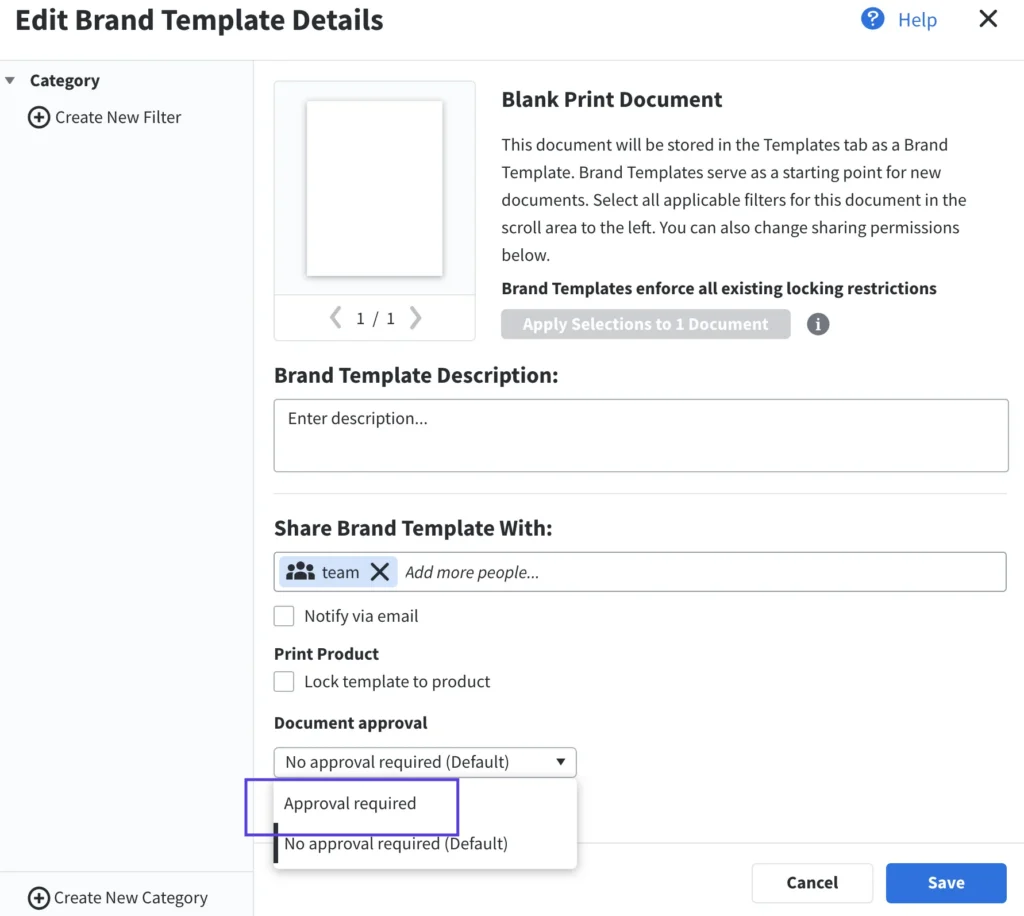
When compliance teams need to review content, Marq’s approval workflows route it to the right reviewers before finalization.
Teams can set approval rules at account or user level, so content is routed to the relevant stakeholders. Power users can also be given approval bypass rights to reduce delays in low-risk situations.
The project approval process adds an extra layer of control by requiring users to request approval before exporting, printing, or publishing projects. This ensures that no content leaves the system without a compliance sign-off.
Pricing
To get a custom pricing quote, contact Marq’s sales team.
Where Marq shines
- Consistent compliance for distributed teams: Companies with multiple locations can centralize compliance controls while letting local teams create content independently using template locking and smart fields. This maintains brand consistency across high-volume content environments.
- Build on existing compliance systems: If your company already has compliance systems in place, Marq can amplify them. Marq integrates with DAMs to pull in approved brand assets and allows teams to import existing InDesign templates into the platform. This helps scale compliance without rebuilding workflows from scratch.
Where Marq falls short
- Overkill for small teams: Marq may be more than what small teams with a single brand need. For lean teams, simpler tools can cover basic design and content creation without the overhead of enterprise compliance controls. Marq delivers the most value in distributed organizations where maintaining consistency and control at scale is the real challenge.
Customer reviews
Julie Cumby from Berkshire Hathaway HomeServices says, “Marq has allowed us to stay in control of our brand – maintaining compliance across all our agents and marketing pieces, whether they’re printed or distributed digitally.”
Mary Cox from Reinhart Realtors shares, “Some agents didn’t feel it was necessary to include the Reinhart logo on their content. But now that we can lock down our brand assets on the templates, agents and brokers can’t accidentally mess things up somehow.”
Who Marq is best for
- Companies in regulated industries, like financial services, insurance, healthcare, and real estate where content distribution carries brand and legal compliance risk.
- Multi-location companies that need central control over templates, including branded templates, approvals, and brand rules without slowing down local teams.
2. Canva Enterprise: Best for large companies needing basic brand guardrails
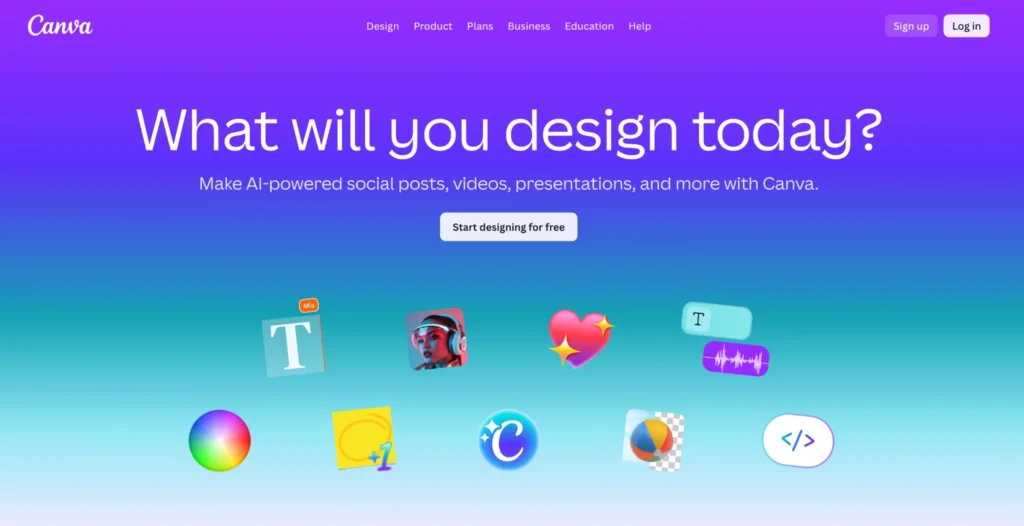
Canva Enterprise brings lightweight governance into a self-serve design environment. Template locking, approvals, and admin controls help organizations keep content aligned with brand and compliance rules while still enabling teams to create and publish quickly.
Key features
- Template locking: Admins can lock specific elements (logos, fonts, colors, etc.) before publishing a brand template.
- Design approvals: Designated approvers sign off on designs that users create from specific templates before downloading or publishing. All approval communication stays within Canva.
- Audit logs: Canva’s audit logs track actions like design creation, edits, sharing, and downloads, along with who performed them. This creates a clear record for compliance teams to review workflows, verify approvals, and investigate issues. They don’t prevent errors, but they create the accountability trail audits and regulators require..
Pricing
The pricing for Canva Enterprise is not published publicly. You’d need to contact their sales team to get a quote.
Where Canva Enterprise shines
- Works best in Canva-first environments: The compliance controls in the Enterprise tier are a meaningful upgrade over Canva Teams. For companies where Canva is the de facto design tool and the goal is to add guardrails rather than change platforms, Enterprise is the lower-friction path.
- Basic compliance for low-risk content: For internal communications, HR materials, and general marketing content where compliance requirements are brand-based rather than legal, Canva’s template locking and approval workflows are sufficient.
Where Canva Enterprise falls short
- Insufficient for regulated industries: Financial services, insurance, and healthcare organizations find Canva’s compliance controls fall short of what they need. Template locking is limited, and data personalization relies on manual entry or custom API integrations.
- Governance weakens as volume scales: Multiple enterprise reviewers note that managing brand and compliance controls across Canva’s workspace structure becomes increasingly complex as content volume and user groups increase.
Need a simpler Canva Enterprise alternative? Here are some lighter alternatives to Canva Enterprise.
Customer reviews
Mohamed M. says, “Setting up brand kits, templates, and approval workflows was straightforward, and it helped centralize our design process across departments.”
Kim P. shares, “When using it with more than one person, it’s sometimes hard to track and share who has access to which templates since the system doesn’t have a window that gives you an overall perspective.”
Who Canva Enterprise is best for
- Large organizations where Canva is already in use and adding governance controls is the primary goal.
- Teams creating brand-level content (not legally regulated content) where basic template locks and approvals are sufficient.
Still evaluating your design workflow? Compare the best InDesign alternatives.
3. Bynder: Best for governed brand asset storage

Bynder is a digital asset management platform that works best when the compliance challenge is controlling access to approved assets across distributed teams.
Its strength lies in asset governance: managing what assets exist, who can access them, and how they are used. However, it does not prevent non-designers from creating off-brand or non-compliant content once those assets are used outside the platform.
Key features
- Governed asset repository: Bynder stores all brand assets in a centralized, version-controlled library. Admins can replace outdated assets, preventing teams from using or distributing them.
- Permission frameworks and access control: Granular role-based permissions define who can access, download, modify, and distribute each asset or collection. External partners access only what they are approved to use through controlled brand portals.
- Asset approval: Bynder allows teams to route assets through a “Waiting Room” where designated reviewers approve or reject uploads before they enter the asset library. This ensures only vetted, compliant assets get used.
Pricing
Bynder also doesn’t publish its pricing publicly. To get a custom quote, you’d need to contact their team.
Where Bynder shines
- Asset-level compliance governance: For companies where the risk lies in unauthorized or outdated assets being distributed, Bynder’s approval workflows, version control, and audit trails help ensure only approved, up-to-date assets are used.
- Controlled distribution to external partners: Agencies, distributors, and channel partners access only approved assets through controlled portals. They cannot view the broader brand library or download unapproved files. This reduces the risk that external parties will use unauthorized assets, distribute outdated content, or share non-compliant materials.
Where Bynder falls short
- Does not govern content creation: Bynder controls what assets exist and who can access them. It does not prevent a non-designer from downloading an approved asset and using it incorrectly in content built in another tool. The compliance gap is in creation, not storage.
- Steep learning curve: Bynder requires time to get up to speed, especially during onboarding. Setting up metadata structures, migrating assets, and configuring workflows can be complex before teams become fully comfortable with the platform.
Customer reviews
A verified G2 reviewer shares their experience, “The platform shines in organizing digital assets through flexible taxonomy options and robust approval queues. This structure ensures order, consistency, and better governance over uploaded content.”
Reebal Bernadette F. says, “The platform can sometimes be less intuitive for new users, requiring a learning curve to fully leverage all features.”
Who Bynder is best for
- Large enterprises that need a single, governed source of truth for brand assets
- Organizations where the compliance risk is in asset distribution and version control, not in distributed content creation
4. Brandfolder: Best for regulated asset access across distributed teams
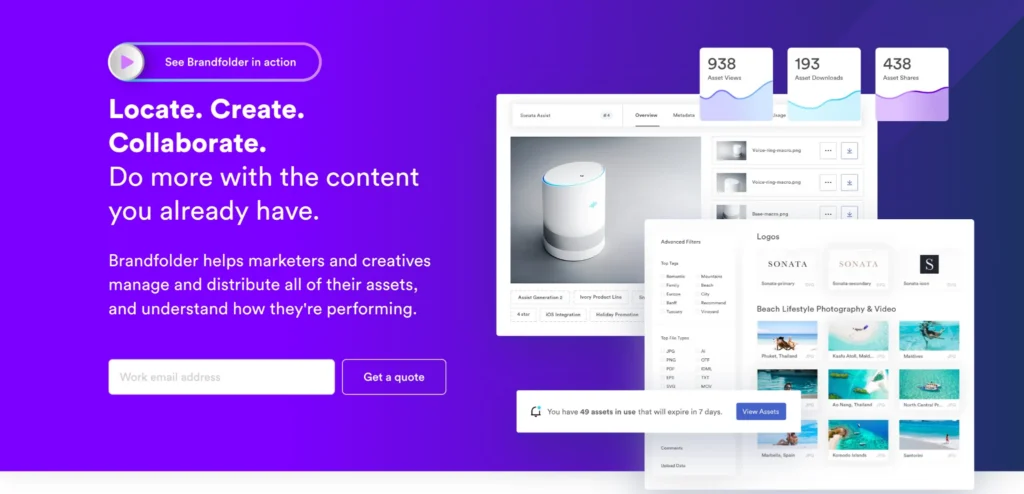
Brandfolder is another digital asset management platform built for companies that need a governed home for brand assets with strong controls over who can access, download, and share approved materials externally.
Like Bynder, Brandfolder only governs assets. It does not control the content creation that happens after someone downloads those assets.
Key features
- Role-based access control: Brandfolder offers five roles: Owner, Admin, Custom Role, Collaborator, and Guest. These roles enable granular permissions that define what each user can access, download, and distribute.
- Asset versioning and expiration: Version control ensures teams access the current approved assets. Admins can retire expired assets to prevent teams from distributing outdated content.
- Audit logging: This feature tracks who accessed and downloaded each asset for compliance and reporting.
Pricing
Brandfolder has two plans, Premium and Enterprise, and both are custom priced. You’ll need to contact their team for a quote.
Where Brandfolder shines
- Compliance through governed asset access: For companies where the compliance risk is non-approved assets reaching external audiences, Brandfolder’s access controls and external portals address this problem directly.
- Smartsheet-native compliance workflows: For organizations already running approvals and project tracking in Smartsheet, Brandfolder’s native integration keeps asset governance inside the same system.
Where Brandfolder falls short
- Approval workflows are asset-focused, not content-focused: Brandfolder can route an asset for approval before it enters the library. But it cannot review or approve the finished piece of content a non-designer produces using that asset – which is where most compliance failures actually happen.
- Expensive for what it delivers: Brandfolder is expensive for a platform that governs asset access but does not cover content creation, template locking, or post-distribution compliance tracking.
Customer reviews
Chris R. shares, “I use Brandfolder to distribute branded templates to field teams and appreciate how it allows me to store reusable assets for non-creative team members. I like the level of control it gives me without requiring me to be hands-on all the time.”
Kandace T. says, “I dislike all of the backend work you have to do in Brandfolder. There are several steps that you have to do when uploading an asset. When you have multiple people uploading things, assets don’t always get put in the right spot or tagged correctly.”
Who Brandfolder is best for
- Distributed teams that need controlled access to approved brand assets across agencies, partners, and regional offices.
- Companies where the primary compliance risk is unauthorized or outdated asset distribution, not non-compliant content creation.
5. Frontify: Best for global companies enforcing brand guidelines
Frontify is a brand management platform used by companies like Uber and Lufthansa to manage brand compliance at scale. It brings together brand guidelines, digital asset management, and templates in one place, helping teams across markets apply brand and compliance standards consistently.
Key features
- Brand portals with embedded compliance rules: Brand guidelines live alongside the assets and templates they apply to. Regional teams get portals tailored to their specific brand and regulatory context.
- Approval workflows and audit trails: Built-in review and approval features for brand, legal, and accessibility compliance, along with full audit logging for reporting.
- AI compliance review: The Brand Assistant reviews copy against brand guidelines and flags non-compliant language.
- DAM with governed versioning: Asset updates propagate immediately across all guidelines and templates, so when an admin updates a compliance-critical asset, the change reaches every team in real time.
Pricing
Contact the Frontify team for a customized quote.
Where Frontify shines
- Global brand compliance enforcement: Frontify lets organizations apply compliance rules at the regional or team level while keeping everything managed from one central system. This helps maintain consistent standards across different countries, languages, and business units.
- Compliance through accessible guidelines: Frontify addresses the most common compliance failure mode: teams ignoring rules because they are inaccessible. It does this by making guidelines interactive and closely tied to the assets they govern.
Where Frontify falls short
- Compliance relies on self-policing: Frontify makes brand rules visible, but it doesn’t stop users from ignoring them. Without element-level template locking, Frontify’s compliance workflow depends on users following guidelines rather than the system enforcing them.
- Limited compliance automation: Smart field automation for compliance-critical content is not Frontify’s core capability.
Looking for Frontify alternatives? Compare other brand enablement tools here.
Customer reviews
Olivia H. says, “Frontify is a great tool for having all our brand assets in one place. It’s great at organizing and creating cohesive tool kits for certain marketing activities and our rep is super helpful and gives us all of the updates we need.”
A verified G2 reviewer shares, “As our assets library grows, finding specific assets can take longer than expected. Better search filters and metadata options would make that easier. User roles could also be more granular for managing access and editing rights.”
Who Frontify is best for
- Global enterprises where the compliance risk is teams applying brand rules incorrectly due to inaccessible guidelines, not regulated content creation.
6. IntelligenceBank: Best for AI-driven compliance monitoring
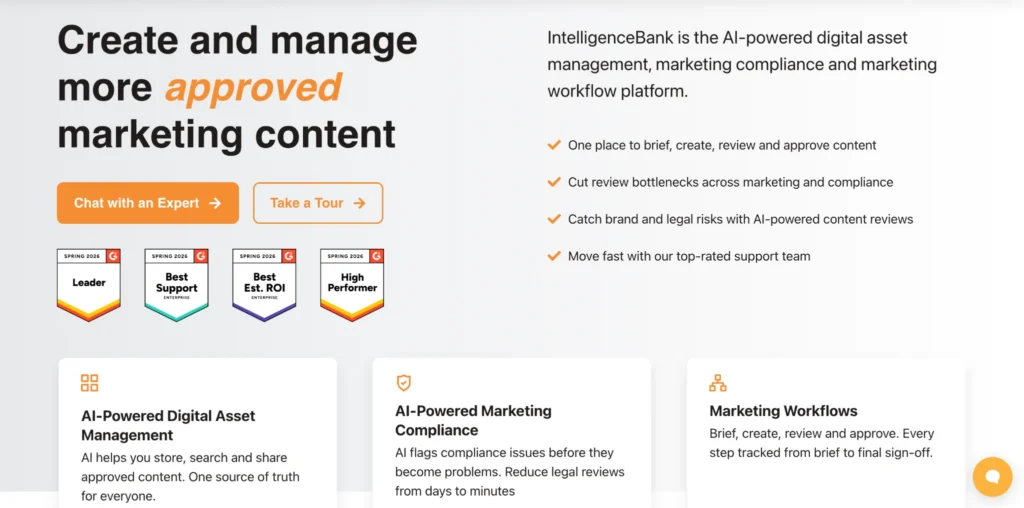
IntelligenceBank helps teams manage brand, legal, and regulatory risk across the full content lifecycle. It combines digital asset management with AI-powered compliance scanning that checks content during creation, review, and after publication.
The platform flags issues in ads, websites, PDFs, social media, and videos to help teams catch problems early. It also supports governed asset libraries, approval workflows, and role-based access so teams work only with approved material.
IntelligenceBank offers four pricing packages (Digital Asset Management, Brand Management, Marketing Workflow Approval Software, and Marketing Compliance). You’d need to contact their team to get a quote for each package.
7. Templafy: Best for compliance inside Microsoft Office documents

Templafy helps organizations enforce brand and compliance standards inside Microsoft Office. It brings approved templates, content blocks, and smart fields directly into Word, PowerPoint, Excel, and Outlook so users can create compliant documents without leaving their workflow.
Teams can lock legal disclaimers, disclosures, and approved language while automatically filling user details like names, titles, and license information. The platform also supports approval workflows and audit logs to track document creation and distribution.
Templafy offers three price plans (Templafy Agents Platform, Templafy Agents Pro, and Templafy Agents Premium), but each is custom priced.
Choosing the right brand compliance marketing platform
Brand compliance software is only as good as the controls underneath it. Here is what to look for before you decide.
Can non-designers create compliant content without a creative team bottleneck?
When non-designers need compliant content fast, they will find a workaround unless the right template is accessible and easy to use. The solution is not tighter restrictions. It is a governed self-serve system where compliance is built into the template itself.
Marq locks compliance-critical elements at the element-level while leaving editable zones open, so non-designers can produce compliant content without a designer or compliance reviewer in the loop every time.
Can your platform auto-populate regulated content without manual entry?
Manual data entry is where compliance errors usually happen. State-specific disclaimers, license numbers, and product disclosures need to populate automatically from a governed data source – not be typed in by a sales representative or insurance agent.
Marq connects to CRM systems and external databases to auto-populate important fields at the point of creation.
Can different teams access only the templates relevant to them?
Giving everyone access to everything is how off-brand and non-compliant content gets created. Role-based access ensures a financial advisor only sees advisor-approved templates, and an insurance agent only sees state-specific materials cleared for their license level.
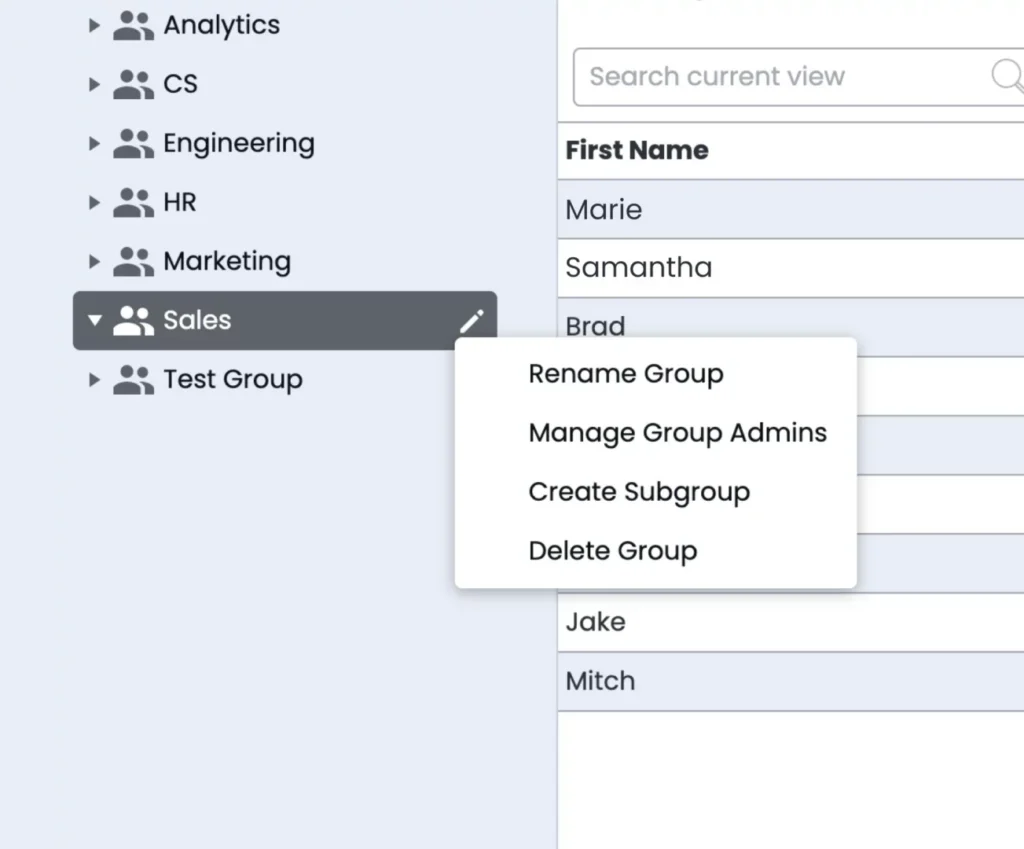
Marq’s Group Management functionality mirrors your organizational structure and enables administrators to assign users to groups and subgroups. You can then share templates and folders at the group level so each team only has access to what’s relevant to them.
Make brand compliance across teams easier with Marq
The online brand compliance monitoring platforms in this guide each enforce compliance at a specific stage. Bynder and Brandfolder govern compliance at the asset access level. Frontify enforces compliance at the guidelines level. IntelligenceBank catches compliance violations at the post-publish level.
Marq is the only platform in this list that covers compliance at every stage, from creation to approval to distribution. For organizations in financial services, insurance, healthcare and other regulated industries where non-compliant content carries legal consequences, this end-to-end coverage is what sets Marq apart.
Book a demo today to learn more!
Frequently asked questions about brand compliance software
What is brand compliance software?
Brand compliance software helps organizations make sure every piece of external-facing content stays consistent with brand, legal, and internal guidelines.
Who needs brand compliance software?
Organizations with distributed teams that create content at scale, especially in regulated or high-risk industries. This includes financial services firms, real estate brokerages, insurance providers, and healthcare organizations. It’s most valuable when a small central team must enforce brand and compliance standards across a large field of intermediary non-designers.
What is the difference between brand compliance software and a DAM software?
Brand compliance software ensures teams create content correctly by embedding brand, legal, and design rules into templates and workflows. A DAM (digital asset management) system helps teams store, organize, and distribute approved assets such as logos, images, and files.