7 best web-to-print software for brand control (2026 reviewed)


Imagine your marketing team finishes a rebrand with a new logo, updated color palette, and newer, tightened brand guidelines. But two weeks later, a regional manager prints 500 flyers using last quarter’s template. You hear a franchise location in another city publishes a co-branded postcard with the old logo.
No one on the brand team approved either piece; there wasn’t time, and there aren’t enough people to check every flyer before it ships. The real failure point here is the absence of a guardrail standing between a template and a print run.
This is what happens when print production runs without governance. Web-to-print software exists to solve this problem.
The right platform lets your team order, personalize, and produce print materials through a structured online workflow, one where brand standards are baked in before anyone hits “print.”
This article covers 7 web-to-print solutions that are built for both print shops managing production orders and those for marketing teams managing brand control. Knowing which category you actually need determines which tool is right for you.
The factors we considered when ranking these web-to-print solutions
Here are the five factors that matter most to marketing and creative leaders managing brand content at scale:
- Brand control and template governance: Can administrators lock design elements and restrict edits to approved zones? Does the platform stop off-brand output before it happens?
- Personalization and data automation: Can templates pull live data from Customer Relationship Management (CRM) software, spreadsheets or directories to auto-populate fields at volume?
- Print production workflow: How mature are the storefront, ordering, proofing and fulfillment capabilities?
- Integration depth: Does the platform connect to the tools your team already uses such as a DAM, CRM, project management tools?
- Fit for distributed teams: Is this built for one designer or for 50 non-designers across multiple locations?

See how Marq brings brand control to web-to-print
Give distributed teams a structured way to create, personalize, and print content while keeping brand standards and approvals in place.
Best 7 web-to-print software for marketing teams: at a glance
| Tool | Best for | Print production depth | Brand governance | Pricing |
| Pressero | Commercial print shops, B2B/B2C storefronts | Full production workflow, MIS integration | Template-level restrictions | Custom |
| Propago | Commercial printers serving enterprise clients | End-to-end fulfillment + warehousing | Branded portals, multi-level approvals | Licensing plans starting at $499/month |
| PageDNA | Internal print shops, in-plants, commercial printers | Robust storefront + job management + reporting | Catalog-level brand controls | Custom |
| Marq | Distributed marketing teams, brand-sensitive industries | On-demand branded print + direct mail | Lockable templates, role-based access, approval workflows | Custom |
| Canva Enterprise | Teams needing quick, easy design creation without advanced brand controls | Basic print export, Print Shop | Brand Kit, limited locking | Custom |
| Adobe Express for Enterprise | Adobe ecosystem users, creative teams | Export to print formats | Brand kit, limited admin controls | Custom |
| Frontify | Brand guidelines management, design-centric teams | Limited | Brand portal and guidelines hub | Custom |
The first three tools in this list are built for print production operations. Marq operates in a different category: brand governance for distributed marketing teams, with web-to-print as one channel in a broader governed content workflow.
Schedule a demo with Marq’s enterprise team to see where it fits in your stack.
1. Pressero (Aleyant): Best for commercial print shops managing B2B and B2C storefronts
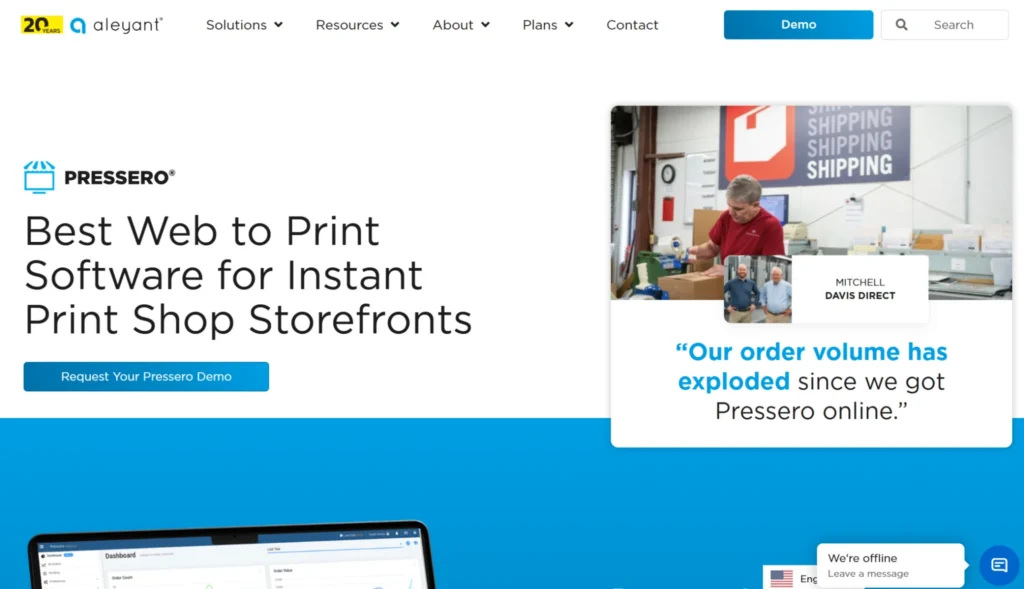
Aleyant Pressero is a cloud-based web-to-print platform built primarily for commercial print service providers. It lets print shops launch branded online storefronts where clients can browse products, configure items, place orders, and track fulfillment, all without the manual back and forth.
Key features
- Variable data printing and eDocBuilder: Pressero’s eDocBuilder template tool lets customers configure and personalize printed items directly in the browser. Variable data printing handles large batches of personalized jobs through spreadsheet upload.
- Multi-storefront management: A single Pressero account supports unlimited B2B and B2C storefronts. Each storefront can be branded for a specific client, department, or product line.
- Production workflow and MIS integration: Pressero connects to print MIS systems (EFI Pace, PrintSmith Vision, Avanti) and supports automated prepress through PDF2Press in the Pressero 360 bundle.
Pricing
Pressero offers various tiers from Basic to Advanced to Unlimited. However, pricing isn’t publicly available and they must be contacted for a custom quote.
Where Pressero shines
- Commercial printers managing multiple enterprise client storefronts: Works great for unlimited storefronts with client-specific branding, product catalogs, and pricing rules.
- Print shops needing automated prepress: The Pressero 360 bundle with PDF2Press reduces manual file handling for high-volume production.
- Teams requiring deep MIS integration: Native connections to EFI and PrintSmith Vision make Pressero a practical fit for shops running established print management infrastructure.
Where Pressero falls short
- Brand governance for distributed non-designers: Pressero is built for print production ordering, not for governing what marketing content looks like before it reaches print. Template editing features aren’t designed for self-service at enterprise scale.
- Marketing automation and CRM integration: Pressero does not connect to CRM systems for data-driven personalization at the marketing workflow level.
Customer reviews
Craig D. shares, “Pressero/eDocBuilder has a fairly steep learning curve but once you’re there, it’s a wonderful product.”
Sean E. warns, “There are a few specific limitations that are difficult to get around. They don’t have cumulative pricing or many other features that are needed for apparel type items. The EDOC template system is powerful but can be very difficult to change location of text boxes.”
Who Pressero is best for
- Commercial print shops looking to launch or modernize their client-facing web-to-print storefronts with robust production backend integration
- In-plant teams at universities or corporations that need a structured ordering portal and automated workflow
- Print service providers managing enterprise B2B clients who need multi-storefront, multi-brand environments at scale
2. Propago: Best for commercial printers building enterprise marketing portals
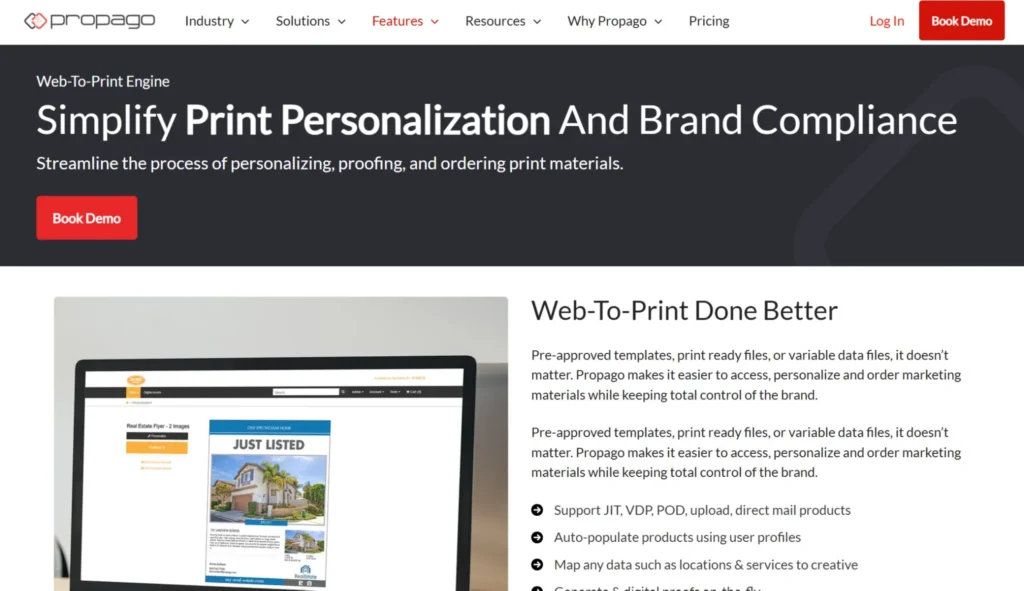
Propago sits at the intersection of web-to-print and marketing asset management. It’s built for commercial printers who want to serve enterprise clients with more than a print ordering portal. Propago offers a branded hub where clients can access their entire marketing catalog: print, promo, apparel, and digital files.
Key features
- Marketing asset management (MAM) portals: Propago gives enterprise clients a branded online portal that centralizes their full marketing catalog. Employees log in and access pre-approved templates, print-ready files, variable data products, promotional items, and digital assets in one place
- Multi-level approval workflows and budget controls: Propago supports multi-level approvals, spend controls, and user-tier access management.
- Integrated fulfillment and warehousing: For programs involving physical inventory (pre-printed materials, promotional merchandise), Propago includes warehouse management tools that handle inventory tracking, kitting, and fulfillment.
Pricing
Propago’s pricing are custom and require a conversation with their sales team but starting ranges for plans are:
- Licensing plans from $499/month
- Onboarding packages from $1,999/month
- Optional support from $375/month
Where Propago shines
- Commercial printers differentiating on enterprise service: The MAM portal capability lets printers move beyond commodity print ordering into a strategic role for their clients’ marketing operations.
- Enterprise clients with mixed marketing catalogs: Organizations managing print, promo, apparel, and digital files from one portal benefit from Propago’s breadth.
- Programs requiring fulfillment: If physical inventory is part of the picture, Propago’s warehousing integration keeps the supply chain inside one system.
Where Propago falls short
- Marketing teams looking for direct self-service: Propago is sold through commercial printers, not directly to enterprise marketing teams. If you are a Marketing Director looking to deploy brand governance across your organization without a print service intermediary, this adds a layer to the relationship.
- Digital content governance: Propago’s strength is in the physical marketing supply chain. It does not offer the template governance and digital content distribution capabilities of platforms like Marq.
Customer reviews
Suzanne C. shares, “Integrates easily with our MIS, drops the orders in and alerts the assigned parties, shipping notifications are concise and let both the user and the client know when orders have been shipped.”
Max J. notes, “Propago sometimes doesn’t feel user friendly and takes a lot of training and time to even begin using it.”
Who Propago is best for
- Commercial print service providers serving enterprise clients who need a full marketing asset portal beyond basic web-to-print
- Enterprise brands managing print, promo, and apparel through a single fulfillment partner with structured brand controls
3. PageDNA: Best for internal print shops and commercial printers prioritizing deployment speed
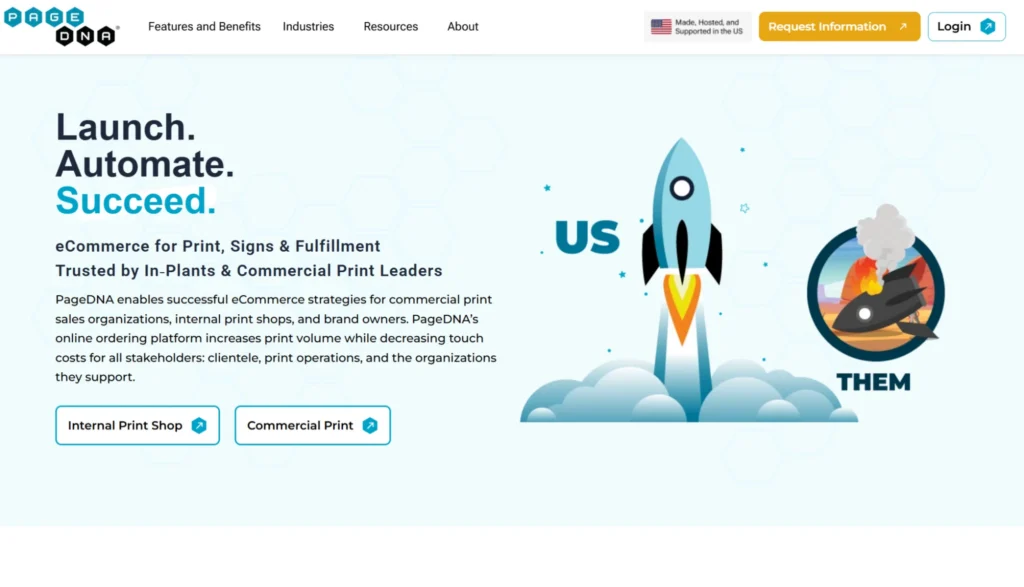
PageDNA is a web-to-print eCommerce platform built for commercial print sales organizations, internal print shops (in-plants), and brand owners. It distinguishes itself through a structured implementation process designed to get a fully configured, adopted storefront live quickly, rather than a long IT project.
Key features
- Branded storefronts with per-group catalog management: PageDNA lets administrators create storefronts customized for specific user groups with separate catalogs, branding, pricing, and access rules.
- Reporting and analytics: PageDNA’s reporting capability covers order trends, seasonality, delivery timeframes, and inventory levels.
- Enterprise procurement integration: PageDNA supports cXML PunchOut integration with enterprise procurement systems like Coupa and Ariba. This makes PageDNA compatible with the infrastructure already in place in large organizations.
Pricing
PageDNA offers custom pricing.
Where PageDNA shines
- In-plant print shops: Benefit the most, especially those needing a structured, self-service ordering portal with job management built in.
- Commercial printers prioritizing speed to deployment: PageDNA’s implementation process is built around getting clients live with a working storefront, not a months-long configuration project.
- Enterprise procurement environments: cXML PunchOut compatibility makes PageDNA a practical fit where print purchasing runs through Coupa or Ariba.
Where PageDNA falls short
- Brand governance for distributed marketing teams: Like Pressero and Propago, PageDNA is a production ordering system. It manages what gets ordered and produced, not how marketing templates are governed across non-designer creators.
- Digital content distribution: PageDNA’s scope is print and fulfillment. Teams that need to govern both print and digital content from the same platform will need a complementary solution.
Explore platforms like Marq that approach the brand governance side of the equation; the problem PageDNA, Pressero, and Propago are not built to solve.
Customer reviews
Shawna B. praises, “It’s not often that you find software that’s loved by programmers, CSRs and sales reps. Our partnership with PageDNA since 2017 has allowed us to grow our ECOMM business, providing our clients with an exceptional marketing resource tool.”
Joshua C. notes, “The only feedback I can supply here is sometimes bulk orders (when clients upload large spreadsheets of individual orders) can be tricky to set up.”
Who PageDNA is best for
- In-plant teams at higher education, healthcare, and government organizations managing high-volume print production internally.
- Commercial print shops that need a clean, fast implementation with proven adoption rates.
- Organizations with enterprise procurement requirements where cXML PunchOut integration is a prerequisite.
Explore how platforms like Marq approach the brand governance side of the equation, the problem PageDNA, Pressero, and Propago are not built to solve.
4. Marq: Best for distributed marketing teams governing brand-compliant print and digital
Pressero, Propago, and PageDNA solve a production problem: how do print providers and in-plant teams manage ordering, fulfillment, and workflow efficiently? Marq solves a different problem entirely, one that those platforms were not designed for.
Marq is a brand enablement platform built for marketing directors, creative directors, and VPs of marketing who need to give distributed teams such as agents, franchisees, field reps, and regional offices the ability to produce on-brand content without a design ticket every time.
Web-to-print in Marq is not a separate module but forms part of the same template workflow used to produce digital campaigns, presentations, and sales collateral.
For organizations operating at scale, the issue is never “can we design something?” The issue is “can we make sure every location produces something on-brand, without us reviewing every piece?”
Marq is built to answer that.
Key features
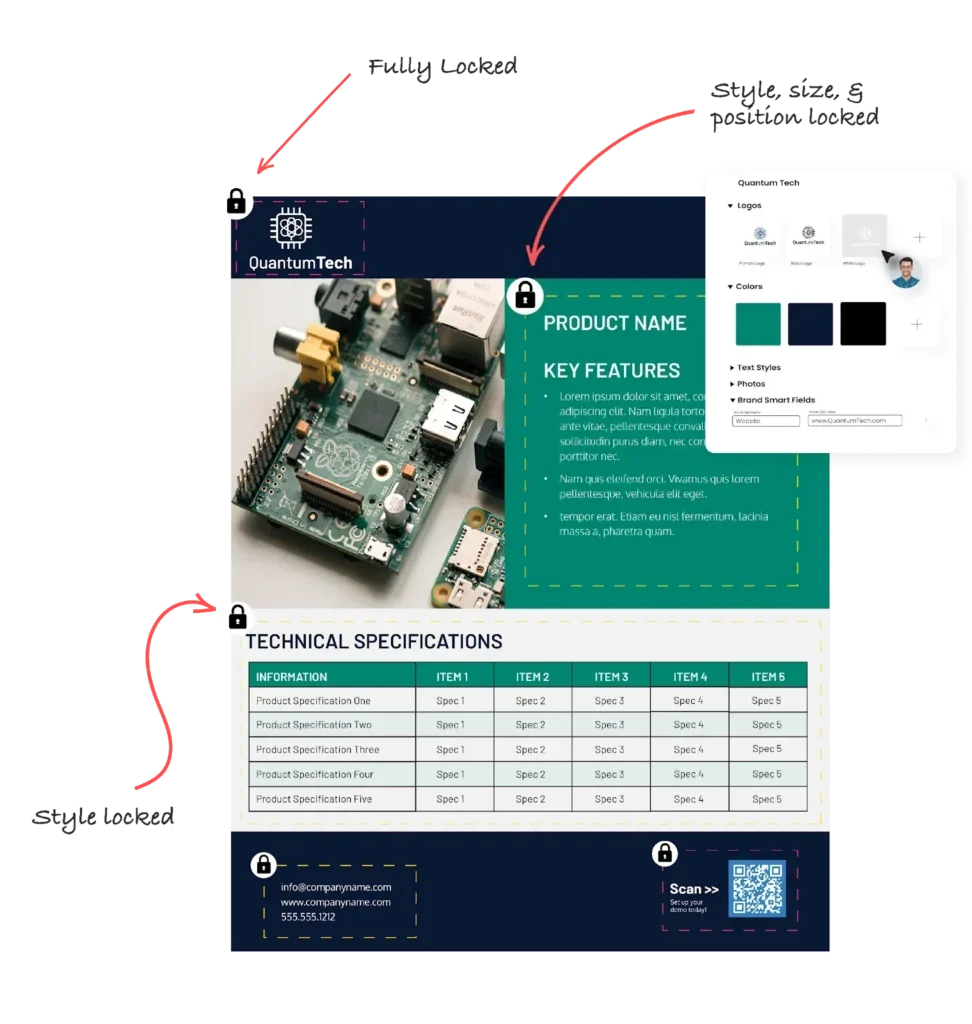
- Lockable templates with granular permission controls: Marq’s template governance layer lets designers build templates in which specific elements are locked. Other zones, like contact information, headshots, and location-specific details, are open for non-designers to edit. Admins can also assign a Print Approver role, so no order reaches the print vendor until someone signs off. That extra checkpoint matters most in regulated industries like healthcare and financial services where a single printed disclaimer carries real compliance risk. Learn more about Marq’s content design and locking capabilities.
Creative automation and mail merge: Creative teams spend most of their “repetitive” hours on tasks that are not creative at all. Marq’s creative automation pulls live data from CRMs, spreadsheets, DAM systems, and company directories to auto-populate templates. The AI Marqet workflow feature extends this further: admins configure template sets tied to business triggers (a new deal, a new listing, a campaign launch), and the platform generates the full content package without manual setup.
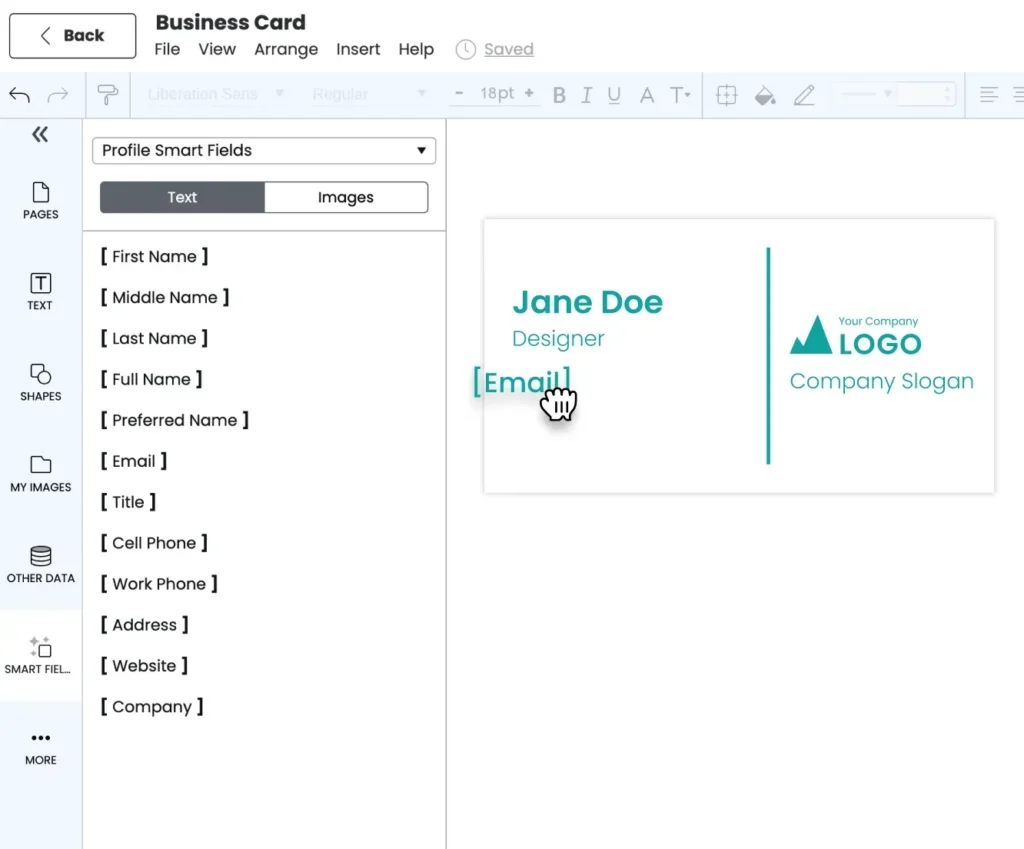
- Web-to-print and direct mail distribution: From the same template used for a digital campaign, Marq users can route content directly to print, ordering physical materials, specifying quantities, and selecting delivery locations. Marq’s content distribution platform handles both digital publishing and print ordering without requiring the user to leave the platform or hand off a file.
Did You Know?
Marq connects directly with leading Digital Asset Management systems like Bynder, Acquia, and Canto so the brand assets stored in your DAM are accessible inside templates. When the DAM is updated with a new approved logo, templates in Marq reflect it. Outdated assets stop reaching print production.
→ Explore Marq DAM integrations
Pricing
Marq’s enterprise pricing is available through direct sales. Contact Marq’s enterprise team for a quote based on your team size, use case, and integration requirements.
Where Marq shines
- Multi-location and franchise organizations: Every location gets its own workspace, pre-loaded with brand-approved templates. Local teams customize within guardrails. Brand teams maintain control without becoming a print request queue.
- Real estate brokerages: MLS integration, agent-level personalization, and instant print fulfillment reduce the production cycle for every listing from hours to minutes.
- Compliance-sensitive operations: For firms in regulated industries with compliance-sensitive teams like healthcare, Marq’s locking and approval workflows keep legal disclaimers and regulatory content untouched, regardless of who produces the material.
- Integrations with print shops: Marq integrates with Xpressdocs as a default print partner and can connect to a print shop of your choice through its print portal and API. What it doesn’t offer is the order estimating, substrate management, or MIS/ERP integration a commercial print shop needs to manage its own production floor which can be a limitation if you’re running the print shop and not ordering from one.
Govern web-to-print content with Marq
Keep templates, brand assets, permissions, and approvals under control while giving distributed teams the freedom to create.
Where Marq falls short
- Pixel-perfect creative work: Marq is optimized for templated, scalable content creation, not for high-craft design projects. Designers working on packaging, editorial layouts, or complex visual identities should use their professional design tools and bring finalized assets into Marq for distribution and governance.
- Template-based rather than custom print design: Marq works best for teams investing in upfront template builds and repeatable print projects.Teams looking for web-to-print for ad hoc or custom design projects will underutilize the platform.
Customer reviews
PT Solutions scaled brand control across 500 clinics with Marq’s help. Malia Hostetler, Senior Manager of Creative Solutions, shares, “Now, when our sales team needs something, they don’t have to wait. They can open a template, drop in the details, and get it out the door the same day.”
Orchard, a fast-growing real estate startup, praised Marq’s brand templating, designs, and locking features, saying, “Since we don’t pass everything through our designer before pushing to press or posting, it’s great that we know we are producing work that still fits in with our brand guidelines and keeping everything up to Orchard standards.”
Who Marq is best for
- Marketing Directors at multi-location organizations (like franchises, real estate brokerages, and healthcare networks) who need brand consistency without becoming a bottleneck for every print request
- Creative Directors managing lean teams who want non-designers to self-serve on templated materials without producing off-brand output
- VPs of Marketing in regulated industries (insurance, financial services) who need approval workflows and audit trails on print and digital content
- Revenue teams using Salesforce or HubSpot that need personalized, on-brand collateral generated from deal data without design team involvement
5. Canva Enterprise: Best for digital-first teams with basic branding and collaboration needs
Canva Enterprise is the large-organization tier of Canva’s design platform. Canva is where most distributed teams are already working. The Enterprise tier adds structure to that sprawl, which is its main value proposition. In April 2026, Canva launched its Print Shop feature, a reimagined print ordering experience with 60 new product types.
Key features
- Brand Kit and element locking: Canva Enterprise supports brand controls and element locking on individual design objects. Admins can restrict teams from using non-brand colors or fonts.
- Approval workflows: The Enterprise tier includes an approvals feature that lets brand managers sign off on designs before they are published or sent to print. This reduces the volume of off-brand content that reaches distribution without completely removing team autonomy.
- Canva Print Shop: Canva’s 2026 Print Shop launch adds a direct print ordering path from Canva designs. Teams can order business cards, flyers, posters, and other print products through Canva’s print infrastructure
Pricing
Canva Enterprise pricing requires direct vendor contact as it isn’t publicly available.
Where Canva Enterprise shines
- High-volume digital content creation: Social media graphics, presentations, and digital marketing materials are Canva’s core strength. The platform’s design library and ease of use are genuine advantages for teams that need to produce a lot of digital content quickly.
- Light print use cases: For teams ordering business cards and basic marketing print items occasionally, Canva Print Shop removes the need for a separate web-to-print platform.
- Teams already using Canva at scale: If Canva is already embedded in your organization’s workflow, the Enterprise tier adds governance without requiring a platform migration.
Where Canva Enterprise falls short
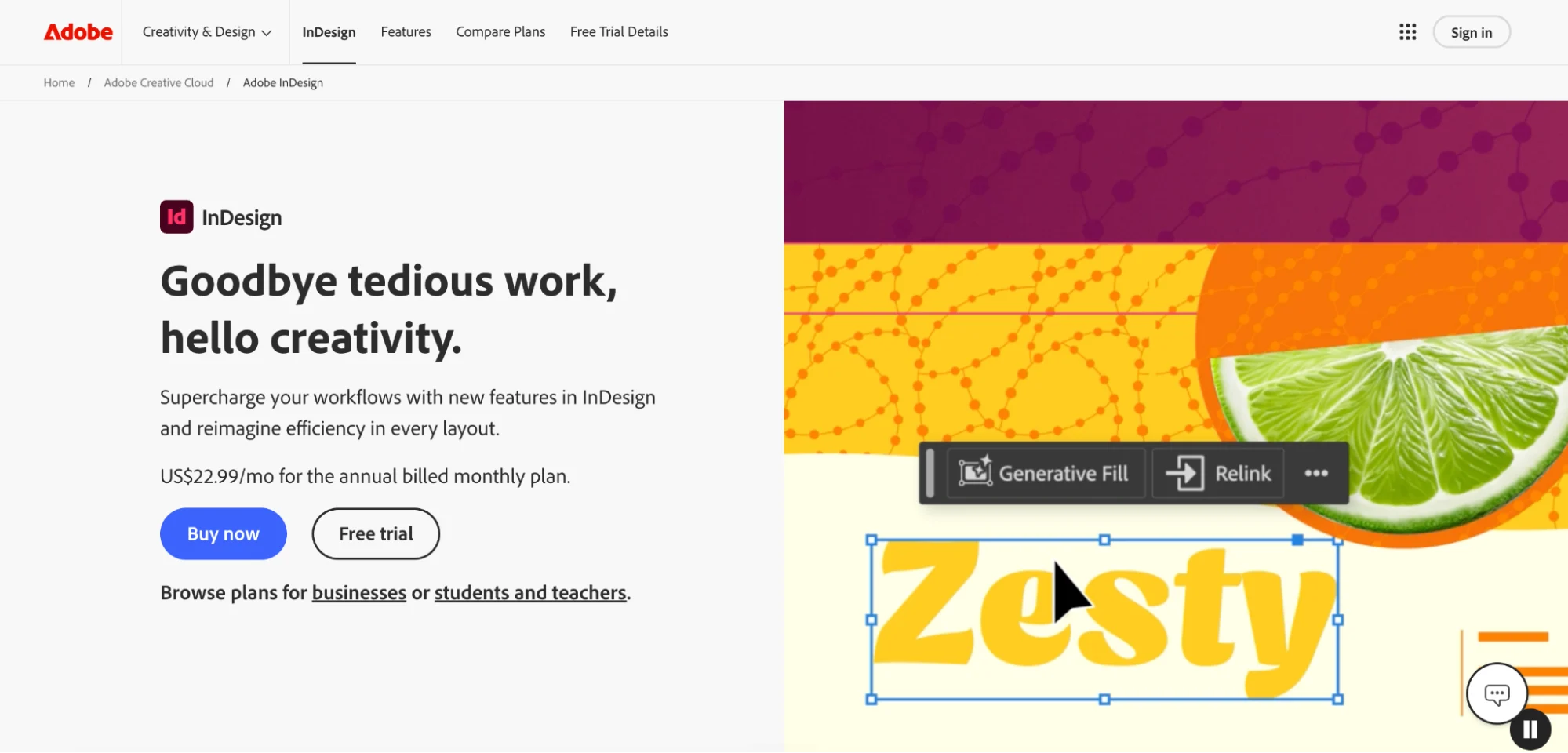
- Production-grade print governance: Canva’s Brand Kit protects fonts and colors, but it doesn’t stop someone from moving the logo, restructuring the layout, or deleting a compliance disclaimer before a flyer goes to print. The approval workflow only catches it if someone remembers to route the design through it first, and on a platform most teams already live in, that step gets skipped. Canva’s brand controls are not equivalent to Marq’s template locking.
- Data-driven personalization at volume: Canva does not support the kind of CRM or spreadsheet-driven data merge that lets teams generate hundreds of personalized print pieces from a single template.
- Complex multi-location governance: Organizations with hundreds of locations, sub-brands, and tiered access requirements will find Canva’s admin controls too broad for the complexity they manage.
Customer reviews
Jennifer H. praises its ease of use, saying, “What I like most about Canva is how easy it is to create professional-looking graphics, presentations, and marketing materials without needing advanced design experience. The templates and drag-and-drop tools make projects quick and efficient.”
Amber L. laments of a worse experience, sharing, “Their print services have worsened in quality over the years. I’m also unhappy that I don’t have a pro subscription, they lock me out of being able to use my business fonts that I uploaded.”
Who Canva Enterprise is best for
- Mid-sized teams where Canva is already the default design tool and brand governance is an emerging need, not a mature one
- Digital-first content teams that produce high-volume social, presentation, and email content with occasional print requirements
- Organizations that have not yet scaled to the complexity level where Canva’s governance gaps become operational problems
Need more advanced publishing capabilities? Compare the best InDesign alternative and competitors for enterprise teams.
6. Adobe Express for Enterprise: Best for Adobe ecosystem teams with basic brand content needs
Adobe Express for Enterprise is Adobe’s cloud-based design tool for non-designers and distributed teams, bringing Adobe’s design quality and stock library into a simplified interface. This makes it accessible to team members who are not using Photoshop or InDesign with enterprise-grade admin controls and SSO.
It’s best for organizations already invested in the Adobe ecosystem (Creative Cloud, Acrobat, Frame.io) as Adobe Express reduces the friction of bringing distributed team members into an Adobe-native content workflow.
Adobe Express for Enterprise requires direct vendor contact to discover pricing.
Compare Marq and Adobe Express for enterprise brand content teams.
7. Frontify: Best for brand guidelines management and design-system teams
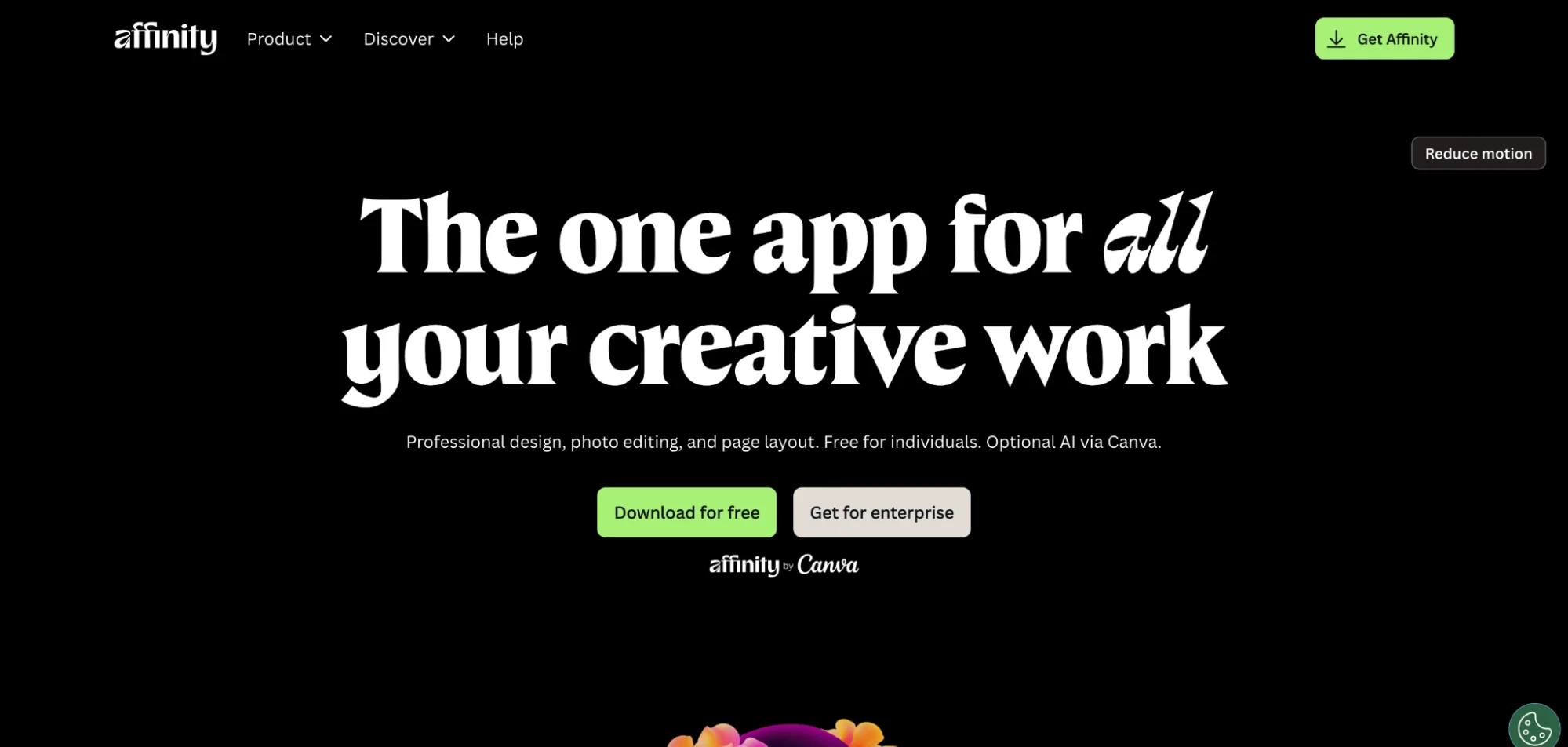
Frontify is a brand management platform built for global brands and centered on brand guidelines, design systems, and asset libraries. Brand teams build the rulebook through brand guidelines, tone of voice documentation, approved asset libraries, and design system components. Then, they share it with internal and external stakeholders.
Web-to-print is not Frontify’s primary use case. Its strength is in establishing and distributing brand standards, not in enabling distributed teams to produce and print governed content at volume.
Side Note: Unlike traditional desktop publishing software, Frontify focuses on governing brand assets and guidelines rather than creating layouts or marketing collateral.
You can contact the Frontify team for a customized quote.
See how Marq and Frontify differ as production-level tools.
How to choose the right web-to-print platform?
The web-to-print category covers two meaningfully different problems.
Are you running a print production operation, or a brand content operation?
If you are a commercial print shop or an in-plant serving other departments, you need a platform built for production: storefront management, order routing, proofing workflows, MIS integration, and fulfillment. Pressero, PageDNA, and Propago are built for this. Marq, on the other hand, is built more for creative automation.
If you are a marketing or creative leader at a multi-location organization, you need a platform built for brand governance: template locking, role-based access, data-driven personalization, and print fulfillment as part of a broader content workflow.

Marq is built for this. Production-focused platforms are not.
Most organizations trying to solve a brand compliance problem buy a production ordering platform and wonder why the problem does not go away.
Do you need data-driven personalization at volume?
If your team produces hundreds of personalized pieces such as agent flyers, location-specific brochures, or region-appropriate mailers, the platform needs to pull data automatically. Manual customization at that volume becomes a full-time job.
Marq’s data merge connects to CRMs, spreadsheets, and company directories to populate templates automatically. Platforms built for print ordering do not offer this at the same level.
Look for: smart field population, spreadsheet-to-template merge, CRM integration, and bulk generation capability. Marq’s creative automation handles all of these from one workflow.
How distributed is your team, and how much design judgment do they have?
A team of professional designers producing content through a structured print shop workflow can work with almost any platform. But a team of 400 real estate agents, franchise managers, or sales reps with no design background needs a platform that makes it structurally impossible to produce off-brand output.
The governance model matters here. A brand kit that restricts fonts is not the same as a locked template that prevents layout changes, logo repositioning, or disclaimer removal.
The right level of restriction depends on how much design autonomy your distributed users need, and how much your brand can tolerate variance.
Marq’s template governance layer in content management is built for organizations where the answer to “how much variance can we tolerate?” is “very little,” especially for franchise and multi-location teams.
Does print connect to your broader content workflow?
For marketing teams, print is just one channel. Governance decisions, asset approvals, and content strategy cut across print, digital, email, and social. A platform that handles only the print ordering step creates a silo.
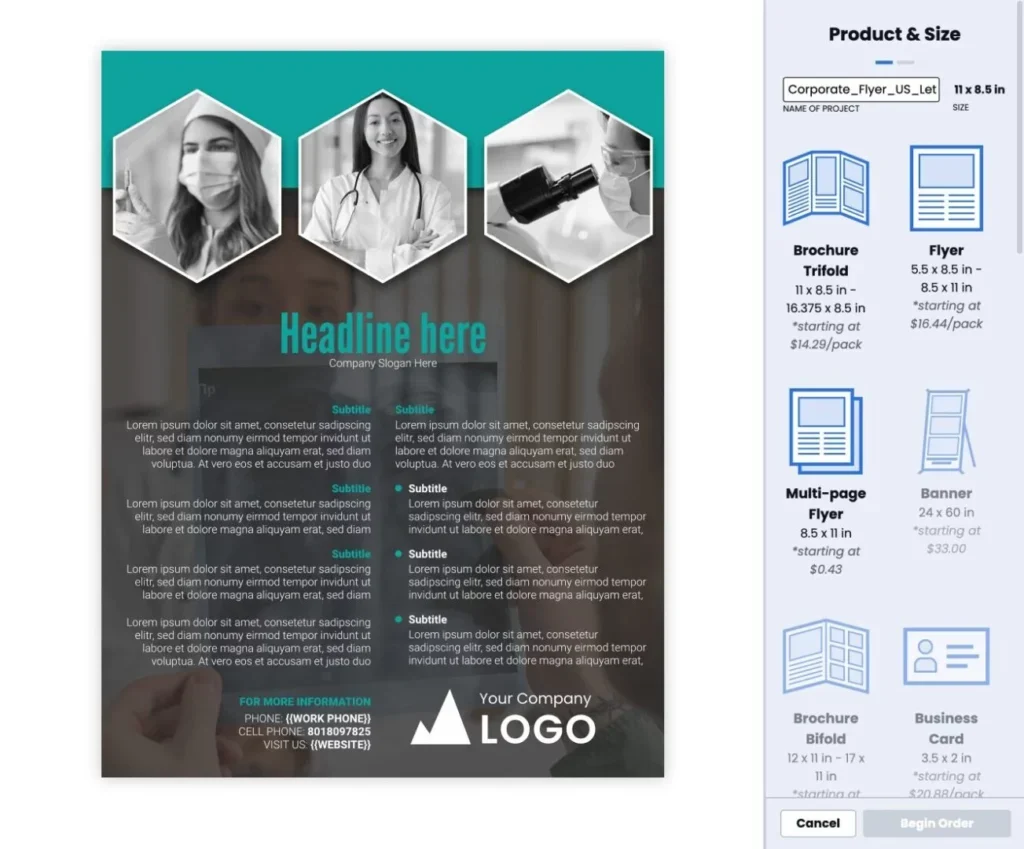
Look for platforms that connect print production to digital publishing, asset management, and CRM workflows so that a template built for a campaign can be routed to print, email, social, and a sales rep’s CRM record from the same place.
Marq’s content distribution capabilities cover all of these channels from one governed workflow.
→ Read more: Tips on how Marq approaches brand-consistent content across channels
Final Word on Marq
The right web-to-print platform depends entirely on which problem you are actually trying to solve.
If you run a commercial print operation and need storefront management, production workflow, and MIS integration, Pressero, Propago, or PageDNA will serve you better than Marq.
If you are a Marketing Director, Creative Director, or VP of Marketing responsible for brand compliance across a distributed team, Marq was built for your problem:
- Templates are locked before anyone touches them.
- Print is one output channel in a broader governed workflow.
- Data automation handles the personalization work that would otherwise fill your team’s day with requests.