5 Best Content Library Software in 2026 (Scale Content Faster)

Content discoverability and reusability often get far less attention than content production.
Once teams create and approve content, assets end up spread across Google Drive folders and local storage, which makes it harder over time to understand what is still usable.
As a result, teams default to rebuilding instead of reusing. They recreate content that already exists simply because that’s faster than locating the original.
That friction shows up everywhere. Design teams get pulled into repetitive requests for assets that already exist. Compliance becomes a bottleneck for re-approvals of near-identical content. And non-designers often bypass the system entirely, creating their own visuals just to move faster.
Content library software addresses this gap by making approved content structured, searchable, and ready for reuse across different teams.
To understand which is worth your investment, we’ve evaluated different content library tools based on:
- How well they organize content for fast retrieval,
- How effectively they support reuse through templates and workflows,
- How access can be controlled across teams, and
- How seamlessly they integrate with existing tools.
Here are five of the best options to consider.
Best content library software in 2026: At a glance
| Content Library Tool | Best For… | Key Features |
| Marq | Distributed teams that need more than storage and want to create on-brand content from a central library | Brand portal, template library with locked elements, image manager, group-based access, DAM and CRM integrations, Smart Brand Asset updates, smart fields |
| Adobe Express | Organizations already within the Adobe ecosystem | Creative Cloud Libraries, brand kits, template library, Firefly AI |
| Frontify | Teams that want brand guidelines, content, and assets in one governed system | Brand portals, living guidelines, approval workflows, AI Brand Assistant |
| MediaValet | Large enterprise teams managing high-volume content libraries | Experience portals, AI-powered search and tagging, version control, asset expiration, unlimited users |
| Canva | Small teams with basic content library needs | Brand Kit, template library, folder organization, design approvals |
1. Marq: Best for organizing assets and creating on-brand content from them
Marq is a brand enablement platform with a centralized content library at its core. It stores all templates, assets, colors, fonts, and guidelines in a single place.
But unlike a standard content library, Marq doesn’t stop at access.
Brand admins can turn approved assets into templates and lock critical brand elements, so they stay consistent across every use. At the same time, specific fields are left editable for non-designers to customize content where it’s intended.
For marketing leaders supporting distributed teams, this frees your central design team from repetitive requests and encourages non-designers to create quickly within guardrails.
Key features
Brand portal
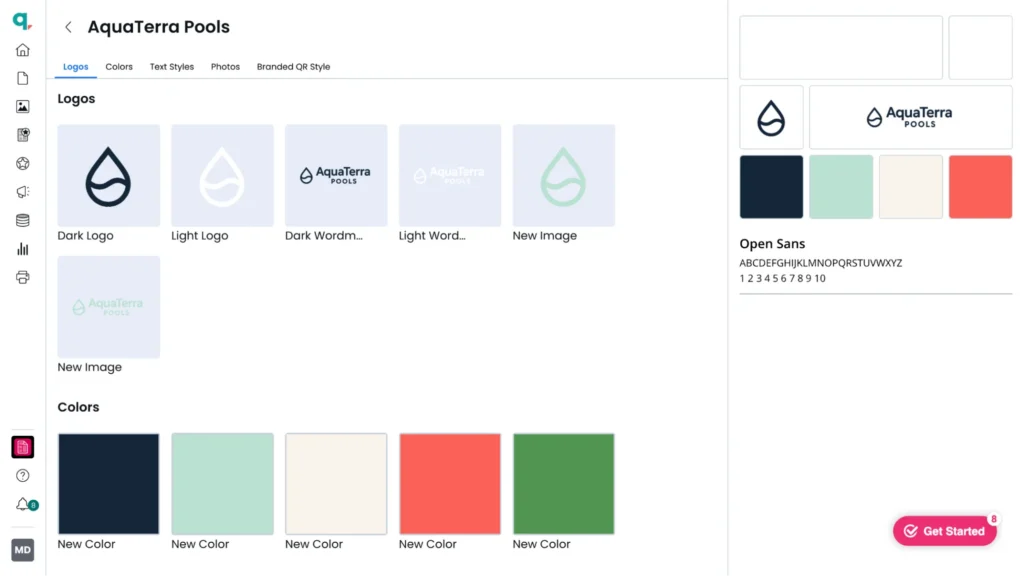
Marq’s brand portal is a cloud-based content library where every approved asset lives in one organized workspace. Teams can find logos, images, fonts, color palettes, and templates using a unified search bar. Admins can also organize content into custom folders and subfolders for smoother navigation.
Template library with locked editing zones
Marq’s template library is structured to make relevant templates easy to find through filters like content type, category, and platform. Brand templates, personal templates, and Marq’s built-in templates are kept in separate tabs so approved assets are easier to locate.
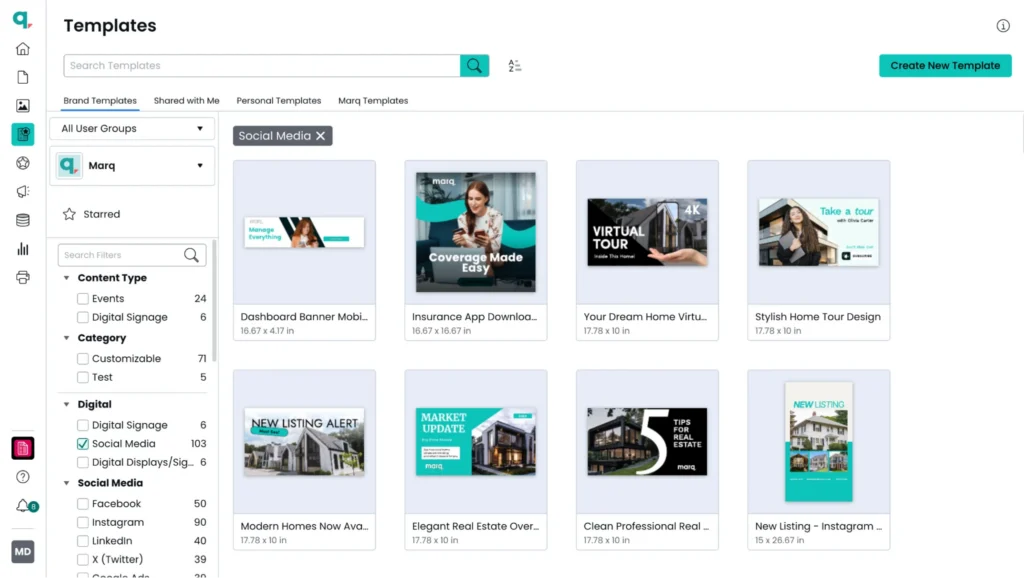
At the individual template level, admins define what can and cannot be changed. They can lock core brand elements such as logos, font style, and layout, while leaving specific fields editable for non-designers to customize.
Within the editor, brand admins access approved assets and images directly, so they can build on-brand content without leaving the workflow.
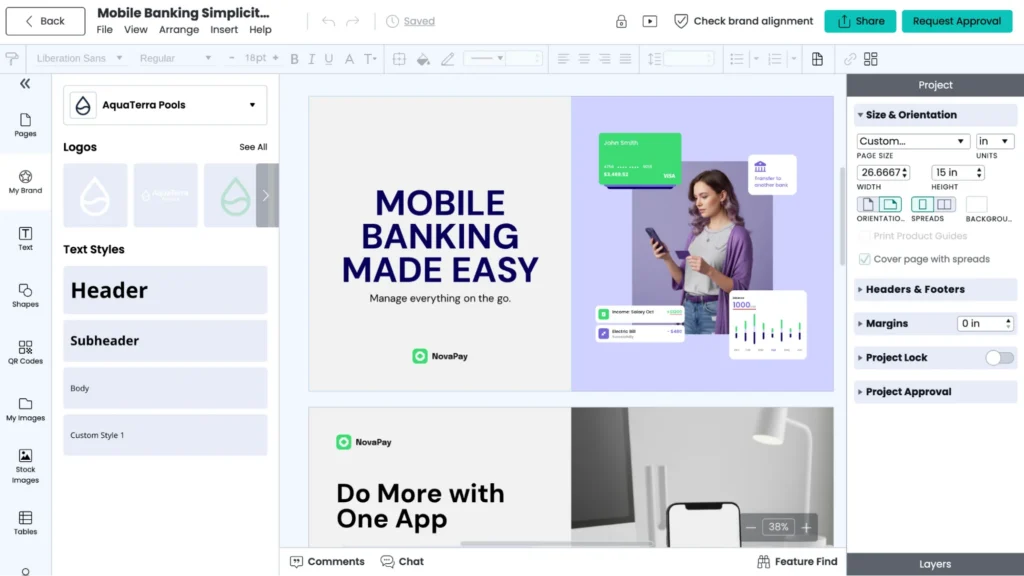
Image manager
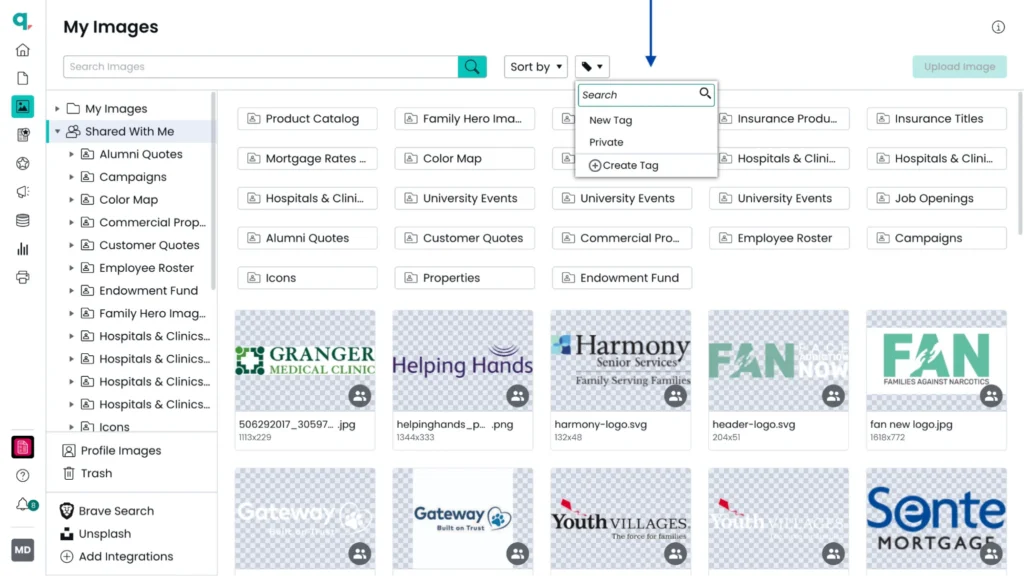
Beyond templates, Marq includes an image manager where admins can organize and govern approved visuals. Users can quickly locate images using search, tags, and basic sorting such as name or most recent.
Marq also integrates with external Digital Asset Management (DAM) systems like Brandfolder and Bynder, allowing teams to access existing brand images without switching tools or duplicating files.
Group management
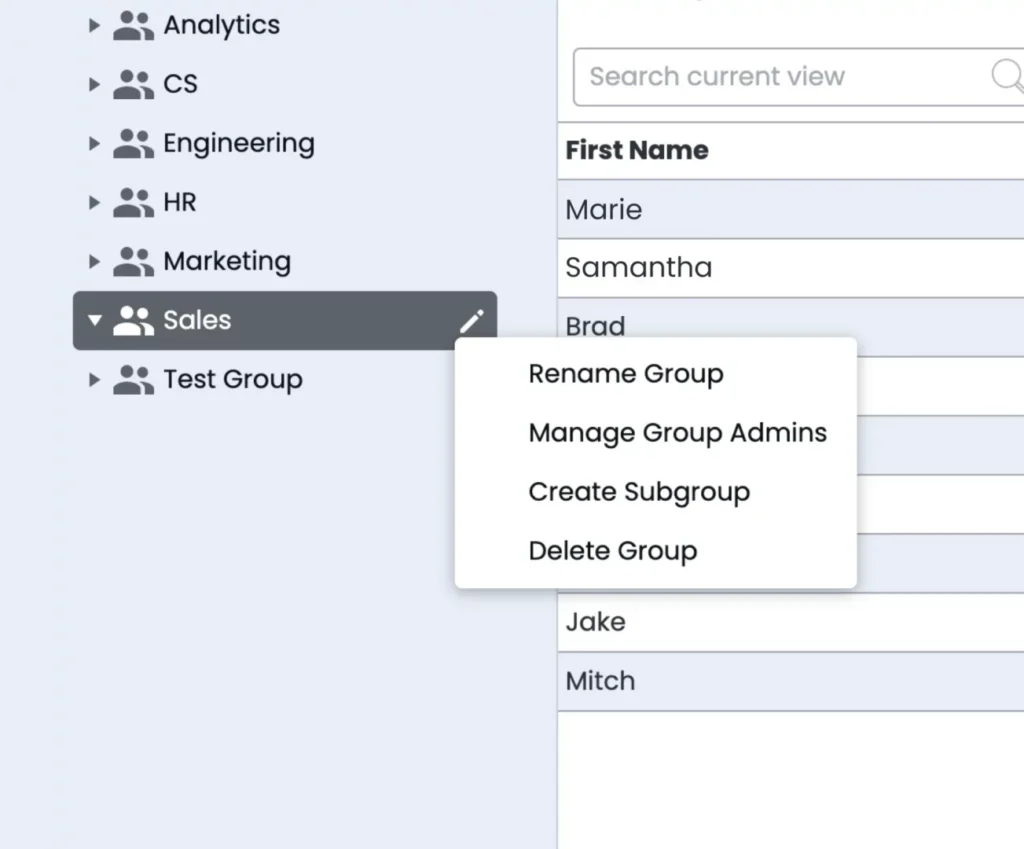
Marq’s group management feature helps organize the content library by mirroring an organization’s structure. You can create groups and subgroups, assign users to one or more groups, and at the same time, keep a primary group for simple license management.
Inside the content library, you can share projects, templates, and folders with specific groups, so each team only sees what they need.
Pricing
Contact Marq’s sales team for a personalized quote.
Where Marq shines
- Dynamic updates: Marq’s Smart Brand Assets feature automatically updates all templates when core brand assets like logos or color palettes change in the content library. This keeps the content library updated without manual work.
- Built-in governance: Marq gives brand teams control over how content in the library is accessed and used. Admins manage permissions through groups and keep approved assets centralized in one place. Built-in approvals ensure they review content before publishing, maintaining consistency without slowing down production.
Where Marq falls short
- Overpowered for basic storage needs: If you’re only looking to store and organize content, Marq may go beyond what you need. It’s built for teams that want to turn those assets into ready-to-use templates for creating consistent, on-brand content.
Customer reviews
Doug Garcia shares, “When we found Marq, we were sucked in by the ability to create branded templates, upload our colors and logos, allow campus partners to customize their designs… and still have complete control over our brand.”
Delany says, “Marq templates empower people who aren’t designers to learn how to take control of daily design. Many wish they had a design eye, but most of the time… they don’t. This way we can empower our campus clients to stay on brand by locking down aspects of the templates, but they can still be creative and feel like they’re able to tackle these projects without bringing in someone from our team.”
Who Marq is best for
- Distributed teams that work with high content volumes and need a reliable way to store, access, and reuse it at scale.
- Organizations with existing DAMs that want to enable content creation on top of their asset library.
2. Adobe Express: Best for teams working within the Adobe ecosystem

Adobe Express is a content creation platform built around a simple idea: the content your designers produce in Photoshop, Illustrator, and InDesign should be instantly available to everyone else on the team.
Its library system (Creative Cloud Libraries) syncs assets across every Adobe app in real time. When a designer finalizes a logo or updates a template, the rest of the team sees the change immediately without a separate file transfer.
Key features
- Creative Cloud Libraries: A centralized content library that syncs across all Adobe apps. It stores brand colors, logos, fonts, approved images, and templates in a single place and makes them accessible across Photoshop, Illustrator, and InDesign.
- Brand kits: Admins create multiple brand kits for different departments, sub-brands, or regions. Each kit stores the brand elements relevant to that group, with visibility controlled at the team or department level.
- Template library with locking: Admins add approved templates with locked elements to the team library, so non-designers can customize only the parts they’re meant to.
- Adobe Firefly AI: Generate and edit images from within the library and editor using Adobe’s commercially safe AI, which is trained on licensed Adobe Stock content.
Pricing
| Plan Name | Plan Cost |
| Adobe Express Free | $0 |
| Adobe Express Teams | $7.99/month/user |
| Adobe Express Premium | $9.99/month |
| Adobe Firefly Pro | $19.99/month |
| Adobe Creative Cloud Pro | $69.99/month |
| Adobe Express Enterprise | Custom |
| Adobe Express Higher Education | Custom |
Where Adobe Express shines
- Connected library: For organizations where designers produce in Creative Cloud and marketers consume in Adobe Express, the library stays in sync automatically. There is no separate upload step, no version lag, and no risk of marketers working from an outdated file.
- Non-designer content production at scale: Bulk creation and the template library makes it practical for large marketing teams to produce marketing content without a design request for every output.
Where Adobe Express falls short
- Works best inside Adobe ecosystem: Adobe Express works best with Creative Cloud Libraries. Without it, teams still get a content creation tool, but miss the shared content library that keeps assets connected and consistent across apps.
- Limited content organization depth: Adobe Express’s library and folder structure works well for modest content volumes. Teams managing large, complex content libraries across many teams will find Adobe Express lighter than dedicated DAM platforms.
Customer reviews
Kajal K. shares, “The integration with other Adobe products and cloud storage is also very helpful, as it makes editing and sharing designs seamless across devices.”
Michael M. says, “I hope to see ongoing improvements in asset organization and library management. When managing projects for several brands or classrooms, folders tend to become cluttered rather fast.”
Who Adobe Express is best for
- Organizations already using Adobe, where designers create assets in Creative Cloud apps and marketing teams need instant access through a self-serve library.
Side note: It’s worth comparing Adobe Express alternatives if your team needs more control over brand governance.
3. Frontify: Best for teams that want content and brand guidelines in one place
Frontify is a brand management platform where guidelines live alongside content instead of separate documents.
Teams can access assets, templates, and current brand guidelines in one place. This helps resolve issues around finding files, knowing approved versions, and following brand rules, since updates to guidelines are reflected across all content automatically.
Key features
- Brand portals: Interactive content portals where approved assets, templates, and brand guidelines live together. Teams access their relevant portal and find both the content they need and the rules for using it.
- Living brand guidelines: Guidelines are not static documents. They update in real time and connect to the assets they describe, so teams cannot download a logo without immediately seeing the usage rules attached to it.
- Approval workflows: Reviewers approve content before publishing it to the library. Each asset also carries a full audit trail.
- AI Brand Assistant: Answers questions about brand guidelines, reviews copy against brand standards, and helps teams find the right content – all without reaching out to the brand team.
Pricing
Pricing is available upon request from the Frontify team.
Where Frontify shines
- Real-time library updates: When a piece of content is updated, the update reaches every team’s portal immediately. No manual redistribution or reminders needed.
- Guidelines embedded in the content library: The most common reason teams use the wrong content is not knowing what the right content is. Frontify solves this by making brand rules impossible to miss when accessing any asset.
Where Frontify falls short
- Relies on user discipline for content creation: Frontify makes content and guidelines accessible. It does not technically prevent teams from creating non-compliant content in other tools after downloading an asset.
- Unintuitive user experience: Frontify’s interface can feel slow and unintuitive, especially for non-technical users. Simple tasks often require multiple steps, and key settings like styles may need to be adjusted page by page instead of globally.
Customer reviews
Russel B. says, “After lots of help from the Frontify team we have been able to create a simple way to organise our large library of not-so-simple asset types. This provides clarity for our users.”
Jakob T. shares, “The user experience and the page builder in general is horrible. For instance, font-sizes in the menu and the logo size is not set globally – you actually have to set it for each page. Imaging the amount of time it takes to update a menu for multiple pages.”
Who Frontify is best for
- Brand teams that want a single portal where guidelines and approved content live together, not in separate tools.
4. MediaValet: Best for enterprise teams with large content libraries
MediaValet is an enterprise DAM platform built on Microsoft Azure. Its strength as a content library platform comes from how it works together at scale: unlimited users, powerful search, and branded portals make it easier for large teams to access and use content across the organization.
Key features
- Experience Portals: Curated content libraries for sharing targeted content with specific audiences. Admins can create branded portals with only the relevant assets, so teams or partners don’t have to navigate the full library.
- AI-powered search and tagging: Automated metadata tagging, smart search, facial recognition, and natural language queries make large content libraries easily searchable.
- Version control and asset expiration: Content in the library stays current. Outdated files are retired automatically, and version history ensures teams always access the most recent approved version.
Pricing
Pricing for MediaValet is not publicly disclosed, contact their sales team for a quote.
Where MediaValet shines
- Content library adoption at scale: Most content library tools charge per seat, which limits who gets access. MediaValet removes that friction entirely. Every plan includes unlimited users, admins, and training, so the content library can reach the full organization without a licensing decision attached to each new user.
- Curated distribution over open access: Experience Portals let content managers share only the relevant portion of the library with each team, instead of exposing the entire archive. Teams can access what they need without sorting through unrelated content.
Where MediaValet falls short
- Search quality depends on metadata quality: MediaValet’s AI-powered search is strong, but when metadata is inconsistent or missing, searches return no results and there are no fallback suggestions.
- Content creation is not part of the platform: MediaValet organizes and distributes content. It does not help teams create new content from the library. Organizations that need both a content archive and a creation layer will need a second platform alongside it.
Customer reviews
Jasmyne H. shares, “I find using MediaValet makes it easy to access our clients’ digital assets without back-and-forth emails. I really appreciate that it’s cloud-based, so I’m not tied to a computer.”
Helen F. says, “I wish there were renaming shortcuts (to easily rename batches of photos), or templates for organization/taxonomy that could be customized.”
Who MediaValet is best for
- Large enterprise teams that need to provide content library access to a high number of users across the organization without per-seat cost growing out of control.
- Teams managing multiple content audiences (internal departments, regional offices, external partners, etc.) who need curated, governed content portals rather than open library access.
5. Canva: Best for teams with basic content library needs
Canva is widely used as a design tool, but its Brand Kit, template library, and folder structure give it enough content library functionality for teams with modest organizational needs.
Canva works well for teams managing a single brand, a manageable content volume, and a team small enough that everyone can find what they need without complex search.
Key features
- Brand Kit: Store brand colors, fonts, and logos in a centralized location accessible to the whole team from within the editor. Higher-tier plans support multiple Brand Kits, making it easier to manage sub-brands or separate departments within one account.
- Template library: Admins publish approved templates to a shared team library. Templates can have locked elements applied before publishing.
- Folder organization: Teams organize content into folders for campaigns, departments, or content types. Sharing settings control who can access each folder.
- Design approvals: Approvers sign off on designs created from specific templates before they can be downloaded or shared. Design approvals are only available in the Business and Enterprise plans.
Pricing
| Plan Name | Plan Cost |
| Free | $0 |
| Pro | $15/month |
| Business | $20/month/user |
| Enterprise | Custom |
Where Canva shines
- Affordable entry point for content libraries: Canva’s free plan includes 1 Brand Kit, while the Pro plan ($15 per month) includes up to 5 Brand Kits.
- Simple content organization: Folder-based structure allows teams to store and retrieve assets quickly without complex setup or governance layers.
Where Canva falls short
- Content organization breaks down at scale: Canva’s folder structure and search work well for small content volumes. As the library grows and more teams contribute, finding the right piece of content becomes harder. This is mainly because search is tied to exact naming rather than tagging or metadata.
- No version control or content expiration: Canva does not automatically retire outdated content or track which version of a template is current. As a result, old and new versions sit side by side, making it unclear which one teams should use.
Customer reviews
Syed Zeeshan A. shares, “The drag and drop editor, preset sizes, and brand kit features help maintain consistency while still moving fast, which is important when working on tight timelines.”
Sara S. says, “Organizing and searching through fonts can be clunky, especially when working with brand kits or custom uploads.”
Who Canva is best for
- Small marketing teams with a single brand, modest content volume, and no need for enterprise-level content organization.
How to choose the right content library platform
Before choosing a content library software from this list, ask yourself these questions.
Does your content library need to serve one team or many?
A content library for a five-person marketing team is different from one serving 200 people across 15 departments. The more teams involved, the more important it becomes to show each group only the content relevant to them. Without that filtering, the library becomes harder to navigate and increases the risk of sensitive content reaching the wrong people.
Marq’s group management lets admins share specific template folders at the group or subgroup level. The sales team sees sales content. The finance department sees financial documents. Nobody wastes time scrolling past content that does not apply to them.
How much content creation happens from your library?
Some companies use a content library mainly to store and distribute assets. Others need the library and the creation tool in the same platform, so teams can move directly from finding content to building with it.
Take the example of an insurance company with independent agents across multiple states. Each agent creates client materials daily, product sheets, coverage summaries and state-specific documents, etc.
When the library and creation tool are separate, every request involves switching tools, re-entering information, or relying on the design team’s support. When they are in the same tool, agents open a template and personalize it by adding customer details.
Marq brings these workflows together by letting users work directly from approved templates, personalize content with smart fields, and produce on-brand materials without leaving the platform.

Can it integrate with your existing content ecosystem?
A content library that operates in isolation often adds extra work. Most teams already store assets in a DAM and manage customer data in a CRM. If the platform doesn’t connect to these systems, teams end up moving files and data manually between tools, which slows work and increases the chance of errors.
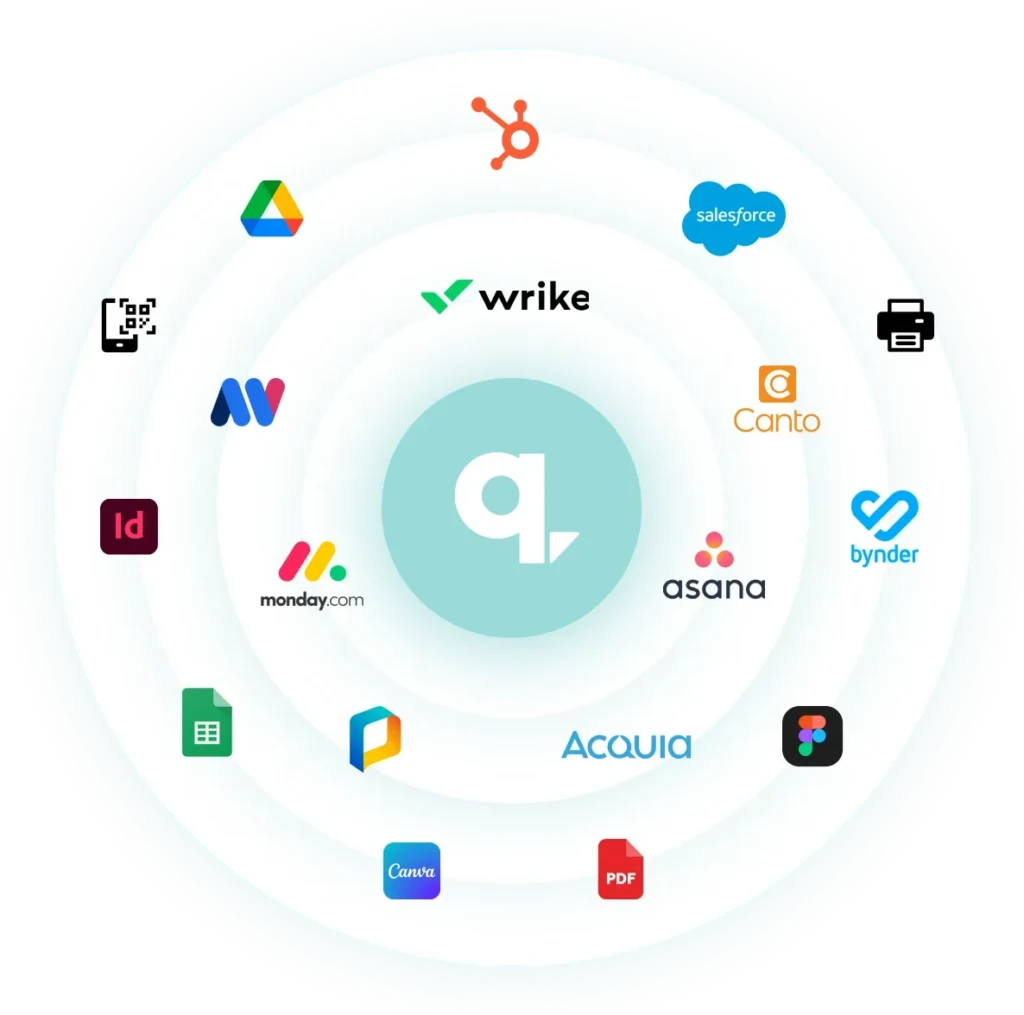
Marq integrates with DAM platforms like Brandfolder, Canto, and MediaValet, allowing teams to pull approved assets straight into their designs. Marq also integrates with CRMs like Salesforce and HubSpot to bring customer data into templates for personalization. Within the editor, users can access stock images and icons from sources like Unsplash and Icon Finder without switching tools.
Final word on Marq
Marq works well as a centralized content library for storing and organizing brand assets in one structured system. It also goes beyond storage by turning those assets into ready-to-use templates that teams can create from directly, without relying on design support.
For teams looking to simplify how content is stored, accessed, and used at scale, Marq is worth exploring. Book a demo today!