Brand Asset Management Guide: Best Practices & Solutions for Growing Teams in 2026

Your creative team did not sign up to be a help desk. But when brand assets sit across shared drives, email threads, and personal desktops, they end up acting like one.
They spend time replying to asset requests, searching for the right files, and fixing marketing materials after they go out with branding errors. Every hour they spend on this pulls them away from work that actually moves the brand forward.
Brand asset management breaks this cycle. It centralizes assets, sets clear permissions for who can do what, and gives distributed teams the structure to create on-brand content without involving designers in every request.
This article breaks down the key brand asset management challenges growing teams face and the systems that keep content consistent and compliant at scale.
Where brand asset management becomes a problem at scale
Most marketing teams start with a shared drive. That may work well for 10 people, but as the workforce grows, it falls apart.
A new regional manager joins and gets added to the shared drive. He downloads a deck from a folder labelled “current templates,” updates it with his contact details, and sends it to a prospect.
What he does not realize is that no one has updated the folder in months. The logo is outdated, the tagline has changed, and someone revised the compliance disclaimer after a regulatory review.
The mistake shows up later, so the request lands with the creative team. They fix it, resend it, and move on. Then the next request comes in. And the one after that. Meanwhile, campaigns slow down, deadlines slip, and design work turns into a series of requests. This is not a staffing issue, but rather a brand asset management problem.
When that system breaks, the patterns look familiar:
- Assets spread across multiple locations with no clear owner
- People keep outdated files in circulation because no one archives them
- Teams store brand guidelines as a PDF with no enforcement system
- Every content request flows through one small creative team
Business impact of poor brand asset management
Poor brand asset management carries direct financial and reputational consequences across four areas.
1. Inconsistent messaging lowers trust and engagement
When a prospect sees a polished proposal from one representative and a mismatched one from another, it creates doubt about how aligned the company is. Most prospects do not call it out, they simply disengage.
The creative team rarely traces the issue back to the asset itself. In isolation, each piece looks acceptable. But across regions and teams, inconsistency adds friction at every touchpoint. Over time, it weakens trust in the buying journey and reduces the effectiveness of campaigns.
2. Campaign delays lead to lost opportunities
When every content request goes through the creative team, campaigns get stuck in a queue. These delays rarely show up in revenue reports, but they still lead to missed launches, slower sales cycles, and lost deals.
Launch windows, seasonal campaigns, and competitive responses run on fixed timelines. When assets are not ready in time, teams miss those moments and lose ground to competitors.
3. Compliance gaps result in costly penalties
In financial services, insurance, and healthcare, and other regulated industries, content errors can create regulatory exposure. When teams do not use controlled distribution, outdated disclaimers and missing disclosures can slip into customer-facing content.
A single compliance issue can lead to legal costs, penalties, and remediation efforts that far exceed the cost of preventing it.
4. Design rework increases operational costs
Every revision request that reaches the creative team because someone used the wrong template or changed an important brand element adds avoidable cost. Designers end up fixing work instead of producing new campaigns. Marketing managers spend time coordinating fixes instead of campaign planning and execution.
Over time, this rework compounds across teams and regions. What starts as a few small fixes turns into a steady drain on creative capacity, slowing down output and increasing the cost of every campaign.
Step-by-step leadership guide to strengthening brand asset management
Companies that jump straight into brand asset management software often end up centralizing the same chaos in a different place. Teams still can’t trust what they can and can’t use, and brand consistency breaks at scale.
Here is how you can create on-brand content without overwhelming your creative team with requests.
| Action | Outcome |
| Audit existing assets and decide what to keep, archive, or discard | Clean starting point |
| Centralize assets and properly tag them | Fast, accurate search for every user |
| Build governance with role-based access | Brand control without creative bottlenecks |
| Set up approval workflows | Compliant content before it’s published |
| Track adoption and measure results | Proof of ROI and visibility into gaps |
Step 1: Audit where your brand assets currently live and decide what stays
Before you centralize assets, identify where they are stored. Shared drives, email threads, Slack channels, personal desktops, old campaign folders – pull it all into one inventory. Most companies discover duplicate files, outdated templates, and inconsistent naming conventions the moment they start auditing.
Once you have the full picture, apply a simple keep-or-discard framework to every asset:
- Keep assets that reflect the current brand, support active campaigns or workflows, and carry no expiration or compliance risk.
- Archive assets that teams may still need for historical reference but should no longer use in active campaigns. Move them into a clearly labelled archive folder with restricted access.
- Discard assets that are outdated, off-brand, duplicated, superseded, or no longer relevant.
Step 2: Centralize assets in a single source of truth
Centralizing brand assets is not just about moving files into one place. It is about making every asset easy to find and safe to use.
That starts with structure. Each asset should include basic metadata: asset type, owner, creation date, approved channels, expiration date, and relevant tags. Tags should reflect how people search, not internal file names. A headshot tagged “team photo” is less useful than one tagged “sales team, North America, Q1 2025 approved.”
Without this structure, a centralized library quickly becomes another messy folder system. Teams stop trusting search and go back to asking designers for files.
For time-sensitive assets like seasonal campaigns, event materials, or licensed images, set expiration dates upfront so outdated content is removed from circulation automatically.
Step 3: Build asset governance with role-based access controls
Start by defining who gets access and what they can control. Document it in a simple access policy and get stakeholder approval before you set up the workflow.
Marq, a brand enablement platform, structures permissions around a clear role hierarchy where each level builds on the one below it. Assigning the right role is how you maintain brand control without slowing down day-to-day content creation.
- Viewer: Reviews and approves content without editing it. Legal, compliance, and executives sit here. They can comment and download approved assets but cannot create or change anything.
- User: Creates content using approved templates. Sales representatives, regional managers, and marketing teams fall into this role. They can edit only within defined fields and cannot change locked brand elements.
- Template Admin: Builds and maintains templates. Brand managers and designers are part of this role. They define layouts, lock brand elements, configure editable zones, and manage the template library.
- Team Admin: Manages the system. IT or operations leads sit here. They control user access, roles, integrations, security settings, and billing.
Apply a simple rule: give people the lowest level of access they need to do their job. Over-permissioning leads to broken templates and inconsistent output.
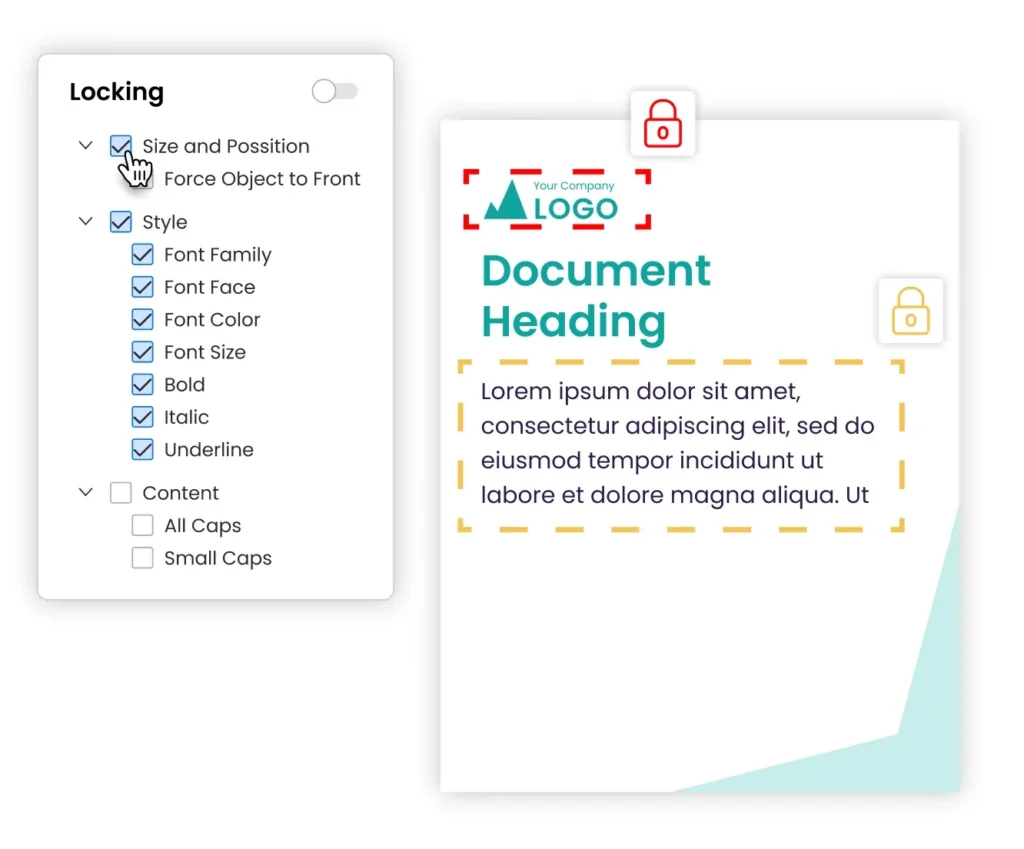
Once roles are in place, extend governance inside the brand asset management platform. In Marq, you can lock core brand elements across all templates and clearly define what users can edit. This is how you maintain brand consistency while scaling content creation across teams.
Step 4: Set up approval workflows
An approval workflow is the final check before content reaches customers. To streamline approvals, start by sorting content based on risk:
- Low risk: Internal updates, event flyers, and routine social posts. These can move forward without a formal review as long as the team uses locked, brand-safe templates.
- Medium risk: Sales decks, campaign assets, and partner materials. These need one round of brand review before publishing.
- High risk: Anything in regulated industries like financial services, insurance, or healthcare that includes disclaimers or compliance text. These need both brand and compliance approval before release.
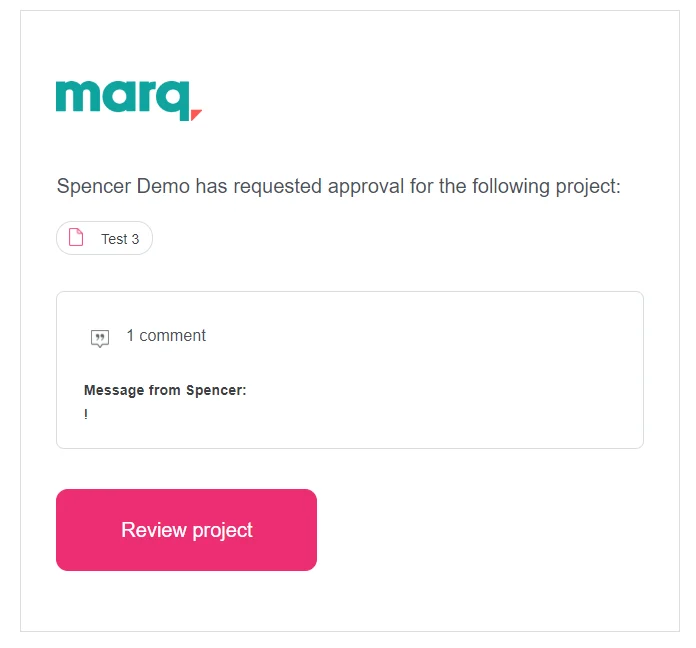
Marq lets you set approval rules at the template or account level so content automatically goes to the right reviewer before it is shared or downloaded. Every approval is logged with timestamps and comments, giving teams a clear audit trail without manual tracking.
Step 5: Track adoption and measure the right metrics
A brand asset management system only works if teams actually use it. Track usage from day one so you can see what is working and what is not.
Focus on a few clear metrics:
- Active users by team: which teams are using the system and which are not
- Template usage by type: what kinds of content teams create
- Design requests over time: whether teams still depend on the creative team for basic work
- Time from request to publish: whether content moves faster than before
- Off-brand content incidents: whether governance is working in practice
Set a baseline in the first month. Review results monthly at first, then shift to quarterly once usage stabilizes. If a team still sends every request to design, treat it as a signal that something is missing in access, training, or templates.
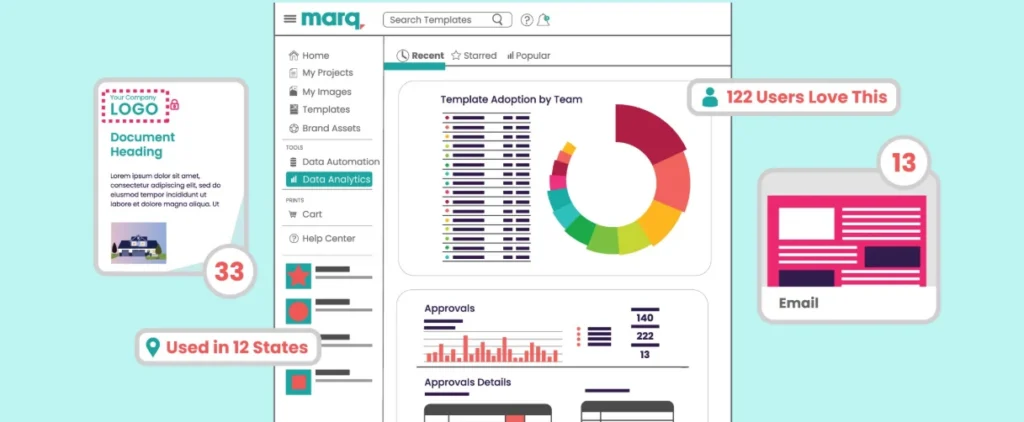
Marq analytics show template usage, activity, and content output across teams so you can see where adoption is strong and where improvement is needed.
3 best practices for managing brand assets
The steps above get your brand asset management system up and running. Whether it holds up over time depends on a few key practices.
1. Assign brand stewards across departments
A centralized brand team cannot review every piece of content across every department. But, brand stewards can.
Assign one person per major department or region. Choose someone senior enough to be trusted and close enough to daily work to spot issues early. Their role is not to police the brand. It is to support teams when they need a template, have a question, or risk going off-brand under pressure.
Brand stewards also act as a feedback loop. They flag missing templates, highlight where fields feel too restrictive, and share where teams bypass the system. That input helps improve the setup over time.
2. Run quarterly brand asset audits
The asset library you build today will not stay clean on its own. Every quarter, run a structured audit:
- Remove expired assets
- Archive outdated versions
- Check that template editable zones still reflect current brand rules
- Confirm that smart fields pull from current data sources
This is also the moment to check whether new content types have been introduced; a new product line, market, campaign format that need templates the library does not yet cover.
Assign the audit to the brand stewards at the department level and have a brand admin merge the findings centrally.
3. Build a brand onboarding process for new teams and locations
Brand governance usually breaks down when teams scale fast – when a new region launches, a new department forms, or a new partner network joins.
Build a simple onboarding process that every new team member completes before they get access to assets. Cover what the brand stands for, what they can and cannot change, how to request new templates, and who their brand steward is.
This does not need to be heavy. One short session, a recorded walkthrough, and a clear point of contact is often enough to prevent months of off-brand work later.
Pair this with a structured setup where each team only sees the templates relevant to them. When access is set up this way, brand consistency becomes the default from day one.
Examples of effective brand asset management
Below are two companies that outgrew their original setup and rebuilt how they manage brand assets to support scale, consistency, and speed.
1. Johns Hopkins University
Johns Hopkins University’s creative strategy team of four supported thousands of staff across nine schools and four campuses. Content requests built up quickly, and wait times stretched to three or four weeks during peak periods. Staff members without design experience waited in the queue for their turn.
After adopting Marq, the team created a centralized library of templates with smart fields that automatically applied the correct logo, imagery, and typography for each school. They also set up department-specific template collections so each group only saw what was relevant to them.
As a result, content turnaround dropped from weeks to a single day, and designers shifted their focus from repetitive requests to higher-value work.
2. Fidelity National Financial
Fidelity National Financial has 23,000 employees across 80+ subsidiaries. Marketing collateral sat across multiple platforms and local drives, and sales teams spent a lot of time manually personalizing materials for 2,000+ executives. Without a central system, each subsidiary created and managed content in its own way, which led to inconsistency.
After adopting Marq, the company brought all print and digital collateral into one place. Smart fields automatically added each representative’s photo and contact details, removing manual updates.
When admins updated a template, changes reached every user instantly. Today, more than 800 users across 29 subsidiaries create and manage content from a single system.
Top 3 brand asset management tools
The step-by-step process and best practices above only work when the underlying system supports them. A shared drive and a PDF of brand guidelines do not hold distributed teams accountable or keep content consistent. If you are also evaluating marketing collateral management tools, that guide covers how they fit into a broader content governance strategy. These are three platforms worth evaluating.
| Brand Asset Management Software | Best For… | Standout Feature |
| Marq | Distributed teams producing high volumes of personalized, brand-compliant collateral | Lockable templates with granular editable zones |
| Bynder | Enterprise organizations managing large asset libraries across global markets | AI-powered natural language search |
| MediaValet | Organizations with large asset libraries and video content needs | Custom experience portals |
1. Marq
Marq is a brand enablement platform built for organizations where non-designers create on-brand content at scale. Admins lock brand standards into templates, while distributed teams customize content within those rules without relying on the creative team for every request.
Key features
- Lockable templates with granular editable zones. Lock logos, colors, and compliance fields while allowing users to update names, photos, and campaign-specific content.
- Smart fields that connect to spreadsheets and Customer Relationship Management (CRM) systems to auto-populate personalized content in brand-safe templates.
- Role-based access portals that give each team, department, or location its own workspace with access only to relevant templates.
- Built-in approval workflows that route content to the right reviewer before it is downloaded or distributed, with a full audit trail.
- Native integrations with Bynder, MediaValet, Salesforce, HubSpot, and more.
Who is Marq best for
Mid-market to enterprise organizations where distributed teams need to produce high volumes of personalized, brand-compliant collateral without involving the central creative team in every request.
2. Bynder
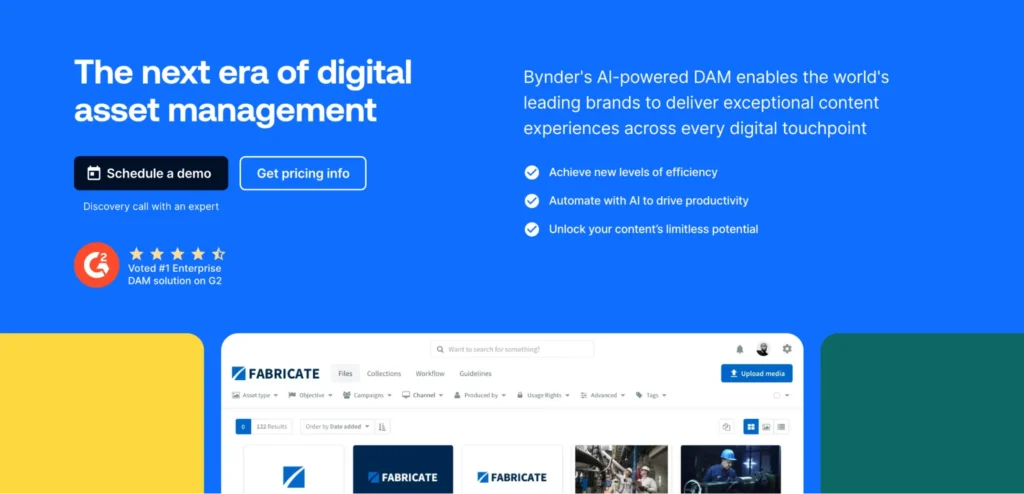
Bynder is an enterprise Digital Asset Management (DAM) platform that is well-known in the market. It serves as the central hub for brand assets, storing, organizing, and distributing approved content across global teams and markets.
Key features
- AI-powered search and auto-tagging, including natural language search that lets users find assets using everyday language rather than exact metadata matches.
- Role-based access controls, where admins set permissions that define what each user or team can view, download, edit, or share.
- Asset workflow module with version control, in-context annotation, and configurable approval stages for creative review.
- 145+ pre-built integrations.
Who is Bynder best for
Enterprise organizations managing large, complex asset libraries across global markets who need a centralized system of record with strong governance, workflow automation, and integrations.
3. MediaValet
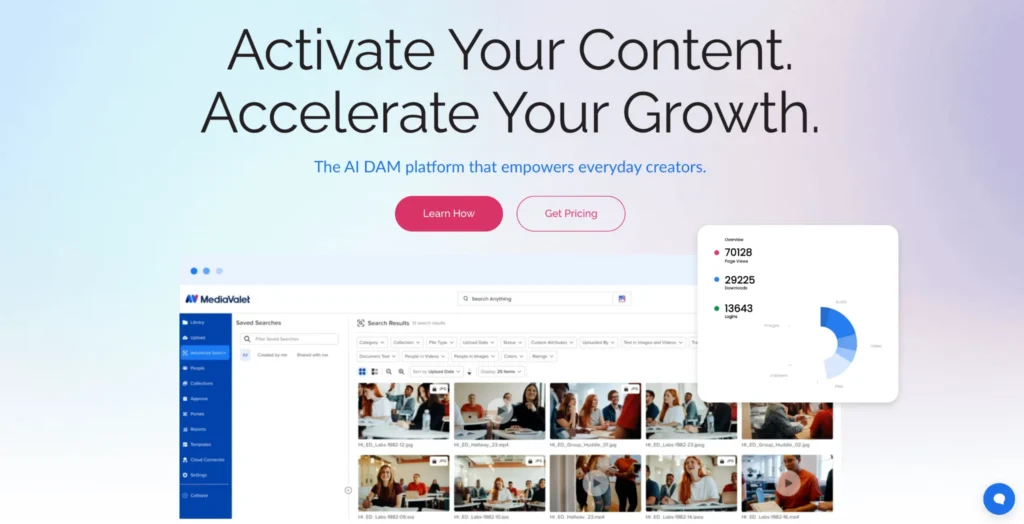
MediaValet is an enterprise DAM platform built for organizations managing large volumes of digital assets, including rich media and video. It combines centralized asset storage with brand management features including experience portals and AI-powered search.
Key features
- Custom experience portals that let teams share curated asset collections with partners and agencies.
- AI-powered search with face recognition and smart tagging that learns the content library over time.
- Role-based permissions with unlimited user groups controlling who can view, download, upload, and share assets.
- Built-in proofing tools, version control, and expiration date management to keep libraries current and compliant.
- Native video asset management with automated transcoding to different resolutions for cross-channel distribution.
Who is MediaValet best for
Organizations managing large asset libraries across multiple teams and markets, particularly those with significant video content needs.
Operational checklist for marketing leaders
Audit and organization
Governance
Access and distribution
Automation
Maintenance
Centralize brand assets and ensure consistency with Marq
Brand asset management is not a storage problem, it is a governance and activation problem. Most organizations already have the assets stored in some way, shape, or form. The gap is in how those assets reach the people who need them, in the right format, with the right guardrails.
Marq gives marketing leaders lockable templates, smart field automation, role-based self-service portals, approval workflows, and integrations with CRMs and DAMs your teams already use. The result is a brand that scales without the creative team becoming a bottleneck.
Book a demo with Marq to see how distributed teams manage brand assets at scale.
FAQs
Brand asset management is the process of organizing, storing, governing, and distributing a company’s brand assets, including logos, templates, fonts, and approved images.
It ensures every team works from the same, up-to-date versions of these assets by centralizing them in one place and controlling who can access, edit, and publish them.
Digital asset management covers storage and retrieval of all digital files. Brand asset management specifically governs the creation and distribution of brand content, including template governance and compliance controls.
A strong brand asset management system includes a centralized asset library, version control, role-based access, lockable templates, smart fields for personalization, approval workflows, and usage analytics.